Pack "styles" for HikaShop :
|
|
You can choose between different styles in our styles section in order to change the front-end of your HikaShop. Apply quickly and easily a new layout with colors and shapes more appropriate to your website and customize in one click your online shop ! The packs "styles" include several CSS files. More fancy styles will be coming in the future ! View all styles |

How to install your new style :
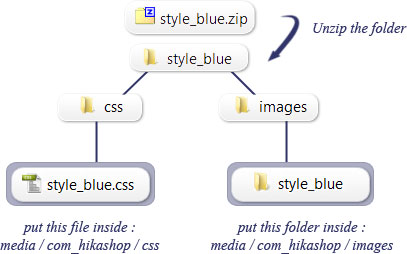
 download the style you like in our styles section.You can do this by clicking the download button which look like this one : Download
 Unzip your style package and upload the content on your joomla website via FTP. For example with Filezilla :
- put the file inside "css" (ex: file "style_yellow.css") inside : media/com_hikashop/css
- put the folder inside "images" (ex: folder "style_yellow") inside : media/com_hikashop/images
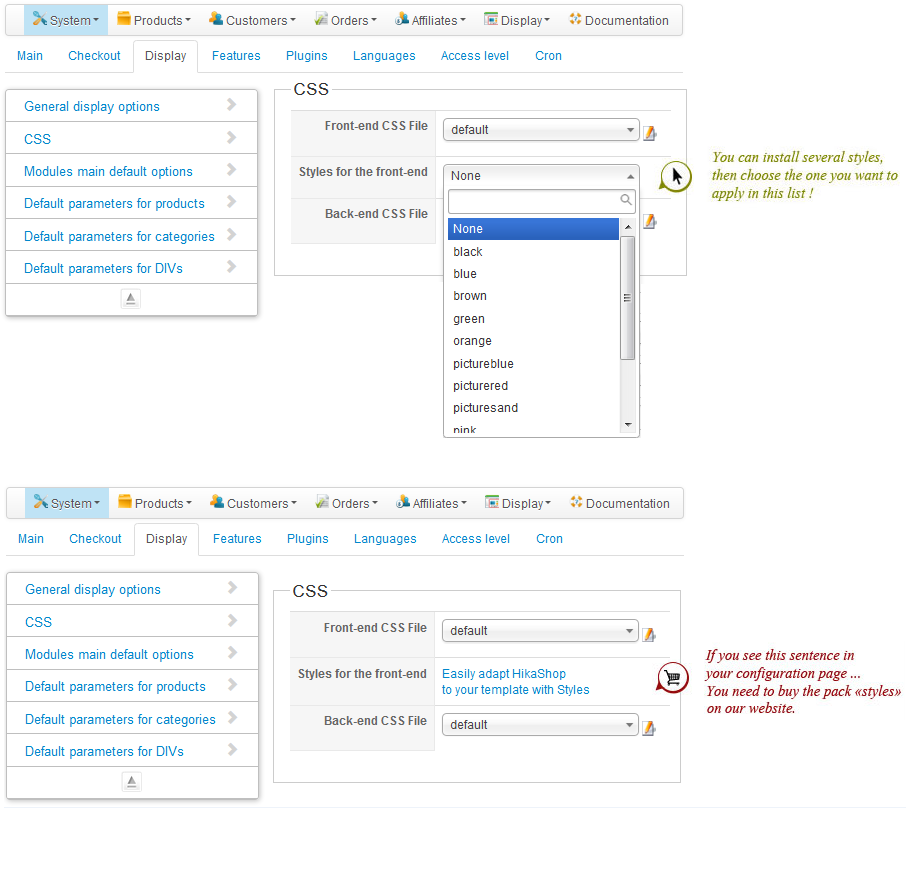
 In the configuration of HikaShop, go in the Display tab and select your style in the list
You're done !! You can see the result on your front-end.
Style on HikaShop modules :
In order to see the new style in your HikaShop modules, you need to insert a class suffix to your modules when you edit them.
For the Cart module use : moduletable-cart
For the Currency switcher module use : moduletable-switch
For the Categories of products module use : moduletable-cat
For the Latest products module use : moduletable-latest-products
For the Features products module use : moduletable-featured-products
For the Filter module use : moduletable-filter
For the Wishlist module use : moduletable-wishlist
Then make sure that you remove all the lines with either /* or */ on the CSS style file.
How to modify the CSS file :
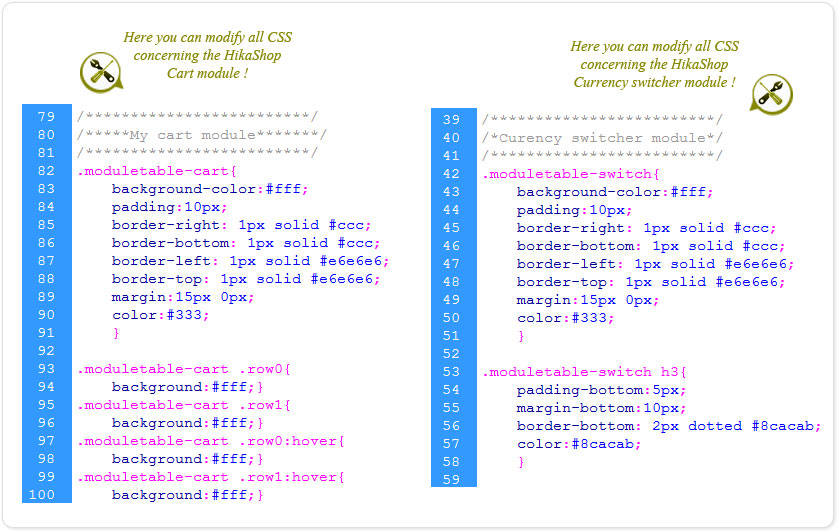
All our files are commented so you can easily change some properties of the styles.
You can navigate into CSS file with keywords such as "cart", "compare list", "currency", "checkout" and put a color instead of an other, modify a font-size, add a style or delete one.
You will find in the CSS file, the code corresponding to :
1- the modules (Curency switcher, Cart, Categories of products, Latest products, featured products, related products, Filter)
2- the product page (display in div, display in table, display in list, product with option, compare table, filtre, vote and comment)
3- the checkout page (billing address, shipping address, checkout workflow, coupon, payment method)
4- pagination
5- the control panel (manage your address, order page, affiliate programm, event entries)
For more information about styles in HikaShop, watch our documentation about CSS styling
Here is an example: