[Skip to main content](#vessel-content)
# Blog
## HikaShop 3.2.2 release
Details Published: 03 November 2026 December 20 2017 
HikaShop 3 reaches a new step with this **3.2.2 version**. It contains, of course, some new features and many other things like, as usual, bug fixes and improvements
On the 20th December, we released HikaShop 3.2.2. We invite you to read all the details of that new release on our [Change Log](https://www.hikashop.com/support/documentation/56-hikashop-changelog.html) page.
Many thanks for all your feedback and good ideas, allowing us to move forward on our end ! And now, let's introduce some notable new features !

#### New display modes for product options
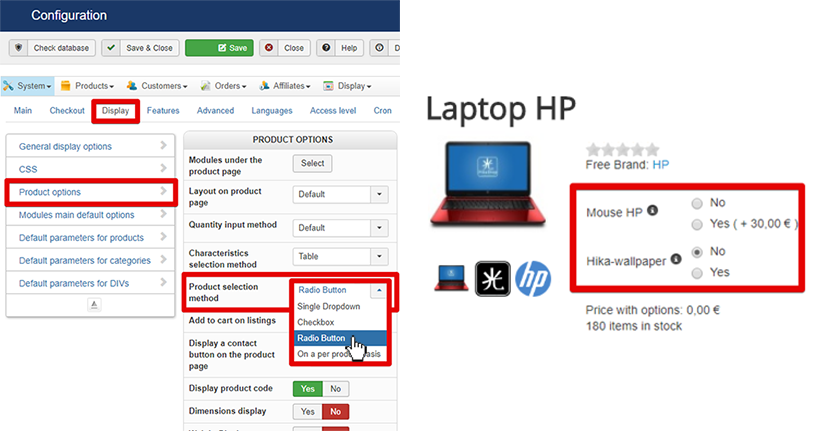
Product options can now be displayed on product page as **checkboxes** or **Radio buttons** in addition to the classic dropdown display that was already there. That way you can now have multiple selections of choices for the same option on the product page.
#### New email preview feature
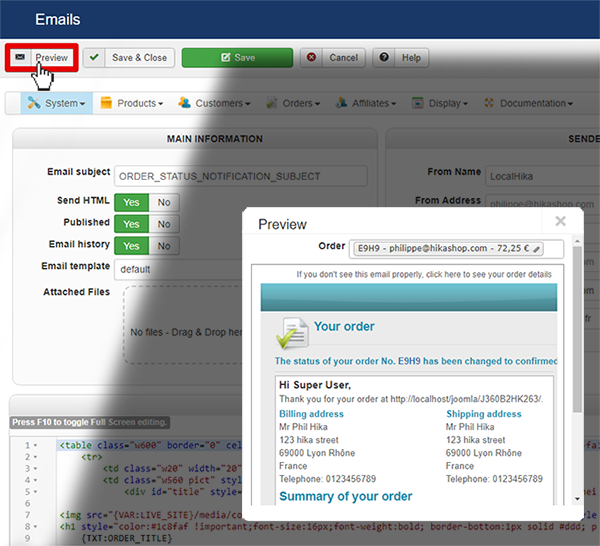
In the backend **System** => **Emails** menu, you will now find a **preview** button for some of the emails when you edit them. When you click on it, it will display a popup where you'll be able to select the elements you want to use for the preview and it will then display it automatically. Next time you click on the "preview" button, HikaShop will remember your selection so you will directly see the preview.
We hope this will help you more easily customize your HikaShop emails.
#### Resend email button
In some case, it's necessary to resend an email to a customer because something went wrong or some other reason...
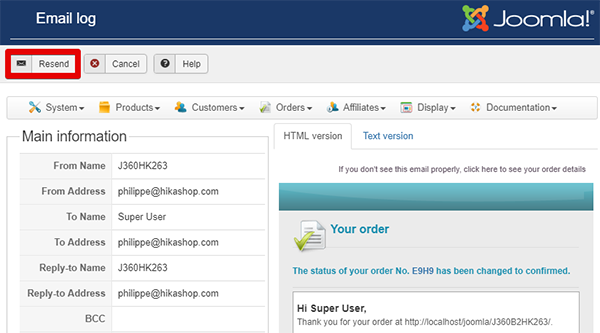
As several of you asked about it, we've added this new button to fit your needs.
You will find that "Resend" button in **Customer** => **Emails history** => menu after opening one of the emails that was already sent by HikaShop.
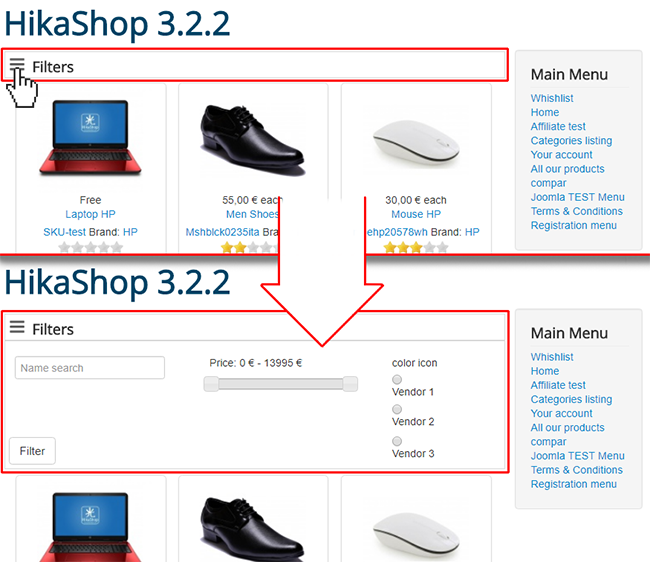
#### Collapsed filter module
For aesthetic reasons, but also for better responsiveness, we decided to make HikaShop Filter Modules collapsable. And so, you can choose to make filters collapsable or not from several conditions :
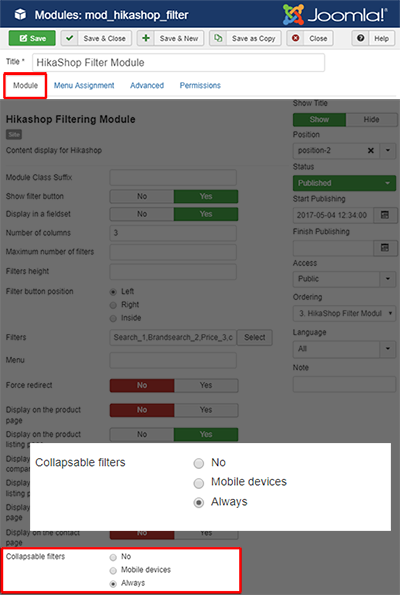
- **No :** Don't use "collapsed filters", and so the filters module will be displaying as it has been so far.
- **Mobile devices :** The "collapsed filters" will be applied only for mobile devices. This will be the default choice for all new installations of HikaShop since the 3.2.2.
- **Always :** Here, "collapsed filters" is active in all cases. So the filters module will be display only by clicking on the "expand" icon button.
There is more to discover about HikaShop 3.2.2 like Bug fixes, improvements and even other new features. You will find all these elements detailed in [our Changelog](https://www.hikashop.com/support/documentation/56-hikashop-changelog.html)
We hope that you will enjoy this new version, and continue to help us make HikaShop always better in the future.
Keep in touch folks.
*Team HikaShop*