
- Posts: 13
- Thank you received: 0
product view
- marko05nikolic
-
 Topic Author
- Offline
Less
More
13 years 8 months ago #86924
by marko05nikolic
product view was created by marko05nikolic
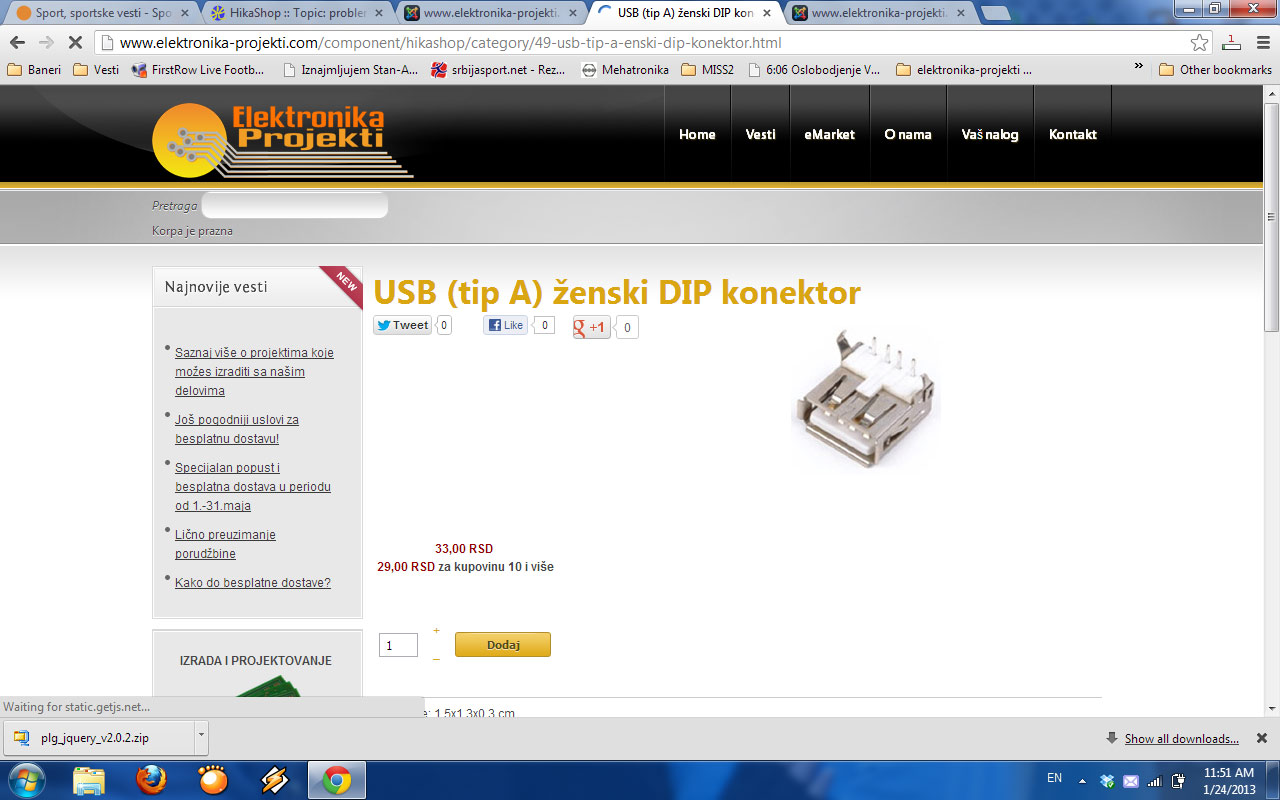
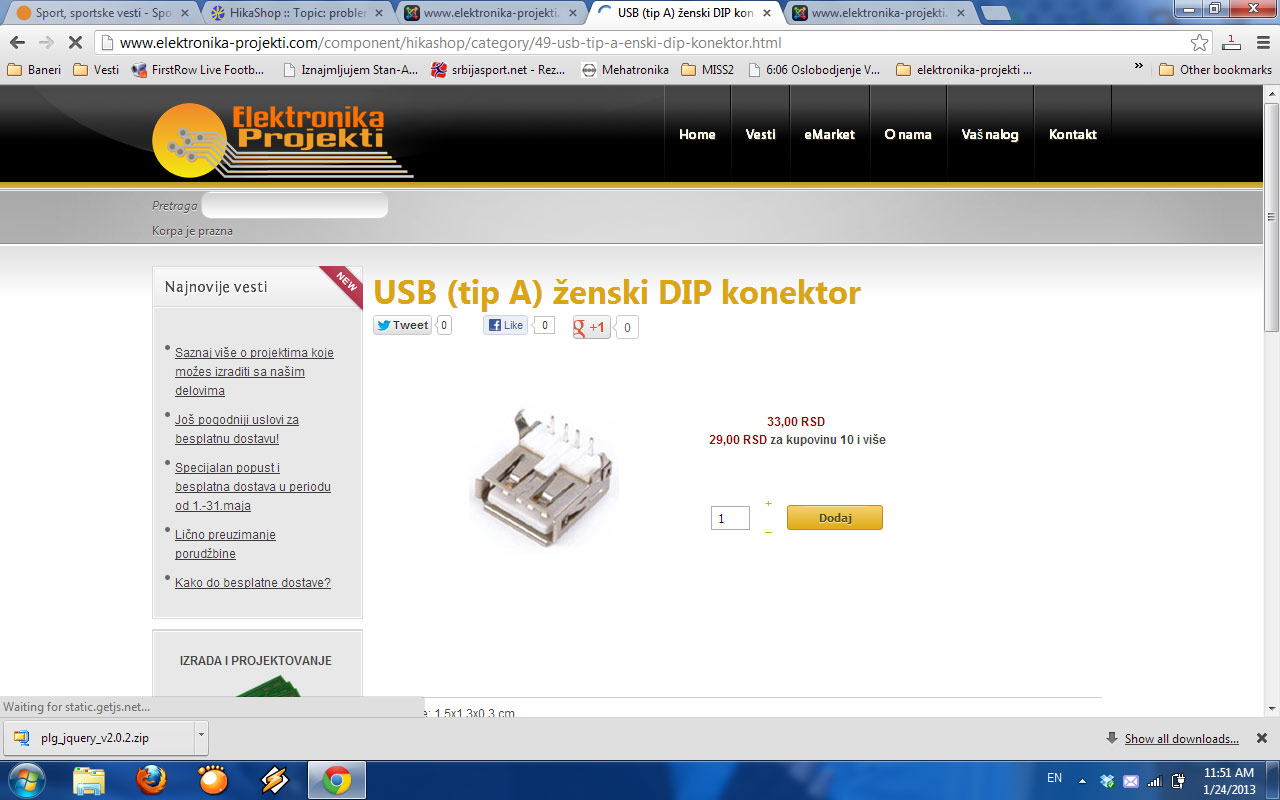
Hi, when i update hikashop 1.5.6 to 2.0.0, my pruduct take other form. Now is in mess. i sub,it two pictures where you can see problem.
now is like this
before it was like this
have you some idea?
now is like this
before it was like this
have you some idea?
Please Log in or Create an account to join the conversation.

Less
More
- Posts: 12953
- Thank you received: 1778
13 years 8 months ago - 13 years 8 months ago #86928
by Mohamed Thelji
Replied by Mohamed Thelji on topic product view
Hi,
I think that you'll just have to:
- Go to "Hikashop->Display->Views"
- Edit the "Show_default" file of the "Product" view of yout front-end template
- Then move the code :
and
into the "hikashop_product_right_part" DIV (after the line : <div id="hikashop_product_right_part" class="hikashop_product_right_part span6"> ).
Hope this will help you
I think that you'll just have to:
- Go to "Hikashop->Display->Views"
- Edit the "Show_default" file of the "Product" view of yout front-end template
- Then move the code :
Code:
<span id="hikashop_product_price_main" class="hikashop_product_price_main">
<?php
//LAYOUT listing_price
if ($this->params->get('show_price')) {
$this->row = & $this->element;
$this->setLayout('listing_price');
echo $this->loadTemplate();
}
?>
</span>
Code:
<?php
$form = ',0';
if (!$this->config->get('ajax_add_to_cart', 1)) {
$form = ',\'hikashop_product_form\'';
}
if (hikashop_level(1) && !empty ($this->element->options)) {
?>
<div id="hikashop_product_options" class="hikashop_product_options">
<?php
//LAYOUT option
$this->setLayout('option');
echo $this->loadTemplate();
?>
</div>
<br />
<?php
$form = ',\'hikashop_product_form\'';
if ($this->config->get('redirect_url_after_add_cart', 'stay_if_cart') == 'ask_user') {
?>
<input type="hidden" name="popup" value="1"/>
<?php
}
}
if (!$this->params->get('catalogue') && ($this->config->get('display_add_to_cart_for_free_products') || !empty ($this->element->prices))) {
if (!empty ($this->itemFields)) {
$form = ',\'hikashop_product_form\'';
if ($this->config->get('redirect_url_after_add_cart', 'stay_if_cart') == 'ask_user') {
?>
<input type="hidden" name="popup" value="1"/>
<?php
}
//LAYOUT show_block_custom_item
$this->setLayout('show_block_custom_item');
echo $this->loadTemplate();
}
}
$this->formName = $form;
if($this->params->get('show_price')){ ?>
<span id="hikashop_product_price_with_options_main" class="hikashop_product_price_with_options_main">
</span>
<?php } ?>
<div id="hikashop_product_quantity_main" class="hikashop_product_quantity_main">
<?php
//LAYOUT quantity
$this->row = & $this->element;
$this->ajax = 'if(hikashopCheckChangeForm(\'item\',\'hikashop_product_form\')){ return hikashopModifyQuantity(\'' . $this->row->product_id . '\',field,1' . $form . ',\'cart\'); } else { return false; }';
$this->setLayout('quantity');
echo $this->loadTemplate();
?>
</div>
Hope this will help you
Last edit: 13 years 8 months ago by Mohamed Thelji.
Please Log in or Create an account to join the conversation.
- marko05nikolic
-
Topic Author
- Offline
Less
More
- Posts: 13
- Thank you received: 0
13 years 8 months ago #87046
by marko05nikolic
Replied by marko05nikolic on topic product view
do you mean to remove that code:
<span id="hikashop_product_price_main" class="hikashop_product_price_main">
<?php
//LAYOUT listing_price
if ($this->params->get('show_price')) {
$this->row = & $this->element;
$this->setLayout('listing_price');
echo $this->loadTemplate();
}
?>
</span>
in file product/show_default ????
i cant find second pice of code.
<span id="hikashop_product_price_main" class="hikashop_product_price_main">
<?php
//LAYOUT listing_price
if ($this->params->get('show_price')) {
$this->row = & $this->element;
$this->setLayout('listing_price');
echo $this->loadTemplate();
}
?>
</span>
in file product/show_default ????
i cant find second pice of code.
Please Log in or Create an account to join the conversation.

13 years 8 months ago #87130
by Xavier
Replied by Xavier on topic product view
I think that you have a CSS issue, the image mustn't be on the right.
You can see the doc here:
www.hikashop.com/fr/support/documentation/faq.html#css
You can see the doc here:
www.hikashop.com/fr/support/documentation/faq.html#css
Please Log in or Create an account to join the conversation.
Time to create page: 0.151 seconds