
- Posts: 7
- Thank you received: 0
Hikashop translation forbidden
- rodrigo8_4
-
 Topic Author
- Offline
Less
More
13 years 6 months ago #93177
by rodrigo8_4
Hikashop translation forbidden was created by rodrigo8_4
Joomla 2.5
Joomfish 2.5.1
joomfish works fine with menus, medules, etc, but the text under categories, products, etc on hikashop won´t change.
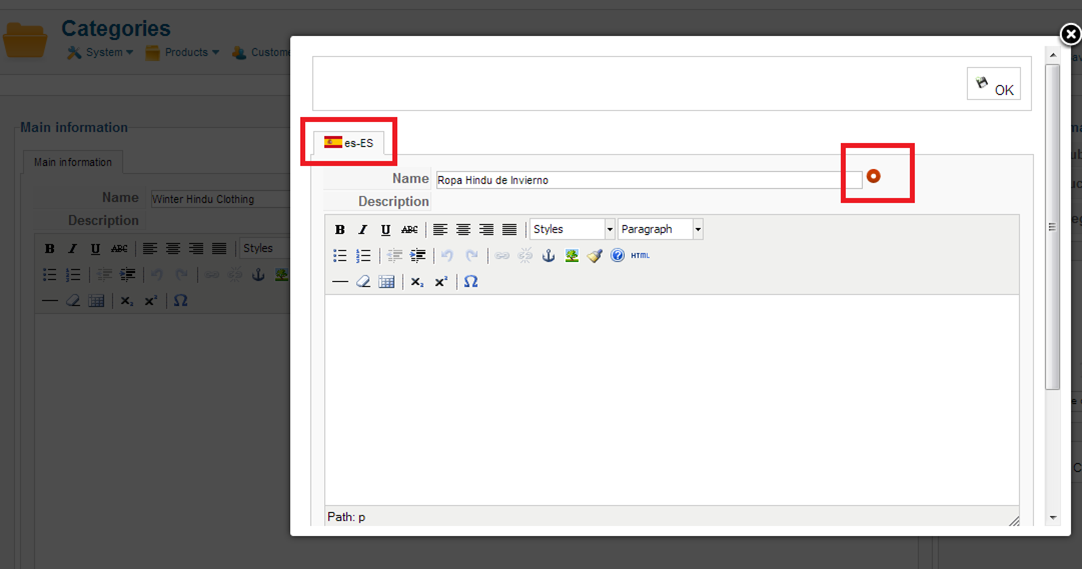
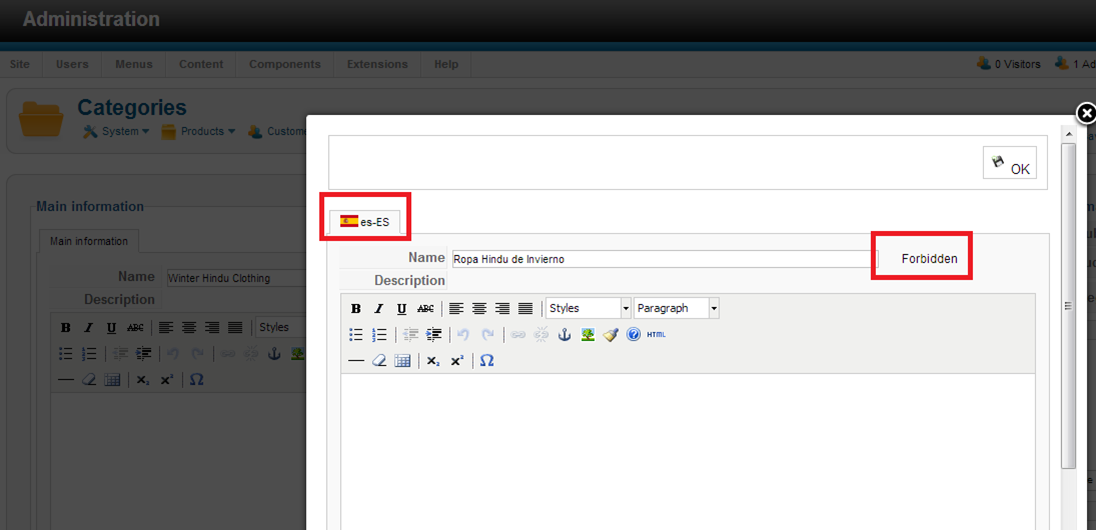
I don´t know what is causing the conflict, but when I click the spanish button next to the category title, and then try to enable my transation it syas ¨forbidden¨ instead of turning green.
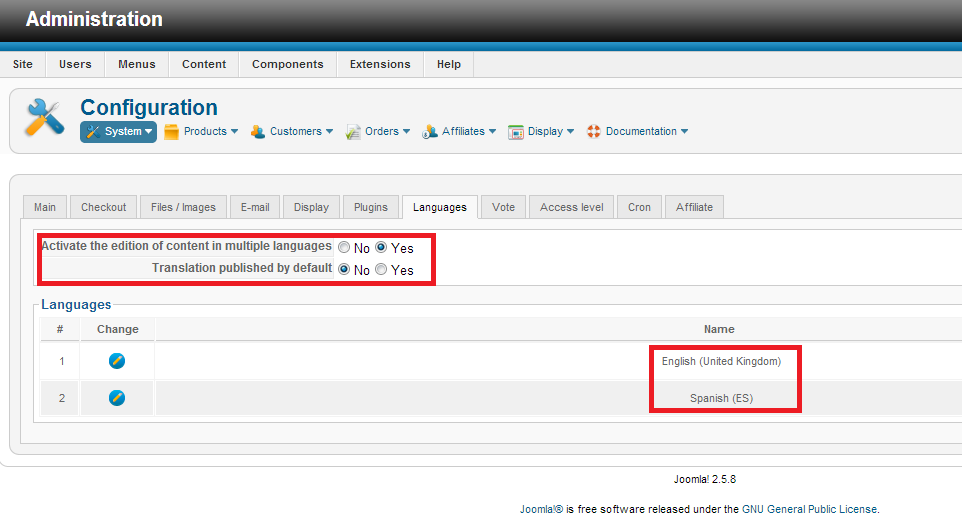
Here are 3 snapshots, I have the edition of multiple languages activated on hikashop.
Any ideas?
Joomfish 2.5.1
joomfish works fine with menus, medules, etc, but the text under categories, products, etc on hikashop won´t change.
I don´t know what is causing the conflict, but when I click the spanish button next to the category title, and then try to enable my transation it syas ¨forbidden¨ instead of turning green.
Here are 3 snapshots, I have the edition of multiple languages activated on hikashop.
Any ideas?
Please Log in or Create an account to join the conversation.

13 years 6 months ago #93190
by nicolas
Replied by nicolas on topic Hikashop translation forbidden
That has been fixed in HikaShop 2.1. You must not be using the latest version of HikaShop so please update to have that fixed.
Otherwise, you can simply turn on the "Translation published by default" option of the configuration so that the translations are automatically published when you saved them the first time.
Otherwise, you can simply turn on the "Translation published by default" option of the configuration so that the translations are automatically published when you saved them the first time.
Please Log in or Create an account to join the conversation.
Time to create page: 0.195 seconds