
- Posts: 83
- Thank you received: 1
[SOLVED] Captcha Compatability
- manjeshmohan
-
 Topic Author
- Offline
Less
More
13 years 10 months ago - 13 years 10 months ago #77557
by manjeshmohan
[SOLVED] Captcha Compatability was created by manjeshmohan
Hi,
Does the following link which contains the HikaShop Captcha plugin works with Joomla 2.5.8 and HikaShop 2.0?
www.hikashop.com/en/support/documentatio...-with-recaptcha.html
Thanks & Regards,
Manjesh.
Does the following link which contains the HikaShop Captcha plugin works with Joomla 2.5.8 and HikaShop 2.0?
www.hikashop.com/en/support/documentatio...-with-recaptcha.html
Thanks & Regards,
Manjesh.
Last edit: 13 years 10 months ago by manjeshmohan.
Please Log in or Create an account to join the conversation.
- manjeshmohan
-
Topic Author
- Offline
Less
More
- Posts: 83
- Thank you received: 1
13 years 10 months ago #77561
by manjeshmohan
Replied by manjeshmohan on topic Captcha Compatability
Hi,
Please find the position of the HikaShop Captcha Box? How could I correct the same by placing the box in the appropriate posi
Please find the position of the HikaShop Captcha Box? How could I correct the same by placing the box in the appropriate posi
Please Log in or Create an account to join the conversation.
- manjeshmohan
-
Topic Author
- Offline
Less
More
- Posts: 83
- Thank you received: 1
13 years 10 months ago #77565
by manjeshmohan
Replied by manjeshmohan on topic Captcha Compatability
Hi,
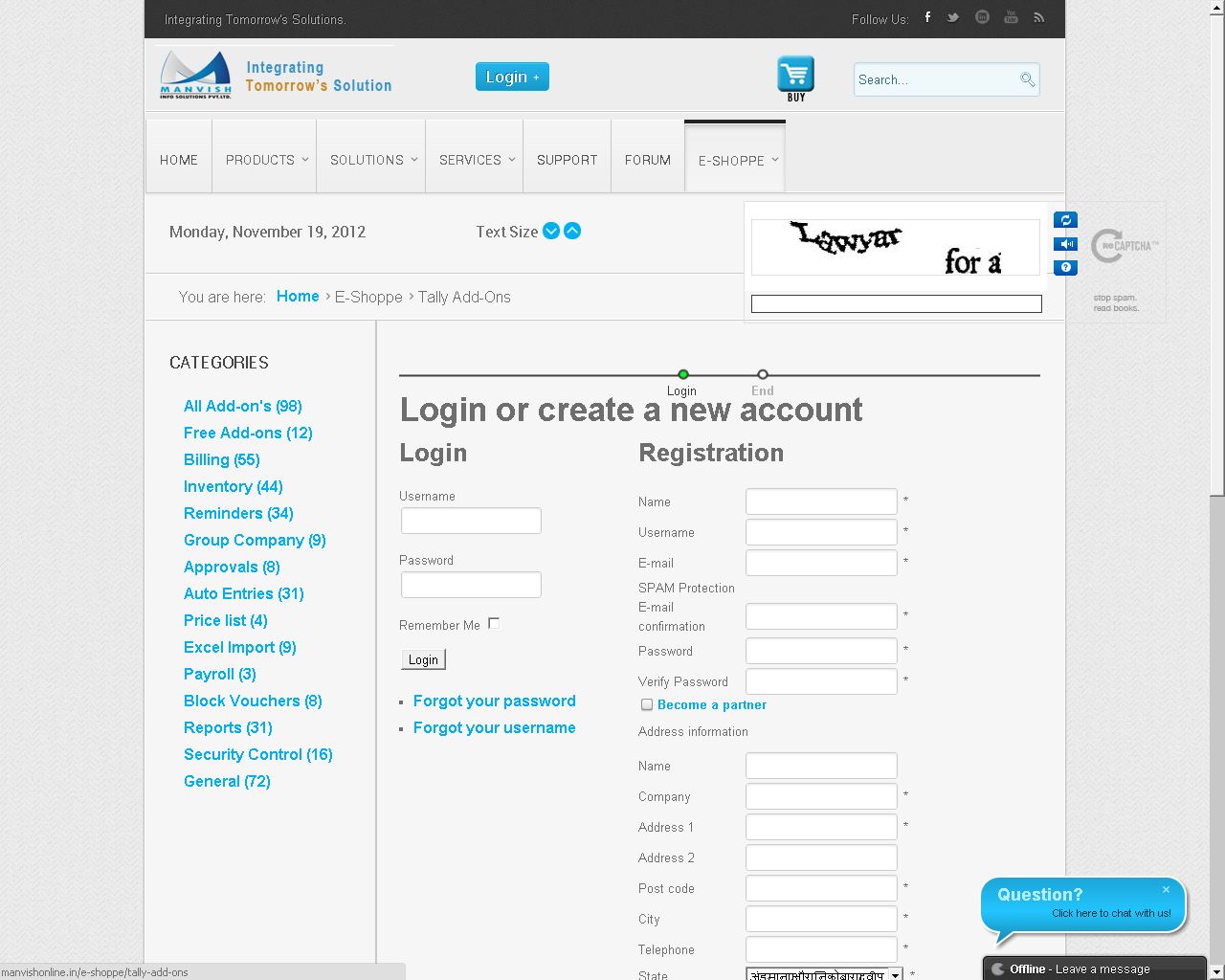
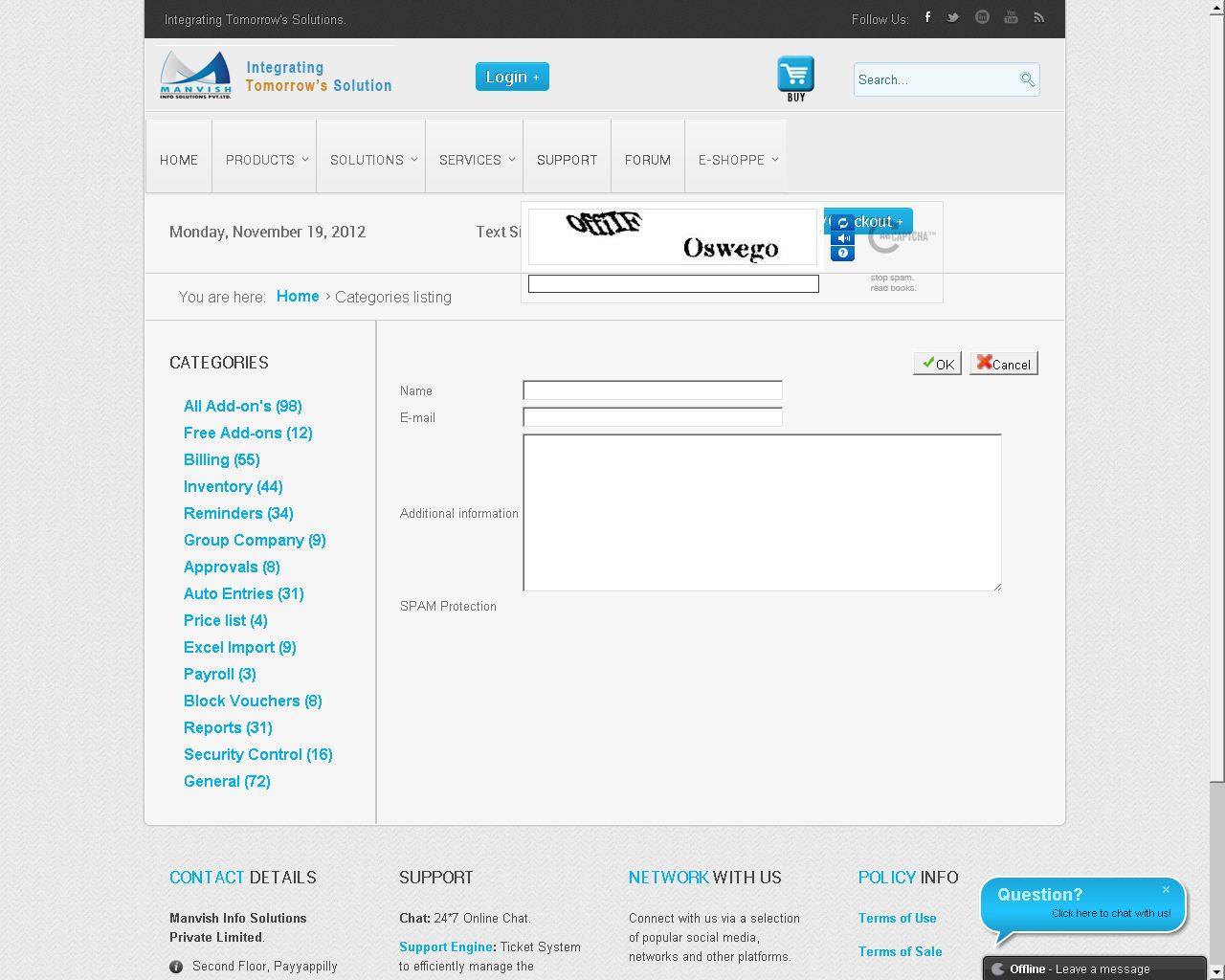
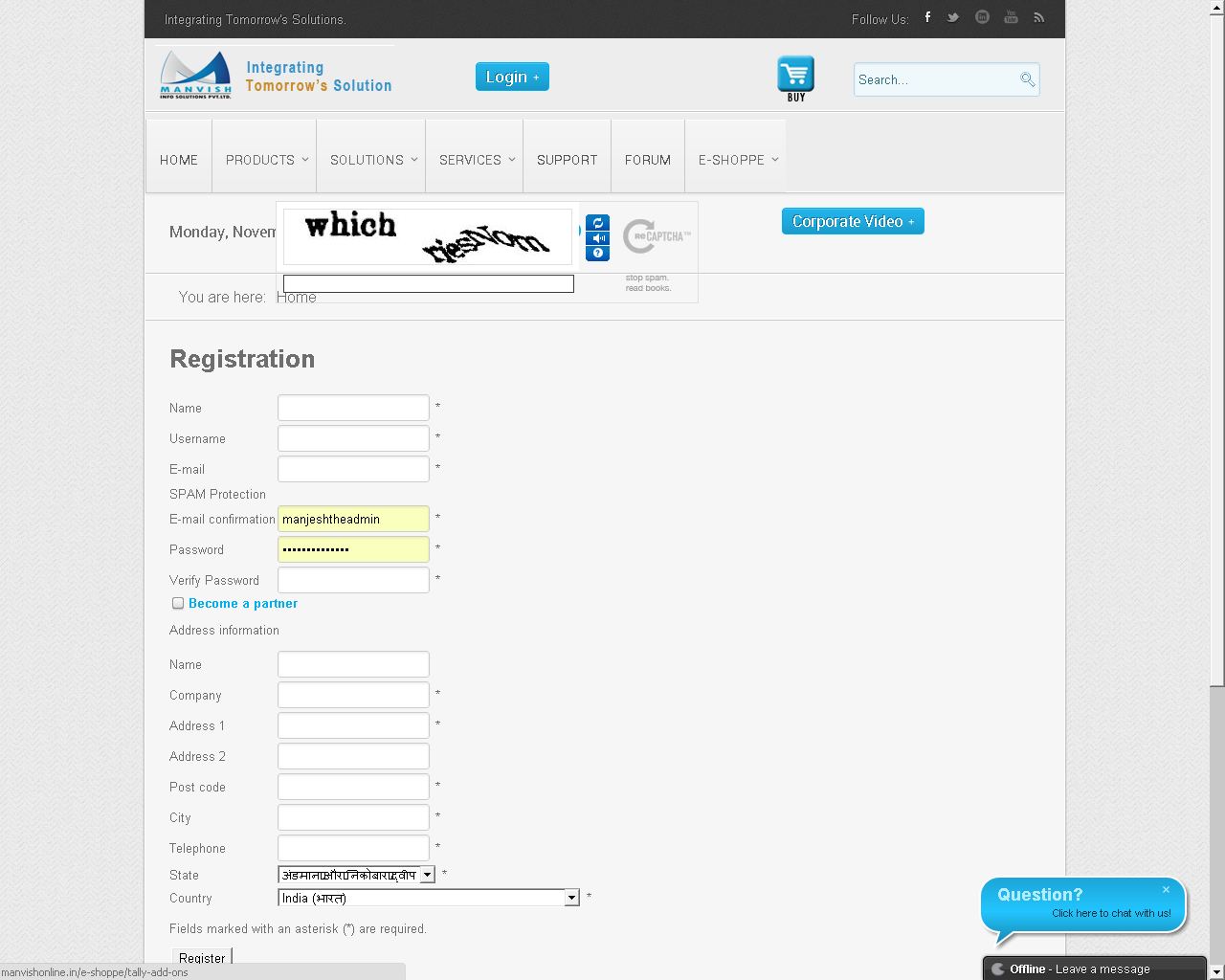
Please find the position of the HikaShop Captcha Box? How could I correct the same by placing the box in the appropriate position and size in all these pages?
Thanks & Regards,
Manjesh.
Please find the position of the HikaShop Captcha Box? How could I correct the same by placing the box in the appropriate position and size in all these pages?
Thanks & Regards,
Manjesh.
Please Log in or Create an account to join the conversation.

13 years 10 months ago #77649
by Xavier
Replied by Xavier on topic Captcha Compatability
Hi,
I just installed reCaptcha plugin on my end, it's compatible with Joomla 2.5.8 && HikaShop 2.0.
It is well positioned.
I think that you have a problem with your template, or maybe you have edited the views relative on the contact form, and the registration.
In all cases, we can't really help you without a link to your website.
I just installed reCaptcha plugin on my end, it's compatible with Joomla 2.5.8 && HikaShop 2.0.
It is well positioned.
I think that you have a problem with your template, or maybe you have edited the views relative on the contact form, and the registration.
In all cases, we can't really help you without a link to your website.
Please Log in or Create an account to join the conversation.
- manjeshmohan
-
Topic Author
- Offline
Less
More
- Posts: 83
- Thank you received: 1
13 years 10 months ago #77684
by manjeshmohan
Replied by manjeshmohan on topic Captcha Compatability
If you check the Link below, the Captcha Box is out of the area. How can I reduce the whole width of the Captcha Box so that it fit correctly.
Link:
Link:
manvishonline.com/e-shoppe/tally-add-onsClick on the following link and click on add to cart button of any product and then click on the CART/CHECKOUT popup button on the utility position. Then click on proceed to checkout where you could find the Checkout Registration page.
Please Log in or Create an account to join the conversation.
13 years 10 months ago #77689
by Xavier
Replied by Xavier on topic Captcha Compatability
I can see that it's in the good place now.
To reduce the size, you can hide the two following elements in the css file:
To reduce the size, you can hide the two following elements in the css file:
Code:
#recaptcha_tagline, #recaptcha_logo{
display: none;
}
Please Log in or Create an account to join the conversation.
- manjeshmohan
-
Topic Author
- Offline
Less
More
- Posts: 83
- Thank you received: 1
13 years 10 months ago #77697
by manjeshmohan
Replied by manjeshmohan on topic Captcha Compatability
Thanks for your support. It got solved now.
Regards,
Manjesh.
Regards,
Manjesh.
Please Log in or Create an account to join the conversation.
Time to create page: 0.227 seconds