
- Posts: 1
- Thank you received: 0
text field
- reclameledters
-
 Topic Author
- Offline
Less
More
13 years 11 months ago #72893
by reclameledters
text field was created by reclameledters
Hello ,
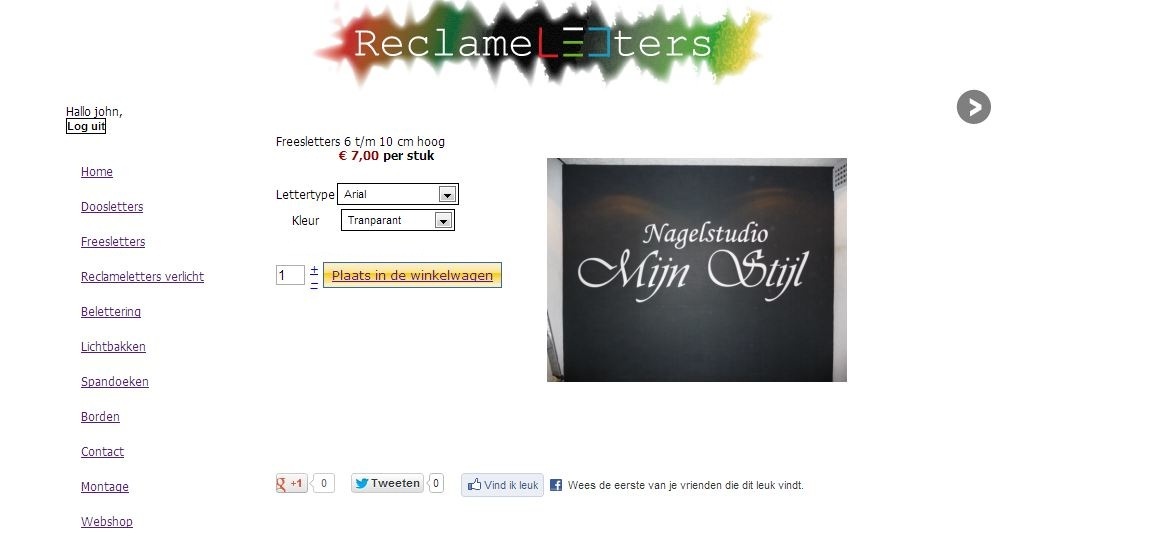
I am new and want to use hikashop i want te sell letters .
i am already so far that people can select fonttype color but the missing link is the text the want .
i try every thing but no result can someone help me .
i am using the essentail versie just bougth it today .
sorry for my bad englisch.
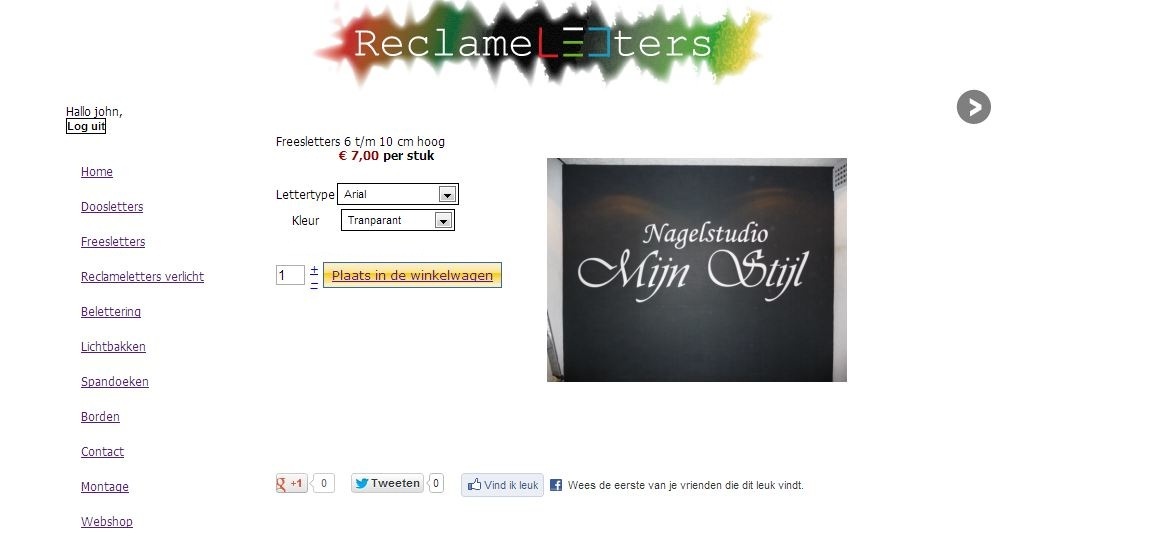
I am new and want to use hikashop i want te sell letters .
i am already so far that people can select fonttype color but the missing link is the text the want .
i try every thing but no result can someone help me .
i am using the essentail versie just bougth it today .
sorry for my bad englisch.
Please Log in or Create an account to join the conversation.

13 years 11 months ago #73030
by Xavier
Replied by Xavier on topic Re: text field
Hi,
To allow the customers to enter the text they want, you have to create a custom field on the table "item".
The custom fields are available only in the business version of HikaShop.
If you sell one letter by one letter and not a text, you can create a new characteristic with all the alphabet values, but for the texts the custom fields are needed.
To allow the customers to enter the text they want, you have to create a custom field on the table "item".
The custom fields are available only in the business version of HikaShop.
If you sell one letter by one letter and not a text, you can create a new characteristic with all the alphabet values, but for the texts the custom fields are needed.
The following user(s) said Thank You: reclameledters
Please Log in or Create an account to join the conversation.
Time to create page: 0.213 seconds