

- Posts: 70
- Thank you received: 4
CSS Q - remove black border "cutomer account"
14 years 3 weeks ago #64257
by gidgie
CSS Q - remove black border "cutomer account" was created by gidgie
HI All,
I need to remove black border around "customer information" title that is above entire client information.
Have inspected it with firebug, but it is "system" setting and i cannot get to it - at least not easily...
Any suggestions???
Thanks in advance!
I need to remove black border around "customer information" title that is above entire client information.
Have inspected it with firebug, but it is "system" setting and i cannot get to it - at least not easily...
Any suggestions???
Thanks in advance!
Please Log in or Create an account to join the conversation.

14 years 3 weeks ago #64347
by Eliot
Replied by Eliot on topic Re: CSS Q - remove black border "cutomer account"
Hi gidgie,
I don't see what the "customer information" title you are talking about is. Could you be more precise or send a screenshot?
I don't see what the "customer information" title you are talking about is. Could you be more precise or send a screenshot?
Please Log in or Create an account to join the conversation.
14 years 2 weeks ago #64694
by gidgie
Replied by gidgie on topic Re: CSS Q - remove black border "cutomer account"
Hi Eliot,
Sorry, it is called Customer Account. In any case, please see the attachment.
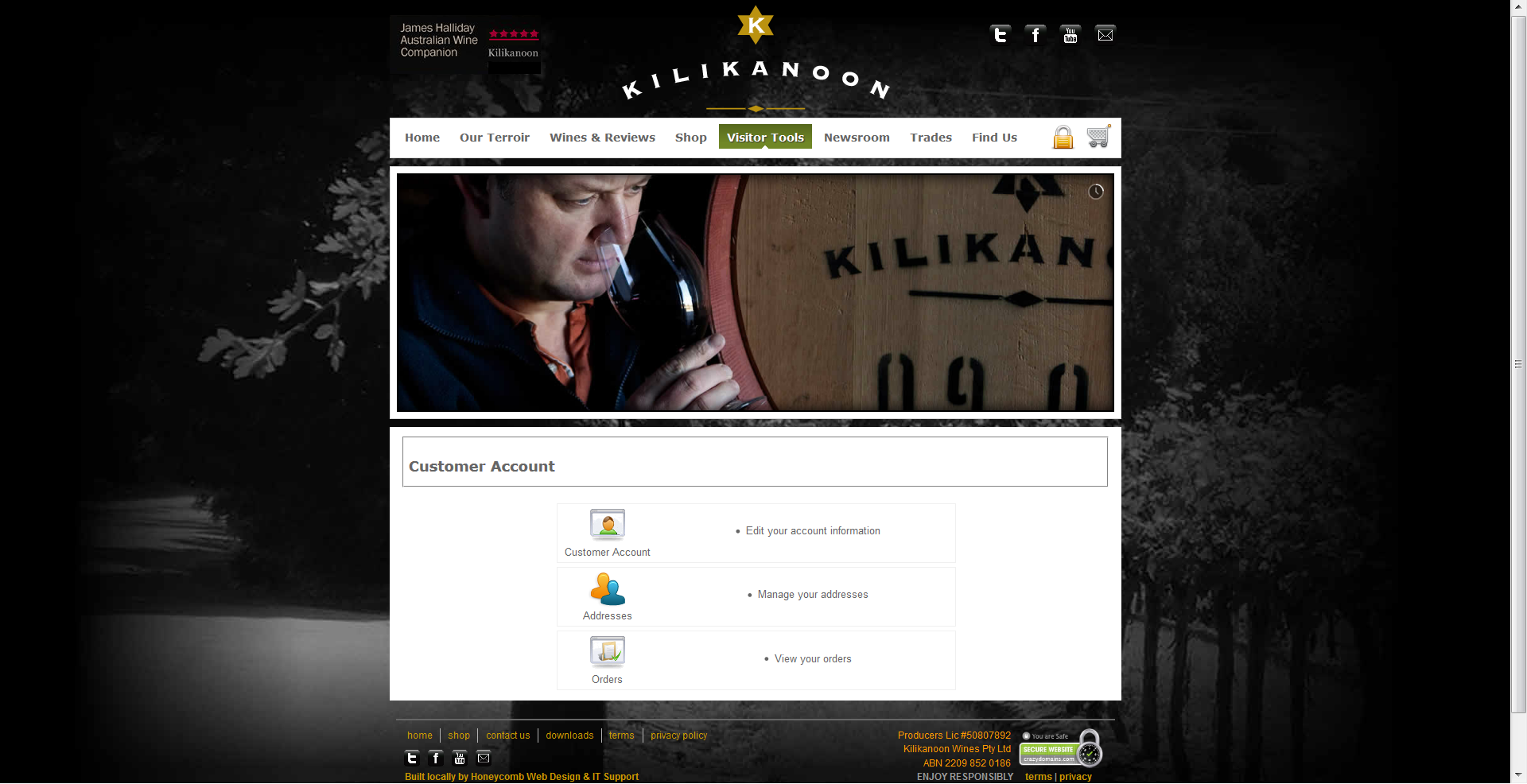
Sorry, it is called Customer Account. In any case, please see the attachment.
Please Log in or Create an account to join the conversation.

14 years 2 weeks ago #64703
by nicolas
Replied by nicolas on topic Re: CSS Q - remove black border "cutomer account"
That's a fieldset.
You can add CSS to remove that:
fieldset{
border : 0px !important;}
}
You can add CSS to remove that:
fieldset{
border : 0px !important;}
}
The following user(s) said Thank You: gidgie
Please Log in or Create an account to join the conversation.
14 years 2 weeks ago #65194
by gidgie
Replied by gidgie on topic Re: CSS Q - remove black border "cutomer account"
Does that go to template css or hikashop css???
Please Log in or Create an account to join the conversation.
14 years 2 weeks ago #65211
by Eliot
Replied by Eliot on topic Re: CSS Q - remove black border "cutomer account"
It's in the Hikashop css. System>Configuration>Display
The following user(s) said Thank You: gidgie
Please Log in or Create an account to join the conversation.
14 years 2 weeks ago #65374
by gidgie
Replied by gidgie on topic Re: CSS Q - remove black border "cutomer account"
Thanks a million. I definitely know how to work that css 
Please Log in or Create an account to join the conversation.
14 years 2 weeks ago #65381
by gidgie
Replied by gidgie on topic Re: CSS Q - remove black border "cutomer account"
Hi Eliot,
Sorry to bother again. I did do that, but it removed all the borders around the elements in the checkout, which i would like to keep. Any way to do that????
I was trying to change the "fieldset" border width, and colour, to see if i can find some compromise, however, it is only either black or none.
I know it is not a major flaw, but the client is a little bit particular about that, so i just have to do what they are after.
Cheers,
Sorry to bother again. I did do that, but it removed all the borders around the elements in the checkout, which i would like to keep. Any way to do that????
I was trying to change the "fieldset" border width, and colour, to see if i can find some compromise, however, it is only either black or none.
I know it is not a major flaw, but the client is a little bit particular about that, so i just have to do what they are after.
Cheers,
Please Log in or Create an account to join the conversation.
14 years 2 weeks ago #65387
by Eliot
Replied by Eliot on topic Re: CSS Q - remove black border "cutomer account"
Hi,
If you copy paster the code given by Nicolas it's normal. This is just the css code to remove the borders but it's applied on the whole website.
To apply it only on the customer account element, you have to specify the class or the id. In this case, I think this should fit:
hikashop_cpanel_title being the id of the account title
If you copy paster the code given by Nicolas it's normal. This is just the css code to remove the borders but it's applied on the whole website.
To apply it only on the customer account element, you have to specify the class or the id. In this case, I think this should fit:
Code:
#hikashop_cpanel_title fieldset{
border : 0px !important;}
}
Please Log in or Create an account to join the conversation.
Time to create page: 0.217 seconds