

- Posts: 7
- Thank you received: 0
problem with breadcrumb and subcategory
8 years 11 months ago - 8 years 11 months ago #280014
by olive
problem with breadcrumb and subcategory was created by olive
-- HikaShop version -- : 3.0.1
-- Joomla version -- : 3.7.2
-- PHP version -- : 5.6
Hi
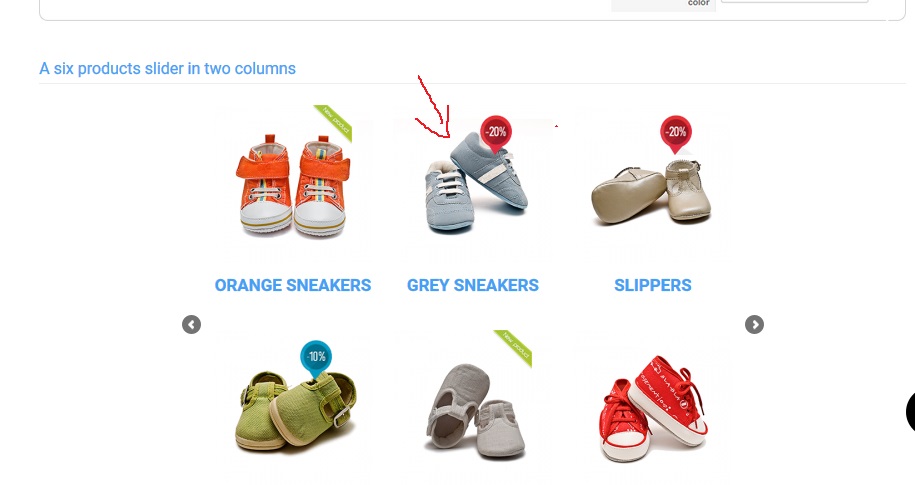
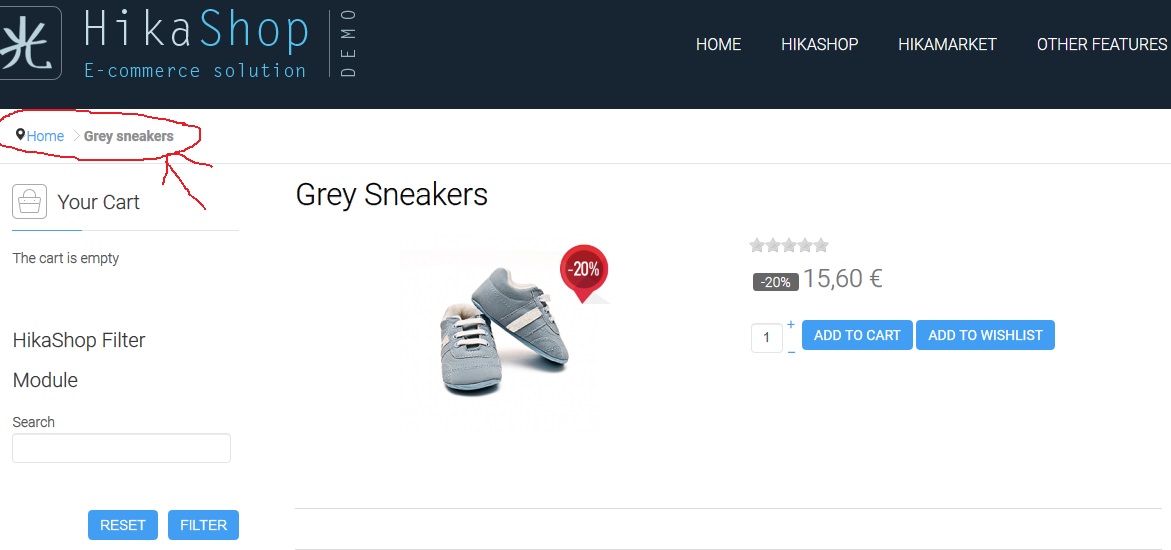
when I select product form breadcrumb in homepage in carousel module,
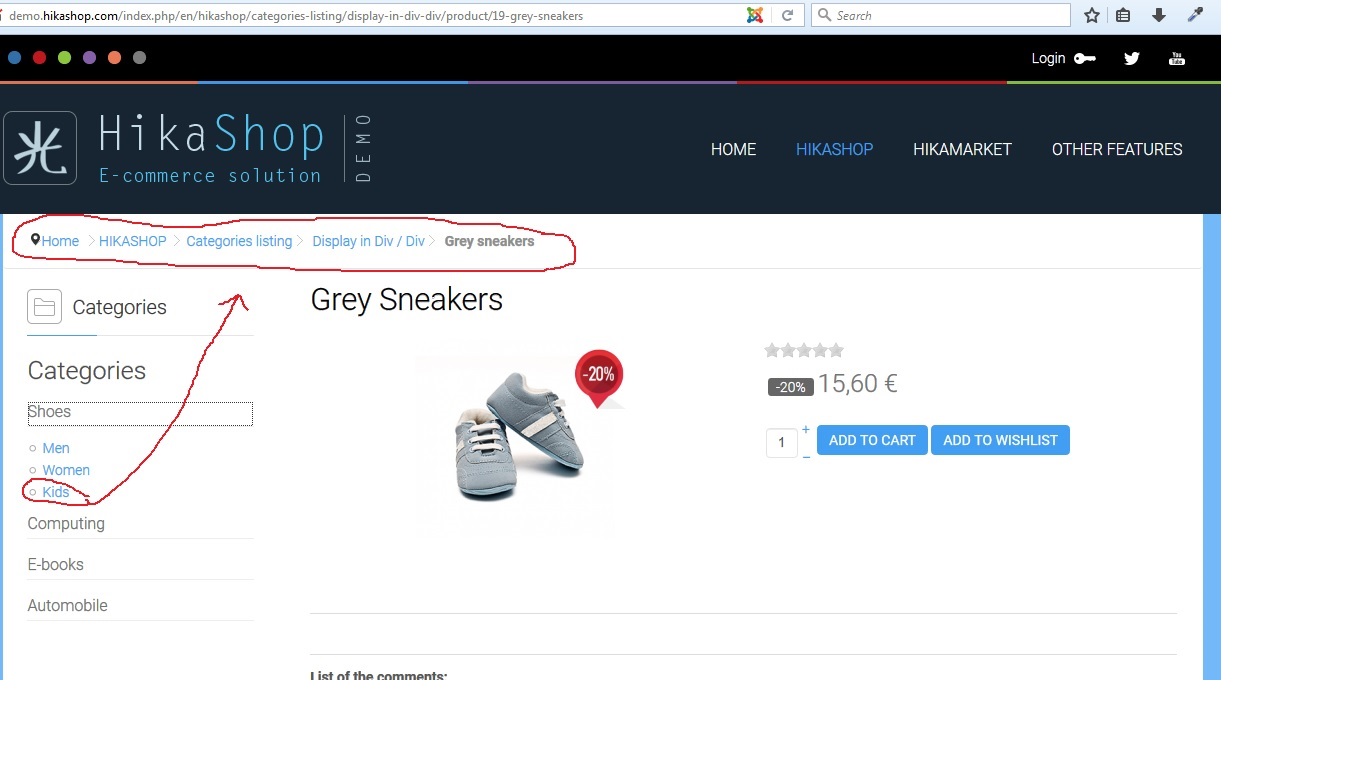
The breadcrumb just show main category and doesn't show subcategory. this problem is in search module too, it can't show subcategory
but if you navigate from menu or categories module, the breadcrumb works correctly
it's a strange problem that I can't find a soultion for it, I'd like to show subcategories in all situation in breadcrumb,
you can see problem in demo :
-- Joomla version -- : 3.7.2
-- PHP version -- : 5.6
Hi
when I select product form breadcrumb in homepage in carousel module,
The breadcrumb just show main category and doesn't show subcategory. this problem is in search module too, it can't show subcategory
but if you navigate from menu or categories module, the breadcrumb works correctly
it's a strange problem that I can't find a soultion for it, I'd like to show subcategories in all situation in breadcrumb,
you can see problem in demo :
Last edit: 8 years 11 months ago by olive.
Please Log in or Create an account to join the conversation.

8 years 11 months ago #280092
by Jerome
Jerome - Obsidev.com
HikaMarket & HikaSerial developer / HikaShop core dev team.
Also helping the HikaShop support team when having some time or couldn't sleep.
By the way, do not send me private message, use the "contact us" form instead.
Replied by Jerome on topic problem with breadcrumb and subcategory
Hello,
The breadcrumb is build regarding the Joomla menu.
Since the carousel that you're referring too do not use a menu for the link ; there is no menu information.
So HikaShop can't know from where the customer is coming from, it cannot associate the breadcrumb with a menu ; it cannot know from which category it need to start the breadcrumb (because no menu and no configuration) and cannot generate the links for the categories (since it also require a menu).
That's why you can find in HikaShop modules some setting to force the usage of a specific menu while creating links for the products (or categories).
Regards,
The breadcrumb is build regarding the Joomla menu.
Since the carousel that you're referring too do not use a menu for the link ; there is no menu information.
So HikaShop can't know from where the customer is coming from, it cannot associate the breadcrumb with a menu ; it cannot know from which category it need to start the breadcrumb (because no menu and no configuration) and cannot generate the links for the categories (since it also require a menu).
That's why you can find in HikaShop modules some setting to force the usage of a specific menu while creating links for the products (or categories).
Regards,
Jerome - Obsidev.com
HikaMarket & HikaSerial developer / HikaShop core dev team.
Also helping the HikaShop support team when having some time or couldn't sleep.
By the way, do not send me private message, use the "contact us" form instead.
Please Log in or Create an account to join the conversation.
8 years 11 months ago #280113
by olive
Replied by olive on topic problem with breadcrumb and subcategory
I don't understand that is there a way to solve this problem or not?
In modules we can just set parent category,
I need to show subcategory in breadcrumbs,
I entered Canonical URL in product page, but it doesn't solve the problem.
In modules we can just set parent category,
I need to show subcategory in breadcrumbs,
I entered Canonical URL in product page, but it doesn't solve the problem.
Please Log in or Create an account to join the conversation.

8 years 11 months ago #280114
by nicolas
Replied by nicolas on topic problem with breadcrumb and subcategory
Hi,
Yes. Just set the URL from the menu item in the "canonical URL" of your product and turn on the "force canonical URLs on listings" setting of the HikaShop configuration and it will work like you want.
Yes. Just set the URL from the menu item in the "canonical URL" of your product and turn on the "force canonical URLs on listings" setting of the HikaShop configuration and it will work like you want.
Please Log in or Create an account to join the conversation.
Time to create page: 0.158 seconds