

- Posts: 637
- Thank you received: 26
How to show text in checkout based on country and brand
8 years 10 months ago - 8 years 10 months ago #281756
by Lumiga
Kind regards,
Lumiga
How to show text in checkout based on country and brand was created by Lumiga
-- HikaShop version -- : 3.2.1
-- Joomla version -- : 3.8.1
-- PHP version -- : 7
Hi Hikashop team,
I like to show text into the checkout step 2 (Address) but I don't know what's wrong with my code.
I want to add this code into checkout / show_block_address.php
The statement is:
When shipping address is country Germany AND one of the products in the cart have (brand) product_manufacturer_id=='28',
then show text or else do nothing. (= text do nothing).
I tried this code but it only show the "text do nothing". Can you please tell me what's wrong with this code.
I hope you will help me with this
Kind regards,
Lumiga
-- Joomla version -- : 3.8.1
-- PHP version -- : 7
Hi Hikashop team,
I like to show text into the checkout step 2 (Address) but I don't know what's wrong with my code.
I want to add this code into checkout / show_block_address.php
The statement is:
When shipping address is country Germany AND one of the products in the cart have (brand) product_manufacturer_id=='28',
then show text or else do nothing. (= text do nothing).
I tried this code but it only show the "text do nothing". Can you please tell me what's wrong with this code.
Code:
<?php
if($data->cart->address_country=='country_Germany_81' AND $data->cart->product_manufacturer_id=='28')
{
echo "products form the brand x could not be shipped to Germany please remove all brand x products from your cart to order the rest of your prodcuts";
}
else
{
echo "text do nothing";
}
?>
I hope you will help me with this
Kind regards,
Lumiga
Kind regards,
Lumiga
Last edit: 8 years 10 months ago by Lumiga.
Please Log in or Create an account to join the conversation.

Less
More
- Posts: 12953
- Thank you received: 1778
8 years 10 months ago #281757
by Mohamed Thelji
Replied by Mohamed Thelji on topic How to show text in checkout based on country and brand
Hello Lumiga,
The best solution probably be to directly check what you have in the "$data->cart" object using the "var_dump" function which will enable you to properly check and adapt your PHP condition (if)
Best regards,
Mohamed Thelji.
The best solution probably be to directly check what you have in the "$data->cart" object using the "var_dump" function which will enable you to properly check and adapt your PHP condition (if)
Best regards,
Mohamed Thelji.
Please Log in or Create an account to join the conversation.
8 years 10 months ago - 8 years 10 months ago #282183
by Lumiga
Kind regards,
Lumiga
Replied by Lumiga on topic How to show text in checkout based on country and brand
Hi Mohamed,
When I use the "var_dump" function I get NULL in my sreen.
See screenshot:
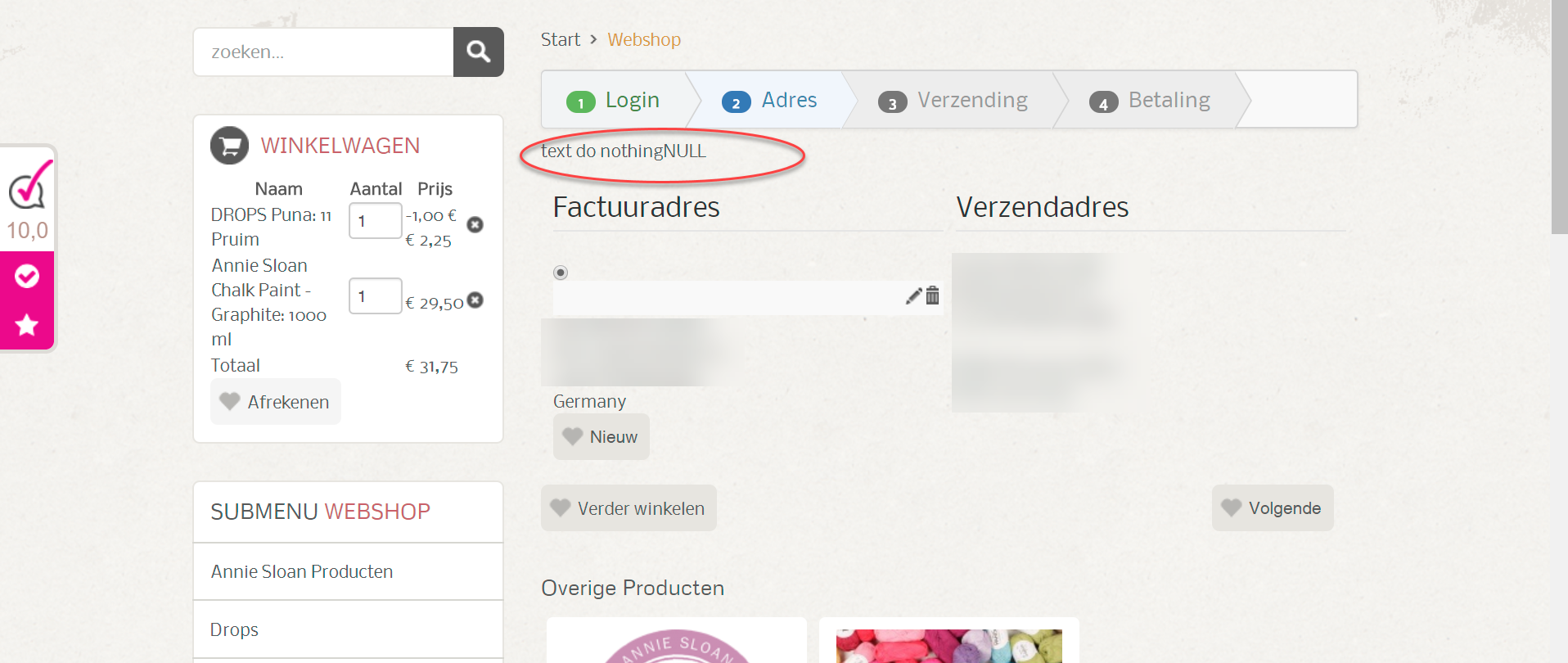
I use this code:
Do you have an other hint to fix this issue.
Hope you can help me.
Kind regards,
Lumiga
When I use the "var_dump" function I get NULL in my sreen.
See screenshot:
I use this code:
Code:
<?php
var_dump($data->cart);
?>
Do you have an other hint to fix this issue.
Hope you can help me.
Kind regards,
Lumiga
Kind regards,
Lumiga
Last edit: 8 years 10 months ago by Lumiga.
Please Log in or Create an account to join the conversation.
Less
More
- Posts: 12953
- Thank you received: 1778
8 years 10 months ago #282192
by Mohamed Thelji
Replied by Mohamed Thelji on topic How to show text in checkout based on country and brand
Hello Lumiga,
You should actually use the "$this->checkoutHelper->cart->products" variable to have access to the products of your order.
You should actually use the "$this->checkoutHelper->cart->products" variable to have access to the products of your order.
The following user(s) said Thank You: Lumiga
Please Log in or Create an account to join the conversation.
Time to create page: 0.238 seconds