

- Posts: 12
- Thank you received: 1
The size of product images for different views.
4 years 11 months ago #336453
by Ptero
The size of product images for different views. was created by Ptero
There are two sections and two separate menu items, a retail store and a wholesale store.
Each of these menu items has a different presentation of the products. In retail as a tile (div) and in a wholesale table.
Images are set to: Thumbnail 220x220 and main 400x400.
How can I set a different image size for the product table? For example 100x100.
Each of these menu items has a different presentation of the products. In retail as a tile (div) and in a wholesale table.
Images are set to: Thumbnail 220x220 and main 400x400.
How can I set a different image size for the product table? For example 100x100.
Please Log in or Create an account to join the conversation.

4 years 11 months ago #336467
by nicolas
Replied by nicolas on topic The size of product images for different views.
Hi,
In the menu item settings for the wholesale store, under the "products options" tab, you'll find a thumbnails setting where you can set a different size for the thumbnails displayed on the table listing.
In the menu item settings for the wholesale store, under the "products options" tab, you'll find a thumbnails setting where you can set a different size for the thumbnails displayed on the table listing.
Please Log in or Create an account to join the conversation.
4 years 11 months ago #336473
by Ptero
Replied by Ptero on topic The size of product images for different views.
Unfortunately, I have no such opportunity. Hikasop 4.4.3
What's wrong with me? Maybe some function is disabled?
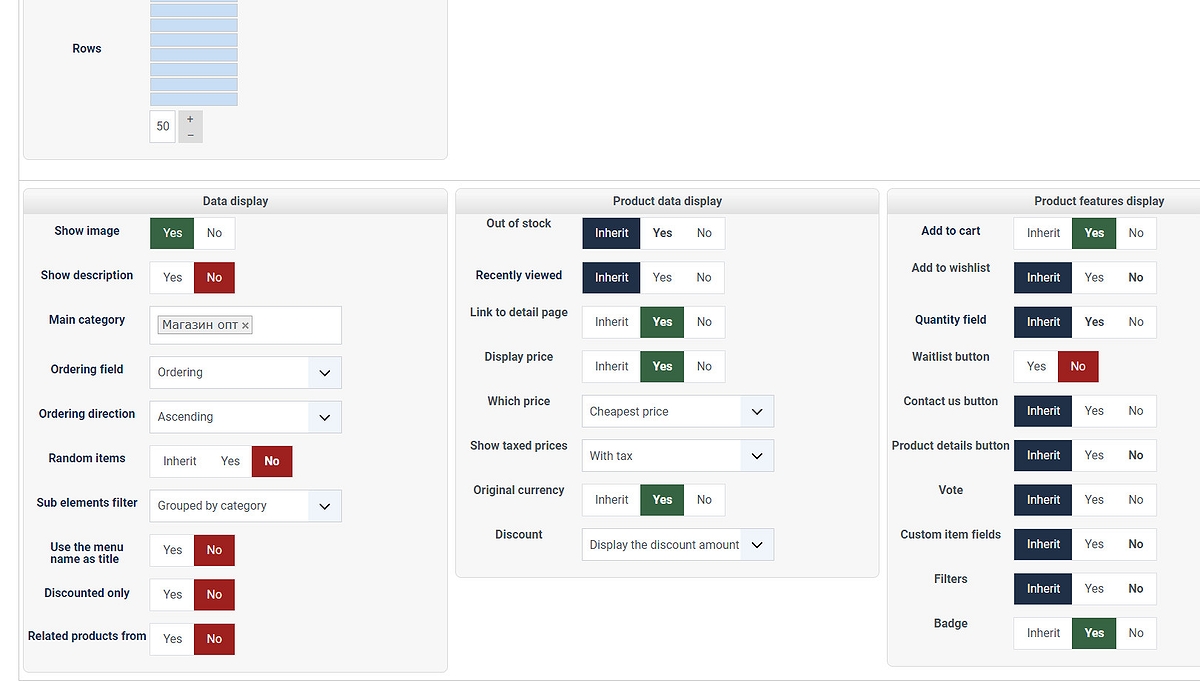
What's wrong with me? Maybe some function is disabled?
Please Log in or Create an account to join the conversation.
4 years 11 months ago #336480
by Ptero
Replied by Ptero on topic The size of product images for different views.
Everything, figured it out. Thanks.
The following user(s) said Thank You: Philip
Please Log in or Create an account to join the conversation.
4 years 11 months ago - 4 years 11 months ago #336475
by nicolas
Replied by nicolas on topic The size of product images for different views.
Hi,
That's a good point. We've added the display of the images to the table layout a while back but we forgot to have the image width/height options available when that layout is selected.
Switch to the "div" layout for your menu item and you'll get the images setting. Change the values in them and save. Then, edit the menu item again and change the layout back to "table" and you'll get the new thumbnails size with the table layout.
We'll look at adding these image size options for the table layout.
That's a good point. We've added the display of the images to the table layout a while back but we forgot to have the image width/height options available when that layout is selected.
Switch to the "div" layout for your menu item and you'll get the images setting. Change the values in them and save. Then, edit the menu item again and change the layout back to "table" and you'll get the new thumbnails size with the table layout.
We'll look at adding these image size options for the table layout.
Last edit: 4 years 11 months ago by nicolas.
Please Log in or Create an account to join the conversation.
Time to create page: 0.181 seconds