

- Posts: 93
- Thank you received: 1
user fields
15 years 1 month ago #23272
by Kurt
user fields was created by Kurt
Hello,
I like to create product-related fields.
I've tried many things, but do not show the fields?
Description:
When a user buy a article i need specific entry field for the product 1.
for example
1) name for the product
2) Place of birth
etc.
user buy product 2, i need the following fields.
1) Name of Partner
2) Date of birth from the partner
etc.
I have created and tested
produkt fields
artikel fields
etc.
thanks and best regards kurt
I like to create product-related fields.
I've tried many things, but do not show the fields?
Description:
When a user buy a article i need specific entry field for the product 1.
for example
1) name for the product
2) Place of birth
etc.
user buy product 2, i need the following fields.
1) Name of Partner
2) Date of birth from the partner
etc.
I have created and tested
produkt fields
artikel fields
etc.
thanks and best regards kurt
Please Log in or Create an account to join the conversation.

15 years 1 month ago #23285
by nicolas
Replied by nicolas on topic Re: user fields
Hi,
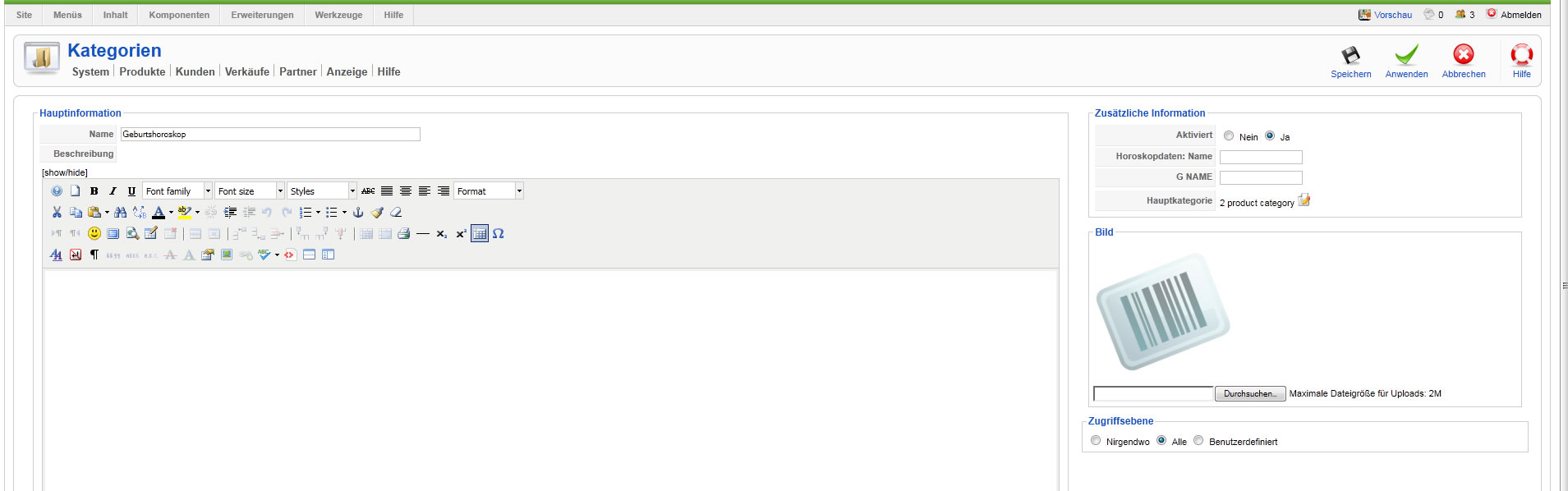
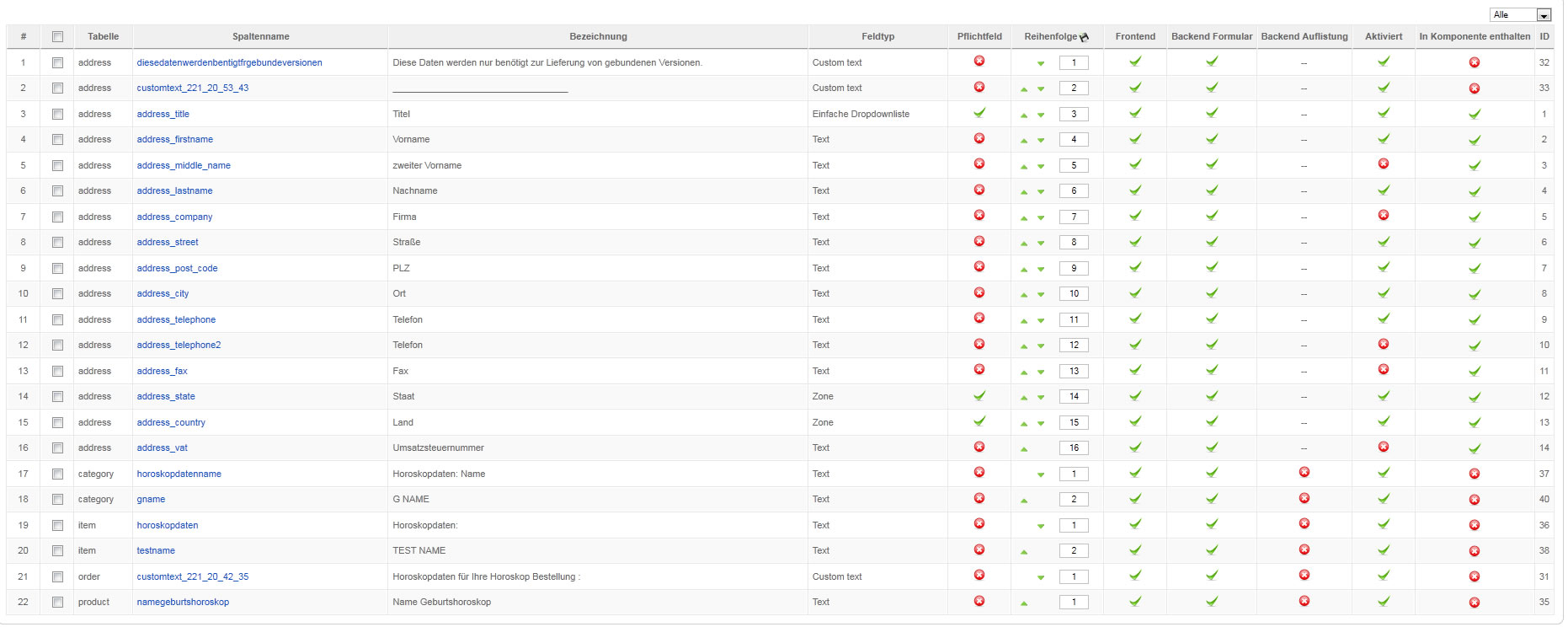
You indeed need to create artikel fields (item fields). Please make sure that the custom field is published AND displayed on the front end.
If that still doesn't work, please post a screenshot of the configuration of your custom field.
You indeed need to create artikel fields (item fields). Please make sure that the custom field is published AND displayed on the front end.
If that still doesn't work, please post a screenshot of the configuration of your custom field.
Please Log in or Create an account to join the conversation.
15 years 1 month ago #23352
by Kurt
Replied by Kurt on topic Re: user fields
Please Log in or Create an account to join the conversation.
15 years 1 month ago #23354
by Kurt
Replied by Kurt on topic Re: user fields
Please Log in or Create an account to join the conversation.
15 years 1 month ago #23355
by Kurt
Replied by Kurt on topic Re: user fields
Please Log in or Create an account to join the conversation.
15 years 1 month ago #23356
by Kurt
Replied by Kurt on topic Re: user fields
Please Log in or Create an account to join the conversation.
15 years 1 month ago #23386
by nicolas
Replied by nicolas on topic Re: user fields
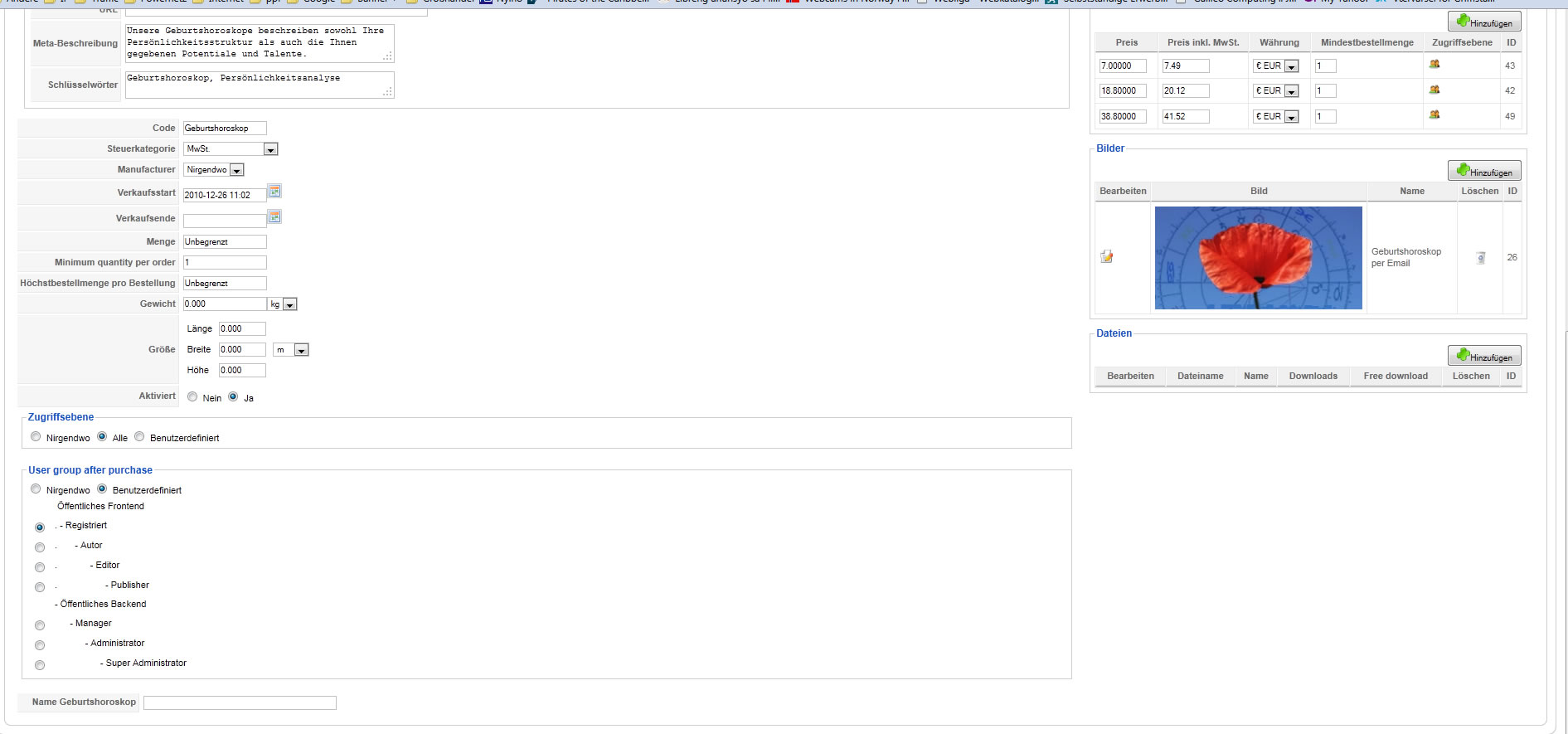
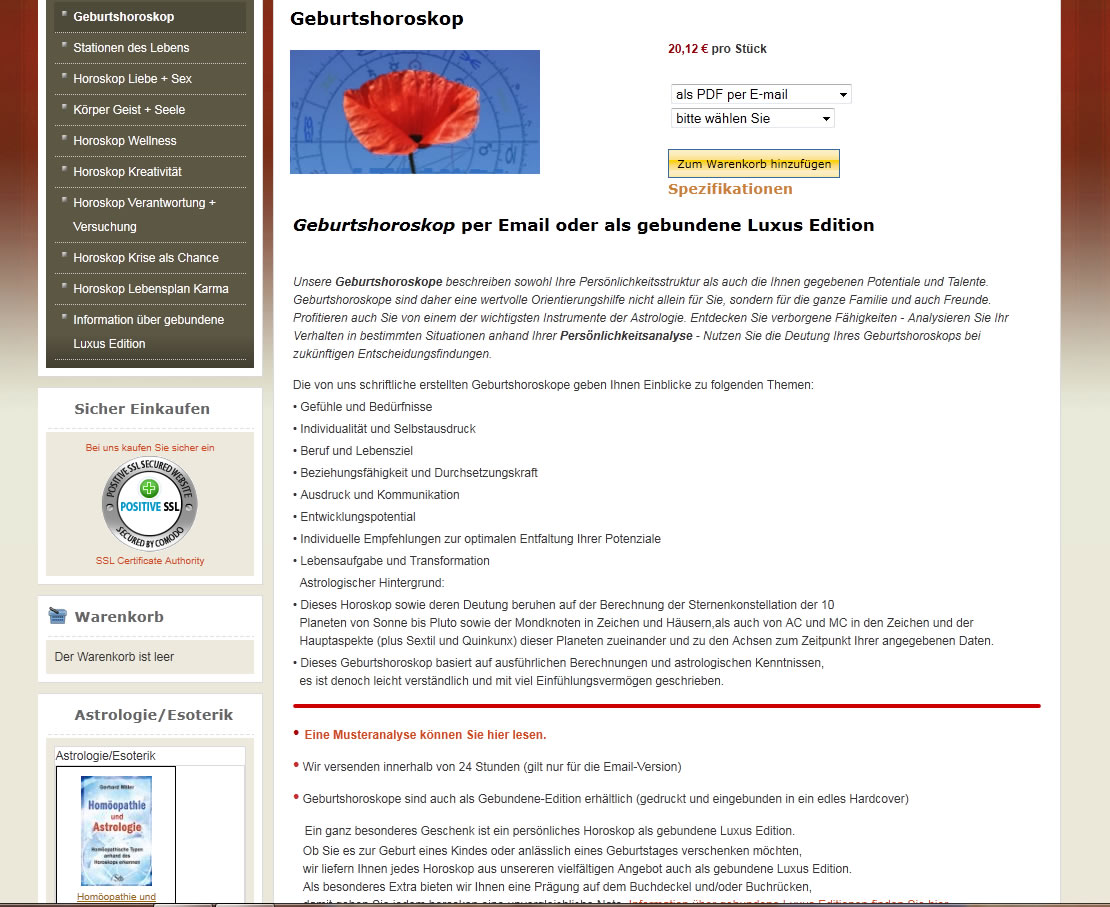
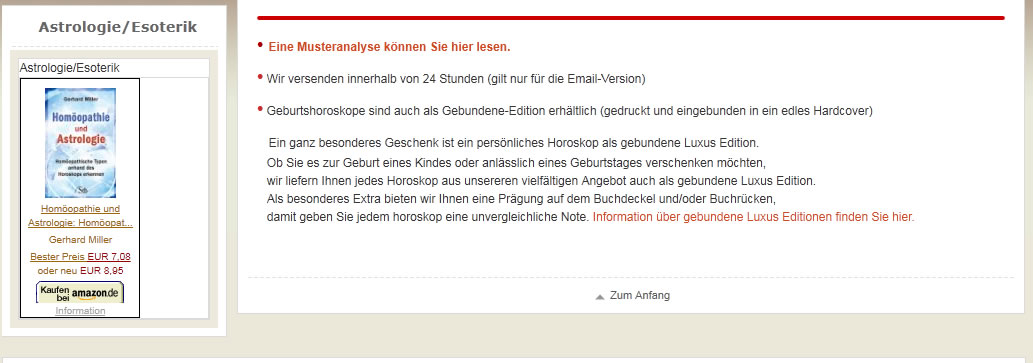
Could you do a screenshot of the product page of your product Geburtshoroskop ? You should see there the custom item fields.
Please Log in or Create an account to join the conversation.
15 years 1 month ago #23408
by Kurt
Replied by Kurt on topic Re: user fields
Please Log in or Create an account to join the conversation.
15 years 1 month ago #23409
by Kurt
Replied by Kurt on topic Re: user fields
Please Log in or Create an account to join the conversation.
15 years 1 month ago #23413
by nicolas
Replied by nicolas on topic Re: user fields
So I can see the custom fields on your product page.
So it means that it's working, right ? Or do you still have a problem ?
So it means that it's working, right ? Or do you still have a problem ?
Please Log in or Create an account to join the conversation.
15 years 1 month ago #23414
by Kurt
Replied by Kurt on topic Re: user fields
Can you show me where it is?
I can not see it?
I can not see it?
Please Log in or Create an account to join the conversation.
15 years 1 month ago #23416
by nicolas
Replied by nicolas on topic Re: user fields
Ah I misunderstood. I thought that the two dropdowns were your cusotm fields. Could you give a back end access to your website so that we can check the problem out ?
Please Log in or Create an account to join the conversation.
15 years 1 month ago #23478
by Kurt
Replied by Kurt on topic Re: user fields
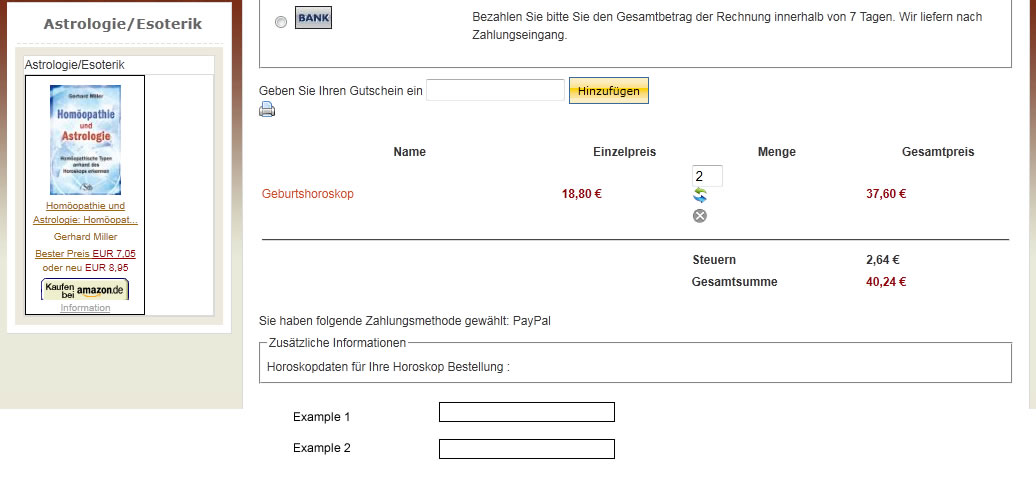
Here are two examples of what I want to reach
For example, a customer buy product 1
I need for this product field example 1 and example 2
Look the picture
For example, a customer buy product 1
I need for this product field example 1 and example 2
Look the picture
Please Log in or Create an account to join the conversation.
15 years 1 month ago #23479
by Kurt
Replied by Kurt on topic Re: user fields
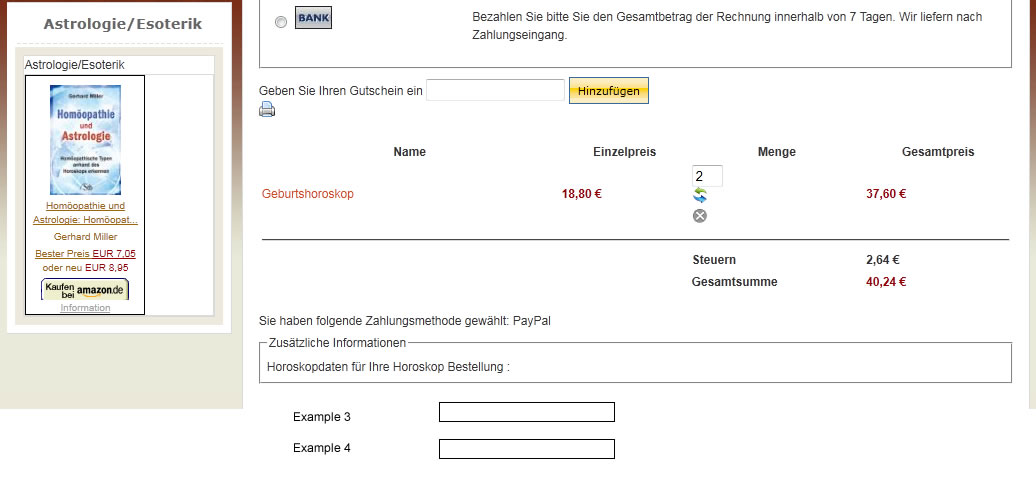
For example, a customer buy product 2
I need for this product field example 3 and example 4
Look the picture
I need for this product field example 3 and example 4
Look the picture
Please Log in or Create an account to join the conversation.
15 years 1 month ago #23483
by nicolas
Replied by nicolas on topic Re: user fields
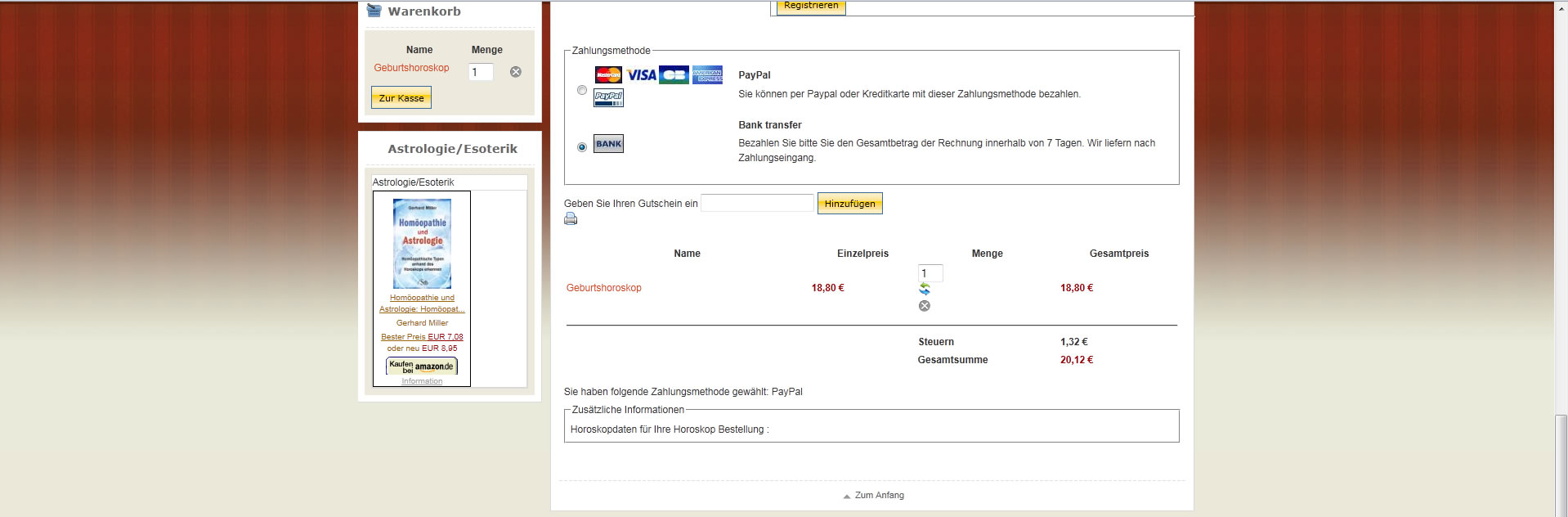
It's not possible to do the on the checkout. However, you can do that on the product page of your products with custom fields of the table item.
You gave a lot of screenshots but not the screenshot of your custom item field edition page as I asked. On your product pages you don't have your two custom item fields. It's probably because they aren't configured properly.
You gave a lot of screenshots but not the screenshot of your custom item field edition page as I asked. On your product pages you don't have your two custom item fields. It's probably because they aren't configured properly.
Please Log in or Create an account to join the conversation.
15 years 1 month ago #23485
by Kurt
Replied by Kurt on topic Re: user fields
It's probably because they are not configured properly.
That must be it!
But how I do it?
That must be it!
But how I do it?
Please Log in or Create an account to join the conversation.
15 years 1 month ago #23492
by nicolas
Replied by nicolas on topic Re: user fields
When you create a custom field of the table item, you need to make sure that it is published, that the front end option is turned on. Then, if you don't see it on your products page, it might come from the categories restrictions of the custom field if you set any. But I can't be sure without seeing how you configured the custom field. Which is why I asked that you give us a screenshot of your custom item field options, which you still did gave. I'm talking about that page:
www.hikashop.com/en/support/documentatio...shop-field-form.html
www.hikashop.com/en/support/documentatio...shop-field-form.html
Please Log in or Create an account to join the conversation.
15 years 1 month ago #23495
by nicolas
Replied by nicolas on topic Re: user fields
Thanks to the access you provided we found that the problem came from the category restriction you had setup in the custom item fields options.
There was actually a bug between that new functionality of custom fields and the fact that your products had characteristics resulting in the fields not being displayed.
We fixed the problem on our end and on your website. That fix will also be included in next version of HikaShop.
There was actually a bug between that new functionality of custom fields and the fact that your products had characteristics resulting in the fields not being displayed.
We fixed the problem on our end and on your website. That fix will also be included in next version of HikaShop.
Please Log in or Create an account to join the conversation.
15 years 1 month ago #23498
by Kurt
Replied by Kurt on topic Re: user fields
Hi,
I thank you also.
best regards
Kurt
I thank you also.
best regards
Kurt
Please Log in or Create an account to join the conversation.
15 years 1 month ago #23501
by Kurt
Replied by Kurt on topic Re: user fields
I have a question for the representation.
The description should stand as the highest.
The customer is supposed to read only.
I've seen the following:
<?php
/**
* @package HikaShop for Joomla!
* @version 1.5.3
* @author hikashop.com
* @copyright (C) 2010-2011 HIKARI SOFTWARE. All rights reserved.
* @license www.hikashop.com/commercial_license.php
*/
defined('_JEXEC') or die('Restricted access');
?>
<div id="<?php echo $this->params->get('main_div_name');?>" class="hikashop_category_information hikashop_products_listing_main">
<?php
if(version_compare(JVERSION,'1.6','<')){
$title = 'show_page_title';
}else{
$title = 'menu_text';
}
if($this->module){
$title = 'showtitle';
}
if($this->params->get($title) && JRequest::getVar('hikashop_front_end_main',0) && (!$this->module || $this->pageInfo->elements->total)){
$name = $this->params->get('page_title');
if(($this->module)){
$name = $this->params->get('title');
}
?>
<h1>
<?php echo $name; ?>
</h1>
<?php
}
if(!$this->module){
if(($this->params->get('show_image') && !empty($this->element->file_path))|| ($this->params->get('show_description')&&!empty($this->element->category_description))){
?>
<div class="hikashop_category_description">
<?php
if($this->params->get('show_image') && !empty($this->element->file_path)){
jimport('joomla.filesystem.file');
if(JFile::exists($this->image->getPath($this->element->file_path),false)){
?>
<img src="<?php echo $this->image->getPath($this->element->file_path); ?>" class="hikashop_category_image"/>
<?php
}
}
if($this->params->get('show_description')&&!empty($this->element->category_description)){
?>
<div class="hikashop_category_description_content">
<?php echo JHTML::_('content.prepare',$this->element->category_description); ?>
</div>
<?php
}
?></div><?php
}
if(!empty($this->fields)){?>
<div id="hikashop_category_custom_info_main" class="hikashop_category_custom_info_main">
<h4><?php echo JText::_('CATEGORY_ADDITIONAL_INFORMATION');?></h4>
<table width="100%">
<?php
$this->fieldsClass->prefix = '';
foreach($this->fields as $fieldName => $oneExtraField) {
if(!empty($this->element->$fieldName)){ ?>
<tr class="hikashop_category_custom_<?php echo $oneExtraField->field_namekey;?>_line">
<td class="key">
<span id="hikashop_category_custom_name_<?php echo $oneExtraField->field_id;?>" class="hikashop_category_custom_name">
<?php echo $this->fieldsClass->getFieldName($oneExtraField);?>
</span>
</td>
<td>
<span id="hikashop_category_custom_value_<?php echo $oneExtraField->field_id;?>" class="hikashop_category_custom_value">
<?php echo $this->fieldsClass->show($oneExtraField,$this->element->$fieldName); ?>
</span>
</td>
</tr>
<?php }
}?>
</table>
</div>
<?php }
}
?>
<div class="hikashop_products_listing">
<?php
echo $this->loadTemplate($this->params->get('layout_type'));
?>
</div>
</div>
<div class="hikashop_submodules" style="clear:both">
<?php
if(!$this->module){
if(!empty($this->modules)){
jimport('joomla.application.module.helper');
foreach($this->modules as $module){
echo JModuleHelper::renderModule($module);
}
}
}
?>
</div>
__________________________________________________________________________________
My question: if I change it, it will be overwritten the next update?
best regards Kurt
The description should stand as the highest.
The customer is supposed to read only.
I've seen the following:
<?php
/**
* @package HikaShop for Joomla!
* @version 1.5.3
* @author hikashop.com
* @copyright (C) 2010-2011 HIKARI SOFTWARE. All rights reserved.
* @license www.hikashop.com/commercial_license.php
*/
defined('_JEXEC') or die('Restricted access');
?>
<div id="<?php echo $this->params->get('main_div_name');?>" class="hikashop_category_information hikashop_products_listing_main">
<?php
if(version_compare(JVERSION,'1.6','<')){
$title = 'show_page_title';
}else{
$title = 'menu_text';
}
if($this->module){
$title = 'showtitle';
}
if($this->params->get($title) && JRequest::getVar('hikashop_front_end_main',0) && (!$this->module || $this->pageInfo->elements->total)){
$name = $this->params->get('page_title');
if(($this->module)){
$name = $this->params->get('title');
}
?>
<h1>
<?php echo $name; ?>
</h1>
<?php
}
if(!$this->module){
if(($this->params->get('show_image') && !empty($this->element->file_path))|| ($this->params->get('show_description')&&!empty($this->element->category_description))){
?>
<div class="hikashop_category_description">
<?php
if($this->params->get('show_image') && !empty($this->element->file_path)){
jimport('joomla.filesystem.file');
if(JFile::exists($this->image->getPath($this->element->file_path),false)){
?>
<img src="<?php echo $this->image->getPath($this->element->file_path); ?>" class="hikashop_category_image"/>
<?php
}
}
if($this->params->get('show_description')&&!empty($this->element->category_description)){
?>
<div class="hikashop_category_description_content">
<?php echo JHTML::_('content.prepare',$this->element->category_description); ?>
</div>
<?php
}
?></div><?php
}
if(!empty($this->fields)){?>
<div id="hikashop_category_custom_info_main" class="hikashop_category_custom_info_main">
<h4><?php echo JText::_('CATEGORY_ADDITIONAL_INFORMATION');?></h4>
<table width="100%">
<?php
$this->fieldsClass->prefix = '';
foreach($this->fields as $fieldName => $oneExtraField) {
if(!empty($this->element->$fieldName)){ ?>
<tr class="hikashop_category_custom_<?php echo $oneExtraField->field_namekey;?>_line">
<td class="key">
<span id="hikashop_category_custom_name_<?php echo $oneExtraField->field_id;?>" class="hikashop_category_custom_name">
<?php echo $this->fieldsClass->getFieldName($oneExtraField);?>
</span>
</td>
<td>
<span id="hikashop_category_custom_value_<?php echo $oneExtraField->field_id;?>" class="hikashop_category_custom_value">
<?php echo $this->fieldsClass->show($oneExtraField,$this->element->$fieldName); ?>
</span>
</td>
</tr>
<?php }
}?>
</table>
</div>
<?php }
}
?>
<div class="hikashop_products_listing">
<?php
echo $this->loadTemplate($this->params->get('layout_type'));
?>
</div>
</div>
<div class="hikashop_submodules" style="clear:both">
<?php
if(!$this->module){
if(!empty($this->modules)){
jimport('joomla.application.module.helper');
foreach($this->modules as $module){
echo JModuleHelper::renderModule($module);
}
}
}
?>
</div>
__________________________________________________________________________________
My question: if I change it, it will be overwritten the next update?
best regards Kurt
Please Log in or Create an account to join the conversation.
Time to create page: 0.310 seconds