
New feature

I would like to see the option to set the following per product.
selling per piece, per m², per m³, per m, per kg...
Koen
Please Log in or Create an account to join the conversation.

www.hikashop.com/support/documentation/6...tation.html#override
Here is an example of such plugin for selling per kg. You will need to have a custom item field with the column name being "ordered_weight" for it to work.
This attachment is hidden for guests.
Please log in or register to see it.
Please Log in or Create an account to join the conversation.
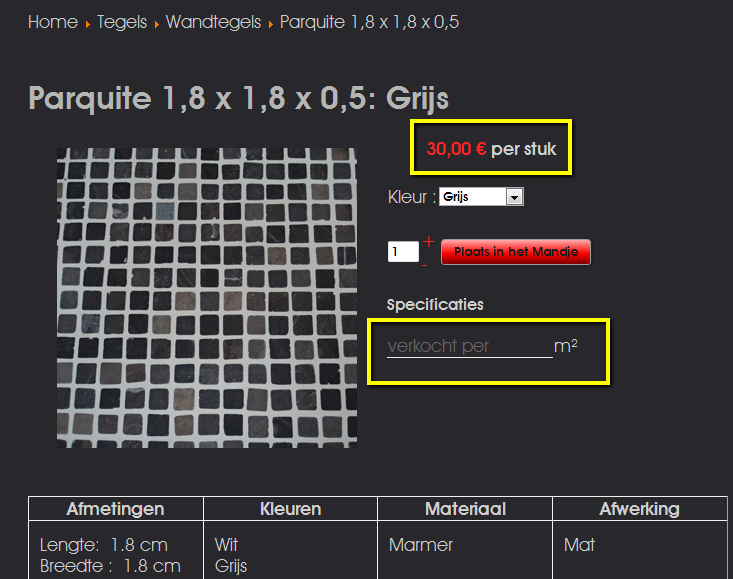
I think i have don what you suggested, but this is what i get.
I want to know if its possible to replace the "per stuk" with the value wich i entered into the custom field.
Koen
adoewa
Please Log in or Create an account to join the conversation.
What you want is just to change the "per item" dynamically, like explained there:
www.hikashop.com/support/forum/4-how-to/...t.html?lang=en#22619
Please Log in or Create an account to join the conversation.
Works perfect...
Maybe an idea in a next version...
Now you have in volume:
Lenght
Width
Height
Maybe adding Thikness and selling by ordered_weight
73 de Koen
adoewa
Please Log in or Create an account to join the conversation.

I am not sure how to implement this. I have downloaded the "plug in" from what I see it has 2 files, what do I do with these files?
I was able to create the "item" field "ordered_weight" but I am really not sure how to activate or make the plug-in. I don't really know code but are comfortable to follow instructions if code needs to be inserted via code editor.
Currently using Hika Business + Front End edition.
This seems like a very sought after feature I am surprised it is not included in the component already, I have used j2store too which does this very well but is very limited in other areas.... I would rather get this working in HikaShop.
I would appreciate any more specific instruction you could give me.
Thanks so much.
nicolas wrote: You can do it by creating a price quantity calculation override plugin and custom fields of the table "item".
www.hikashop.com/support/documentation/6...tation.html#override
Here is an example of such plugin for selling per kg. You will need to have a custom item field with the column name being "ordered_weight" for it to work.This attachment is hidden for guests.
Please log in or register to see it.
Please Log in or Create an account to join the conversation.
You can simply install the plugin zip file via the Joomla extension installer, like any other Joomla extension. Then, enable it via the Joomla plugins manager, like you would for any Joomla plugin you're installing on your website.
Please Log in or Create an account to join the conversation.
Is there another process for installing this plugin?
Please Log in or Create an account to join the conversation.
This is actually an old version of the plugin which was made for Joomla 1.5/2.5.
For Joomla 3, you want to install this plugin instead:
Please log in or register to see it.
Please Log in or Create an account to join the conversation.
The input box has to be created via the menu Display>Custom fields by creating one of the table "item".
And in the plugin settings, you need to enter the column name of the custom field in the "Weight custom field column name" setting, otherwise, the value entered in the custom field will be ignored by the plugin on the cart to recalculate the price of the product.
So please check on that.
Please Log in or Create an account to join the conversation.