

- Posts: 366
- Thank you received: 26
Quantity inout has wrong layout
5 years 9 months ago #327062
by Thrane
Quantity inout has wrong layout was created by Thrane
-- url of the page with the problem -- :
temp.tasteofport.dk/shop/viskurv
-- HikaShop version -- : 4.4.0
-- Joomla version -- : 3.9.23
-- PHP version -- : 7.4
Hi
In the settings I have set the Quantity input method to Show left and right, but this layout is not on the Cart Display page.
Is there somewhere special I need to change taht?
Regards
Thomas
-- HikaShop version -- : 4.4.0
-- Joomla version -- : 3.9.23
-- PHP version -- : 7.4
Hi
In the settings I have set the Quantity input method to Show left and right, but this layout is not on the Cart Display page.
Is there somewhere special I need to change taht?
Regards
Thomas
Please Log in or Create an account to join the conversation.

5 years 9 months ago #327077
by nicolas
Replied by nicolas on topic Quantity inout has wrong layout
Hi,
No, this works great on my end.
The only reason I can think of is that you would have an old view override.
Check if you have the file templates/YOUR_TEMPLATE/html/com_hikashop/cart/show.php
If you do, rename it in order to deactivate it and check if it then works fine.
No, this works great on my end.
The only reason I can think of is that you would have an old view override.
Check if you have the file templates/YOUR_TEMPLATE/html/com_hikashop/cart/show.php
If you do, rename it in order to deactivate it and check if it then works fine.
Please Log in or Create an account to join the conversation.
5 years 9 months ago #327104
by Thrane
Replied by Thrane on topic Quantity inout has wrong layout
Hi
No, that file doesn't excist.
So you see attached?
No, that file doesn't excist.
So you see attached?
Please Log in or Create an account to join the conversation.
5 years 9 months ago #327113
by nicolas
Replied by nicolas on topic Quantity inout has wrong layout
Hi,
Yes, I confirm it works on my end.
Here is a screenshot of my test website where I tried to reproduce the problem :
monosnap.com/file/BxTpZ9XNhfJ2Ky5JbcnbyAkytD2RGp
Could you maybe do some screenshots on how your product is configured and how you configured the settings under the "Display" tab of the HikaShop configuration ?
Yes, I confirm it works on my end.
Here is a screenshot of my test website where I tried to reproduce the problem :
monosnap.com/file/BxTpZ9XNhfJ2Ky5JbcnbyAkytD2RGp
Could you maybe do some screenshots on how your product is configured and how you configured the settings under the "Display" tab of the HikaShop configuration ?
Please Log in or Create an account to join the conversation.
5 years 9 months ago #327168
by Thrane
Replied by Thrane on topic Quantity inout has wrong layout
Hi
When I check the source code on temp.tasteofport.dk/shop/viskurv I don't see the same code, as on temp.tasteofport.dk/shop/viskurv/portvinsplakat
Thanks!
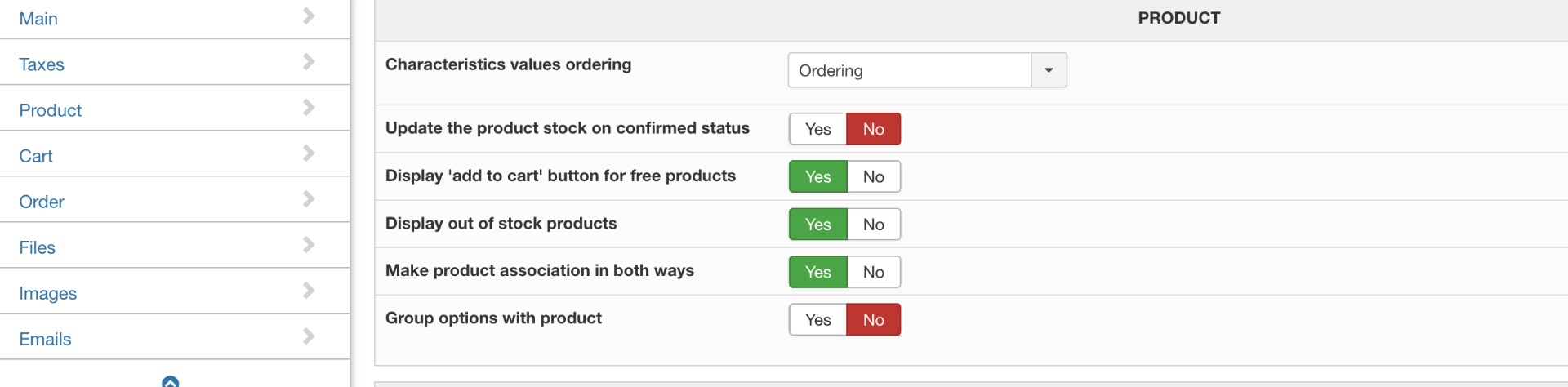
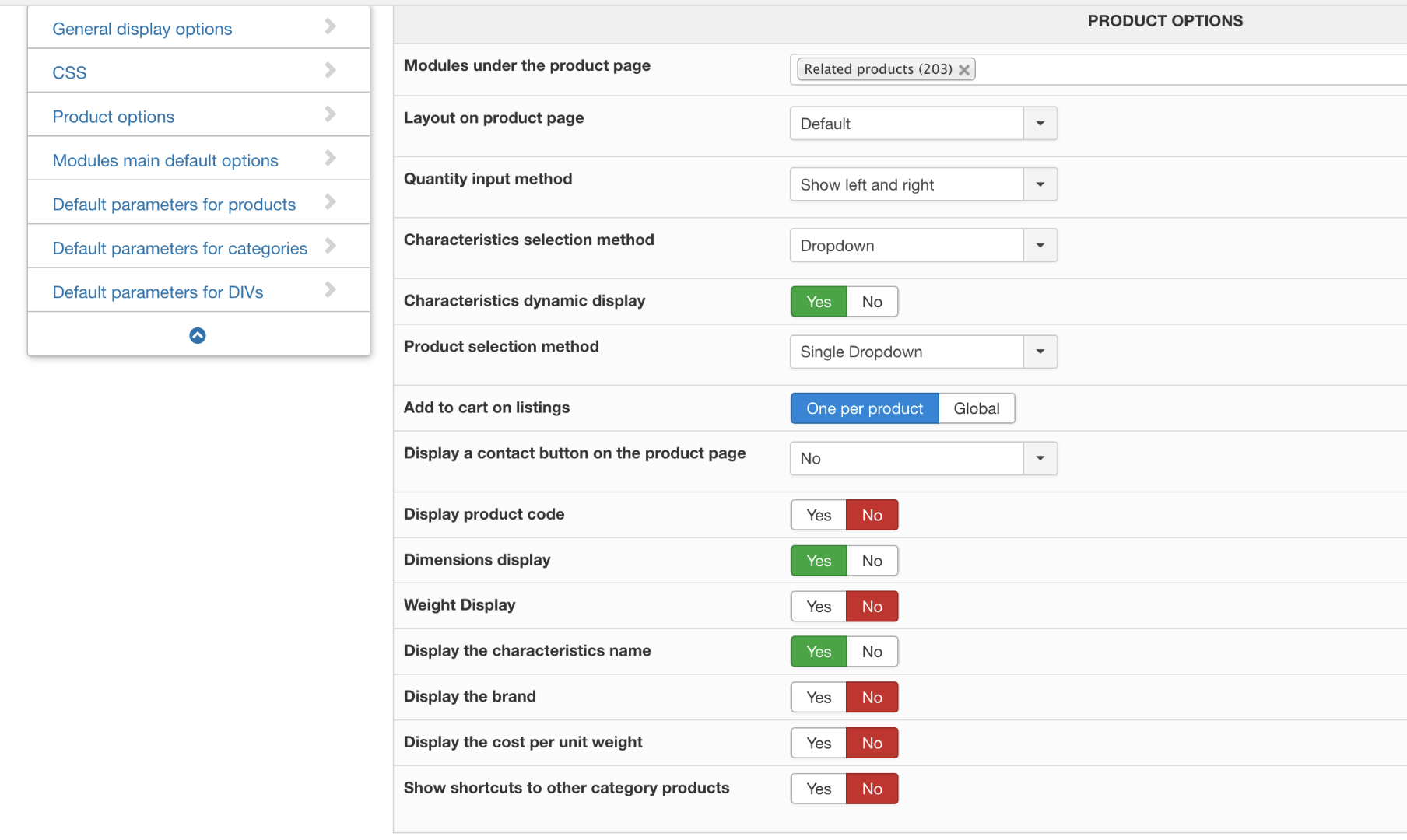

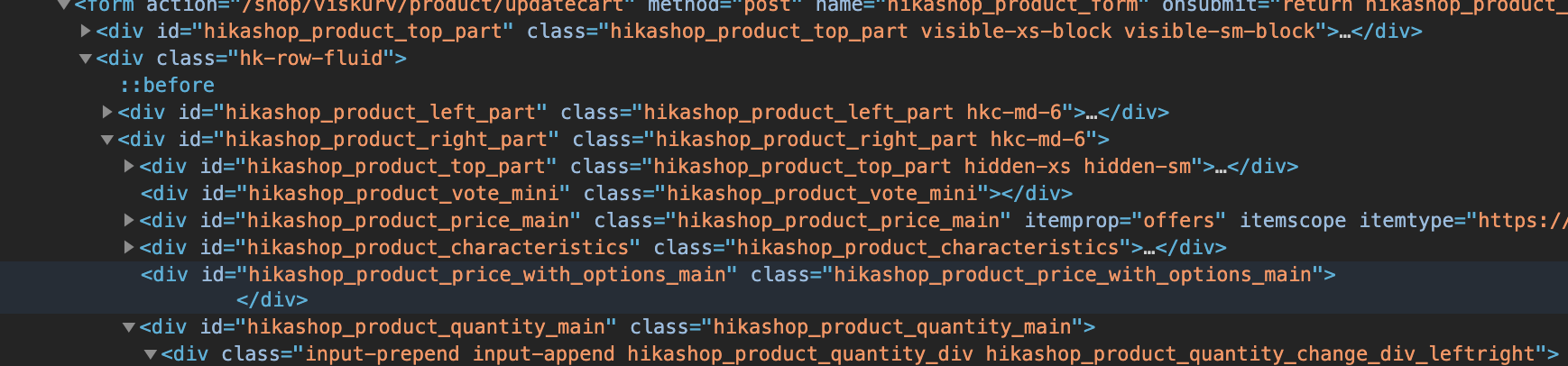
When I check the source code on temp.tasteofport.dk/shop/viskurv I don't see the same code, as on temp.tasteofport.dk/shop/viskurv/portvinsplakat
Thanks!
Please Log in or Create an account to join the conversation.
5 years 9 months ago #327182
by nicolas
Replied by nicolas on topic Quantity inout has wrong layout
Hi,
You didn't provide a screenshot of the settings of your product.
Looking at the screenshots you provided thus far, I would say that the problem is probably with the "quantity input" setting of the product which must not be set to "inherit" and thus overrides what you have set in the configuration.
You didn't provide a screenshot of the settings of your product.
Looking at the screenshots you provided thus far, I would say that the problem is probably with the "quantity input" setting of the product which must not be set to "inherit" and thus overrides what you have set in the configuration.
Please Log in or Create an account to join the conversation.
5 years 9 months ago #327214
by Thrane
Replied by Thrane on topic Quantity inout has wrong layout
Hi
I'm not sure what you mean by Product Settings - where are those?
I'm not sure what you mean by Product Settings - where are those?
Please Log in or Create an account to join the conversation.
5 years 9 months ago #327216
by nicolas
Replied by nicolas on topic Quantity inout has wrong layout
Go in the products listing, click on the name of a product and you'll see the settings of that product (where you have the name, description, quantity, price, etc fields to enter the information about your product).
Please Log in or Create an account to join the conversation.
5 years 9 months ago #327245
by Thrane
Replied by Thrane on topic Quantity inout has wrong layout
Oh , I wasn't aware that could be changed on product level 
I tried changing on from Inherit to LEFT RIGHT, but same result.
When I changed it to none, the PLUS and MINUS went away.
And if I change it on category level it reflects on the product, if set to inherit.
But still LEFT RIGHT isn't working for me on the cart display - it's not on the check-out cart, its the Cart Display you can choose as a menu.
If that makes sense?
I tried changing on from Inherit to LEFT RIGHT, but same result.
When I changed it to none, the PLUS and MINUS went away.
And if I change it on category level it reflects on the product, if set to inherit.
But still LEFT RIGHT isn't working for me on the cart display - it's not on the check-out cart, its the Cart Display you can choose as a menu.
If that makes sense?
Please Log in or Create an account to join the conversation.
5 years 9 months ago #327267
by nicolas
Replied by nicolas on topic Quantity inout has wrong layout
Hi,
The screenshot I gave is also from the cart display you can choose as a menu, and not the cart on the checkout.
So that makes sense yes, we're talking about the same page
Then, besides a view override in your template, I don't see any other reason.
Try to switch to the default template of Joomla temporarily and see if you have the issue.
If you don't, then it's definitely a view override of the template, but maybe not the point I was pointing out but another one. In that case, you'll have to check the other view files / folders in your template's com_hikashop folder.
If you do, then I don't know what's going on and we'll need a backend access to your website to be able to check on the situation as well as precise instructions to reproduce the issue on the frontend. In that case, you can provide the information via our contact form along with a link to this thread for reference: www.hikashop.com/support/contact-us.html
The screenshot I gave is also from the cart display you can choose as a menu, and not the cart on the checkout.
So that makes sense yes, we're talking about the same page
Then, besides a view override in your template, I don't see any other reason.
Try to switch to the default template of Joomla temporarily and see if you have the issue.
If you don't, then it's definitely a view override of the template, but maybe not the point I was pointing out but another one. In that case, you'll have to check the other view files / folders in your template's com_hikashop folder.
If you do, then I don't know what's going on and we'll need a backend access to your website to be able to check on the situation as well as precise instructions to reproduce the issue on the frontend. In that case, you can provide the information via our contact form along with a link to this thread for reference: www.hikashop.com/support/contact-us.html
Please Log in or Create an account to join the conversation.
5 years 9 months ago #327278
by Thrane
Replied by Thrane on topic Quantity inout has wrong layout
Thanks!
It's working on protostar, so I will hunt down the override, that causes the issue ...
I'll get back to you on this
It's working on protostar, so I will hunt down the override, that causes the issue ...
I'll get back to you on this
Please Log in or Create an account to join the conversation.
5 years 9 months ago #327284
by Thrane
Replied by Thrane on topic Quantity inout has wrong layout
It's like the code on Cart Display isn't using the same files as on the product pages.
Both places have the left right in the code, but only on the product pages are my fontawesome icons - on cart display it's your + and - that are showing.
So it seems like the cart display has its own file to override?
Cart

Product

Both places have the left right in the code, but only on the product pages are my fontawesome icons - on cart display it's your + and - that are showing.
So it seems like the cart display has its own file to override?
Cart
Product
Please Log in or Create an account to join the conversation.
5 years 9 months ago #327286
by nicolas
Replied by nicolas on topic Quantity inout has wrong layout
Hi,
I would recommend to turn on the "Display view files" setting in the HikaShop configuration and look at the cart details page.
That, you'll see the different view file involved and you'll know which one to look for to see if they have a view override.
I would recommend to turn on the "Display view files" setting in the HikaShop configuration and look at the cart details page.
That, you'll see the different view file involved and you'll know which one to look for to see if they have a view override.
Please Log in or Create an account to join the conversation.
5 years 9 months ago #327307
by Thrane
Replied by Thrane on topic Quantity inout has wrong layout
Solved now!
It had is own file and all I needed to do was changing some span's to div's
Thanks for guiding me in the right direction!
It had is own file and all I needed to do was changing some span's to div's
Thanks for guiding me in the right direction!
Please Log in or Create an account to join the conversation.
Time to create page: 0.375 seconds