

- Posts: 98
- Thank you received: 4
Badge Image Are Pixelated
2 years 6 months ago - 2 years 6 months ago #360112
by alainz
Badge Image Are Pixelated was created by alainz
-- url of the page with the problem -- :
wip-ayam-fr-new-v2.cloudaccess.host
-- HikaShop version -- : 5.0.3
Hi,
I'm trying to use badge on our products and the badge are formatted png with size 50px. Please refer the configuration screenshot below. But the result are quite pixelated.
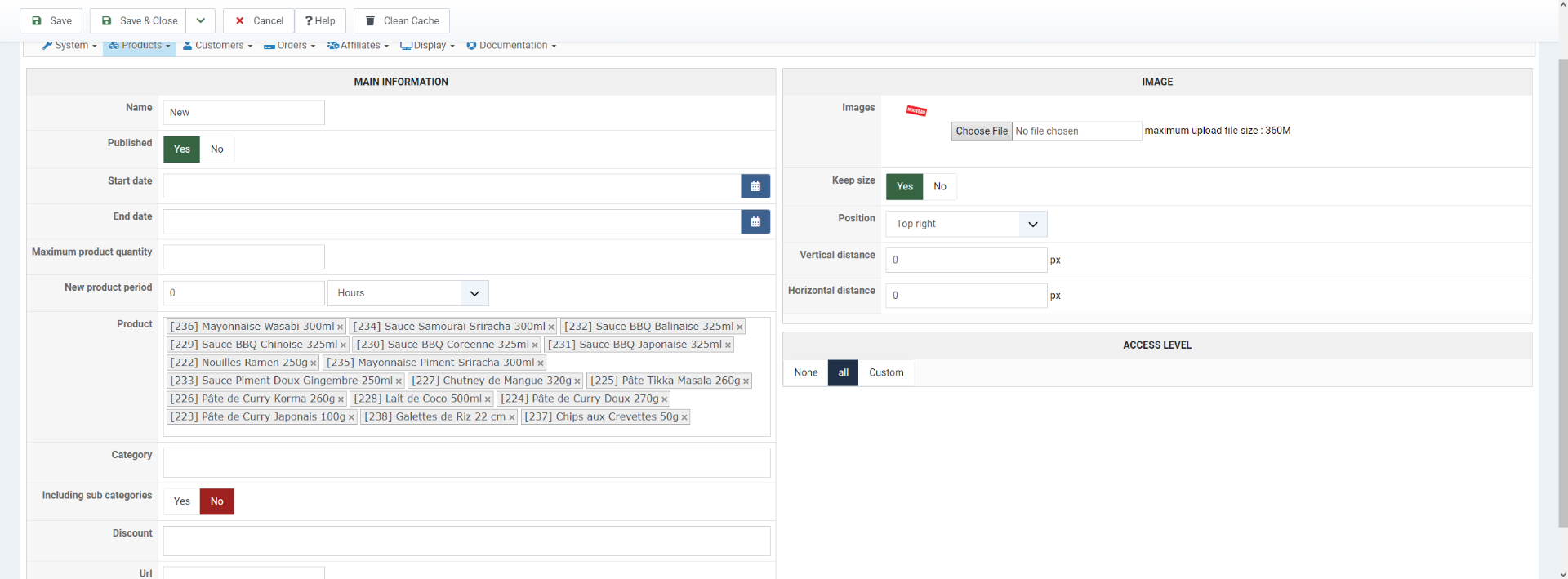
Then we try to use the format svg as the badges, but it not display on the front end. Here is the sample snippet for the product with the svg badge.
Here is the link to the page : wip-ayam-fr-new-v2.cloudaccess.host/inde...oduits/produits-coco
Product with the svg badge are "CRÈME DE COCO ALLÉGÉE 200ML".
How can we solve this issue. Thanks.
-- HikaShop version -- : 5.0.3
Hi,
I'm trying to use badge on our products and the badge are formatted png with size 50px. Please refer the configuration screenshot below. But the result are quite pixelated.
Then we try to use the format svg as the badges, but it not display on the front end. Here is the sample snippet for the product with the svg badge.
Code:
<div class="hikashop_badge_div hikashop_badge_topright_div" style="position:absolute; pointer-events: none; z-index:3; top:-10px; right:0px; margin-top:10px;"><img class="hikashop_product_badge_image" title="new-50" alt="new-50" src="/images/com_hikashop/upload/new-50.svg"></div>
Here is the link to the page : wip-ayam-fr-new-v2.cloudaccess.host/inde...oduits/produits-coco
Product with the svg badge are "CRÈME DE COCO ALLÉGÉE 200ML".
How can we solve this issue. Thanks.
Last edit: 2 years 6 months ago by alainz.
Please Log in or Create an account to join the conversation.

2 years 6 months ago #360116
by nicolas
Replied by nicolas on topic Badge Image Are Pixelated
Hi,
You need to set the width of the image for the img tag for svg images.
For example:
We'll add some code on our end to automatically set the width for SVG badges so that this CSS is not needed in the future.
You need to set the width of the image for the img tag for svg images.
For example:
Code:
img.hikashop_product_badge_image {
width: 50px;
}
We'll add some code on our end to automatically set the width for SVG badges so that this CSS is not needed in the future.
Please Log in or Create an account to join the conversation.
Time to create page: 0.138 seconds