

- Posts: 44
- Thank you received: 3
Taxes - configure, show on invoice and checkout
5 years 3 months ago #333398
by dean
Taxes - configure, show on invoice and checkout was created by dean
-- url of the page with the problem -- :
www.xyznetwrks.com.au
-- HikaShop version -- : 4.4.3
-- Joomla version -- : 3.9.27
I have tried to apply a %10 GST as we need to do here in Australia but this is not shown in the checkout ... images attached so you can see what is going on. All is configured.. re product and tzx
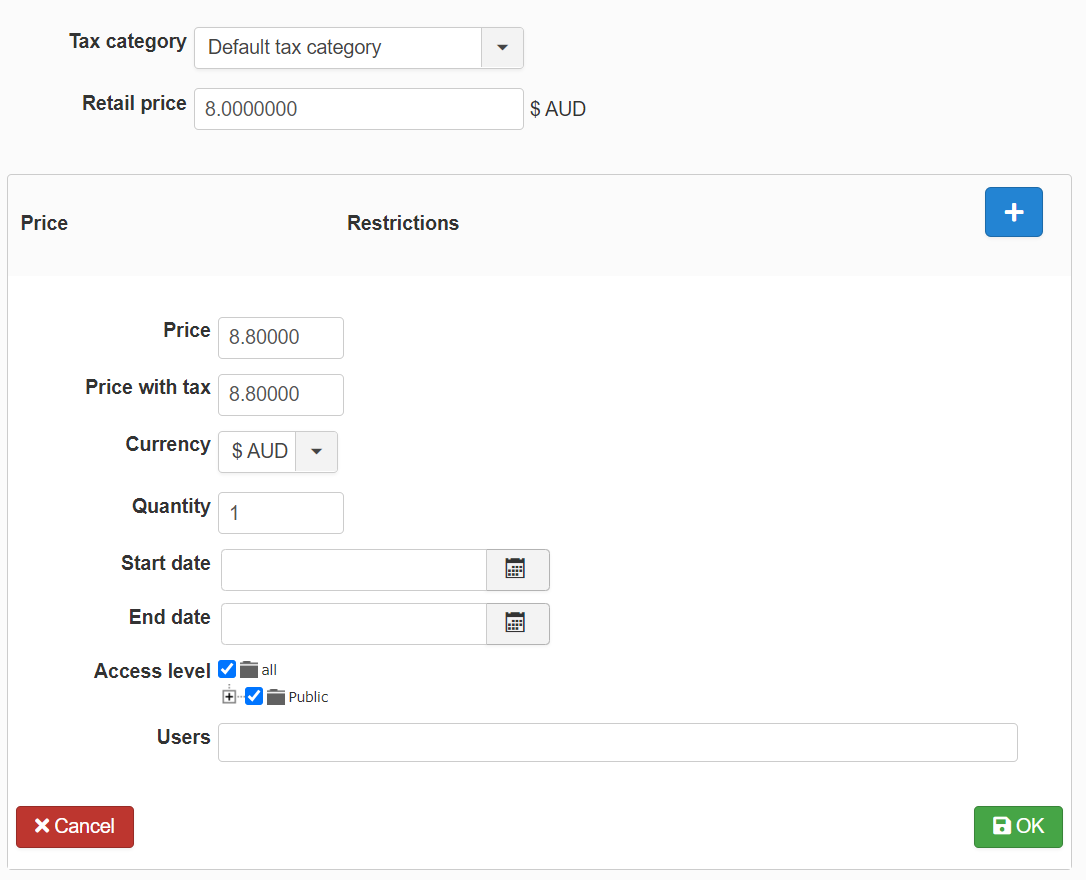
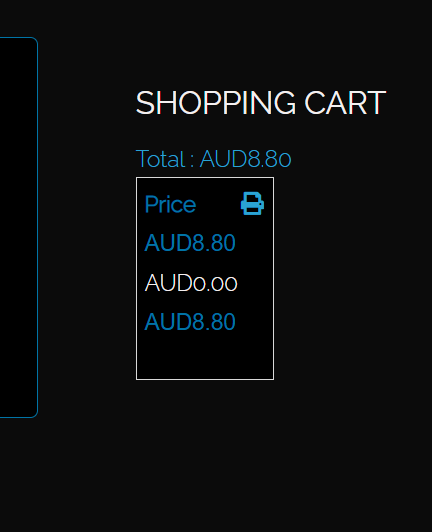
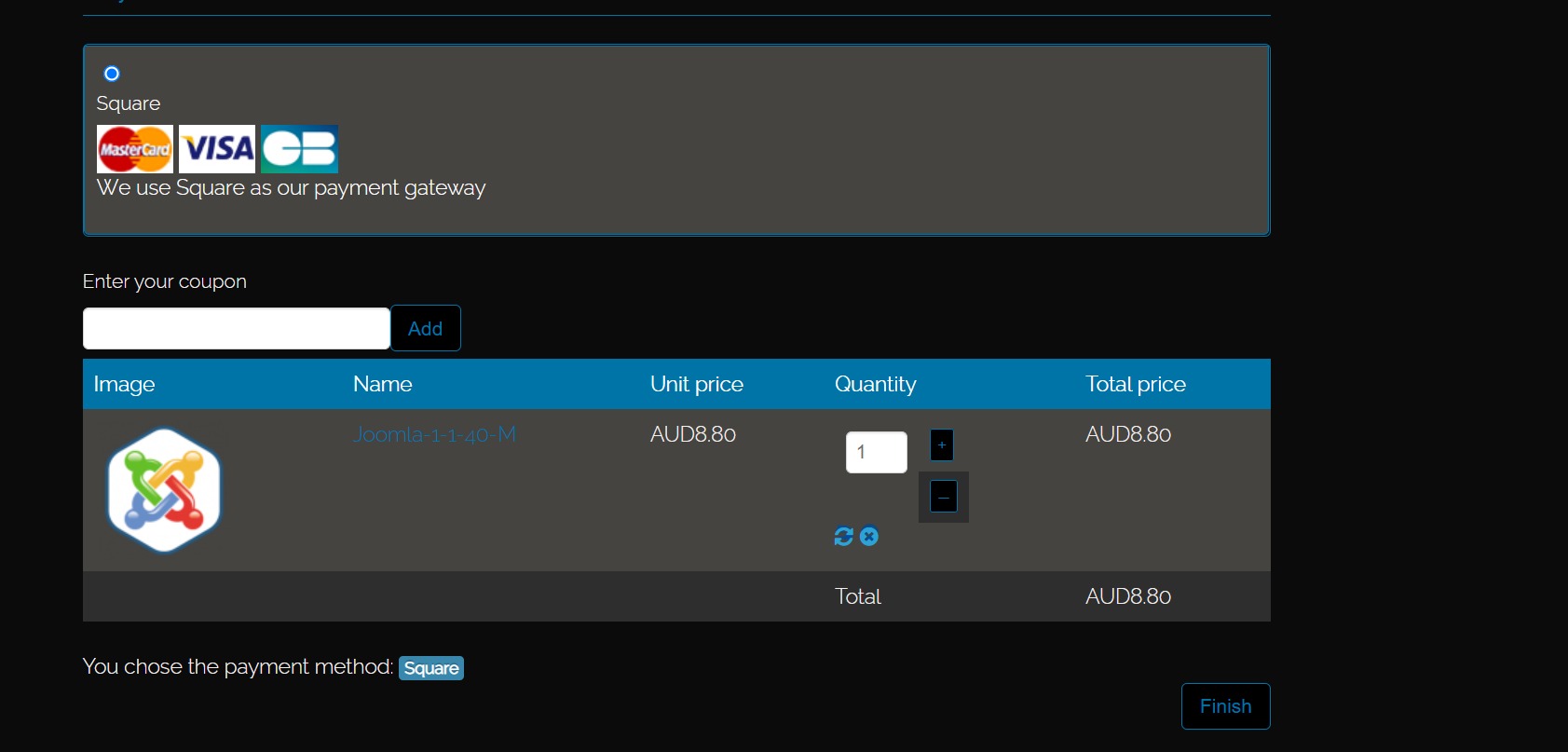
-- HikaShop version -- : 4.4.3
-- Joomla version -- : 3.9.27
I have tried to apply a %10 GST as we need to do here in Australia but this is not shown in the checkout ... images attached so you can see what is going on. All is configured.. re product and tzx
Please Log in or Create an account to join the conversation.

5 years 3 months ago #333403
by nicolas
Replied by nicolas on topic Taxes - configure, show on invoice and checkout
Hi,
So how did you configure your tax rules in the System>Taxes menu ?
Could you provide a screenshot of what you have there ?
So how did you configure your tax rules in the System>Taxes menu ?
Could you provide a screenshot of what you have there ?
Please Log in or Create an account to join the conversation.
5 years 3 months ago #333415
by dean
Replied by dean on topic Taxes - configure, show on invoice and checkout
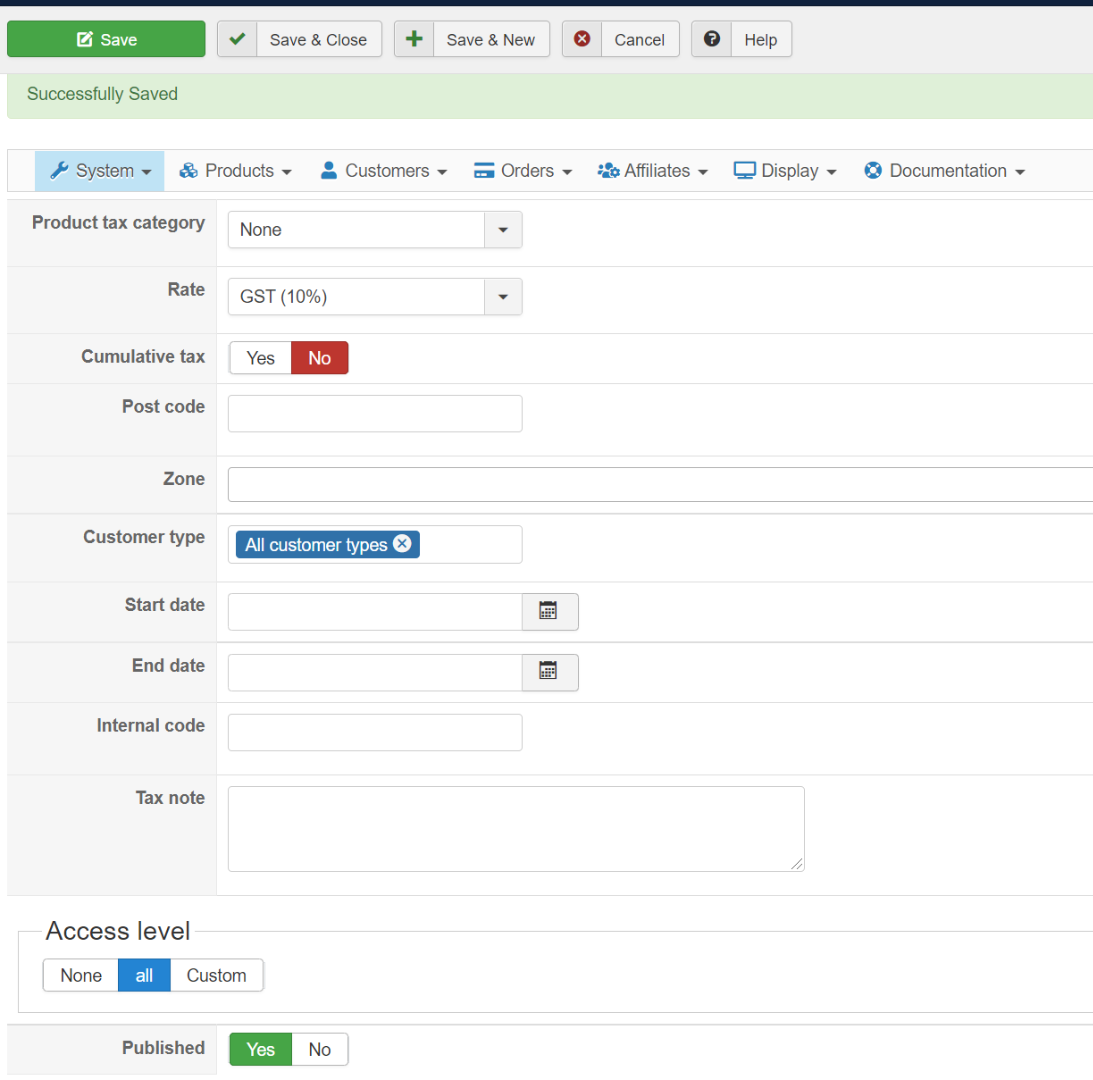
Hi Nicolas, screenshot attached
Please Log in or Create an account to join the conversation.
5 years 3 months ago #333421
by nicolas
Replied by nicolas on topic Taxes - configure, show on invoice and checkout
Hi,
I would recommend you to select the "default tax category" in the "product tax category" setting of your tax rule since that's the tax category you selected in the product.
Otherwise, the tax rule and the product won't match and thus the tax rule won't apply.
Besides that, I don't see why it wouldn't work.
If, after doing that, it still doesn't work, we would need a backend access to check your settings further.
I would recommend you to select the "default tax category" in the "product tax category" setting of your tax rule since that's the tax category you selected in the product.
Otherwise, the tax rule and the product won't match and thus the tax rule won't apply.
Besides that, I don't see why it wouldn't work.
If, after doing that, it still doesn't work, we would need a backend access to check your settings further.
Please Log in or Create an account to join the conversation.
5 years 3 months ago #333428
by dean
Replied by dean on topic Taxes - configure, show on invoice and checkout
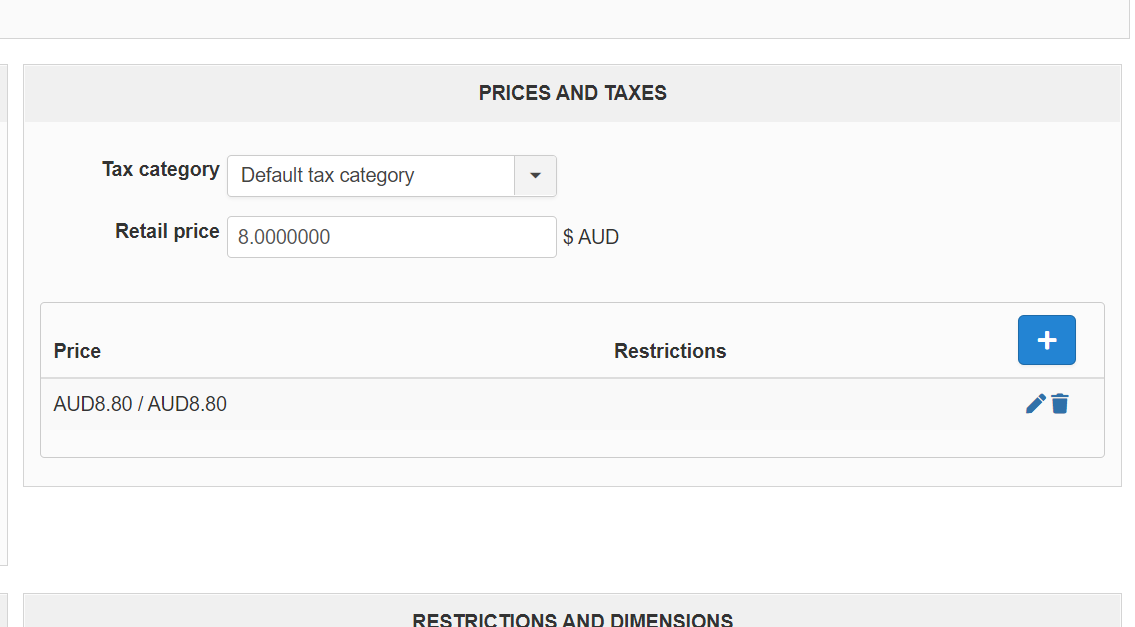
Hi and yes that is already selected as per image attached
Please Log in or Create an account to join the conversation.
5 years 3 months ago #333433
by nicolas
Replied by nicolas on topic Taxes - configure, show on invoice and checkout
Hi,
I'm not talking about this setting.
I'm talking about the "product tax category" setting of your tax rule (that you can edit via the System>Taxes menu). In your previous screenshot, this setting was set to "none" instead of "default tax category".
I'm not talking about this setting.
I'm talking about the "product tax category" setting of your tax rule (that you can edit via the System>Taxes menu). In your previous screenshot, this setting was set to "none" instead of "default tax category".
The following user(s) said Thank You: dean
Please Log in or Create an account to join the conversation.
5 years 3 months ago #333463
by dean
Replied by dean on topic Taxes - configure, show on invoice and checkout
Yes that is / was correct and is now sorted. Thanks for your help here
Please Log in or Create an account to join the conversation.
Time to create page: 0.182 seconds