[Skip to main content](#vessel-content)
☰ Documentation
# Tax rate Add/Edit
Details Written by: Administrator Category: [HikaShop](/support/documentation/hikashop) Published: 03 August 2010 Hits: 9918
| - [Description](#description) - [Toolbar](#toolbar) - [Information](#info) |  |
|---|---|
### Description
This screen enables you to create or edit a tax rate which you will be able to use on the taxation rule creation and edit screen.
### Toolbar
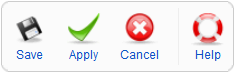
- **Save** : Save the current tax rate and return to the tax rates Management screen.
- **Apply** : Apply the modifications to the current tax rate and stay on the same screen.
- **Cancel** : Return to the previous screen without saving the modifications.
- **Help** : This button enables you to turn ON/OFF the help section, this screen will appear or disappear.
### Information

- **Tax namekey** : A namekey, for you to remember the use of the tax rate.
- **Rate** : The rate of the tax. It is a percentage of the price of the product.