[Skip to main content](#vessel-content)
☰ Documentation
# Migrate from Sylius to HikaShop
Details Written by: Administrator Category: [Tutorials](/support/documentation/hikashop/tutorials) Published: 04 November 2026 Hits: 4
**Sylius** is a headless, Symfony based shopping cart. HikaShop reads its database and moves the products, customers and orders to Joomla or WordPress, which gives a shop with a back office and a storefront in one. This page explains the steps.
It is one of the shops HikaShop can import: see [all the import options](/support/documentation/73-hikashop-import).
- [Before you start](#before)
- [What is imported](#imported)
- [Steps](#steps)
- [The settings](#settings)
- [After the import](#after)
- [Questions](#faq)
### Before you start
**Supported versions:** Sylius 1.12 and later, including 2 (tested on 2.x).
The Sylius database must be on the same MySQL server as the site which receives HikaShop.
Make a backup of your database and your files. The import adds to what is already in HikaShop and never deletes anything, but a backup costs nothing.
### What is imported
- Tax categories and tax rates, by country
- Taxons (as categories), with their hierarchy
- Products with their variants: a product with one variant is a simple product, a product with several variants is a product with variants whose options are the characteristics
- Prices of the channel you choose, stock and images
- Customers with their addresses, and their password
- Coupons, with their dates and limits
- Orders, with their lines, addresses, shipping and discount amounts
**Not imported:**
- The amount of a coupon: the promotions of Sylius are made of rules and actions, set the amount by hand
- The payment and the shipping methods
### Steps
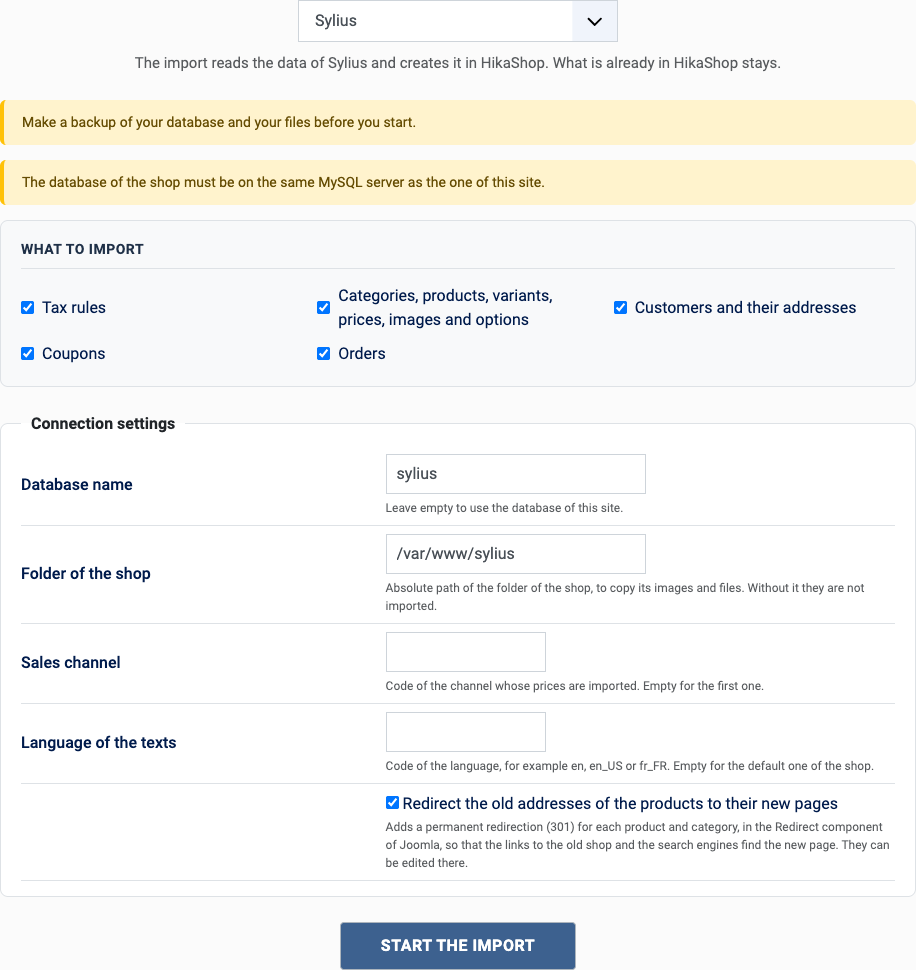
1. In the HikaShop back office, open **Products > Import** and choose **Import from another shop**.
2. Pick **Sylius** in the list of shops.
3. Choose what to import with the boxes of "What to import": orders also need the customers and the catalog, they are imported with them.
4. Fill in the settings (see below) and click **Start the import**.
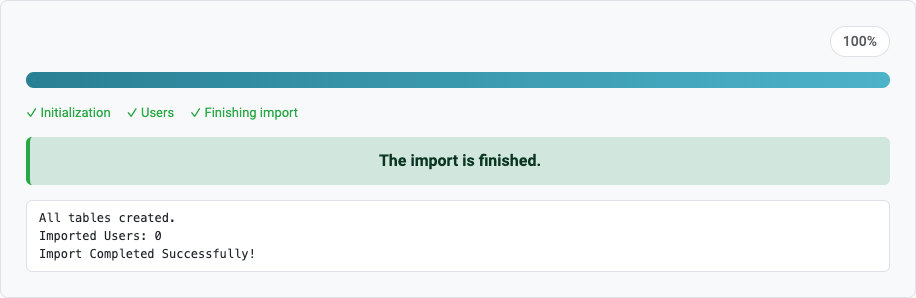
5. Keep the page open until the message "The import is finished" appears. A step which fails stops the import and can be tried again or skipped.
[](/images/doc/hk/interface/import/shop_sylius_settings.png)
[](/images/doc/hk/interface/import/shop_progress_done.png)
### The settings
- **Database name**: the database of Sylius.
- **Sylius project folder**: the absolute path of the project, to copy the images of the products from public/media/image.
- **Sales channel**: the code of the channel whose prices are imported (empty for the first one).
- **Locale of the texts**: for example en\_US or fr\_FR (empty for the default locale of the channel).
- **Redirect the old addresses** (Joomla only): tick it to send the visitors of the old addresses to the new pages, see the questions below.
### After the import
1. Customers keep their password: Sylius hashes them with bcrypt or argon2, which Joomla verifies.
2. Set the amount of the coupons.
3. Check the prices: the amounts of Sylius are in cents, they are converted to the currency of the channel.
### Questions
#### Which prices are imported?
The ones of one sales channel. Choose its code in the settings, the first channel is used otherwise.
#### Do customers keep their password?
Yes, the hash is moved as it is.
#### Where do the images come from?
From public/media/image in the folder of the Sylius project you enter.
#### Can I run the import again?
Yes. What was already imported is left alone and only what is new is added: the products, customers and orders created on the old shop since the last import. You can import once to test and again when you go live. A change made on the old shop to something already imported is not copied.
#### The old addresses of the products
With "Redirect the old addresses" ticked (Joomla only), each product and category gets a redirection from its address in Sylius (with the locale in front of it or without) to its new page. It only works when the new site answers on the same domain as the old shop. The redirections are in **Components > Redirects** of Joomla, where they can be edited or removed; the import turns on the plugin "System - Redirect" which uses them.
Back to [the import page](/support/documentation/73-hikashop-import), which also covers the CSV import and the import of orders. Something else went wrong? See [solving problems](/support/documentation/61-hikashop-compatibility-issues).