[Skip to main content](#vessel-content)
[View on the marketplace →](/marketplace/display/product/368-hikashop-for-freescout) ☰ Documentation
# HikaShop for FreeScout
Details Written by: Administrator Category: [Tutorials](/support/documentation/hikashop/tutorials) Published: 12 November 2026 Hits: 9
| - [Description](#description) - [What you need](#requirements) - [Installing the module](#install) - [Connecting your shop](#pairing) - [One shop per mailbox](#mailboxes) - [What it shows](#shows) - [Information from your other extensions](#extensions) - [Your data](#privacy) - [Updates](#updates) |
|---|
### Description
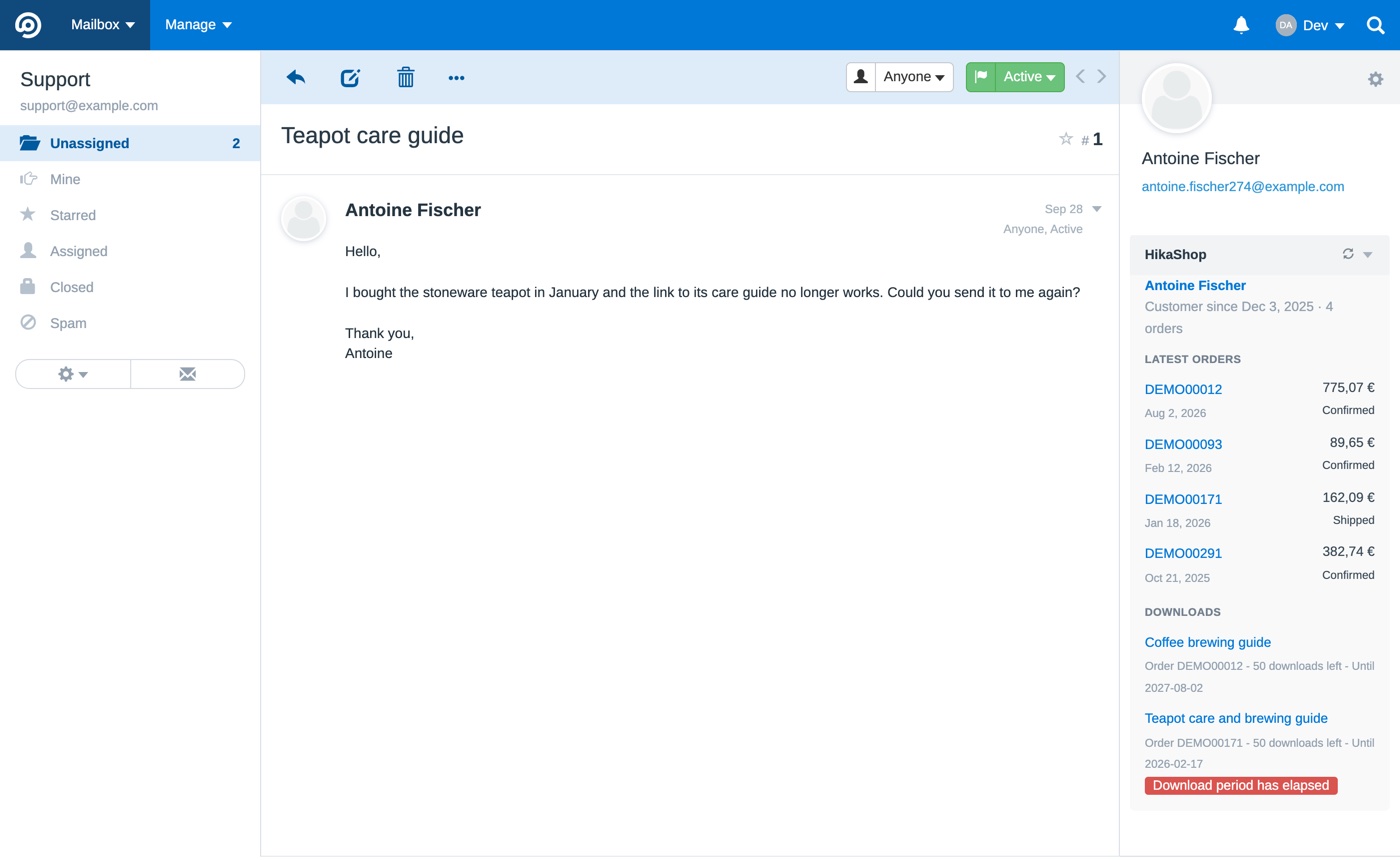
[FreeScout](https://freescout.net) is a free, open source help desk: your support emails become conversations your team answers from one place. HikaShop for FreeScout is a module which shows, beside each conversation, who the customer is in your shop: how long they have been a customer, their latest orders with their totals and statuses, their downloads and whether they still work, and what your other HikaShop extensions add about them. Each order and each customer links to its page in your shop's backend.
So when a customer writes "my download does not work" or "where is my order", the answer is already on the screen, without searching the backend for their email address.
The module is free and open source (AGPL, like FreeScout itself). Its code and its releases are on [GitHub](https://github.com/hikashop-nicolas/freescout-hikashop).
### What you need
- **FreeScout 1.8.190 or newer.**
- **HikaShop Business**, on Joomla or on WordPress. The module reads your shop through the connector API, the same one the [HikaShop application](/support/documentation/544-hikashop-app) uses, which ships inside the Business package. There is nothing to install on the shop.
- **HikaShop 6.7.0 or newer** for the downloads and for the information of your other extensions. With an earlier Business version, the module shows the customer and their orders.
- **HTTPS on your shop**, since FreeScout keeps a key to your shop and sends it with every request.
### Installing the module
Download **HikaShop.zip** from the [latest release](https://github.com/hikashop-nicolas/freescout-hikashop/releases/latest) and unzip it in the **Modules** folder of your FreeScout installation: it creates a **HikaShop** folder there. Then, in FreeScout, go to Manage>Modules and activate **HikaShop**.
### Connecting your shop
FreeScout never gets your password. Your shop gives it a key of its own instead, in exchange for a code which works once and lasts five minutes.
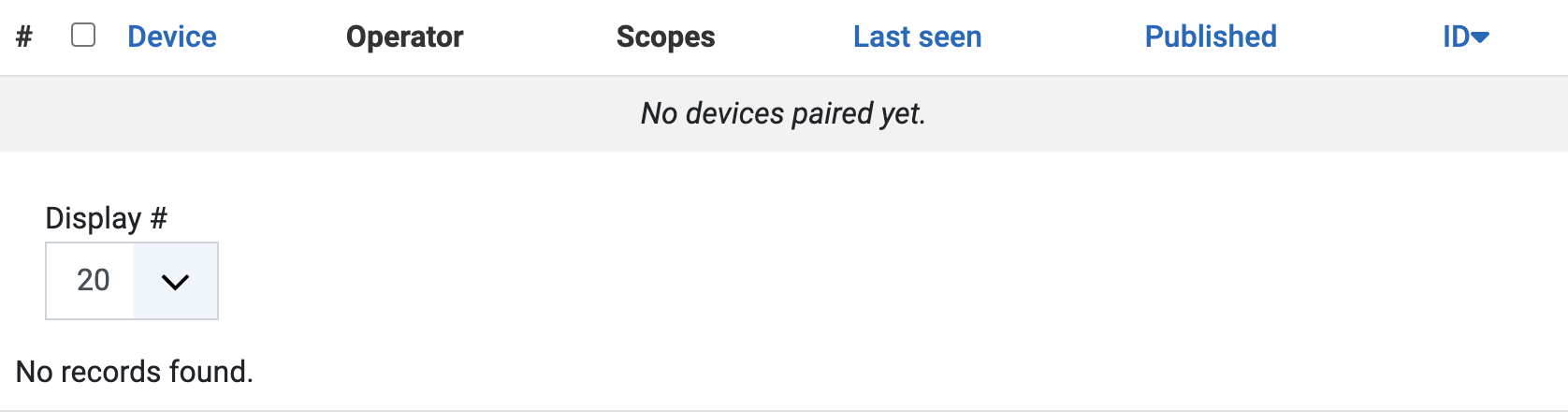
In the backend of your shop, go to the HikaShop menu System>App Devices and click on New. Pair the code with a user who may read orders and customers: the module only reads, it never changes anything in your shop.
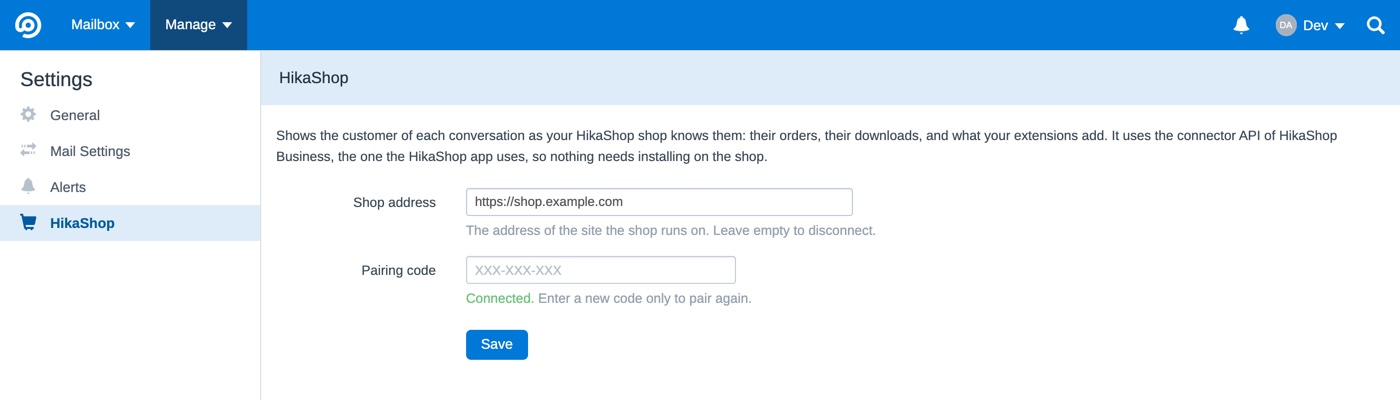
In FreeScout, go to Manage>Settings>HikaShop, enter the address of your shop and the code, and save within the five minutes. The settings page then says "Connected", and FreeScout appears in the App Devices listing of your shop, where you can revoke it at any time.
### One shop per mailbox
If you run several shops, each with its own support address, a FreeScout mailbox can have a shop of its own: open the settings of the mailbox, then **HikaShop**, and pair it the same way. A mailbox without a shop of its own uses the shop of the global settings.
### What it shows
- **The customer**, with how long they have been a customer and how many orders they placed. When the sender's address is not a customer of your shop, a short line says so.
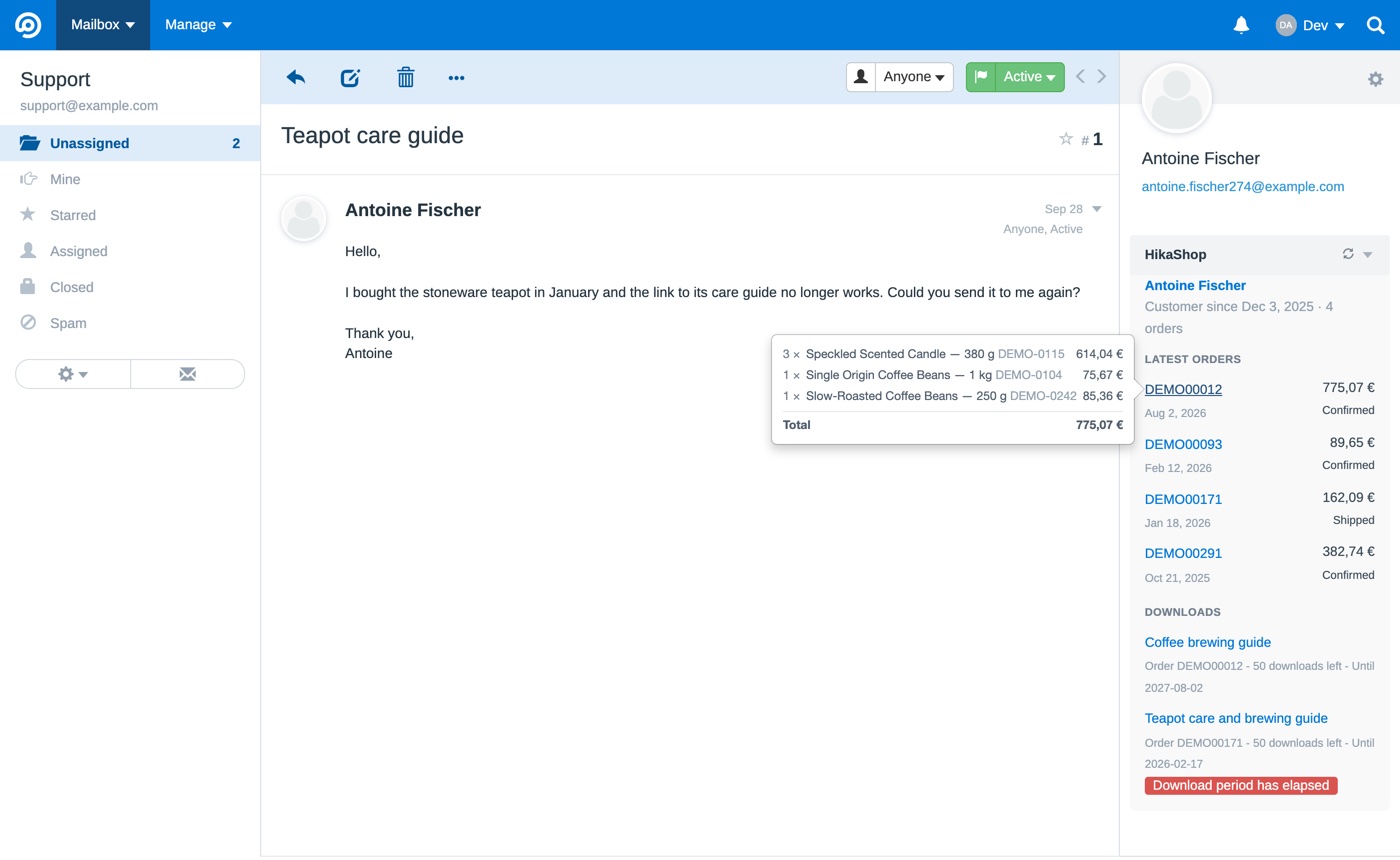
- **Their five latest orders**, with their number, date, total in the currency of the order, and status. Pointing at an order's number shows its products, quantities and amounts, its shipping and its total.
- **Their downloads** (HikaShop 6.7.0 or newer), each with the downloads left and the end of its period, flagged when it no longer works.
What the shop says about a customer is kept for an hour. The refresh button of the block asks the shop again.
### Information from your other extensions
From HikaShop 6.7.0, an extension can add its own sections about a customer through the onConnectorElementSections event of the connector. The module shows those sections in the block as they come, without any change on the FreeScout side, so a developer only works on the shop side.
### Your data
The module sends your shop the email addresses of the customers whose conversations you open, and nothing else. It receives what the paired user is allowed to see about those customers. The key to your shop stays in the FreeScout database, encrypted with FreeScout's application key. No other service is involved.
### Updates
When a new version is released, FreeScout shows it in Manage>Modules, and updates the module from there.