[Skip to main content](#vessel-content)
☰ Documentation
# Icons on Joomla dashboard
Details Written by: Administrator Category: [Integrations](/support/documentation/hikashop/integrations) Published: 13 October 2010 Hits: 21714
- [Description](#description)
- [Install the module](#install)
- [Result](#result)
### Description
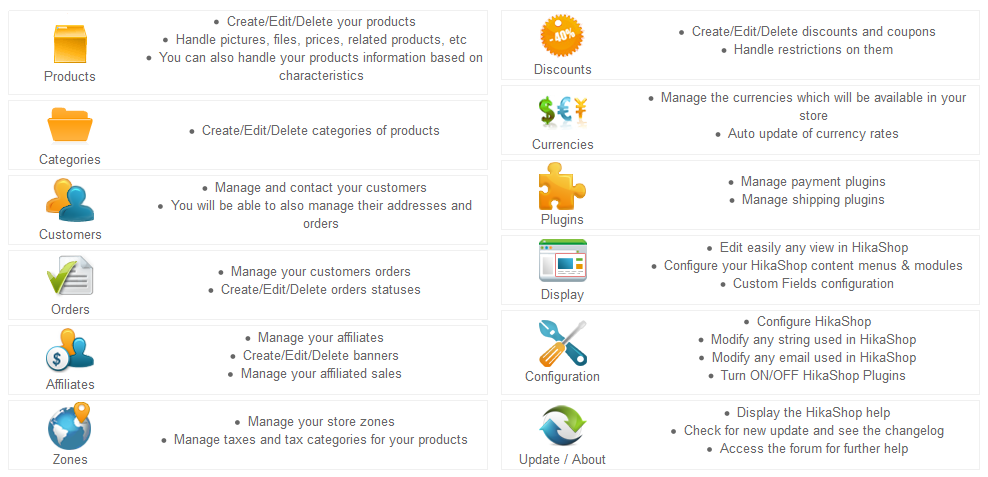
This module, once published will display shortcut icons to HikaShop functions on the backend dashboard of your website.
### Install the module
- [Download HikaShop's icons module](/component/updateme/download/plugin-icons "Download HikaShop's icons module")
- Log in to your backend and click on the menu "**Extensions -> Install / Update**".
- Browse for the HikaShop icons module you just downloaded and then click on the button "**Upload File & Install**".
- You should now see the HikaShop quickicons module in the interface **"Extensions -> Modules manager"** once you select the administrator tab.
- Don't forget to publish the module and set it to the "icon" position of your back end template so that it can be displayed on your dashboard.
### Result
- You will see the interface on the dashboard of the backend: