
HikaAuction 6.0.5 brings to your sales what an auction house expects: bidders approved before they bid, a Buy it Now price on a lot, and fixed bids for the customers who do not know what a proxy bid is. To show them at work, we built Heritage & Hearth, a new template for an auction house, for Joomla and WordPress, with a live demo you can bid on.
Here is what is new.
- Heritage & Hearth, a template for an auction house
- Bidders approved before they bid
- Buy it Now
- Vickrey auctions made simpler
- Fixes
- Before you update
A good auction extension deserves a good shop window, so we made one. Heritage & Hearth is a template for an auction house, built on HikaAuction and HikaShop. Timed auctions and a shop of fixed-price pieces sit under one header and one cart. The home page opens with a hero slider whose slides are your sales, and a strip under it counts down to the moment bidding opens or closes. Lots are listed as a catalogue table, with the lot number, the photograph, the estimate, the current bid and the time left, and a sale's page has its own tabs: all lots, open lots, upcoming, prices realised, then My bids and Favourites for a logged in visitor. The lot page is built around the bid box: a gallery with thumbnails, the estimate above the title, tabs for the description, the condition report and the provenance, the bid history, and a bid bar fixed at the bottom of the screen on a phone. The checkout, the customer area with its bidding history and won auctions, and the vendor area of HikaMarket follow the same style.
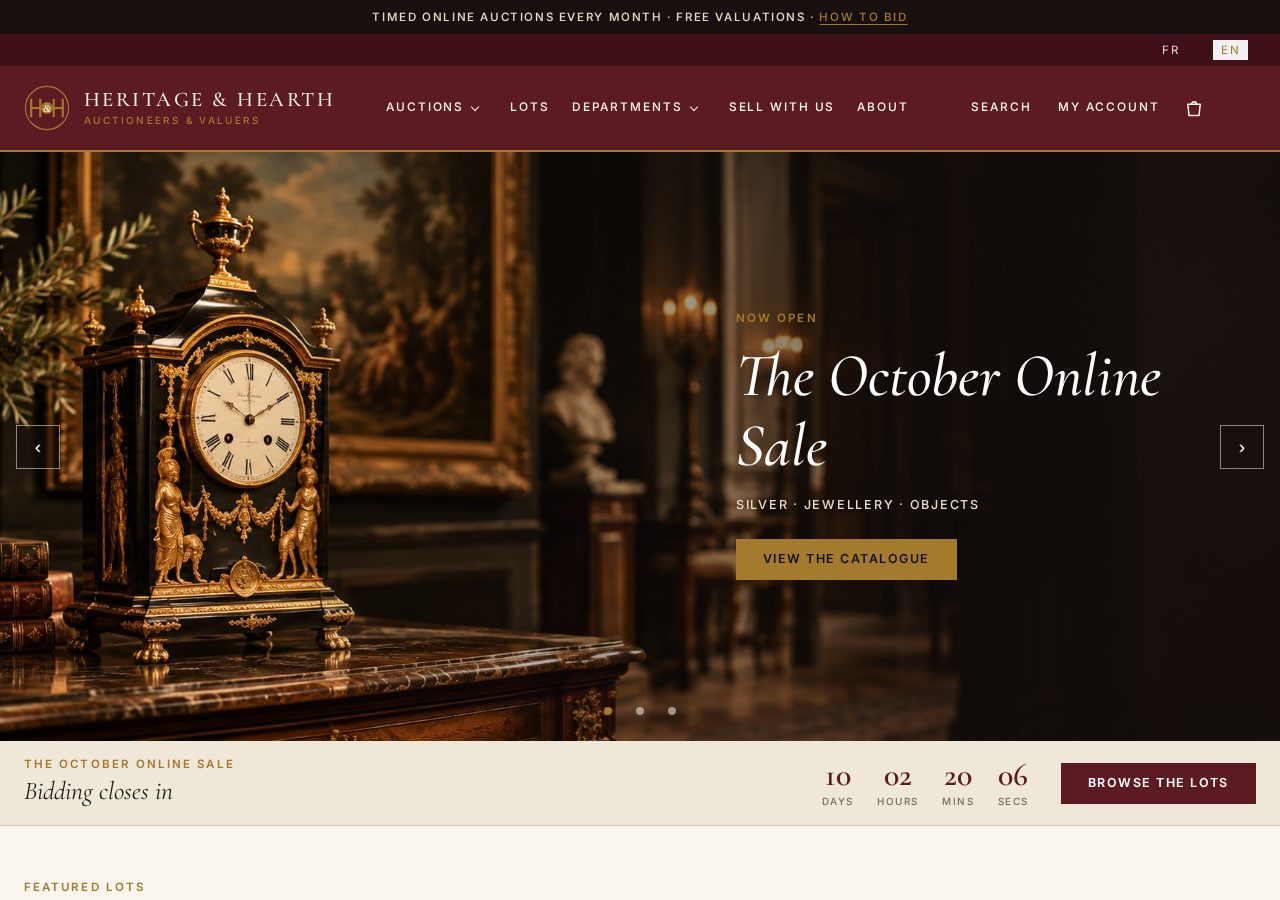
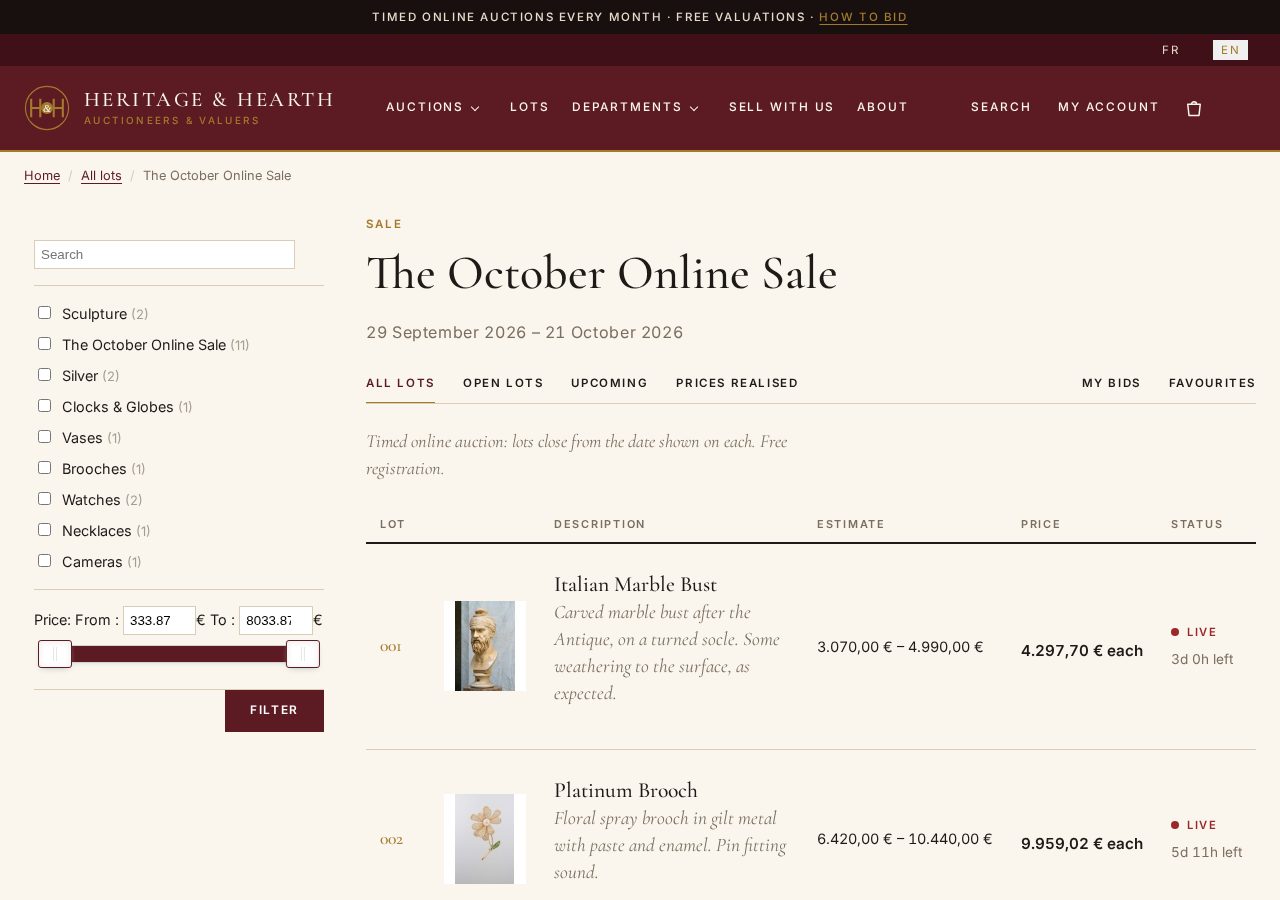
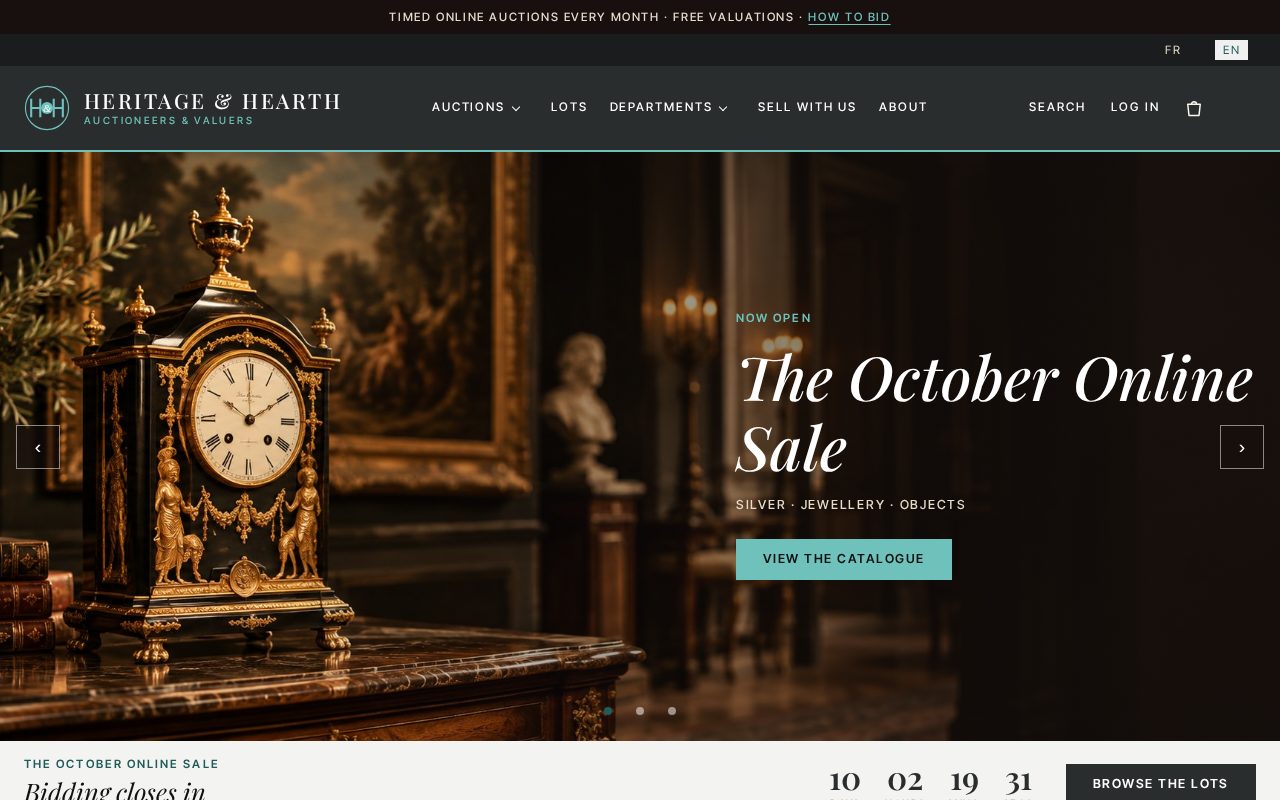
It comes in six style presets, from the formal Saleroom, in oxblood and brass, to the warmer Hearth, the contemporary Gallery, and Emerald, Midnight and Blush, plus a Custom choice for your own colours and fonts. Switching from one to another is a single setting: here is the same home page with Gallery, white and graphite with a teal accent, for design and contemporary art. The interface speaks seven languages, the fonts are served from your own site so that your visitors' browsers never contact Google, and the emails, including the ones of the bidder approval below, take the colours of the template. It works with every edition of HikaShop; the lot table, the lot page and the bid box need HikaAuction. It is also available as a WordPress theme with the same design, for the shop part: HikaAuction does not run on WordPress. The best way to see it is to try the live demo, which has real lots and sales to browse and bid on. The template is on our marketplace.
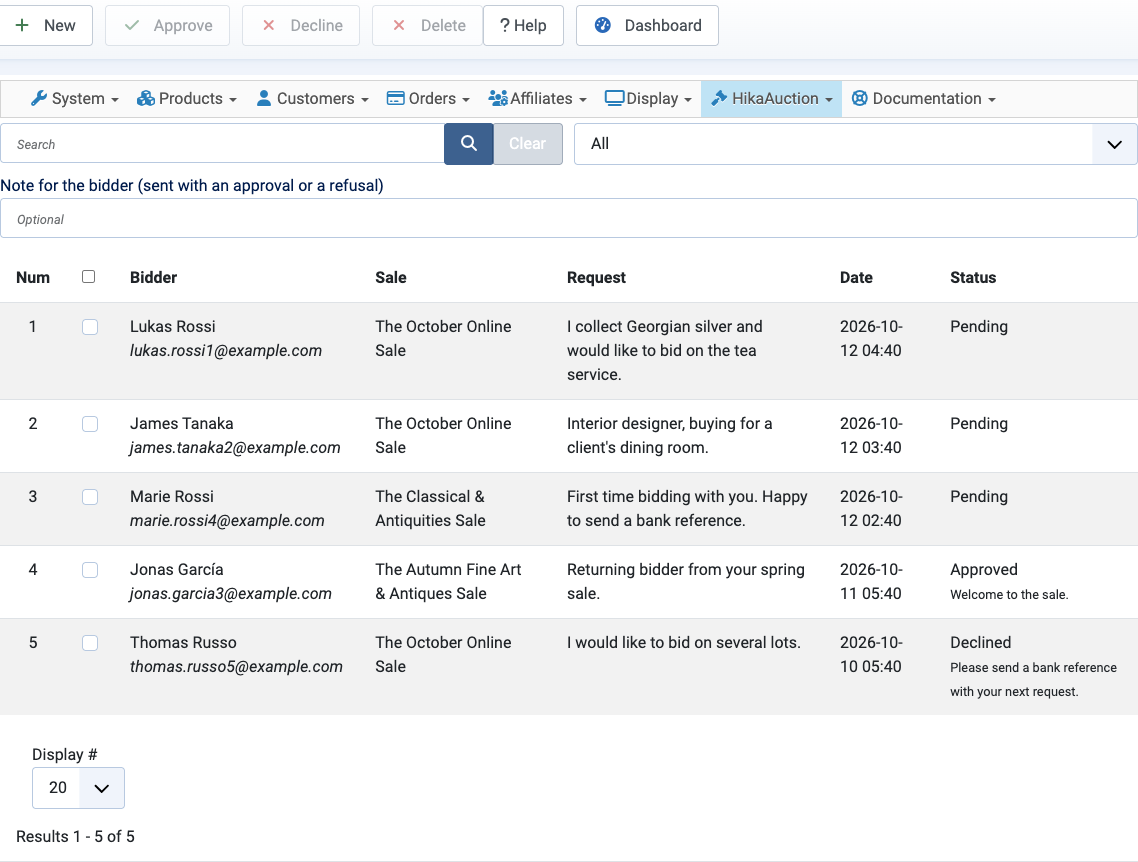
An auction house often asks its bidders to register for a sale before they bid: it checks who they are, and for the expensive lots it may ask for a bank reference. HikaAuction now does it. With the new Bidder approval option, set for every auction or only for the categories you select (a sale is a category of lots), a logged in customer who is not approved yet sees a request form on the product page instead of the bid buttons. The form is made of HikaShop custom fields: we create a text area asking why they wish to bid and a file field for a document, a bank certificate for instance, and you change them like any other custom field. You answer from the new Approvals page of HikaAuction: tick one or several requests, type a note if you want one, then approve or decline. You can also approve a client you already know without waiting for a request. The shop and the bidder get an email at each step, an approved bidder can bid at once on every auction of the sale, and customers follow their requests in a new My registrations page of their account.
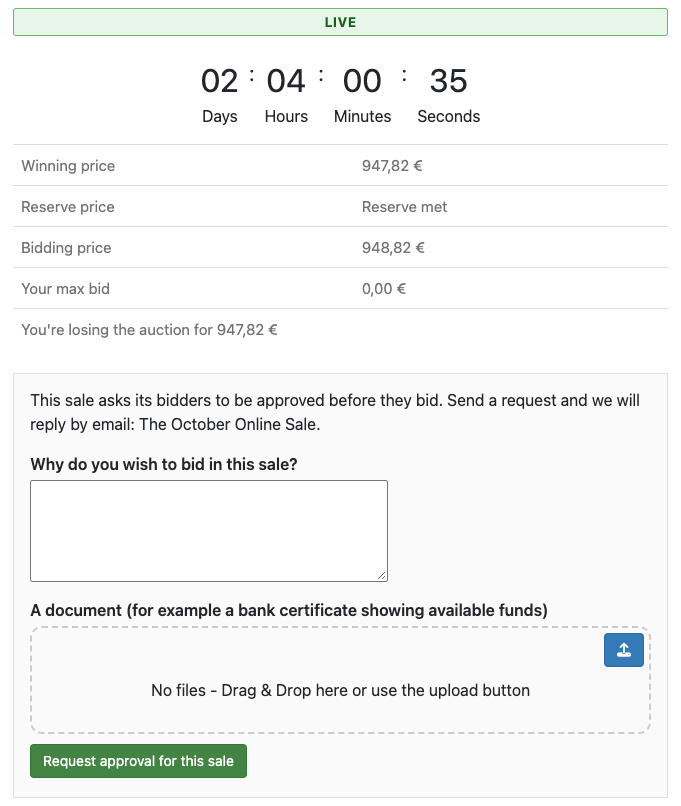
Nothing changes for a shop which does not turn the option on: every logged in customer can still bid. The whole process is described in the new Bidder approval page of the documentation.
An auction can now have a Buy it Now price, set on the product next to the reserve price. While the current price is under it, customers see a "Buy it Now for X" button above the bid buttons. After a confirmation, the auction ends at once and they win it at that price, even over higher maximum bids, then pay it through the usual won auction checkout. The button goes away as soon as the bids bring the current price to the Buy it Now price. It is not available in Dutch auction mode.
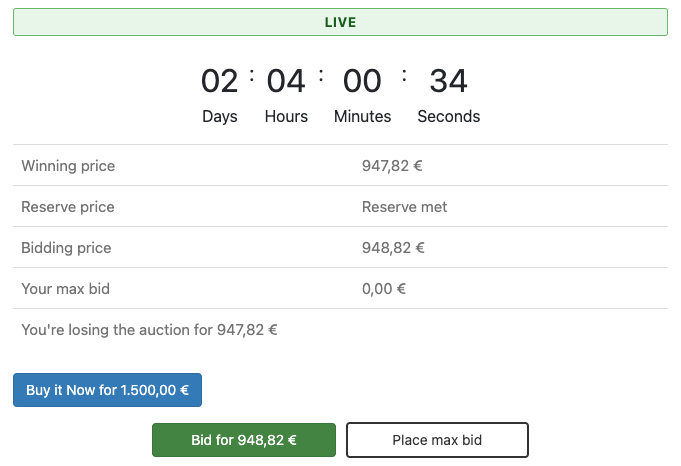
In a Vickrey auction, the winner pays the second-highest bid plus the increment, and customers bid with a maximum that only raises the price when others bid. It is fair, but not everyone knows how it works. Two changes help them. With the new option Allow fixed bids next to max bids, the bid popup offers "Bid this amount", which sets the price to that amount right away, like on most auction sites, next to "Set as max bid". And the leading bidder now sees a box above the bid buttons with the price they are winning at, their max bid and a reminder of what they will pay, and the button becomes "Raise my max bid". Before, the leader was offered a "Bid for" button with a price above their own maximum, and thought their bid was not registered.
- The winning bid is marked as such: in the bidding history of the customer account, the bid currently winning an auction shows the trophy and "Winning bid", even when another bidder placed a lower bid after it. Before, the leader only saw "Active bid".
- The right price in the notifications: the outbid and price changed notifications give the real new price of the auction, and a bidder who raises their own maximum bid while leading no longer notifies the others that they were outbid.
- English auctions with the Vickrey style history: a bid placed while no one else had bid shows its own amount, which is the price in an English auction, instead of the starting price.
- Updates from a version older than 5.0.1: the column where plugins store extra data with a bid is now added when it is missing, so a plugin storing extra bid data can save bids on these shops.
- Currencies with a decimal comma: in the bid popup, an amount below the minimum bid is refused right there, instead of after the page reloaded.
- Bidder approval is off by default: nothing changes for your bidders until you choose "Every auction" or "The selected sales" in the HikaAuction configuration.
- Tested with HikaShop 6.7.0.
- If you customized the bid box: the Buy it Now button, the approval request and the leading bidder box are new blocks of the product page of an auction. A layout override of that page does not show them until you add them, as the Heritage & Hearth template does.
As always, we recommend updating to benefit from all improvements. You can download the update from your member area or use the one-click update button in your HikaAuction configuration page.
For the complete list of changes, see the full changelog.