

- Posts: 251
- Thank you received: 2
Menu translation Fatal Error
10 years 11 months ago #215959
by Nello
Menu translation Fatal Error was created by Nello
-- HikaShop version -- : 2.6.0
-- Joomla version -- : 3.4.4
-- Error-message(debug-mod must be tuned on) -- : Fatal error: Cannot use object of type stdClass as array in /home/hidesign/public_html/administrator/components/com_hikashop/views/menus/tmpl/options.php on line 11
Hi,
After update to 2.6.0 I try to translate menu items and I get a Fatal error on component options.php
For translations I use Falang plugin.
-- Joomla version -- : 3.4.4
-- Error-message(debug-mod must be tuned on) -- : Fatal error: Cannot use object of type stdClass as array in /home/hidesign/public_html/administrator/components/com_hikashop/views/menus/tmpl/options.php on line 11
Hi,
After update to 2.6.0 I try to translate menu items and I get a Fatal error on component options.php
For translations I use Falang plugin.
Please Log in or Create an account to join the conversation.

10 years 11 months ago #215970
by Jerome
Jerome - Obsidev.com
HikaMarket & HikaSerial developer / HikaShop core dev team.
Also helping the HikaShop support team when having some time or couldn't sleep.
By the way, do not send me private message, use the "contact us" form instead.
Replied by Jerome on topic Menu translation Fatal Error
Hi,
What did you do exactly ?
Line 11 is
And if that "element" is an object and not an array ; we got a serious issue.
Regards,
What did you do exactly ?
Line 11 is
Code:
if(!isset($this->element['layout_type']))
Regards,
Jerome - Obsidev.com
HikaMarket & HikaSerial developer / HikaShop core dev team.
Also helping the HikaShop support team when having some time or couldn't sleep.
By the way, do not send me private message, use the "contact us" form instead.
Please Log in or Create an account to join the conversation.
10 years 11 months ago - 10 years 11 months ago #216009
by Nello
Replied by Nello on topic Menu translation Fatal Error
I simply try to translate a new menu item option, and when I saved I got this error.
It happens only with items that have new hikashop options for category and product display...
It happens only with items that have new hikashop options for category and product display...
Last edit: 10 years 11 months ago by Nello.
Please Log in or Create an account to join the conversation.

10 years 11 months ago #216012
by Xavier
Replied by Xavier on topic Menu translation Fatal Error
Hi,
Please provide a backend and a FTP access to your website.
You can send these informations via our contact form, don't forget to give a link to that topic in the message.
www.hikashop.com/support/contact-us.html
Please provide a backend and a FTP access to your website.
You can send these informations via our contact form, don't forget to give a link to that topic in the message.
www.hikashop.com/support/contact-us.html
Please Log in or Create an account to join the conversation.
10 years 11 months ago #216078
by Nello
Replied by Nello on topic Menu translation Fatal Error
Sent!
Please Log in or Create an account to join the conversation.

10 years 11 months ago #216084
by nicolas
Replied by nicolas on topic Menu translation Fatal Error
Hi,
I've had an error:
Response: 530 Login authentication failed
when trying to connect to your FTP.
Could you double check it ?
Regarding a solution, try to change the line:
to:
in both the files components/com_hikashop/fileds/hikashopmodule.php and components/com_hikashop/fileds/selectoptions.php
That should remove the menus/modules options from there as they shouldn't display when you edit a menu/module via Falang.
I've had an error:
Response: 530 Login authentication failed
when trying to connect to your FTP.
Could you double check it ?
Regarding a solution, try to change the line:
Code:
if(HIKASHOP_J30){
Code:
if(HIKASHOP_J30 && !in_array(@$_REQUEST['option'],array('com_falang','com_joomfish'))){
That should remove the menus/modules options from there as they shouldn't display when you edit a menu/module via Falang.
Please Log in or Create an account to join the conversation.
10 years 11 months ago #216118
by Nello
Replied by Nello on topic Menu translation Fatal Error
It seems to works fine.
But the problem is that it don't get the same settings for categories and product options for both languages.
I will send you FTP access details again.
But the problem is that it don't get the same settings for categories and product options for both languages.
I will send you FTP access details again.
Please Log in or Create an account to join the conversation.
10 years 11 months ago #216122
by Nello
Replied by Nello on topic Menu translation Fatal Error
No. It doesn't work fine...
As I suspected, it does not get the correct settings in both languages.
I hope it is possible to fix differently, otherwise I would not be forced to make a downgrade to 2.5....
Yet Falang plugin seems to be widely used...
As I suspected, it does not get the correct settings in both languages.
I hope it is possible to fix differently, otherwise I would not be forced to make a downgrade to 2.5....
Yet Falang plugin seems to be widely used...
Please Log in or Create an account to join the conversation.
10 years 11 months ago #216132
by nicolas
Replied by nicolas on topic Menu translation Fatal Error
Hi,
What do you mean by
Did you try with a new menu item, not a one for which you already had the first problem ?
You need to delete the menu items that you tried with because they already have the problematic data in Falang and thus Falang will try to replace the settings and break the display of the listing even if the translation edition page now works.
So it's best to try with a new menu item. It should hopefully work fine.
If not, please describe more precisely what "doesn't work fine".
What do you mean by
?No. It doesn't work fine...
As I suspected, it does not get the correct settings in both languages.
Did you try with a new menu item, not a one for which you already had the first problem ?
You need to delete the menu items that you tried with because they already have the problematic data in Falang and thus Falang will try to replace the settings and break the display of the listing even if the translation edition page now works.
So it's best to try with a new menu item. It should hopefully work fine.
If not, please describe more precisely what "doesn't work fine".
Please Log in or Create an account to join the conversation.
10 years 11 months ago #216146
by Nello
Replied by Nello on topic Menu translation Fatal Error
Ok, I try to explain better with images.
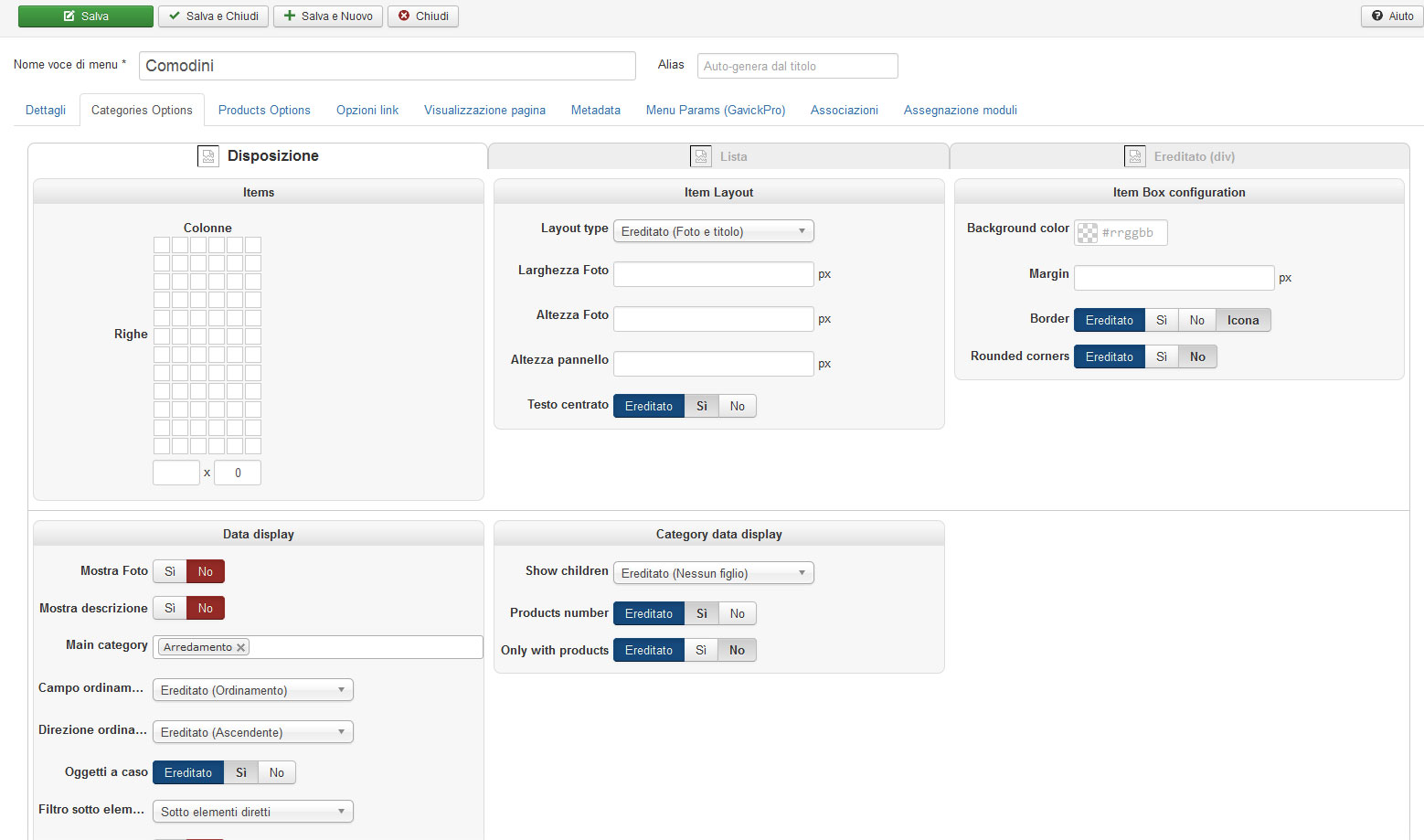
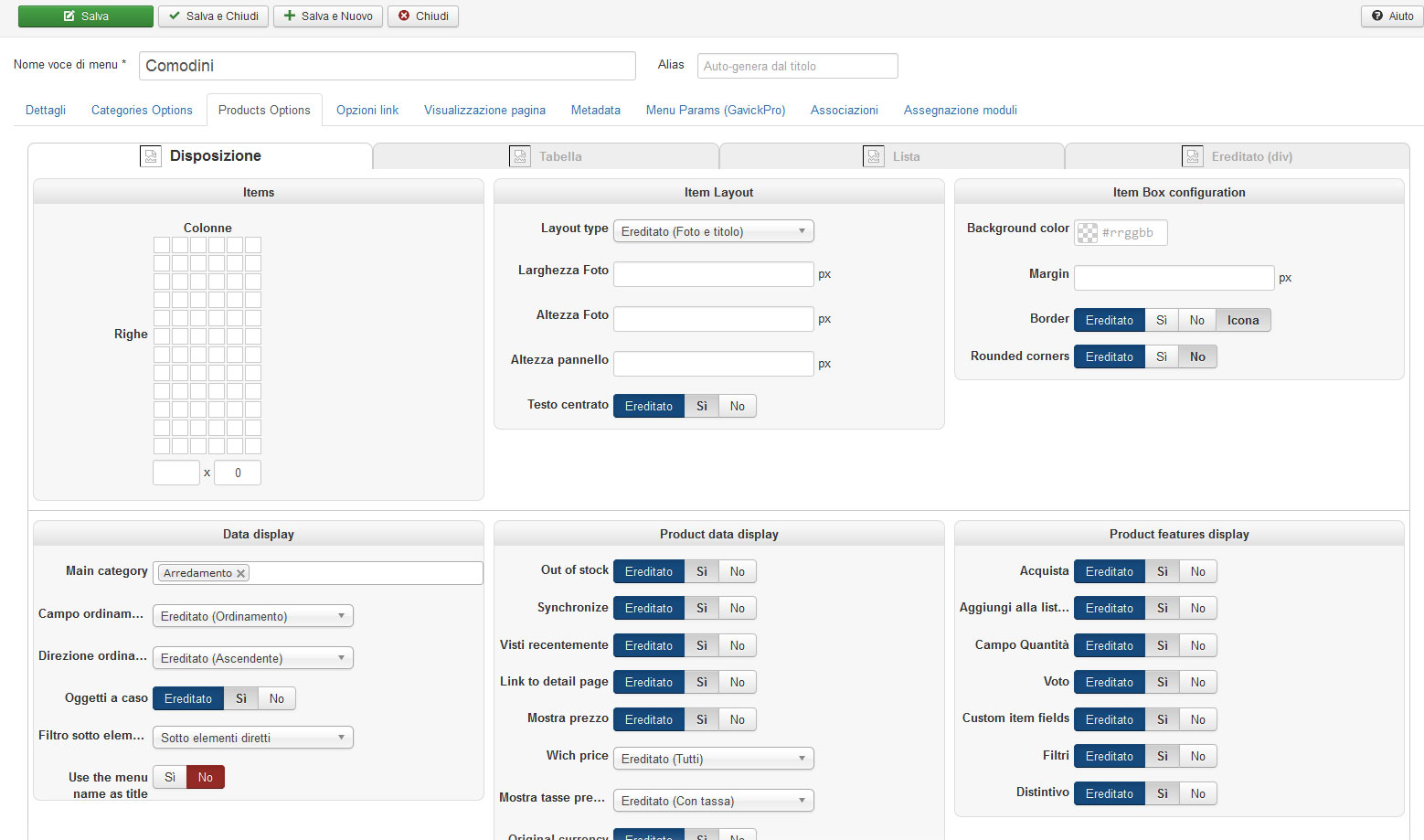
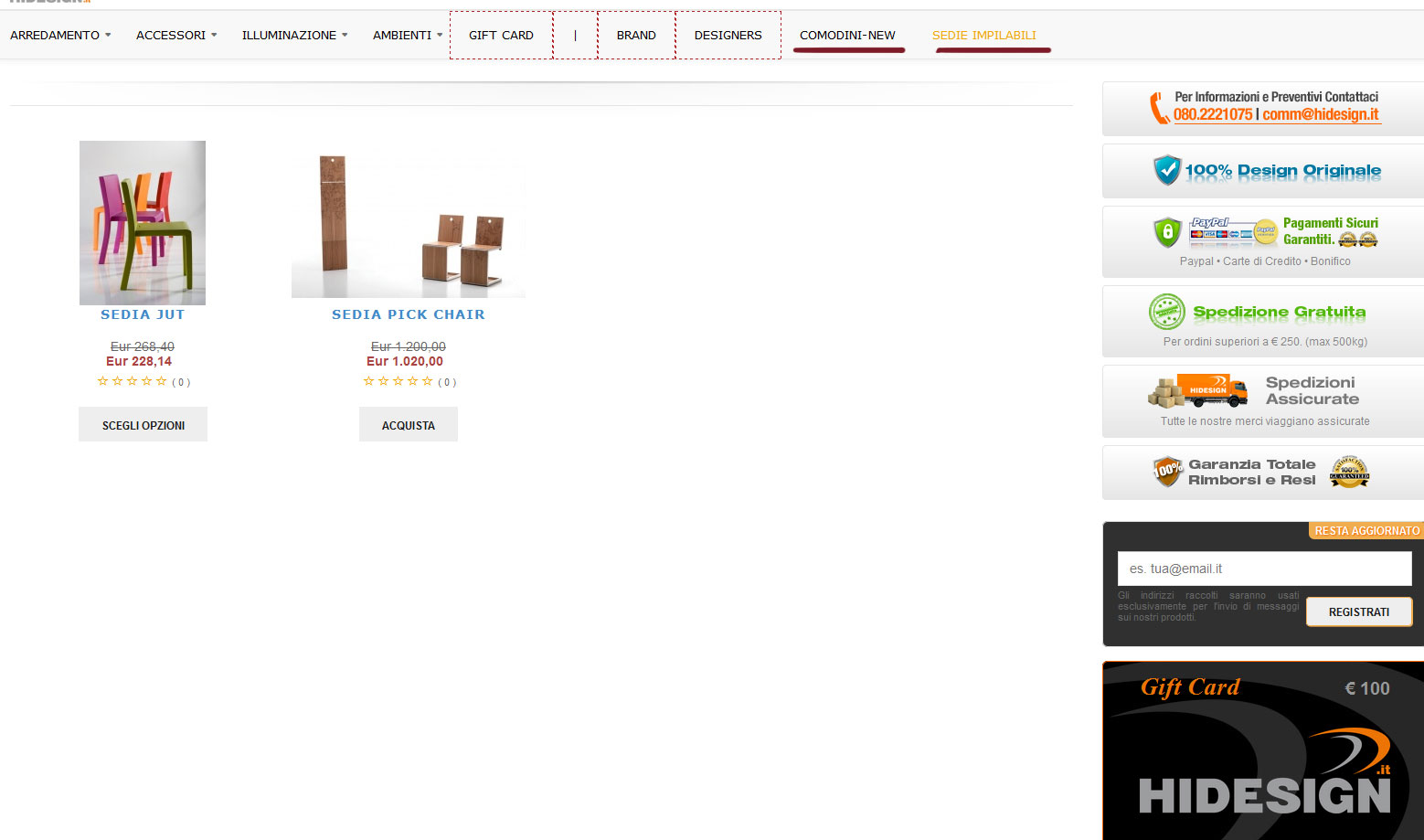
As you can see in images 1 and 2, i'm not sure that for the new item all default settings are loaded correctly. For example, as default I have 4 rows x 100 products, but saving this new item without this setting, the system sets it to 3 rows x 7 products.
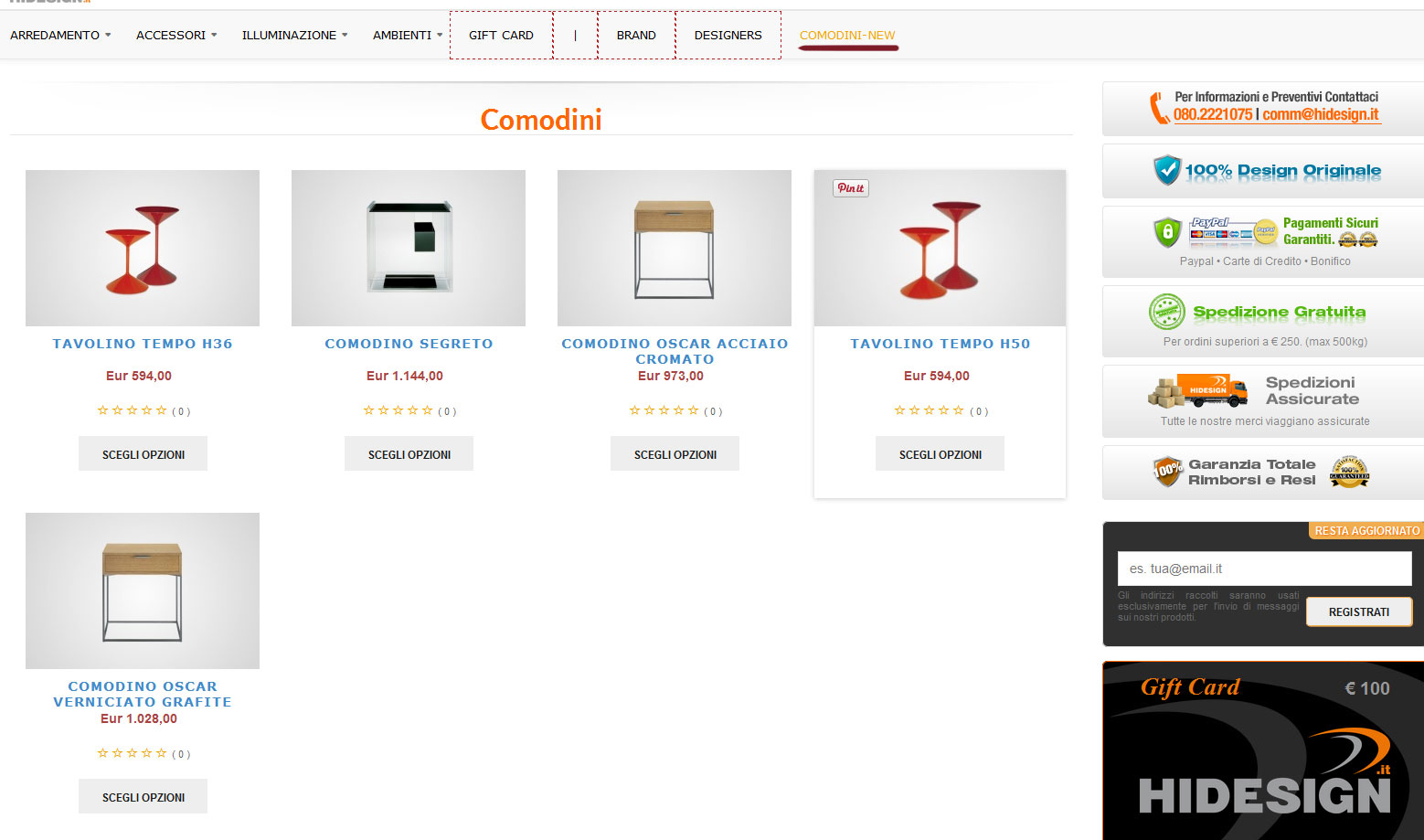
In third image you can see the new item category listing "comodini-new" that works fine in italian language.
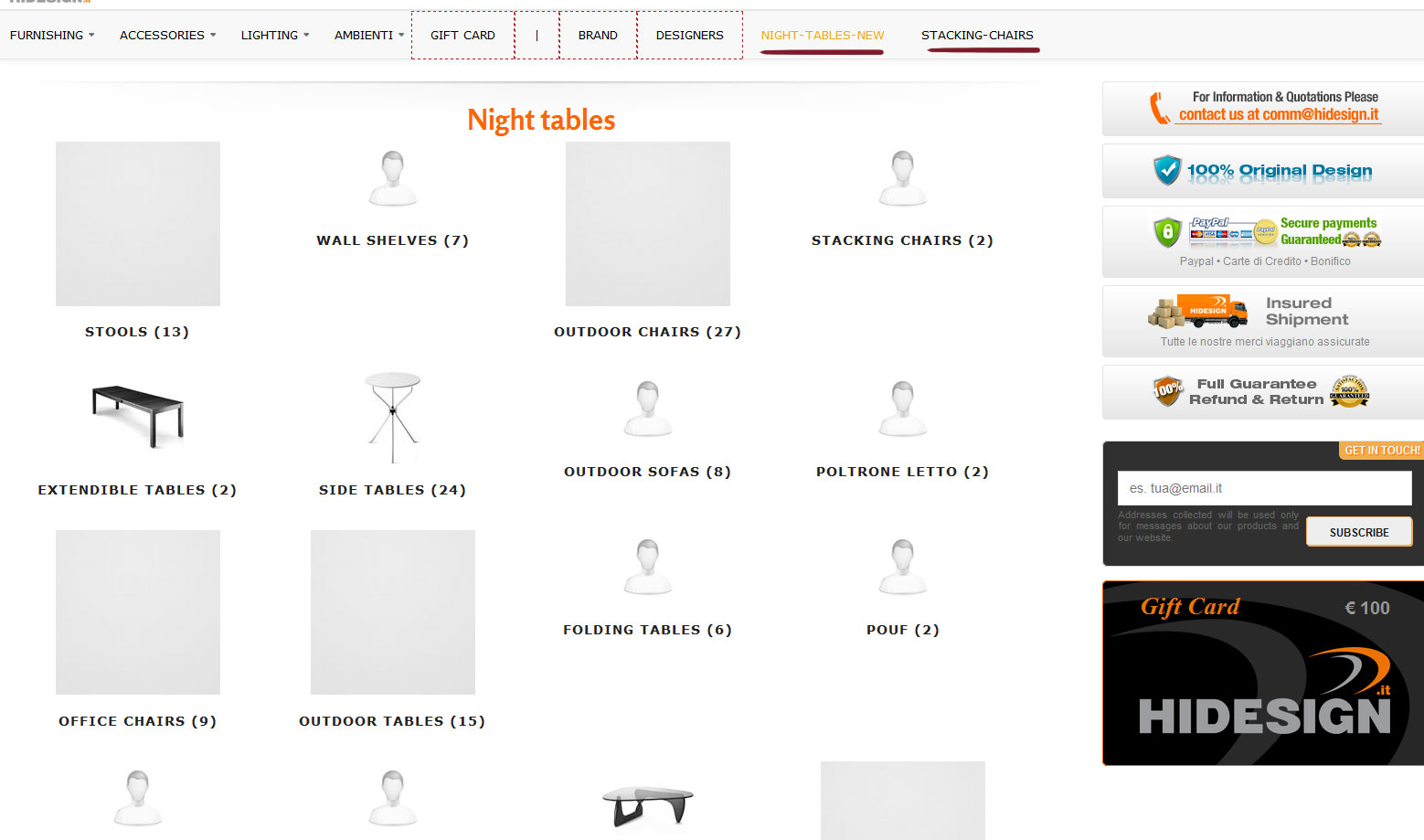
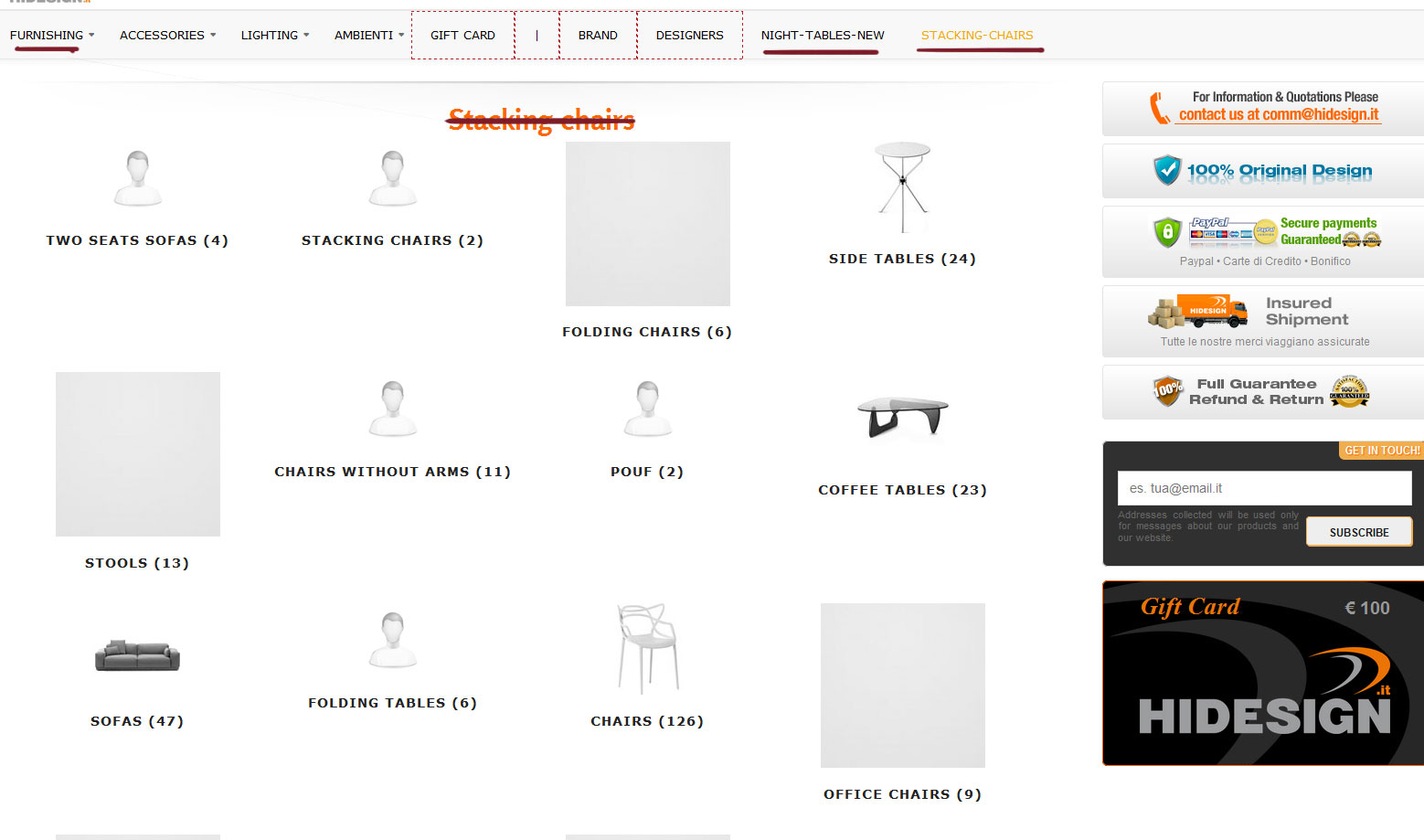
But in the image 4 below you can see in english language it loads the category "furnishing" (that is the default category).
So I try to create a totally new item and category as you can see in the images below. The same thing.
In italian language (image 5) it loads correct "sedie impilabili".
In the english language it loads again the the category "furnishing" (that is the default category).
As you can see in images 1 and 2, i'm not sure that for the new item all default settings are loaded correctly. For example, as default I have 4 rows x 100 products, but saving this new item without this setting, the system sets it to 3 rows x 7 products.
In third image you can see the new item category listing "comodini-new" that works fine in italian language.
But in the image 4 below you can see in english language it loads the category "furnishing" (that is the default category).
So I try to create a totally new item and category as you can see in the images below. The same thing.
In italian language (image 5) it loads correct "sedie impilabili".
In the english language it loads again the the category "furnishing" (that is the default category).
Please Log in or Create an account to join the conversation.
10 years 11 months ago - 10 years 11 months ago #216265
by Xavier
Replied by Xavier on topic Menu translation Fatal Error
Hi,
Please try to download the latest package from our website and install it over your current version.
We added some fixes about the category selection in the category and product listing menus.
If that don't do the trick, please give us the menu id and the frontend link of a menu with the issue.
Please try to download the latest package from our website and install it over your current version.
We added some fixes about the category selection in the category and product listing menus.
If that don't do the trick, please give us the menu id and the frontend link of a menu with the issue.
Last edit: 10 years 11 months ago by Xavier.
Please Log in or Create an account to join the conversation.
10 years 11 months ago #216302
by Nello
Replied by Nello on topic Menu translation Fatal Error
OK.
I already had installed the package downloaded the 01.10.2015, some days ago.
I installed the new package downloaded today 06.10.2015, but I think that nothing changes.
But, I uploaded the original files "hikashopmodule.php" and "selectoptions.php" again, and i noted that the first time I access to the item's translation I see the new category and product options. I can do my settings and then click to "Save & Close". If I click on this button the system saves the new settings. In fact the new items I had created work fine.
Instead if I click on the button "Save" i get the same errore and any settings are not saved. Moreover I can't access items more then one times.
I already had installed the package downloaded the 01.10.2015, some days ago.
I installed the new package downloaded today 06.10.2015, but I think that nothing changes.
But, I uploaded the original files "hikashopmodule.php" and "selectoptions.php" again, and i noted that the first time I access to the item's translation I see the new category and product options. I can do my settings and then click to "Save & Close". If I click on this button the system saves the new settings. In fact the new items I had created work fine.
Instead if I click on the button "Save" i get the same errore and any settings are not saved. Moreover I can't access items more then one times.
Please Log in or Create an account to join the conversation.
10 years 11 months ago #216342
by Nello
Replied by Nello on topic Menu translation Fatal Error
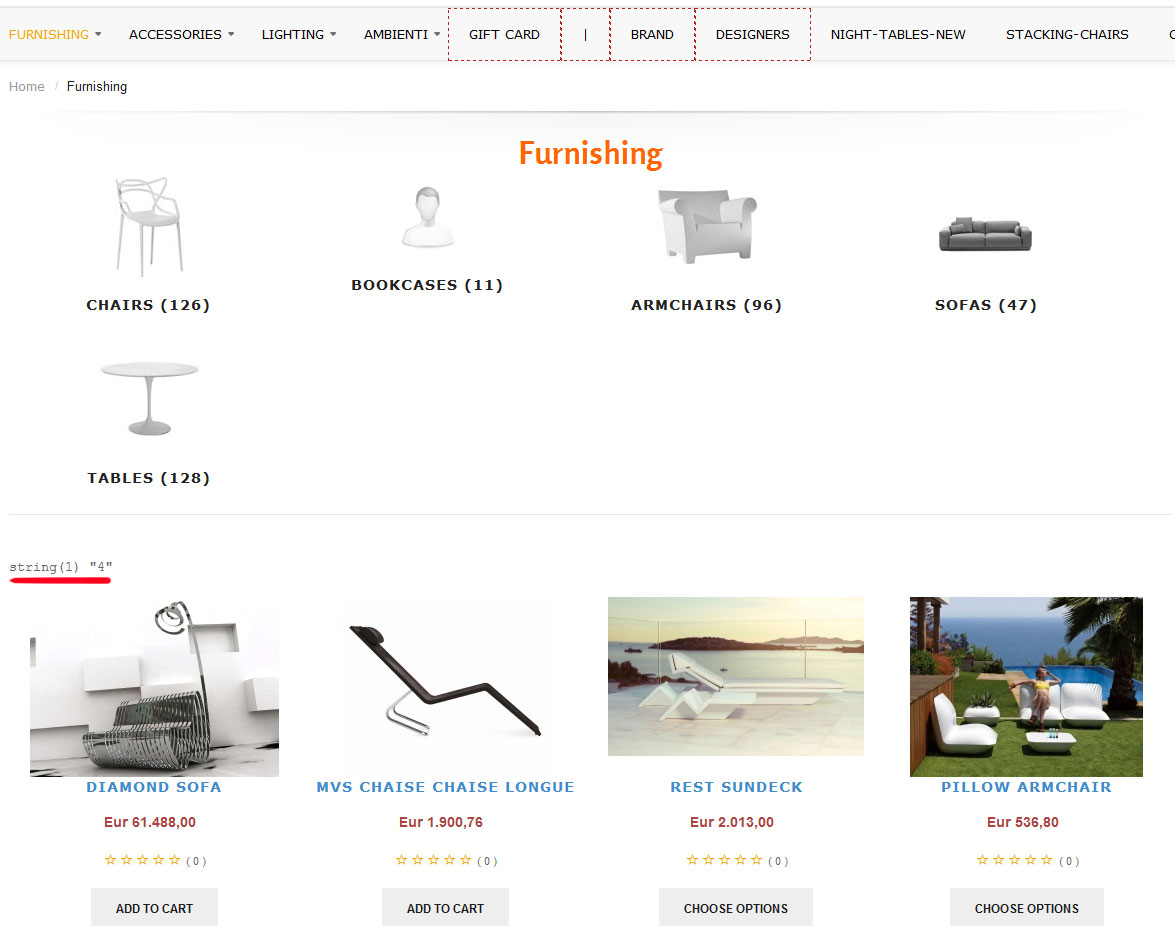
I'm sorry but I have another problem after the last update. There is a string like "string(1) "4"" on the product listing page.
Please Log in or Create an account to join the conversation.
10 years 11 months ago #216343
by Xavier
Replied by Xavier on topic Menu translation Fatal Error
Hi,
The code given by Nicolas in a previous post was not present in the file "components/com_hikashop/fields/selectoptions.php".
So I added it, created a new menu and everything seems to be working as expected.
Please confirm that this issue is solved.
ps: sorry for the "string(1) "4"" it was some code added for the debug. removed !
The code given by Nicolas in a previous post was not present in the file "components/com_hikashop/fields/selectoptions.php".
So I added it, created a new menu and everything seems to be working as expected.
Please confirm that this issue is solved.
ps: sorry for the "string(1) "4"" it was some code added for the debug. removed !
Please Log in or Create an account to join the conversation.
10 years 11 months ago #216361
by Nello
Replied by Nello on topic Menu translation Fatal Error
Unfortunately, is not solved for me.
I created a new item again. I setted everything, but when I translated this item I have had the same problem then before.
In italian language it loads the right category (comodini), but in english language do not loads the "night-tables" category but "furnishing".
The settings I put in the menu item options for category and product , it seems are not correctly loaded for the other language.
This issue is very limitating. So, if it's not possible to fix, I downgrade to the 2.5.0 that worked fine. The website is almost ready and i need to go live. This is the last issue I have to solve.
The thing i ask myself is: I'm the only one with this issue? It is a problem due of my configuration? Falang is a plugin very used by hikashop users. They don't have this problem?
I created a new item again. I setted everything, but when I translated this item I have had the same problem then before.
In italian language it loads the right category (comodini), but in english language do not loads the "night-tables" category but "furnishing".
The settings I put in the menu item options for category and product , it seems are not correctly loaded for the other language.
This issue is very limitating. So, if it's not possible to fix, I downgrade to the 2.5.0 that worked fine. The website is almost ready and i need to go live. This is the last issue I have to solve.
The thing i ask myself is: I'm the only one with this issue? It is a problem due of my configuration? Falang is a plugin very used by hikashop users. They don't have this problem?
Please Log in or Create an account to join the conversation.
10 years 11 months ago #216403
by Xavier
Replied by Xavier on topic Menu translation Fatal Error
Hi,
I was able to reproduce the issue on my end, so we are debugging it now.
We keep you informed once this issue is fixed.
I was able to reproduce the issue on my end, so we are debugging it now.
We keep you informed once this issue is fixed.
Please Log in or Create an account to join the conversation.
10 years 11 months ago #216406
by Nello
Replied by Nello on topic Menu translation Fatal Error
Ok! Thank you so much Xavier.
Waiting for your fix. I'm sure you can solve it!
Thank you!
Waiting for your fix. I'm sure you can solve it!
Thank you!
Please Log in or Create an account to join the conversation.
10 years 11 months ago #216422
by Xavier
Replied by Xavier on topic Menu translation Fatal Error
I have added the modifications on your end, made a quick test on the "comodini" menu in italian and english and the settings seems to be taken into account.
Please confirm that the modifications done solve the issue.
Please confirm that the modifications done solve the issue.
Please Log in or Create an account to join the conversation.
10 years 11 months ago #216487
by Nello
Replied by Nello on topic Menu translation Fatal Error
Hi Xavier,
I try this fix with the "comodini" menu in italian and english, and also tried with a completly new menu item.
Now it seems that all works well. It takes the right settings in both languages.
Please, it is possible to know what modifications you have done?
Thank you so much! You're great!
I try this fix with the "comodini" menu in italian and english, and also tried with a completly new menu item.
Now it seems that all works well. It takes the right settings in both languages.
Please, it is possible to know what modifications you have done?
Thank you so much! You're great!
Please Log in or Create an account to join the conversation.
10 years 11 months ago #216488
by Xavier
Replied by Xavier on topic Menu translation Fatal Error
Hi,
The modifications affects many files at different places.
But we have included this fix in the latest package available on our website directly.
So you can update as you want to get the latest version of the fix.
The modifications affects many files at different places.
But we have included this fix in the latest package available on our website directly.
So you can update as you want to get the latest version of the fix.
The following user(s) said Thank You: Nello
Please Log in or Create an account to join the conversation.
Time to create page: 0.269 seconds