
- Posts: 104
- Thank you received: 1
vendor information
- krzyzanowski
-
 Topic Author
- Offline
Less
More
12 years 1 month ago #165770
by krzyzanowski
vendor information was created by krzyzanowski
Hi,
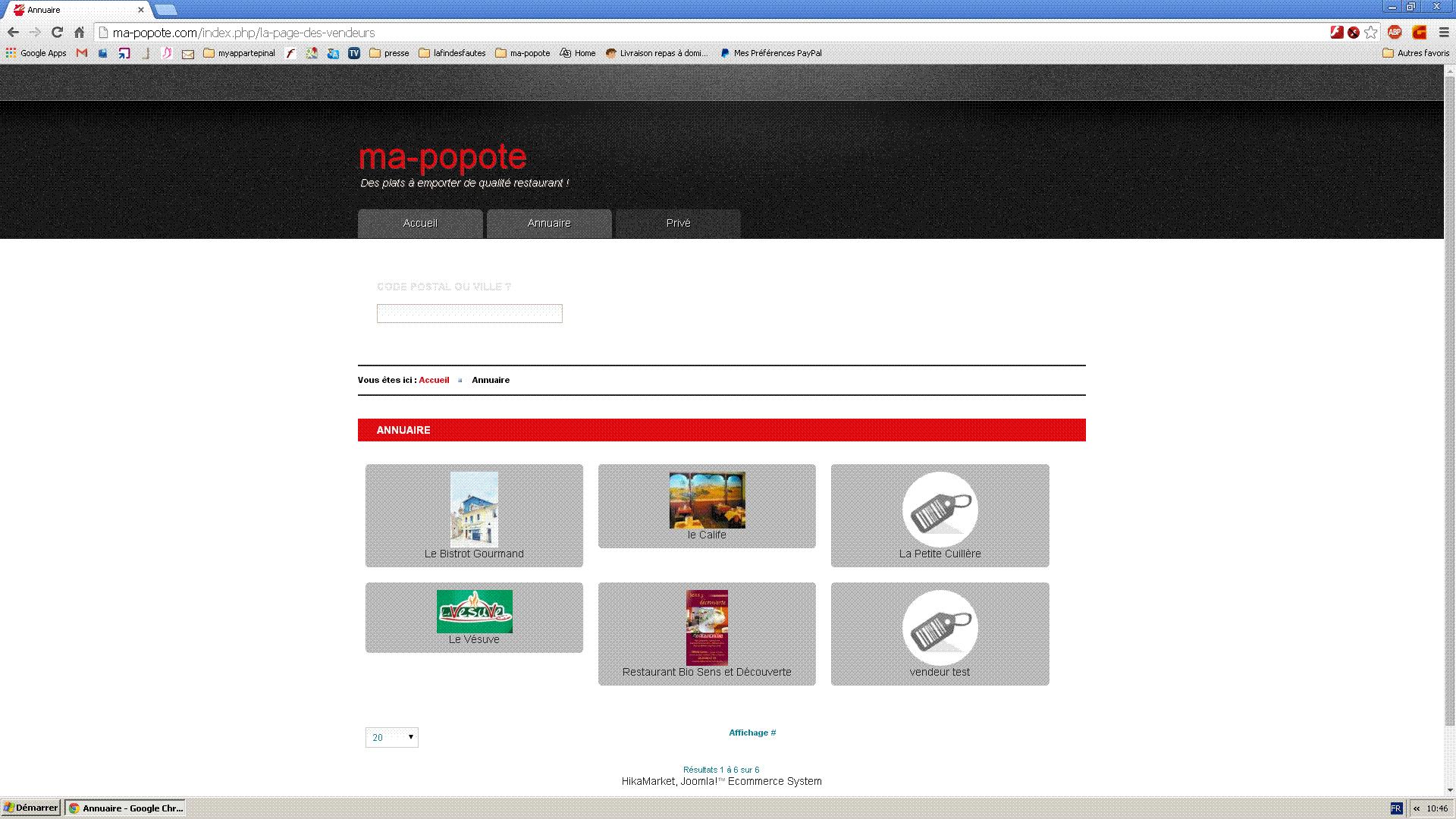
I'm using hikamarket vendor user location filter plugin to select vendors.
In the result, appears the name of the vendor and his logo.
Is it possible to get more informations, like his address ?
and how to do ?
thierry
www.ma-popote.fr
I'm using hikamarket vendor user location filter plugin to select vendors.
In the result, appears the name of the vendor and his logo.
Is it possible to get more informations, like his address ?
and how to do ?
thierry
www.ma-popote.fr
Please Log in or Create an account to join the conversation.

12 years 1 month ago #165773
by Jerome
Jerome - Obsidev.com
HikaMarket & HikaSerial developer / HikaShop core dev team.
Also helping the HikaShop support team when having some time or couldn't sleep.
By the way, do not send me private message, use the "contact us" form instead.
Replied by Jerome on topic vendor information
Hi,
Like in HikaShop listing, the HikaMarket vendor listing have several designs : div, table, list, etc.
If you want a custom display for your listing, the best will be to override an existing one or create a new type.
The HikaMarket views are available in the backend (HikaMarket > Views).
www.hikashop.com/support/support/documen...ize-the-display.html
Regards,
Like in HikaShop listing, the HikaMarket vendor listing have several designs : div, table, list, etc.
If you want a custom display for your listing, the best will be to override an existing one or create a new type.
The HikaMarket views are available in the backend (HikaMarket > Views).
www.hikashop.com/support/support/documen...ize-the-display.html
Regards,
Jerome - Obsidev.com
HikaMarket & HikaSerial developer / HikaShop core dev team.
Also helping the HikaShop support team when having some time or couldn't sleep.
By the way, do not send me private message, use the "contact us" form instead.
Please Log in or Create an account to join the conversation.
- krzyzanowski
-
Topic Author
- Offline
Less
More
- Posts: 104
- Thank you received: 1
12 years 3 days ago #172487
by krzyzanowski
Replied by krzyzanowski on topic vendor information
Bonjour jérome,
je ne comprends pas la réponse. Je ne comprends pas comment faire
Pouvez vous être plus précis.
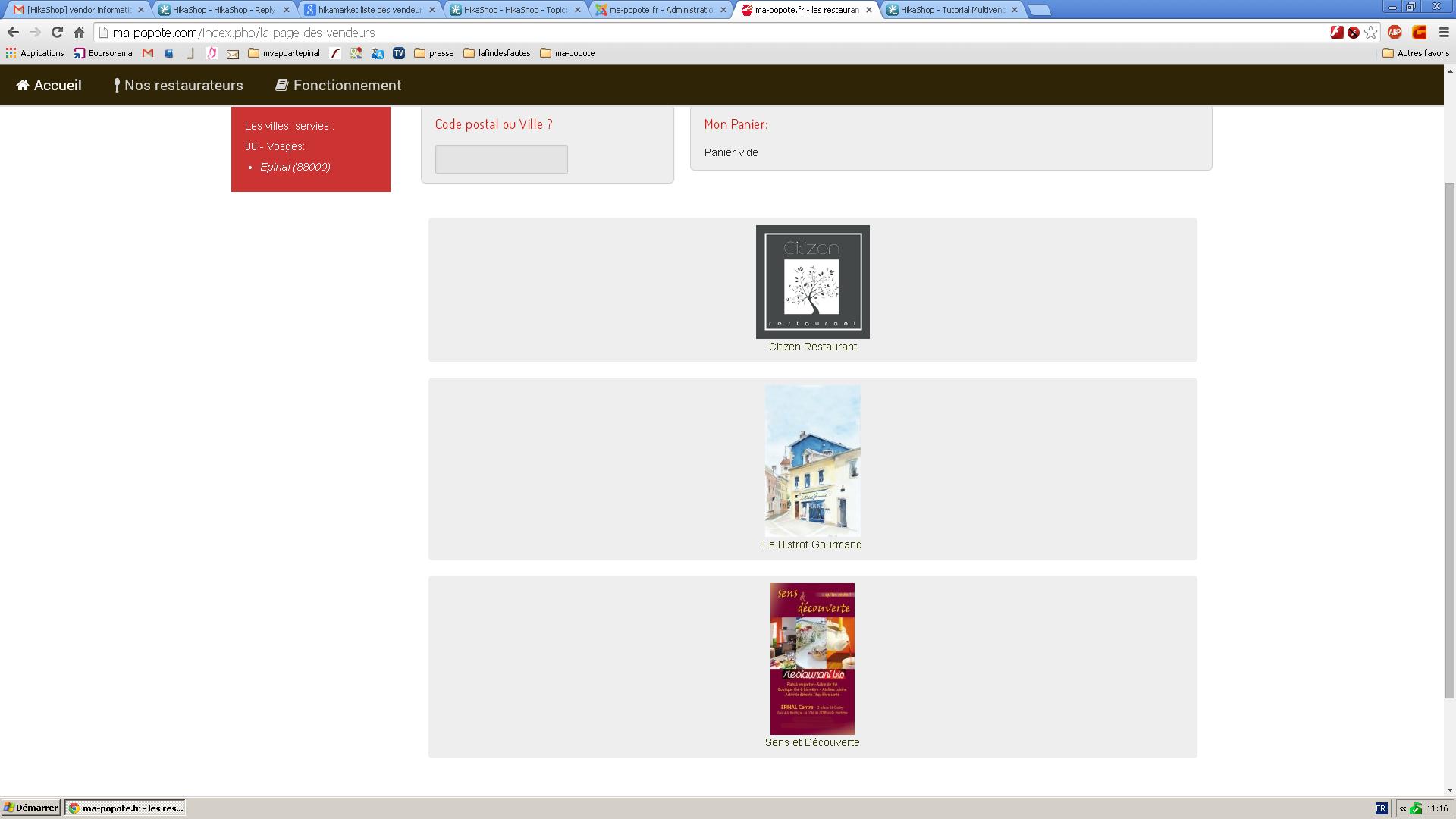
Sur la liste des vendeurs, je veux juste avoir la photo + titre du resto+ son adresse au lieu de photo+ nom du resto actuellement
www.ma-popote.fr
merci
thierry
je ne comprends pas la réponse. Je ne comprends pas comment faire
Pouvez vous être plus précis.
Sur la liste des vendeurs, je veux juste avoir la photo + titre du resto+ son adresse au lieu de photo+ nom du resto actuellement
www.ma-popote.fr
merci
thierry
Please Log in or Create an account to join the conversation.
12 years 3 days ago #172491
by Jerome
Jerome - Obsidev.com
HikaMarket & HikaSerial developer / HikaShop core dev team.
Also helping the HikaShop support team when having some time or couldn't sleep.
By the way, do not send me private message, use the "contact us" form instead.
Replied by Jerome on topic vendor information
Bonjour,
Dans "HikaMarket > Menus", vous avez la configuration du menu de listing de vendeur.
Le menu a différent paramètres dont un pour l'affichage en "div" (Parameters for DIV).
C'est là ou vous pouvez choisir le layout (Type of item layout) qui doit être pour vous "Image and title".
Vous pouvez choisir un autre layout mais il n'y a pour l'instant aucun layout permettant d'afficher l'adresse.
C'est pourquoi, si vous souhaitez afficher l’adresse, il va falloir créer un nouveau type de "layout" et poser le code PHP nécessaire pour l'affichage de l'adresse vendeur via les custom fields.
Cela requière des connaissances en développement et en PHP.
Le listing vous donne accès aux champs personnalisés via " $this->extraFields " et la class " $this->fieldClass ".
Vous pouvez donc récupérer les données de l'adresse vendeur et l'afficher comme vous le souhaitez.
Cordialement,
Dans "HikaMarket > Menus", vous avez la configuration du menu de listing de vendeur.
Le menu a différent paramètres dont un pour l'affichage en "div" (Parameters for DIV).
C'est là ou vous pouvez choisir le layout (Type of item layout) qui doit être pour vous "Image and title".
Vous pouvez choisir un autre layout mais il n'y a pour l'instant aucun layout permettant d'afficher l'adresse.
C'est pourquoi, si vous souhaitez afficher l’adresse, il va falloir créer un nouveau type de "layout" et poser le code PHP nécessaire pour l'affichage de l'adresse vendeur via les custom fields.
Cela requière des connaissances en développement et en PHP.
Le listing vous donne accès aux champs personnalisés via " $this->extraFields " et la class " $this->fieldClass ".
Vous pouvez donc récupérer les données de l'adresse vendeur et l'afficher comme vous le souhaitez.
Cordialement,
Jerome - Obsidev.com
HikaMarket & HikaSerial developer / HikaShop core dev team.
Also helping the HikaShop support team when having some time or couldn't sleep.
By the way, do not send me private message, use the "contact us" form instead.
Please Log in or Create an account to join the conversation.
Moderators: Obsidev
Time to create page: 0.183 seconds