
- Posts: 640
- Thank you received: 16
Enlarge thumbnails in fronend pciture drop area
- PeterChain
-
 Topic Author
- Offline
Less
More
11 years 8 months ago #187877
by PeterChain
Enlarge thumbnails in fronend pciture drop area was created by PeterChain
-- HikaShop version -- : 2.3.5
-- HikaMarket version -- : 1.5.1
-- Joomla version -- : 3.3.6
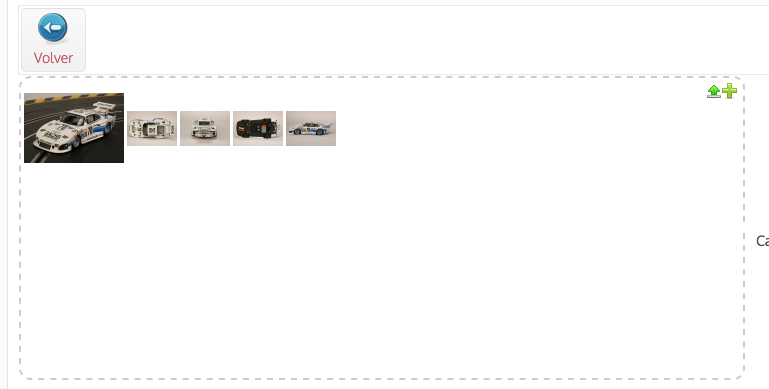
I want both the main and secondary thumbnails to be changed its size. I don't see the relation with the standard image thumbnail configuration in the hikashop component so it might be some CSS or PHP somewhere but can't get where.
Advise will be appreciated.
-- HikaMarket version -- : 1.5.1
-- Joomla version -- : 3.3.6
I want both the main and secondary thumbnails to be changed its size. I don't see the relation with the standard image thumbnail configuration in the hikashop component so it might be some CSS or PHP somewhere but can't get where.
Advise will be appreciated.
Please Log in or Create an account to join the conversation.

11 years 8 months ago #187889
by Jerome
Jerome - Obsidev.com
HikaMarket & HikaSerial developer / HikaShop core dev team.
Also helping the HikaShop support team when having some time or couldn't sleep.
By the way, do not send me private message, use the "contact us" form instead.
Replied by Jerome on topic Enlarge thumbnails in fronend pciture drop area
Hi,
And
Don't hesitate to use your browser developer interface to analyse the CSS rules on the different items.
Like explain in the "customize the display" documentation page.
Regards,
Code:
div.hikamarket_uploader_singleimage_content,
div#hikamarket_category_current_image,
div#hikamarket_category_image_content {
padding:15px 0 5px 8px !important;
width:100px;
}
Code:
.hikamarket_small_image_div .hikamarket_image img {
max-width:50px;
max-height:50px;
}
Don't hesitate to use your browser developer interface to analyse the CSS rules on the different items.
Like explain in the "customize the display" documentation page.
Regards,
Jerome - Obsidev.com
HikaMarket & HikaSerial developer / HikaShop core dev team.
Also helping the HikaShop support team when having some time or couldn't sleep.
By the way, do not send me private message, use the "contact us" form instead.
The following user(s) said Thank You: PeterChain
Please Log in or Create an account to join the conversation.
- PeterChain
-
Topic Author
- Offline
Less
More
- Posts: 640
- Thank you received: 16
11 years 8 months ago #187898
by PeterChain
Yes I do usually but with Safari and probably with my non "specialist grade" there are some situations in which I am not successful at finding the right CSS. Luckily generally I am.
Anyhow thanks for the advise.
Replied by PeterChain on topic Enlarge thumbnails in fronend pciture drop area
Jerome wrote: Don't hesitate to use your browser developer interface to analyse the CSS rules on the different items.
Like explain in the "customize the display" documentation page.
Yes I do usually but with Safari and probably with my non "specialist grade" there are some situations in which I am not successful at finding the right CSS. Luckily generally I am.
Anyhow thanks for the advise.
Please Log in or Create an account to join the conversation.
- PeterChain
-
Topic Author
- Offline
Less
More
- Posts: 640
- Thank you received: 16
11 years 8 months ago #187911
by PeterChain
Replied by PeterChain on topic Enlarge thumbnails in fronend pciture drop area
Let me add that also this view need to be edited / overrided:
/components/com_hikamarket/views/productmarket/tmpl/form_image_entry.php
and around line 17
you have to adapt the array(100, 100) to the size you want the main picture to be.
Otherwise the solution based in CSS only will work for all secondary images but not for the first/main one.
/components/com_hikamarket/views/productmarket/tmpl/form_image_entry.php
and around line 17
Code:
$image = $this->imageHelper->getThumbnail(@$this->params->file_path, array(100, 100), array('default' => true));
you have to adapt the array(100, 100) to the size you want the main picture to be.
Otherwise the solution based in CSS only will work for all secondary images but not for the first/main one.
The following user(s) said Thank You: Jerome
Please Log in or Create an account to join the conversation.
Moderators: Obsidev
Time to create page: 0.158 seconds