

- Posts: 301
- Thank you received: 6
Hikamarket Vendor Edit Panel Enlarge thumbnails
7 years 3 months ago #307979
by fan4chevy
Hikamarket Vendor Edit Panel Enlarge thumbnails was created by fan4chevy
-- HikaShop version -- : 4.1.0
-- HikaMarket version -- : 3.0.2
-- Joomla version -- : 3.9.8
Hi,
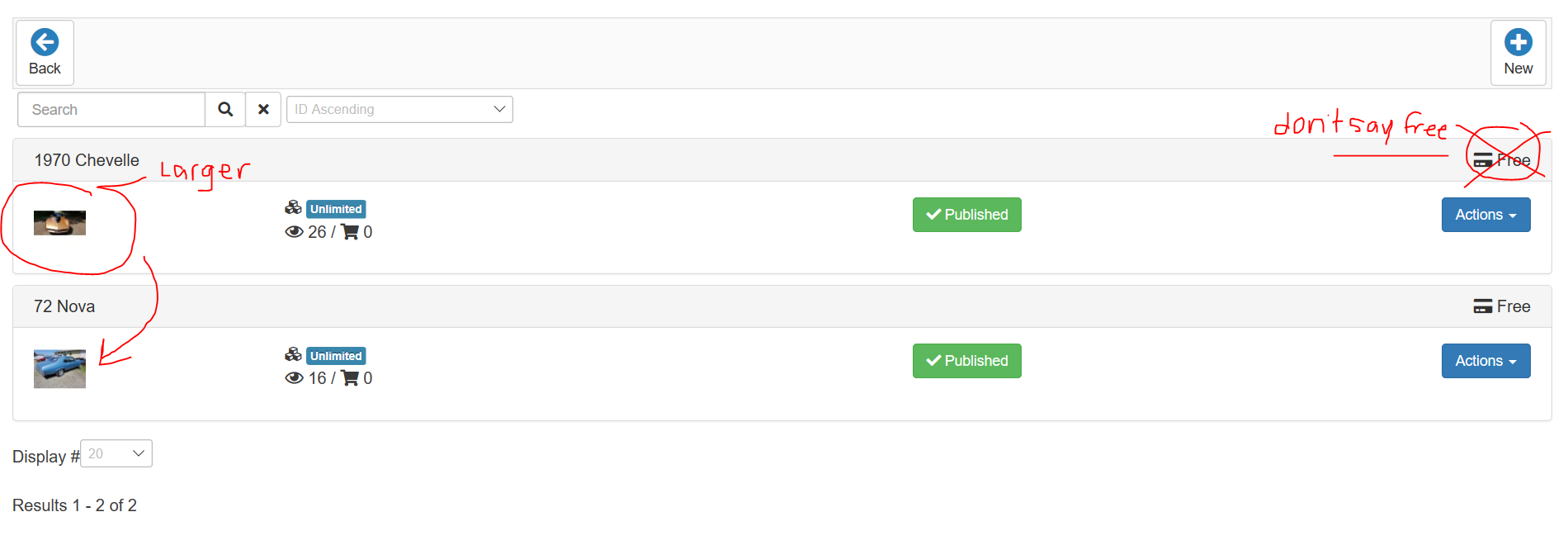
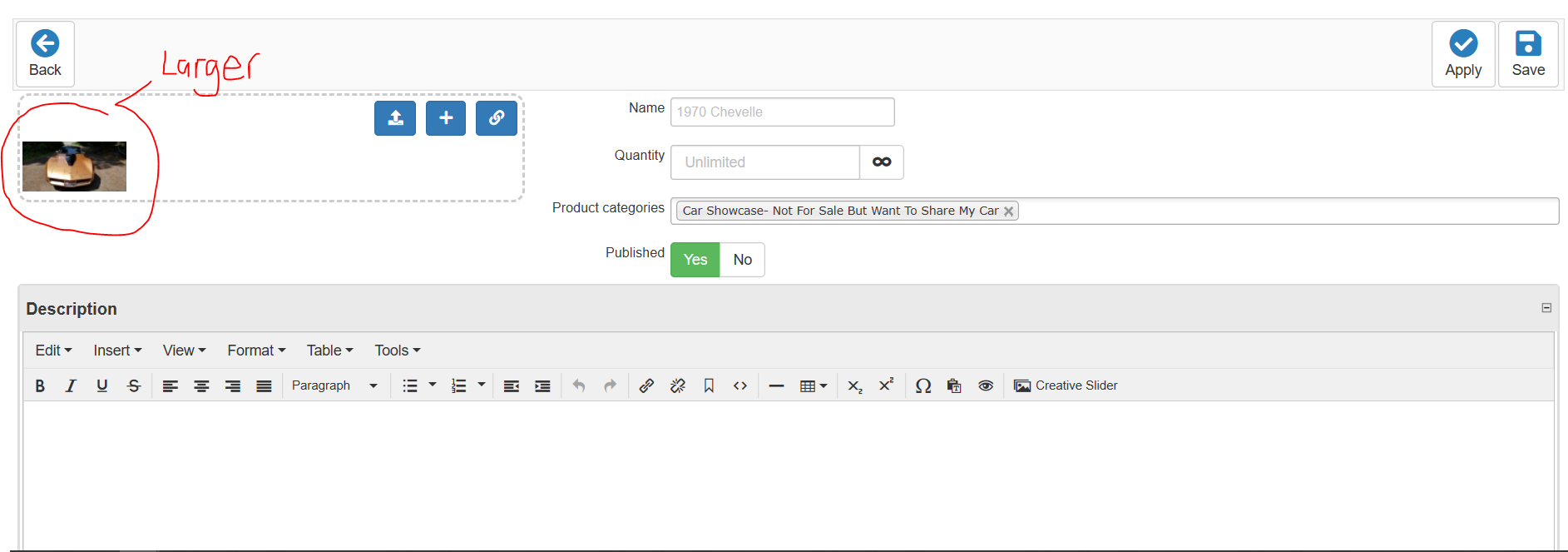
I notice that the thumbnails are not the same edit as hikashop. I am wondering how I can enlarge the thumbnails in the hikamarket multi vendor edit/new section.
Also don't want the right area to display FREE. I did remove free in the hikashop language but still see it here.
Thank you Charles
-- HikaMarket version -- : 3.0.2
-- Joomla version -- : 3.9.8
Hi,
I notice that the thumbnails are not the same edit as hikashop. I am wondering how I can enlarge the thumbnails in the hikamarket multi vendor edit/new section.
Also don't want the right area to display FREE. I did remove free in the hikashop language but still see it here.
Thank you Charles
Please Log in or Create an account to join the conversation.

7 years 3 months ago #307982
by Jerome
Jerome - Obsidev.com
HikaMarket & HikaSerial developer / HikaShop core dev team.
Also helping the HikaShop support team when having some time or couldn't sleep.
By the way, do not send me private message, use the "contact us" form instead.
Replied by Jerome on topic Hikamarket Vendor Edit Panel Enlarge thumbnails
Hello,
You have to create a view override for "productmarket / listing" and change one parameter when the thumbnail is generated :
It contains the width and height, you can also modify the order parameters if you don't want to force the size, etc.
Regarding the price you will find a line with
Which display that text when the product do not have a price configured.
www.hikashop.com/support/documentation/1...-display.html#layout
Regards,
You have to create a view override for "productmarket / listing" and change one parameter when the thumbnail is generated :
Code:
array(50,50)
Regarding the price you will find a line with
Code:
echo JText::_('FREE_PRICE');
www.hikashop.com/support/documentation/1...-display.html#layout
Regards,
Jerome - Obsidev.com
HikaMarket & HikaSerial developer / HikaShop core dev team.
Also helping the HikaShop support team when having some time or couldn't sleep.
By the way, do not send me private message, use the "contact us" form instead.
Please Log in or Create an account to join the conversation.
Moderators: Obsidev
Time to create page: 0.138 seconds