
- Posts: 214
- Thank you received: 7
Checkout not displaying - store hours instead
- conticreative
-
 Topic Author
- Offline
Less
More
12 years 11 months ago #127244
by conticreative
Checkout not displaying - store hours instead was created by conticreative
-- url of the page with the problem -- :http://www.dadshotsauce.net/
-- HikaShop version -- : 2.2.2
-- Joomla version -- : 3.1.5
-- PHP version -- : 5.3
-- Browser(s) name and version -- : Chrome
-- Error-message(debug-mod must be tuned on) -- : Empty checkout page and hours of operation
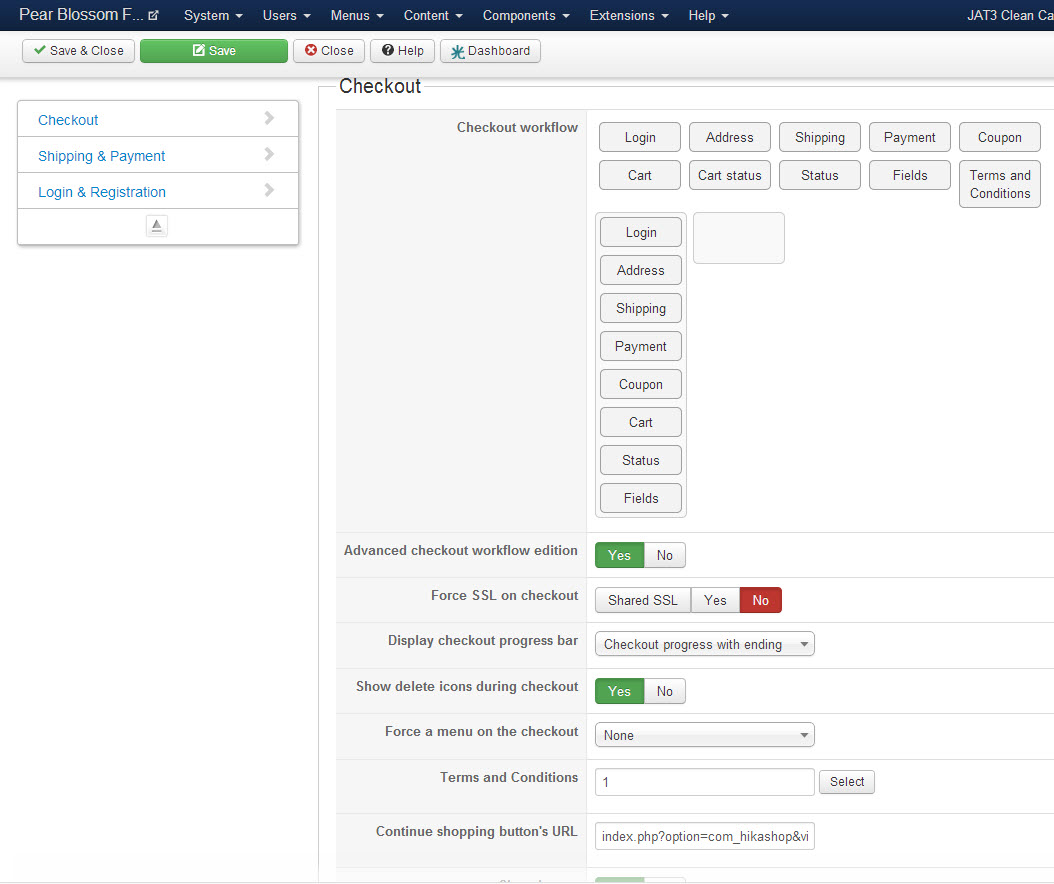
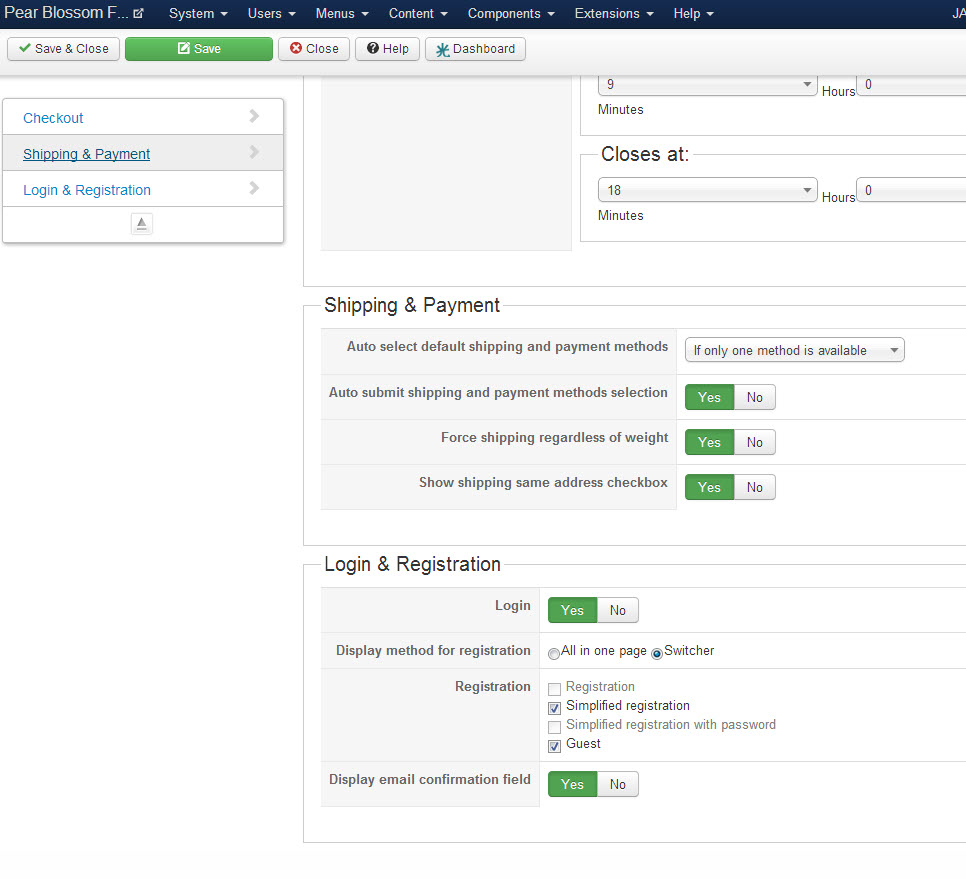
I have been crafting the checkout page all day and it was coming along really nicely. I was finally able, after updating to 2.2.2, to display the login, guest and new registration in one page with the radio box selection.
I then created a custom field because I wanted to see if I could enter a notice on how to use the registration for new and current users. I did it but realized that the custom field would not work for me so I deleted it.
All this time I was refreshing the checkout page to see what the effect was.
After deleting the custom field I went back to the registration (which I kept on firefox not to mix sessions) and the entire page disappeared showing instead this notice:
Now I am unable to arrive at the checkout page and the error above is the only thing that shows on the page.
I am completely puzzled. What could I have set to compromise the page like this?
Thank you for your help
-- HikaShop version -- : 2.2.2
-- Joomla version -- : 3.1.5
-- PHP version -- : 5.3
-- Browser(s) name and version -- : Chrome
-- Error-message(debug-mod must be tuned on) -- : Empty checkout page and hours of operation
I have been crafting the checkout page all day and it was coming along really nicely. I was finally able, after updating to 2.2.2, to display the login, guest and new registration in one page with the radio box selection.
I then created a custom field because I wanted to see if I could enter a notice on how to use the registration for new and current users. I did it but realized that the custom field would not work for me so I deleted it.
All this time I was refreshing the checkout page to see what the effect was.
After deleting the custom field I went back to the registration (which I kept on firefox not to mix sessions) and the entire page disappeared showing instead this notice:
I was planning to create another view, but while I opened a few pages to see the overrides, I never saved any. Just opened them and closed them without saving.Message
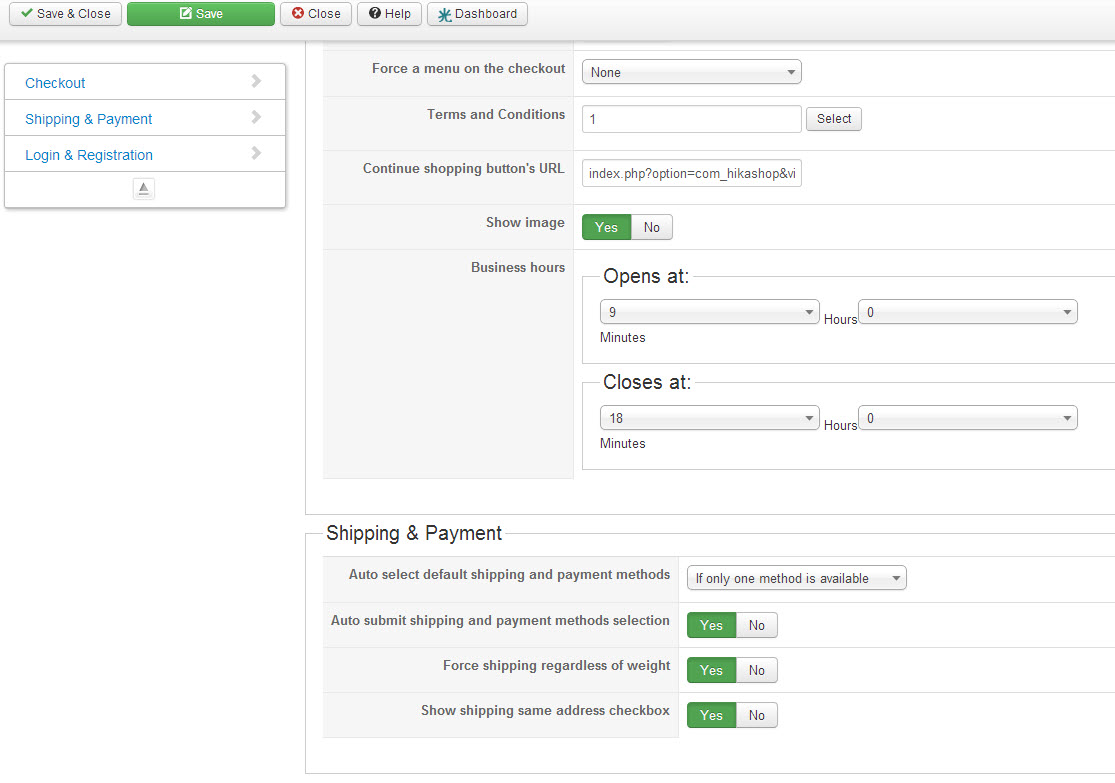
The store is open from 9:00 to 18:00
Now I am unable to arrive at the checkout page and the error above is the only thing that shows on the page.
I am completely puzzled. What could I have set to compromise the page like this?
Thank you for your help
Please Log in or Create an account to join the conversation.

Less
More
- Posts: 12953
- Thank you received: 1778
12 years 11 months ago #127275
by Mohamed Thelji
Replied by Mohamed Thelji on topic Checkout not displaying - store hours instead
Hi,
The best solution will just be to edit your checkout view's files through "Hikashop->Display->Views", you can for example add this line :
at the top of your "step" file of your "checkout" view of your front-end template.
The best solution will just be to edit your checkout view's files through "Hikashop->Display->Views", you can for example add this line :
Code:
<?php
$app = JFactory::getApplication();
$app->enqueueMessage( 'The store is open from 9:00 to 18:00' );
?>
Please Log in or Create an account to join the conversation.
- conticreative
-
Topic Author
- Offline
Less
More
- Posts: 214
- Thank you received: 7
12 years 11 months ago - 12 years 11 months ago #127400
by conticreative
Replied by conticreative on topic Checkout not displaying - store hours instead
Thank you for your kind reply.
I am not sure what the code above is supposed to do. The problem right now is not that I see the alert with my store hours. The problem is that the entire checkout page is missing. Blank. Non existent. The alert at the top is indeed annoying, but until I can get see the checkout there is little point in going forward.
I have the feeling that maybe I wasn't clear. The checkout page is blank. That is my problem
I am not sure what the code above is supposed to do. The problem right now is not that I see the alert with my store hours. The problem is that the entire checkout page is missing. Blank. Non existent. The alert at the top is indeed annoying, but until I can get see the checkout there is little point in going forward.
I have the feeling that maybe I wasn't clear. The checkout page is blank. That is my problem
Last edit: 12 years 11 months ago by conticreative.
Please Log in or Create an account to join the conversation.

12 years 11 months ago #127427
by Jerome
Jerome - Obsidev.com
HikaMarket & HikaSerial developer / HikaShop core dev team.
Replied by Jerome on topic Checkout not displaying - store hours instead
Hi,
Just to not loose time to answer twice.
Which thread is the right one ?!
www.hikashop.com/forum/install-update/86...e-hours-instead.html
www.hikashop.com/forum/checkout/862697-c...e-hours-instead.html
Please reply/continue on one single thread.
Just to not loose time to answer twice.
Which thread is the right one ?!
www.hikashop.com/forum/install-update/86...e-hours-instead.html
www.hikashop.com/forum/checkout/862697-c...e-hours-instead.html
Please reply/continue on one single thread.
Jerome - Obsidev.com
HikaMarket & HikaSerial developer / HikaShop core dev team.
Please Log in or Create an account to join the conversation.
Time to create page: 0.191 seconds