

- Posts: 214
- Thank you received: 1
Different Menus Giving Different Displays
12 years 9 months ago #135458
by matps
Different Menus Giving Different Displays was created by matps
Hi Guys,
Revisting an old website of mine and noticed an interesting problem,
If you look at this page www.breakoutbox.co.uk/index.php/lab everything looks fine
If you look at the page again, from a different URL www.breakoutbox.co.uk/index.php/home/products/category/17-lab you will see a massive image. Is there a way to not have this image displayed, like it is on the previous link?
I assume it's a setting in one of the Content Menus but I can't seem to find what.
Kind Regards,
Matthew
Revisting an old website of mine and noticed an interesting problem,
If you look at this page www.breakoutbox.co.uk/index.php/lab everything looks fine
If you look at the page again, from a different URL www.breakoutbox.co.uk/index.php/home/products/category/17-lab you will see a massive image. Is there a way to not have this image displayed, like it is on the previous link?
I assume it's a setting in one of the Content Menus but I can't seem to find what.
Kind Regards,
Matthew
Please Log in or Create an account to join the conversation.

Less
More
- Posts: 12953
- Thank you received: 1778
12 years 9 months ago #135472
by Mohamed Thelji
Replied by Mohamed Thelji on topic Different Menus Giving Different Displays
Hi,
I just checked you website and this image seems to be coming from your category description, can you check it and reduce the size of your picture or remove it from your category description ?
I just checked you website and this image seems to be coming from your category description, can you check it and reduce the size of your picture or remove it from your category description ?
Please Log in or Create an account to join the conversation.
12 years 9 months ago #135474
by matps
Replied by matps on topic Different Menus Giving Different Displays
Hi Mohammed,
I've not actually got the product in the category as far as I can tell, I've attached a print screen to make sure I'm looking in the right place. The image is large and could do with being resized, but I can't see why it should be displaying at all?
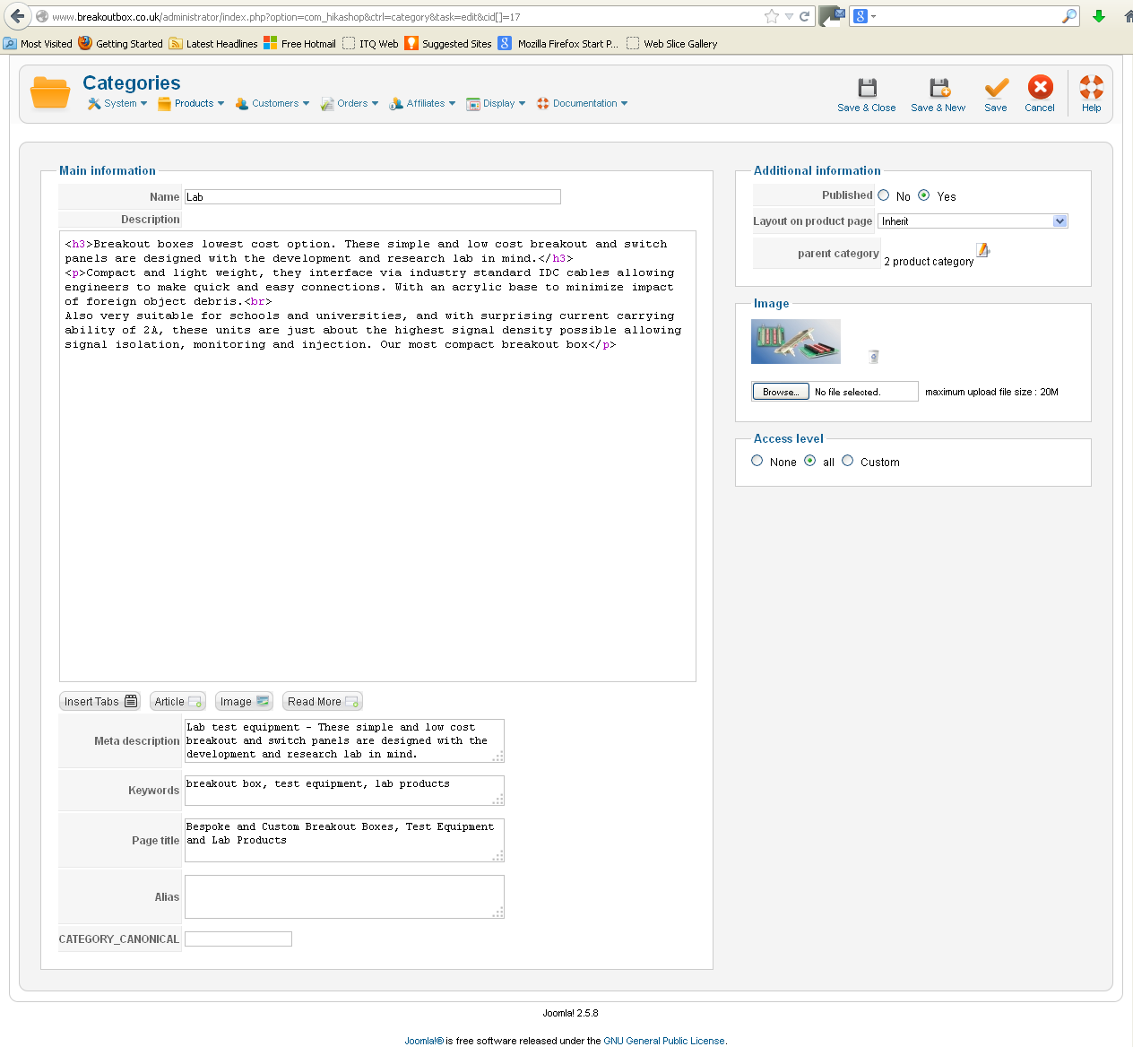
I've not actually got the product in the category as far as I can tell, I've attached a print screen to make sure I'm looking in the right place. The image is large and could do with being resized, but I can't see why it should be displaying at all?
Please Log in or Create an account to join the conversation.
Less
More
- Posts: 12953
- Thank you received: 1778
12 years 9 months ago #135487
by Mohamed Thelji
Replied by Mohamed Thelji on topic Different Menus Giving Different Displays
Ok, so it was your category image, the solution will just be to edit the content menu which have the ID number 110 through "Hikashop->Display->Content menus" and set the "Show image" option to NO.
Please Log in or Create an account to join the conversation.
12 years 9 months ago #135494
by matps
Replied by matps on topic Different Menus Giving Different Displays
That seems to have done the trick, thank you very much Mohamed!
Please Log in or Create an account to join the conversation.
Time to create page: 0.231 seconds