

- Posts: 261
- Thank you received: 5
Csv export file contqains no data
12 years 7 months ago #144455
by Sjaak
Csv export file contqains no data was created by Sjaak
-- url of the page with the problem -- :
www.artlantismedia.com
-- Joomla version -- : 2.5
-- PHP version -- : ???
-- Browser(s) name and version -- : Firefox
-- Error-message(debug-mod must be tuned on) -- : none
I need to change all products in a certain categories. Should be an easy task. Export all products in the category to csv. Change csv in openoffice calc. Re-upload csv.
BUT
After export I have an empty file. Openoffice calc shows me the names of the fields at the top but the rows are empty. (Yes, the products where selected before export)
Where am I going wrong?
TIA
Sjaak Boer
-- Joomla version -- : 2.5
-- PHP version -- : ???
-- Browser(s) name and version -- : Firefox
-- Error-message(debug-mod must be tuned on) -- : none
I need to change all products in a certain categories. Should be an easy task. Export all products in the category to csv. Change csv in openoffice calc. Re-upload csv.
BUT
After export I have an empty file. Openoffice calc shows me the names of the fields at the top but the rows are empty. (Yes, the products where selected before export)
Where am I going wrong?
TIA
Sjaak Boer
Please Log in or Create an account to join the conversation.

12 years 7 months ago #144515
by nicolas
Replied by nicolas on topic Csv export file contqains no data
Hi,
Can you provide the CSV that is generated by HikaShop ?
Can you provide the CSV that is generated by HikaShop ?
Please Log in or Create an account to join the conversation.
12 years 7 months ago #144660
by Sjaak
Replied by Sjaak on topic Csv export file contqains no data
Here it is.
Please Log in or Create an account to join the conversation.

12 years 7 months ago #144742
by Eliot
Replied by Eliot on topic Csv export file contqains no data
Hi there,
An easier oslution would be to use our mass action system to change the category of your product.
Simply set a filter on the old category and choose add category in the action part.
It should do the trick.
However the export should also work, what version of Hikashop are you using? Did you updated recently?
Do you have any error message if you enable the debug mode?
An easier oslution would be to use our mass action system to change the category of your product.
Simply set a filter on the old category and choose add category in the action part.
It should do the trick.
However the export should also work, what version of Hikashop are you using? Did you updated recently?
Do you have any error message if you enable the debug mode?
Please Log in or Create an account to join the conversation.
12 years 7 months ago #144827
by Sjaak
Replied by Sjaak on topic Csv export file contqains no data
Hi Eliot,
Well it's not that I need to change the category of products. One manufacturer of my 3rd party products changed their website and accordingly I need to adjust all paths to images, links and downloads of products in certain categories. Categories that are made for this manufacturer. :sick:
I use Hikashop 2.2.3 and hikashop tells me it's the latest stable version.
I get no error message in debug mode.
When I export it all looks normal. a dialog screen opens which asks me to download the csv. And the csv downloads to my computer. When I open the csv I discover it contains no productdata.
Sjaak
Sjaak
Well it's not that I need to change the category of products. One manufacturer of my 3rd party products changed their website and accordingly I need to adjust all paths to images, links and downloads of products in certain categories. Categories that are made for this manufacturer. :sick:
I use Hikashop 2.2.3 and hikashop tells me it's the latest stable version.
I get no error message in debug mode.
When I export it all looks normal. a dialog screen opens which asks me to download the csv. And the csv downloads to my computer. When I open the csv I discover it contains no productdata.
Sjaak
Sjaak
Please Log in or Create an account to join the conversation.
12 years 7 months ago #144976
by nicolas
Replied by nicolas on topic Csv export file contqains no data
Hi,
Your CSV is totally fine:
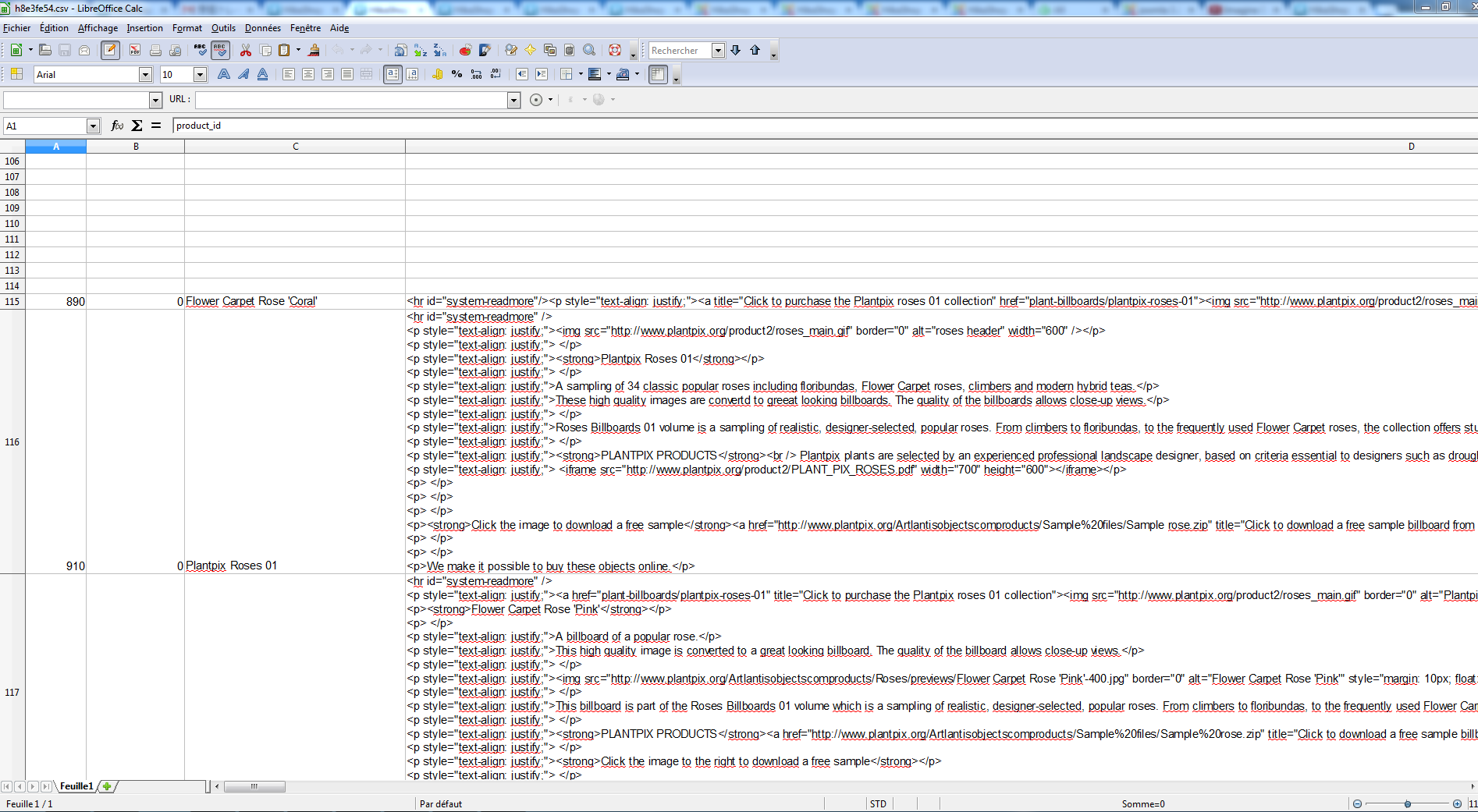
Your CSV is totally fine:
Please Log in or Create an account to join the conversation.
12 years 7 months ago #145031
by Sjaak
Replied by Sjaak on topic Csv export file contqains no data
Ah, Now I see.
Well this explains why I thought the file was empty.
Who expects 113 empty rules? Why is this? Can this be solved?
Sjaak
Well this explains why I thought the file was empty.
Who expects 113 empty rules? Why is this? Can this be solved?
Sjaak
Please Log in or Create an account to join the conversation.
12 years 7 months ago #145069
by nicolas
Replied by nicolas on topic Csv export file contqains no data
The lines are not empty. They contain your categories tree in order for HikaShop to be able to regenerate it if you import your CSV on a website without the categories already there. Scroll right to the "categories" and "parent category" columns and you'll see that.
Please Log in or Create an account to join the conversation.
Time to create page: 0.224 seconds