

- Posts: 208
- Thank you received: 10
Email today with changes to 2.3.0
12 years 5 months ago #151137
by simmiepam
Email today with changes to 2.3.0 was created by simmiepam
-- url of the page with the problem -- :
mywebsite.com/mypage
-- HikaShop version -- : 2.3.0 Essential
-- Joomla version -- : x.x
-- PHP version -- : x.x.x
-- Browser(s) name and version -- : XXXXX x.x.x
-- Error-message(debug-mod must be tuned on) -- : Error_message
Received an email today explaining some new features of 2.3.0 ...bug fixes, etc.
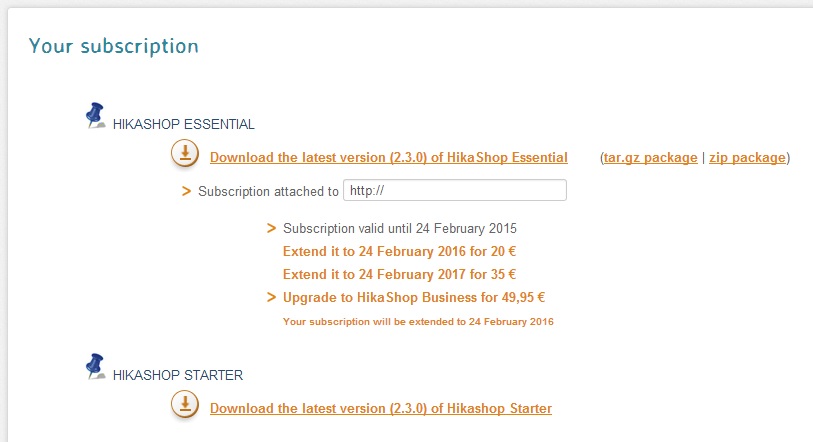
My question is, when I go to my account...subscriptions....is the link there the version with these updates the email talks about? And if I click the link to download, it will NOT override any of the customization I've done to my version, just add these new things?
-- HikaShop version -- : 2.3.0 Essential
-- Joomla version -- : x.x
-- PHP version -- : x.x.x
-- Browser(s) name and version -- : XXXXX x.x.x
-- Error-message(debug-mod must be tuned on) -- : Error_message
Received an email today explaining some new features of 2.3.0 ...bug fixes, etc.
My question is, when I go to my account...subscriptions....is the link there the version with these updates the email talks about? And if I click the link to download, it will NOT override any of the customization I've done to my version, just add these new things?
Please Log in or Create an account to join the conversation.

Less
More
- Posts: 12953
- Thank you received: 1778
12 years 5 months ago #151171
by Mohamed Thelji
Replied by Mohamed Thelji on topic Email today with changes to 2.3.0
Hello,
1. The solution will be to read the Hikashop change log : www.hikashop.com/index.php/support/docum...ashop-changelog.html
2. By updating HikaShop you won't loose any information. It will just update the files and add new columns in the database if required.
Your views overrides, css overrides, language, configuration, orders, products will stay intact.
But careful if you have modified directly an HikaShop file and you didn't use the backend interface for that. Because you could loose your modifications.
Making a backup is always a good security and yes, the last Hikashop..
1. The solution will be to read the Hikashop change log : www.hikashop.com/index.php/support/docum...ashop-changelog.html
2. By updating HikaShop you won't loose any information. It will just update the files and add new columns in the database if required.
Your views overrides, css overrides, language, configuration, orders, products will stay intact.
But careful if you have modified directly an HikaShop file and you didn't use the backend interface for that. Because you could loose your modifications.
Making a backup is always a good security and yes, the last Hikashop..
Please Log in or Create an account to join the conversation.
12 years 5 months ago #151428
by simmiepam
Replied by simmiepam on topic Email today with changes to 2.3.0
Well...
I got tried to update it today and got this error:
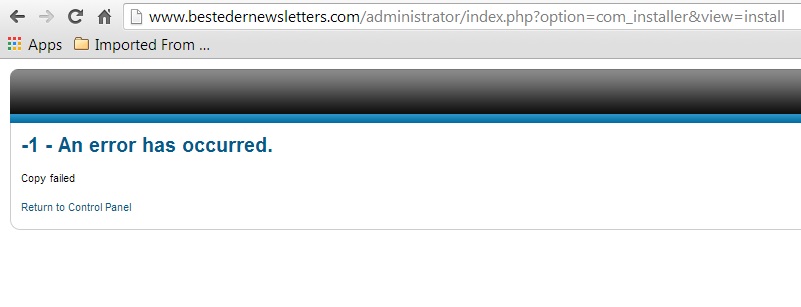
I got tried to update it today and got this error:
Please Log in or Create an account to join the conversation.

12 years 5 months ago #151430
by Jerome
Jerome - Obsidev.com
HikaMarket & HikaSerial developer / HikaShop core dev team.
Replied by Jerome on topic Email today with changes to 2.3.0
Hi,
The documentation "install issue" will be perfect for your case.
www.hikashop.com/support/support/documen...-install.html#errors
Regards,
The documentation "install issue" will be perfect for your case.
www.hikashop.com/support/support/documen...-install.html#errors
Regards,
Jerome - Obsidev.com
HikaMarket & HikaSerial developer / HikaShop core dev team.
Please Log in or Create an account to join the conversation.
12 years 5 months ago #151431
by simmiepam
Replied by simmiepam on topic Email today with changes to 2.3.0
Thank you..
When I click the link you have below about errors, I get this error
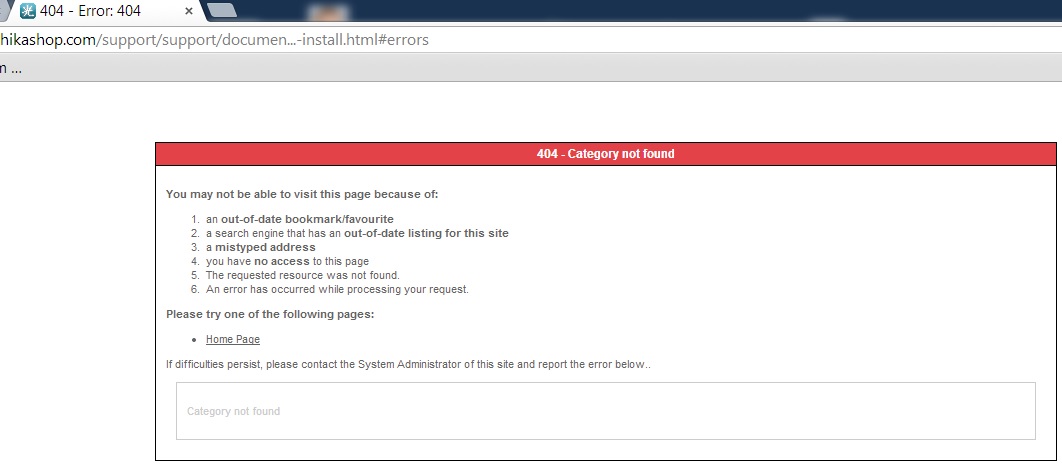
When I click the link you have below about errors, I get this error
Please Log in or Create an account to join the conversation.
12 years 5 months ago #151433
by Jerome
Jerome - Obsidev.com
HikaMarket & HikaSerial developer / HikaShop core dev team.
Replied by Jerome on topic Email today with changes to 2.3.0
Hi,
Just click on the link.
Or go in the documentation, section "installation" and read the topic "installation issue".
It's like : click here
Regards,
Just click on the link.
Or go in the documentation, section "installation" and read the topic "installation issue".
It's like : click here
Regards,
Jerome - Obsidev.com
HikaMarket & HikaSerial developer / HikaShop core dev team.
Please Log in or Create an account to join the conversation.
12 years 5 months ago #151444
by simmiepam
Replied by simmiepam on topic Email today with changes to 2.3.0
Thank you
I'll just live with the un-updated version.
I've made all the items it mentioned writeable and still get the error.
I purchased Essentials a few months ago and unless there's a huge need for me to install this update, I'll leave it for now.
Thanks
Pam
I'll just live with the un-updated version.
I've made all the items it mentioned writeable and still get the error.
I purchased Essentials a few months ago and unless there's a huge need for me to install this update, I'll leave it for now.
Thanks
Pam
Please Log in or Create an account to join the conversation.
12 years 5 months ago #151518
by Jerome
Jerome - Obsidev.com
HikaMarket & HikaSerial developer / HikaShop core dev team.
Replied by Jerome on topic Email today with changes to 2.3.0
Hi,
The documentation page give a modification in order to have more details about the element which can't be copied.
Thanks to it, you will know the element which generate the problem and you will be able to fix it by changing the write permission on the specific file/folder.
Regards,
The documentation page give a modification in order to have more details about the element which can't be copied.
Thanks to it, you will know the element which generate the problem and you will be able to fix it by changing the write permission on the specific file/folder.
Regards,
Jerome - Obsidev.com
HikaMarket & HikaSerial developer / HikaShop core dev team.
Please Log in or Create an account to join the conversation.
12 years 5 months ago #151586
by simmiepam
Replied by simmiepam on topic Email today with changes to 2.3.0
Thank you....
I have made every folder in my website permission 777 that has to do with Hikashop, ACYMailing or UserPoints
Still have the same error.
Thanks, but I'm going to move those folders back to 775 and forget about the update. It's taking too much time.
I purchased Esssentials and that's working fine right now. If the updates in this new version are needed, I'll just how to live without them!
I have made every folder in my website permission 777 that has to do with Hikashop, ACYMailing or UserPoints
Still have the same error.
Thanks, but I'm going to move those folders back to 775 and forget about the update. It's taking too much time.
I purchased Esssentials and that's working fine right now. If the updates in this new version are needed, I'll just how to live without them!
Please Log in or Create an account to join the conversation.
Time to create page: 0.205 seconds