
How to make the Catalog

11 years 7 months ago #192990
by habusam
How to make the Catalog was created by habusam
-- HikaShop version -- : 2.3.5
-- Joomla version -- : 3.4
-- PHP version -- : 5.4.35
Hello everyone,
we are about to finish our project, however we are in the middle of customization for example take a look at the screen shot below
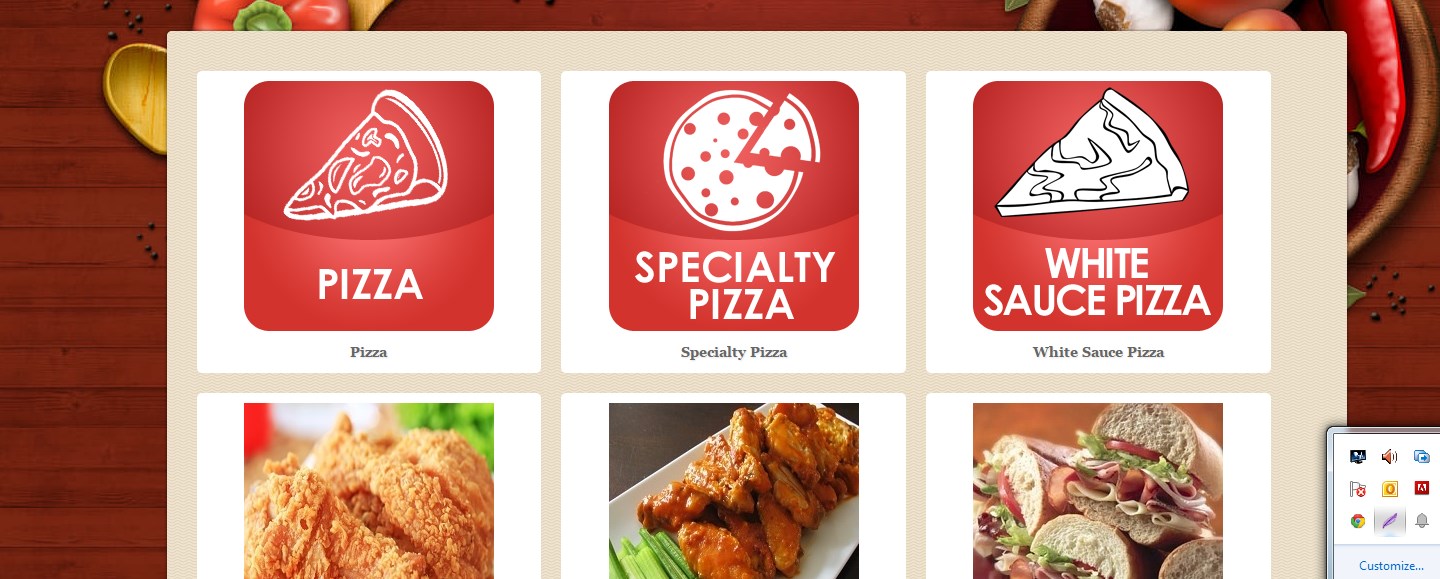
the picture shows 3 categories each line how i can make them 4 categories each line isntead 3
thanks
-- Joomla version -- : 3.4
-- PHP version -- : 5.4.35
Hello everyone,
we are about to finish our project, however we are in the middle of customization for example take a look at the screen shot below
the picture shows 3 categories each line how i can make them 4 categories each line isntead 3
thanks
Please Log in or Create an account to join the conversation.

11 years 7 months ago #192991
by lousyfool
Need help with customisations of layouts, style or other site development? PM me!
(Don't forget to turn on "E-mail notification of new messages" )
Replied by lousyfool on topic How to make the Catalog
Hi,
That's one of the simplest things, no? Change the number of columns in the category listing menu or module, depending on what it is.
That's one of the simplest things, no? Change the number of columns in the category listing menu or module, depending on what it is.
Need help with customisations of layouts, style or other site development? PM me!
(Don't forget to turn on "E-mail notification of new messages" )
Please Log in or Create an account to join the conversation.
11 years 7 months ago #192994
by habusam
Replied by habusam on topic How to make the Catalog
You Speak Puzzle to me
show me a screenshot if you could or just tell me where? is it under module or menu or where please be specific , it can be easy for you, im a just a user, thanks
I need more details in terms for me to do it, thanks
show me a screenshot if you could or just tell me where? is it under module or menu or where please be specific , it can be easy for you, im a just a user, thanks
I need more details in terms for me to do it, thanks
Please Log in or Create an account to join the conversation.
11 years 7 months ago #192997
by lousyfool
Need help with customisations of layouts, style or other site development? PM me!
(Don't forget to turn on "E-mail notification of new messages" )
Replied by lousyfool on topic How to make the Catalog
You've been so long around here, configuring so much, got your content on the site... sorry, I thought you've been setting up the listings you have on your site.
HikaShop backend -> menu Display -> Content menus (or Content modules, depending on what the element in question is) -> click on the relevant one -> look for option Number of columns -> move cursor over field -> click -> delete "3" -> enter "4" (without quotes) -> find and click onto green Save button near top edge of screen -> go to frontend -> refresh -> project finished -> Prosecco -> salute!
HikaShop backend -> menu Display -> Content menus (or Content modules, depending on what the element in question is) -> click on the relevant one -> look for option Number of columns -> move cursor over field -> click -> delete "3" -> enter "4" (without quotes) -> find and click onto green Save button near top edge of screen -> go to frontend -> refresh -> project finished -> Prosecco -> salute!
Need help with customisations of layouts, style or other site development? PM me!
(Don't forget to turn on "E-mail notification of new messages" )
Please Log in or Create an account to join the conversation.
11 years 7 months ago #192998
by habusam
Replied by habusam on topic How to make the Catalog
It works , thanks for the details,
Please Log in or Create an account to join the conversation.
11 years 7 months ago #192999
by habusam
Replied by habusam on topic How to make the Catalog
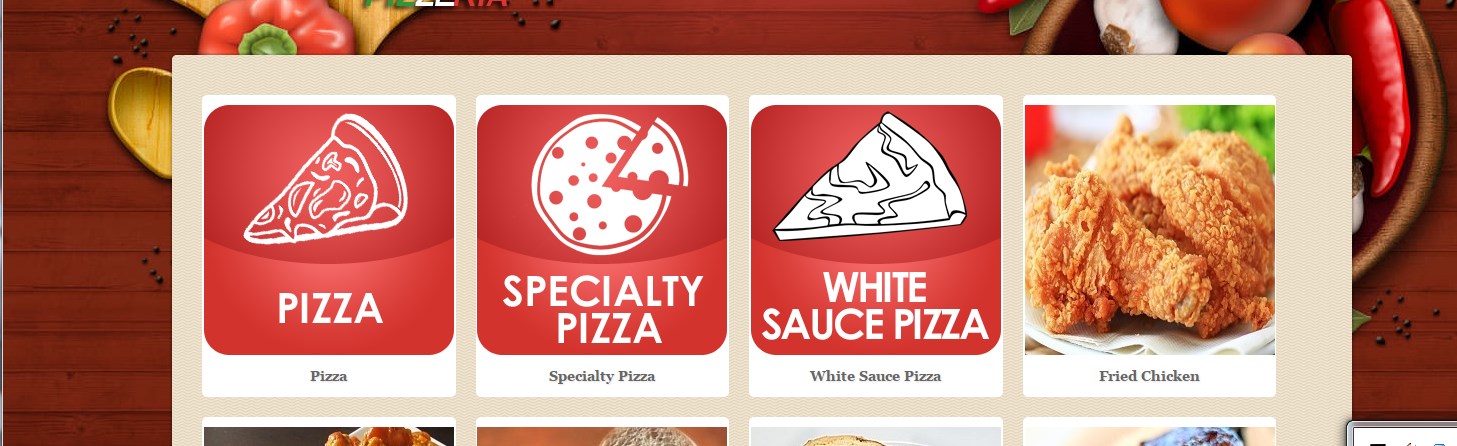
now the next step, these pics looks big after we did 4 lines
see the screen shot, how i can make it elegant and smaller size
Thanks
see the screen shot, how i can make it elegant and smaller size
Thanks
Please Log in or Create an account to join the conversation.
11 years 7 months ago #193000
by lousyfool
Need help with customisations of layouts, style or other site development? PM me!
(Don't forget to turn on "E-mail notification of new messages" )
Replied by lousyfool on topic How to make the Catalog
Not sure what "elegant" exactly is for you, but you can set the image size in the very same configuration which you were in to change the number of columns. Please don't make me going through the whole ceremony again... please just look for image sizes in the Parameters for div section.
Needless to say that the documentation incl tutorials and FAQs help a lot, plus a little bit of looking around and eventually even trying things out will save you a lot of questions and yourself and everyone a lot of time.
Needless to say that the documentation incl tutorials and FAQs help a lot, plus a little bit of looking around and eventually even trying things out will save you a lot of questions and yourself and everyone a lot of time.
Need help with customisations of layouts, style or other site development? PM me!
(Don't forget to turn on "E-mail notification of new messages" )
The following user(s) said Thank You: Jerome
Please Log in or Create an account to join the conversation.
11 years 7 months ago #193003
by habusam
Replied by habusam on topic How to make the Catalog
Thanks a lot, you are very helpful
Please Log in or Create an account to join the conversation.
Time to create page: 0.255 seconds