

- Posts: 208
- Thank you received: 10
Categories are all messed up
11 years 1 week ago - 11 years 1 week ago #215376
by simmiepam
Categories are all messed up was created by simmiepam
-- HikaShop version -- : 2.6.0
-- Joomla version -- : 3.4
Sigh
I tried to add a new category for "Videos" and somehow it messed things up.
So I deleted all my categories...but could't find out how to delete that one for "Videos", it's not in my list anymore.
Here's a screenshot of my category listing.
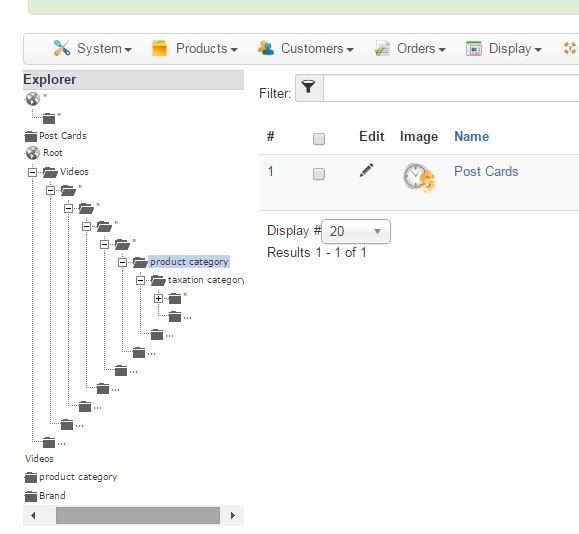
The reason I'm posting this is because once I made a category for "post cards" and then went into a product to apply it to that category, that post card category doesn't show up!

And, when I go to create a coupon....there is no category for "post cards" to apply it to.
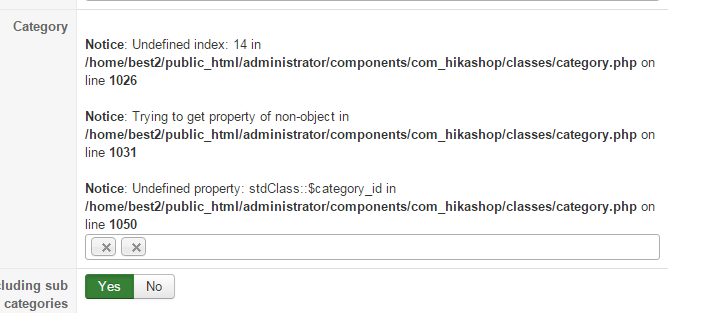
How can I fix it so that I have no categories at all other than what Hikashop came with....and then add my own back in again?
It's a mess.
Thanks
Pam
-- Joomla version -- : 3.4
Sigh
I tried to add a new category for "Videos" and somehow it messed things up.
So I deleted all my categories...but could't find out how to delete that one for "Videos", it's not in my list anymore.
Here's a screenshot of my category listing.
The reason I'm posting this is because once I made a category for "post cards" and then went into a product to apply it to that category, that post card category doesn't show up!
And, when I go to create a coupon....there is no category for "post cards" to apply it to.
How can I fix it so that I have no categories at all other than what Hikashop came with....and then add my own back in again?
It's a mess.
Thanks
Pam
Last edit: 11 years 1 week ago by simmiepam.
Please Log in or Create an account to join the conversation.

11 years 1 week ago #215380
by nicolas
Replied by nicolas on topic Categories are all messed up
Hi,
One thing you can try is to click on the "rebuild" button of the categories listing.
You can also try to click on the "check database" button of the HikaShop configuration page.
If that doesn't help, then you'll have to reset your categories.
Go in your phpmyadmin and empty the tables hikashop_product_category and hikashop_category and then run the HikaShop installation again. That will add the default categories back.
You'll also want to click on the "rebuild" and "check database" buttons after that to reassociate the products with the main "product category" so that you'll be able to edit your products and set again their categories.
One thing you can try is to click on the "rebuild" button of the categories listing.
You can also try to click on the "check database" button of the HikaShop configuration page.
If that doesn't help, then you'll have to reset your categories.
Go in your phpmyadmin and empty the tables hikashop_product_category and hikashop_category and then run the HikaShop installation again. That will add the default categories back.
You'll also want to click on the "rebuild" and "check database" buttons after that to reassociate the products with the main "product category" so that you'll be able to edit your products and set again their categories.
Please Log in or Create an account to join the conversation.
11 years 1 week ago - 11 years 1 week ago #215412
by simmiepam
Replied by simmiepam on topic Categories are all messed up
Thank you, I'll try that.
When I clicked the check database button, everything came up okay,
So I'm going to do the thing with the myphpadmin.
Will check back soon
When I clicked the check database button, everything came up okay,
So I'm going to do the thing with the myphpadmin.
Will check back soon
Last edit: 11 years 1 week ago by simmiepam.
Please Log in or Create an account to join the conversation.
11 years 1 week ago - 11 years 1 week ago #215414
by simmiepam
Replied by simmiepam on topic Categories are all messed up
OK.
I went and deleted all the rows in the Hikashop_product_category
And all the rows in hikashop_category
Then I clicked on rebuild and check database
In my category listing it is STILL showing the video category under root and all the extra little black folders:
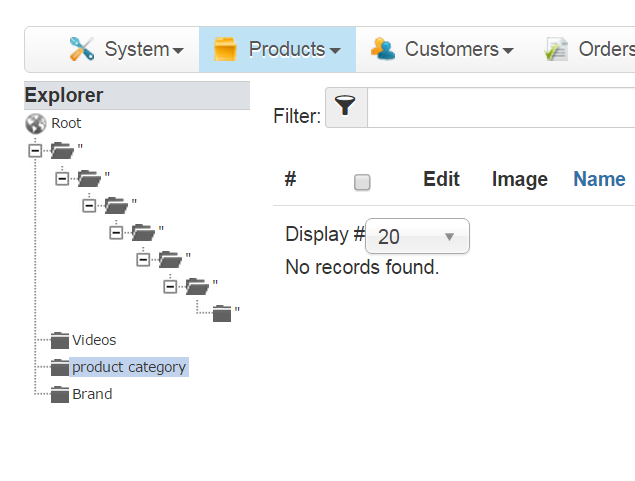
In the myphp in the hikashop_product_category, even though I removed each row....when I reinstalled Hikashop, they all came back:
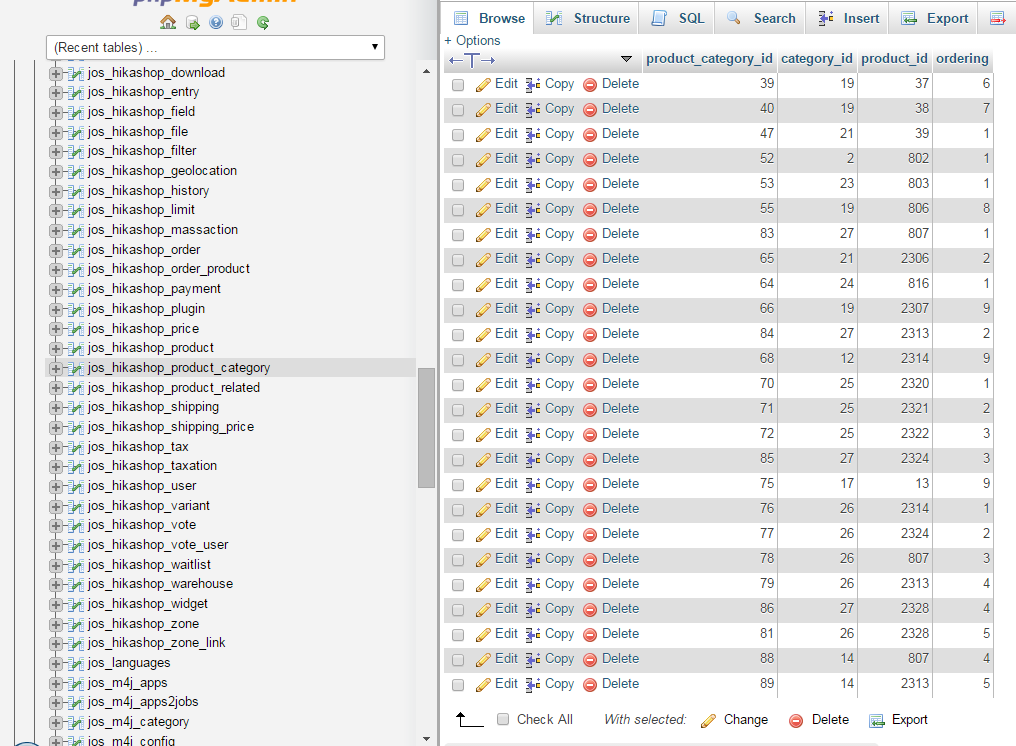
In the myphp in the hikashop_categories, it's is now blank (I guess because I don't have any of my own added categories)
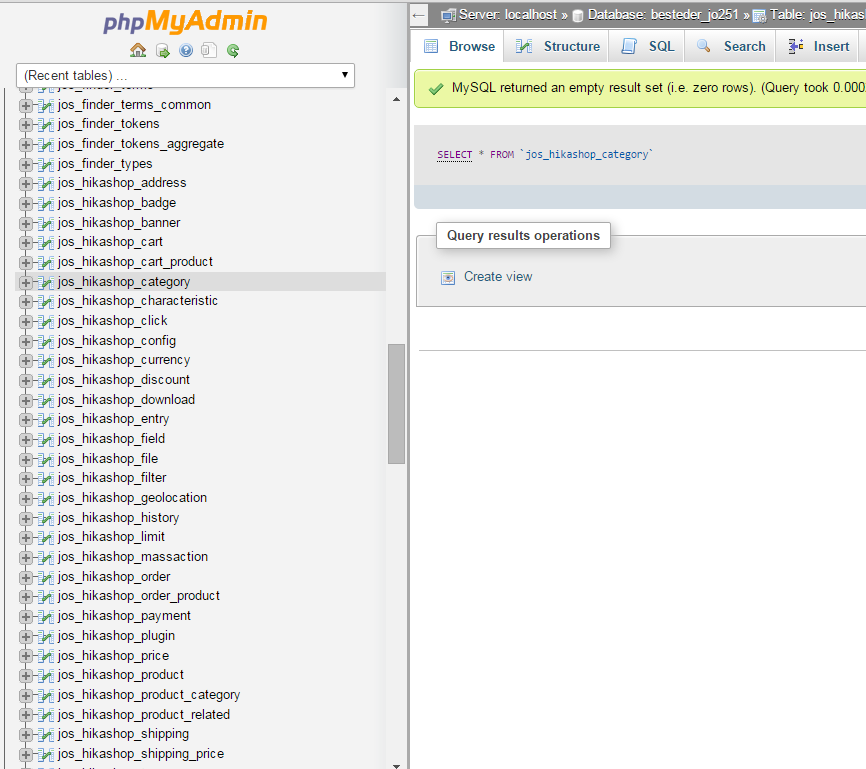
I went and deleted all the rows in the Hikashop_product_category
And all the rows in hikashop_category
Then I clicked on rebuild and check database
In my category listing it is STILL showing the video category under root and all the extra little black folders:
In the myphp in the hikashop_product_category, even though I removed each row....when I reinstalled Hikashop, they all came back:
In the myphp in the hikashop_categories, it's is now blank (I guess because I don't have any of my own added categories)
Last edit: 11 years 1 week ago by simmiepam.
Please Log in or Create an account to join the conversation.

11 years 1 week ago #215422
by Jerome
Jerome - Obsidev.com
HikaMarket & HikaSerial developer / HikaShop core dev team.
Replied by Jerome on topic Categories are all messed up
Hi,
HikaShop does not re-create "product_category" it will just recreate "category".
There is nothing which can recreate the product categories like that.
And there is nothing in HikaShop which can invent categories in the explorer if your HikaShop category table is empty.
So I'm wondering if you're working on the right database.
Regards,
Go in your phpmyadmin and empty the tables hikashop_product_category and hikashop_category and then run the HikaShop installation again. That will add the default categories back.
HikaShop does not re-create "product_category" it will just recreate "category".
There is nothing which can recreate the product categories like that.
And there is nothing in HikaShop which can invent categories in the explorer if your HikaShop category table is empty.
So I'm wondering if you're working on the right database.
Regards,
Jerome - Obsidev.com
HikaMarket & HikaSerial developer / HikaShop core dev team.
Please Log in or Create an account to join the conversation.
Time to create page: 0.169 seconds