

- Posts: 101
- Thank you received: 8
Shopping cart display for product with options
10 years 7 months ago - 10 years 7 months ago #229200
by EnerW
Shopping cart display for product with options was created by EnerW
-- HikaShop version -- : 2.6.1
-- Joomla version -- : 3.4.8
-- PHP version -- : 5.4.45-0
-- Browser(s) name and version -- : Firefox 44
If I order a product, with the same variants and options, and use the add to shopping cart button two times or more the product will be added to the shopping cart as two or more separate items.
Even if I order the default variant twice or more it is added to the shopping cart as separate items. This is also true for the options, they are added to the shopping cart as separate items as well.
If I use the add to cart button, for a product with no options or variants, twice or more the shopping cart will increase the amount, of the same product, in the shopping cart and will only display a single product with the corresponding ordered amount 2, 3, etc.
Not sure if this behavior was already present in the 2.6 version, but I think that it was working like a normal, no variant product.
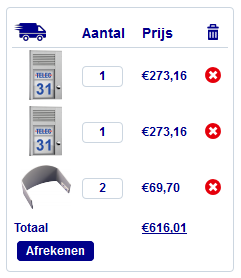
The attached picture shows identical items ordered twice.
No big issue but at least a bit strange.
-- Joomla version -- : 3.4.8
-- PHP version -- : 5.4.45-0
-- Browser(s) name and version -- : Firefox 44
If I order a product, with the same variants and options, and use the add to shopping cart button two times or more the product will be added to the shopping cart as two or more separate items.
Even if I order the default variant twice or more it is added to the shopping cart as separate items. This is also true for the options, they are added to the shopping cart as separate items as well.
If I use the add to cart button, for a product with no options or variants, twice or more the shopping cart will increase the amount, of the same product, in the shopping cart and will only display a single product with the corresponding ordered amount 2, 3, etc.
Not sure if this behavior was already present in the 2.6 version, but I think that it was working like a normal, no variant product.
The attached picture shows identical items ordered twice.
No big issue but at least a bit strange.
Last edit: 10 years 7 months ago by EnerW.
Please Log in or Create an account to join the conversation.

10 years 7 months ago #229223
by nicolas
Replied by nicolas on topic Shopping cart display for product with variants
Hi,
We don't have the problem on our end.
Can you make sure that the "group options with products" setting is activated in the HikaShop configuration ?
We don't have the problem on our end.
Can you make sure that the "group options with products" setting is activated in the HikaShop configuration ?
Please Log in or Create an account to join the conversation.
10 years 7 months ago #229252
by EnerW
Replied by EnerW on topic Shopping cart display for product with variants
Afternoon Nicolas,
no it is turned of, because I would like our customers to see what they are ordering and that is not the issue.
The last item of €69,70 is a standard item with no options, I did use the add to cart button twice to add it to the shopping cart and it did change the total amount ordered from 1 to 2.
So it is not a part of the option(s) or variants of the other two items of €273,16
The first to items have variants and if I use the add to cart button twice for the same variant it will add two separate items to the shopping cart instead of showing just 1 item with a total amount of 2 ordered.
Oh “bliep” written language is a difficult thing to use to explain something like this and I surly do not envy you or anybody at Hikashop to make something useful out of all those questions..
It's just that Hikashop is so compelling, it's flexible and well thought of in the setup and it does make live a lot easier in the end.
Regards, Rene
no it is turned of, because I would like our customers to see what they are ordering and that is not the issue.
The last item of €69,70 is a standard item with no options, I did use the add to cart button twice to add it to the shopping cart and it did change the total amount ordered from 1 to 2.
So it is not a part of the option(s) or variants of the other two items of €273,16
The first to items have variants and if I use the add to cart button twice for the same variant it will add two separate items to the shopping cart instead of showing just 1 item with a total amount of 2 ordered.
Oh “bliep” written language is a difficult thing to use to explain something like this and I surly do not envy you or anybody at Hikashop to make something useful out of all those questions..
It's just that Hikashop is so compelling, it's flexible and well thought of in the setup and it does make live a lot easier in the end.
Regards, Rene
Please Log in or Create an account to join the conversation.
10 years 7 months ago #229261
by nicolas
Replied by nicolas on topic Shopping cart display for product with variants
Hi,
Could it be something linked to the customization of your template ?
If you try the same thing with the default Joomla template, do you also have the problem ?
Could it be something linked to the customization of your template ?
If you try the same thing with the default Joomla template, do you also have the problem ?
Please Log in or Create an account to join the conversation.
10 years 7 months ago #229404
by EnerW
Replied by EnerW on topic Shopping cart display for product with variants
Afternoon Nicolas,
should have mentioned that I did try Protostar already and there are no css or Hikashop modifications to that template. I did use the default Hikashop css for the front and back end, but the problem is the same.
I do use my own product codes for the variants, since they are existing products, maybe that will explain the strange behaviour. I will run a test with the Hikashop product code generated extensions to see if that will cure the problem.
Let you know,
regards, Rene
should have mentioned that I did try Protostar already and there are no css or Hikashop modifications to that template. I did use the default Hikashop css for the front and back end, but the problem is the same.
I do use my own product codes for the variants, since they are existing products, maybe that will explain the strange behaviour. I will run a test with the Hikashop product code generated extensions to see if that will cure the problem.
Let you know,
regards, Rene
Please Log in or Create an account to join the conversation.
10 years 7 months ago #229417
by EnerW
Replied by EnerW on topic Shopping cart display for product with variants
Afternoon Nicolas,
we should change the name of the topic to: Shopping cart display for product with options...
If you have a product with options and you only order the product without the options it will be treated a a single individual item. So each time you click the add to cart button it will add one extra line to the order.
As soon as you order a product that has options and you order ALL the options that are available for that product then the total amount ordered will be increased but there will be no extra order lines.
So please note if you have 1, 2, 3 or more, options to a product you have to order them all to get the correct display in the shopping cart and the order.
If you have a product with options and variants you do need to order the exact same variant each time with all the options to get the correct display in the order.
The total order amount is correct in each case, so from the sales point it does not matter.
If you delete the main product from the shopping cart, or the order, then the optional product is also removed. So all is working as it should only the shopping cart display and the order will have extra item lines.
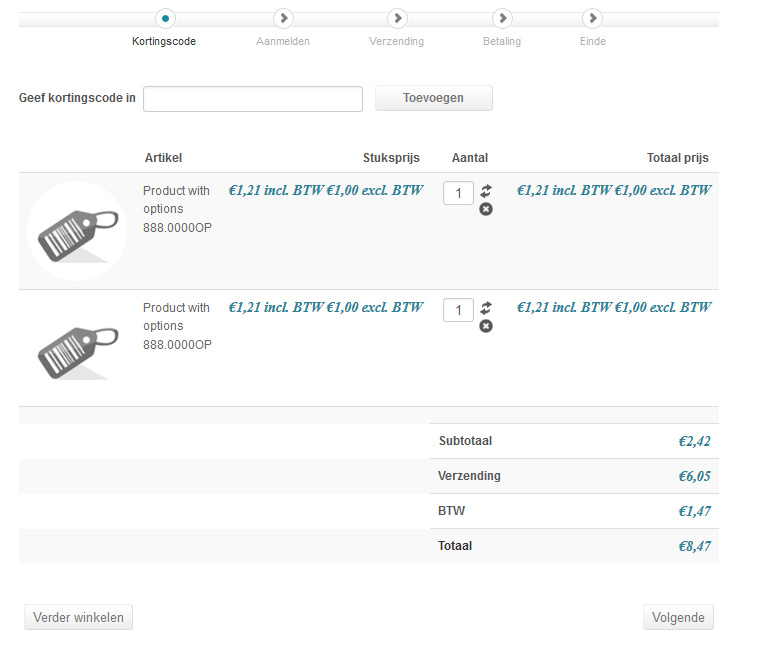
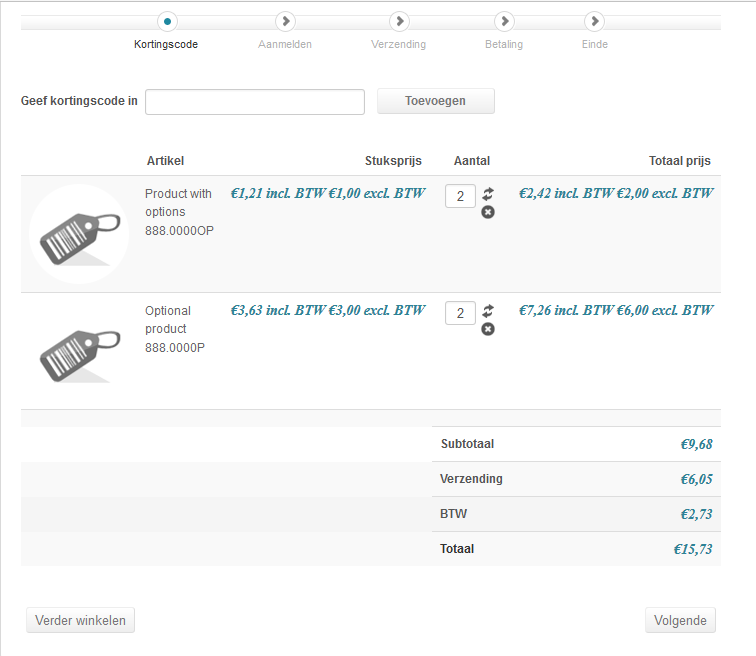
Attached two images, one for the product with options ordered WITHOUT the optional product (2 order lines for the same product 888.0000OP) and the other image when ordered WITH the optional product (2 order lines, one for the main product and one for the optional product but with the correct order amount for EACH product 888.0000OP + 888.0000P).
Regards, Rene
we should change the name of the topic to: Shopping cart display for product with options...
If you have a product with options and you only order the product without the options it will be treated a a single individual item. So each time you click the add to cart button it will add one extra line to the order.
As soon as you order a product that has options and you order ALL the options that are available for that product then the total amount ordered will be increased but there will be no extra order lines.
So please note if you have 1, 2, 3 or more, options to a product you have to order them all to get the correct display in the shopping cart and the order.
If you have a product with options and variants you do need to order the exact same variant each time with all the options to get the correct display in the order.
The total order amount is correct in each case, so from the sales point it does not matter.
If you delete the main product from the shopping cart, or the order, then the optional product is also removed. So all is working as it should only the shopping cart display and the order will have extra item lines.
Attached two images, one for the product with options ordered WITHOUT the optional product (2 order lines for the same product 888.0000OP) and the other image when ordered WITH the optional product (2 order lines, one for the main product and one for the optional product but with the correct order amount for EACH product 888.0000OP + 888.0000P).
Regards, Rene
Please Log in or Create an account to join the conversation.
10 years 7 months ago #229430
by nicolas
Replied by nicolas on topic Shopping cart display for product with variants
Hi,
I'm not able to reproduce the problem on our end.
Could you give links to the test products you're using and a screenshot of their settings so that we can look at that ?
I'm not able to reproduce the problem on our end.
Could you give links to the test products you're using and a screenshot of their settings so that we can look at that ?
Please Log in or Create an account to join the conversation.
10 years 7 months ago #229556
by EnerW
Replied by EnerW on topic Shopping cart display for product with variants
Afternoon Nicolas,
I did pm the link to the category with the 3 test items, if you find the time to look at it that would be appreciated.
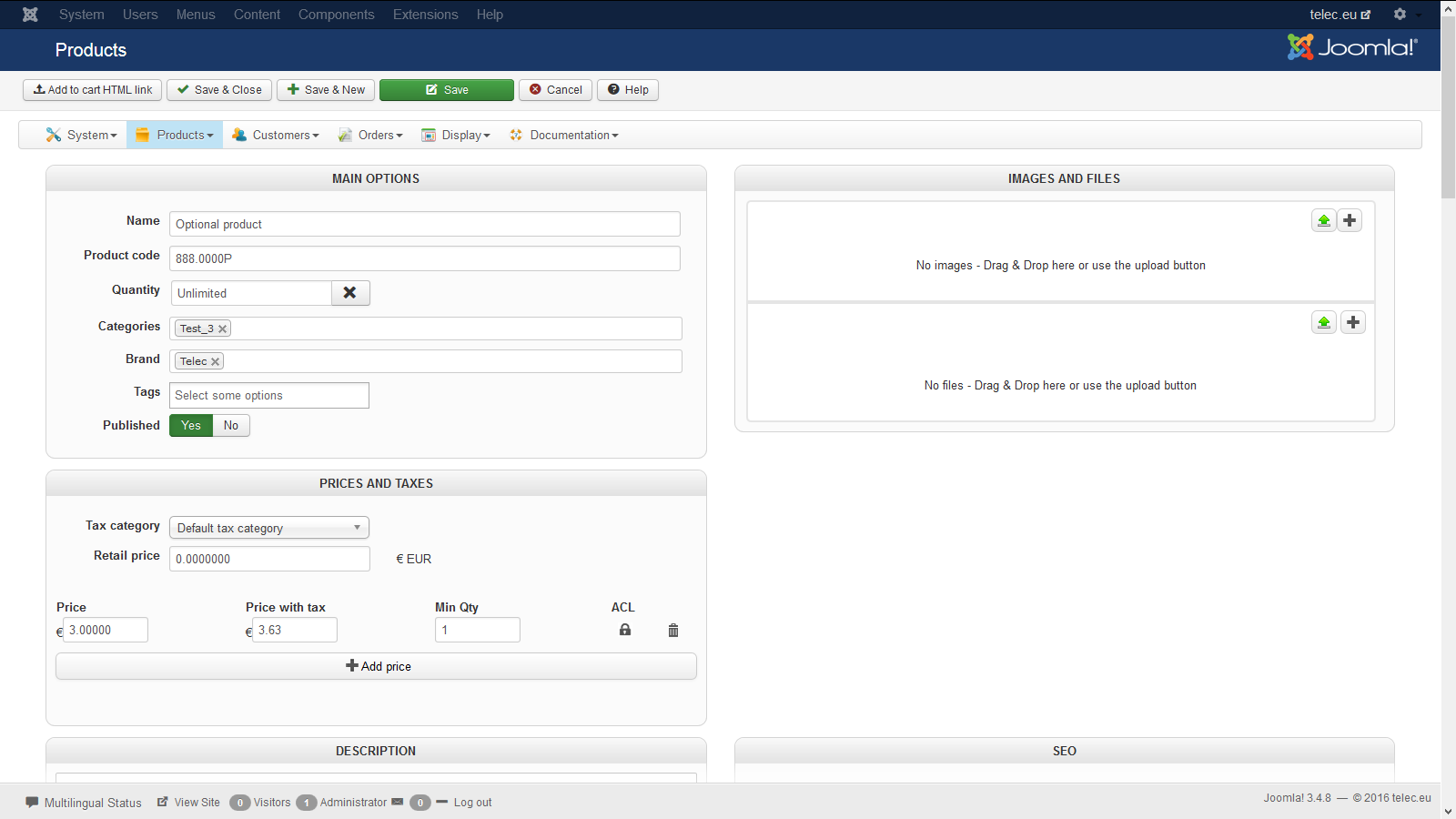
Attached images are of the product with options and the optional product, basically I just entered a name, product code and price.
Regards, Rene
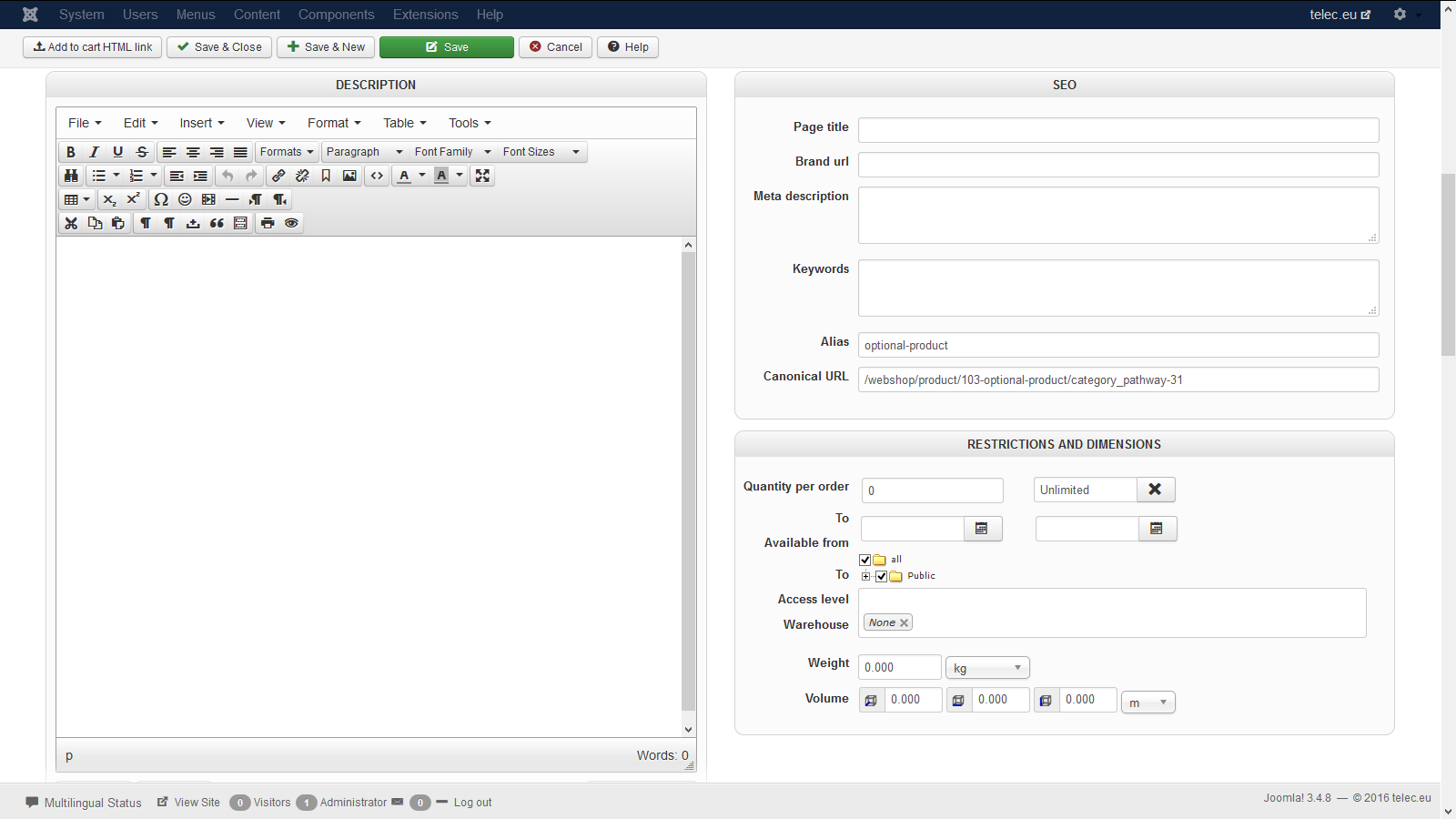
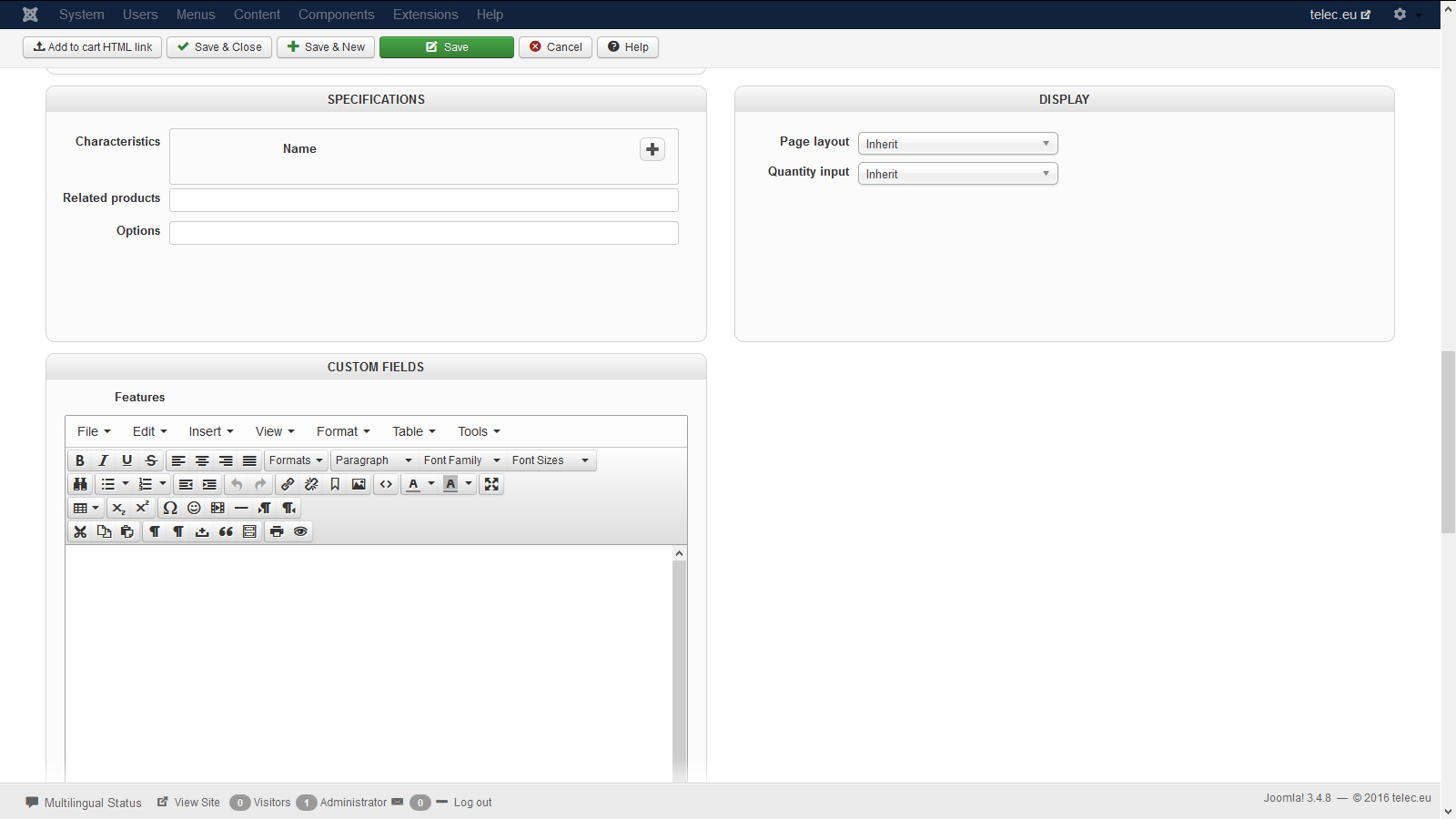
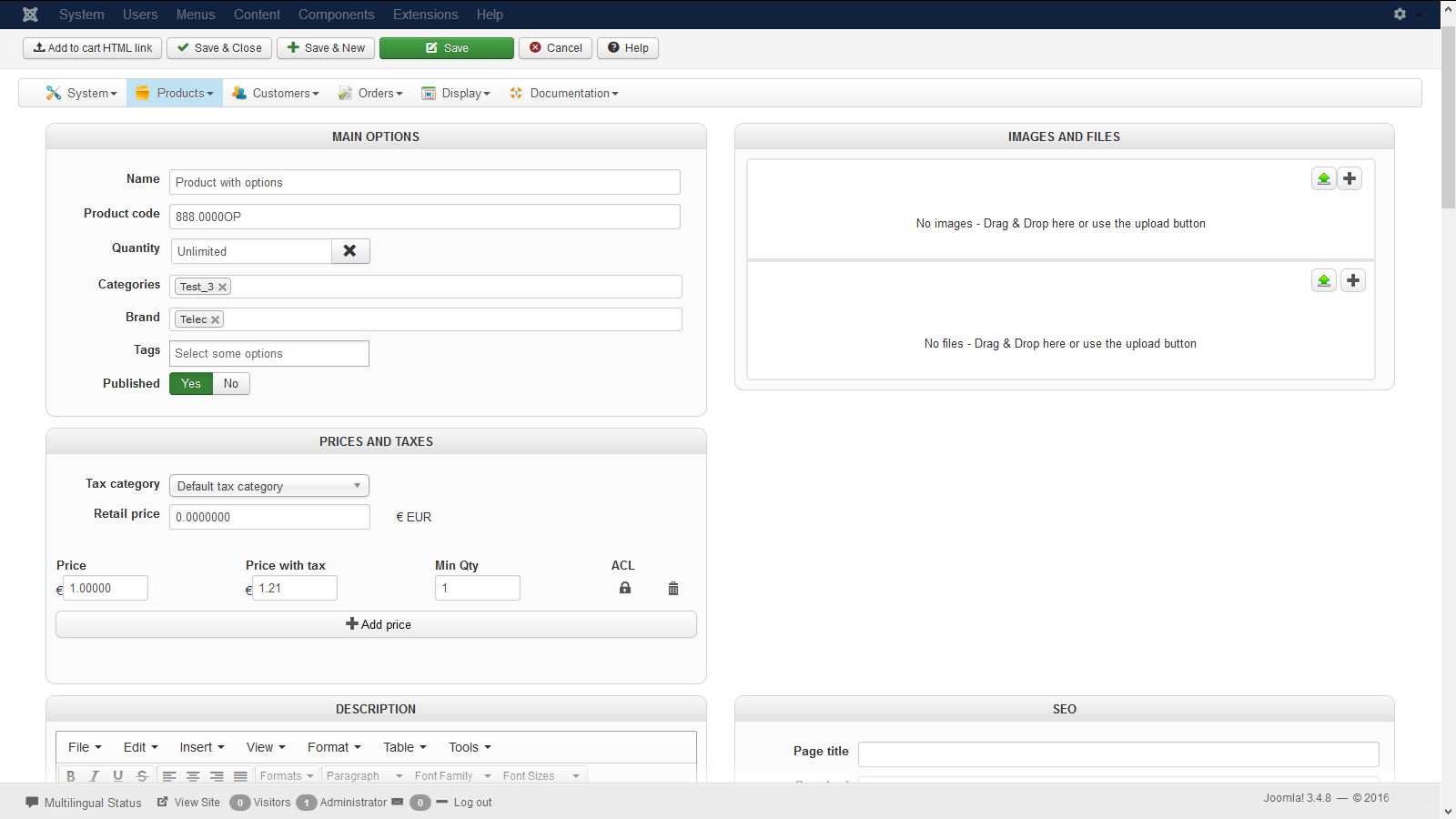
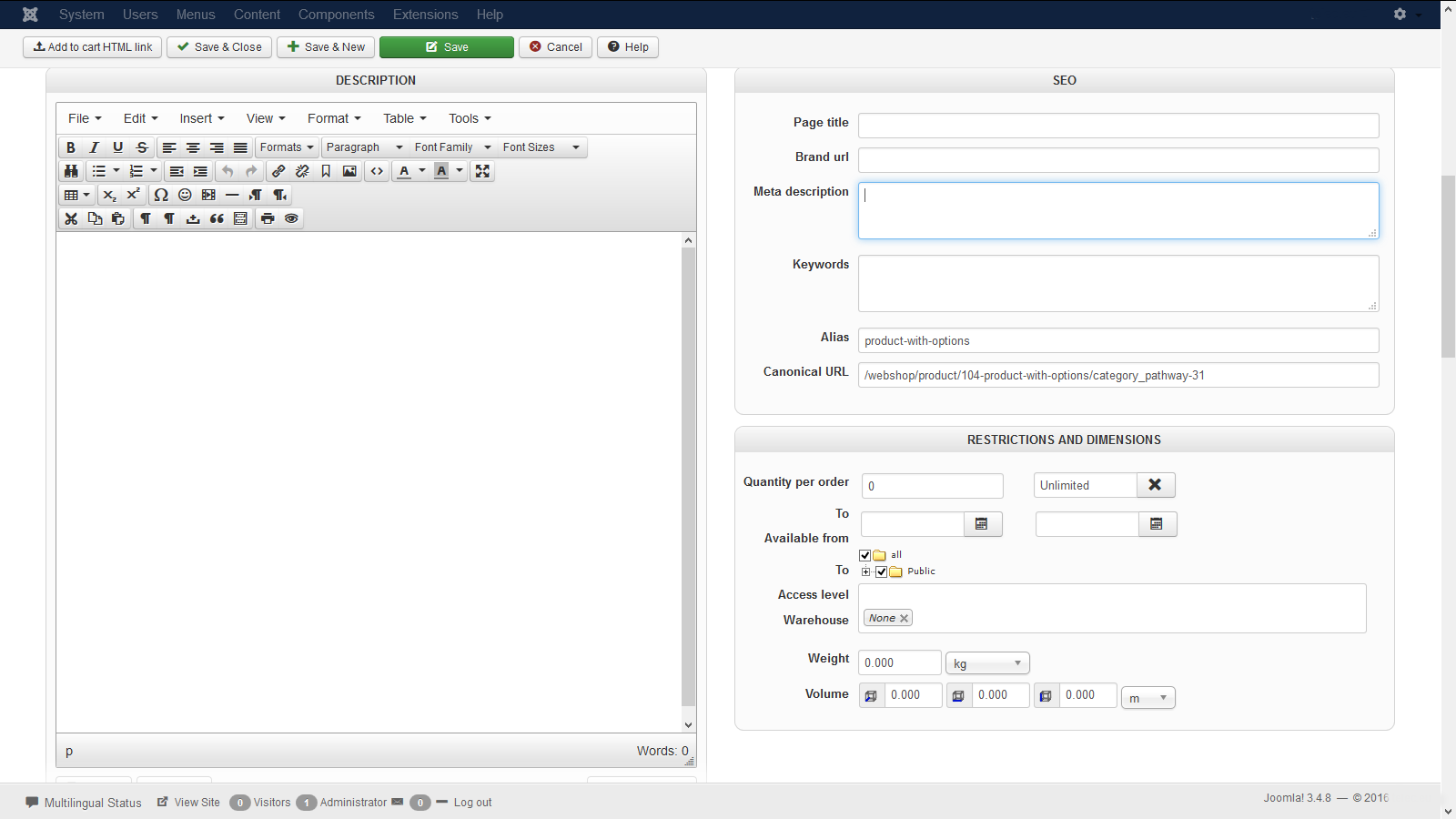
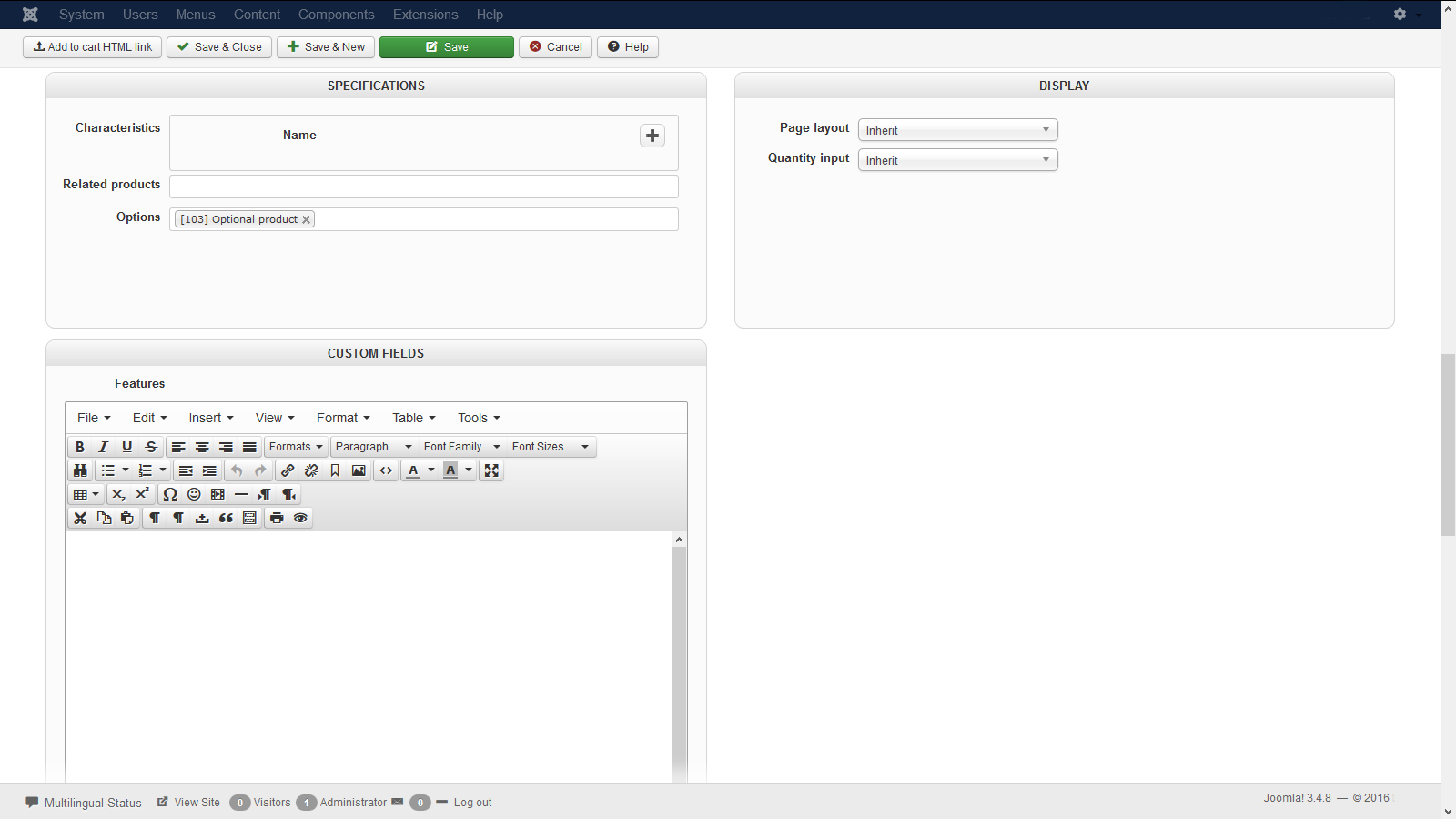
I did pm the link to the category with the 3 test items, if you find the time to look at it that would be appreciated.
Attached images are of the product with options and the optional product, basically I just entered a name, product code and price.
Regards, Rene
Please Log in or Create an account to join the conversation.

10 years 7 months ago #229575
by Xavier
Replied by Xavier on topic Shopping cart display for product with variants
Hi,
Please send us a backend and FTP access to your website via our contact form (with a link to this topic).
As we are not able to reproduce the issue on our end, this will be the easiest solution.
www.hikashop.com/support/contact-us.html
Please send us a backend and FTP access to your website via our contact form (with a link to this topic).
As we are not able to reproduce the issue on our end, this will be the easiest solution.
www.hikashop.com/support/contact-us.html
Please Log in or Create an account to join the conversation.
10 years 7 months ago #229808
by Xavier
Replied by Xavier on topic Shopping cart display for product with variants
Hi,
I was able to reproduce the issue on my local, so a single product with an option.
When adding the product two times without the option it add two separate products in the cart and same thing if I add the product with the option.
I tried with oldest versions of HikaShop like 2.6.0 and 2.5.0 and the same behaviour is happening.
So I have added on our Todo list to improve that part, we will keep you informed once the modifications have been released.
I was able to reproduce the issue on my local, so a single product with an option.
When adding the product two times without the option it add two separate products in the cart and same thing if I add the product with the option.
I tried with oldest versions of HikaShop like 2.6.0 and 2.5.0 and the same behaviour is happening.
So I have added on our Todo list to improve that part, we will keep you informed once the modifications have been released.
Please Log in or Create an account to join the conversation.
10 years 7 months ago - 10 years 7 months ago #229828
by EnerW
Replied by EnerW on topic Shopping cart display for product with variants
Afternoon Xavier,
thank you for the update, is there a way to close or rename the subject since the subject is not reflecting the problem?
As said it's not a big issue, I suggest that you move it to the 3.0 release.
Since I only started to add options and variants for the last 2 weeks it could be that I never noticed the behavior to start with.
Regards, Rene
thank you for the update, is there a way to close or rename the subject since the subject is not reflecting the problem?
As said it's not a big issue, I suggest that you move it to the 3.0 release.
Since I only started to add options and variants for the last 2 weeks it could be that I never noticed the behavior to start with.
Regards, Rene
Last edit: 10 years 7 months ago by EnerW.
Please Log in or Create an account to join the conversation.

10 years 7 months ago #229833
by Jerome
Jerome - Obsidev.com
HikaMarket & HikaSerial developer / HikaShop core dev team.
Replied by Jerome on topic Shopping cart display for product with variants
Hi,
By editing your first message, you should be able to rename the topic.
Regards,
By editing your first message, you should be able to rename the topic.
Regards,
Jerome - Obsidev.com
HikaMarket & HikaSerial developer / HikaShop core dev team.
Please Log in or Create an account to join the conversation.
Time to create page: 0.286 seconds