

- Posts: 49
- Thank you received: 1
The name does not tell me the colour of the model
10 years 4 months ago #240020
by optiplus
The name does not tell me the colour of the model was created by optiplus
-- Error-message(debug-mod must be tuned on) -- : When I select a color, the name does not tell me the color.
I have a shop of sunglasses,
A model can have different colors. When I select a color, the name does not tell me the color.
How can I solve that?
I have a shop of sunglasses,
A model can have different colors. When I select a color, the name does not tell me the color.
How can I solve that?
Please Log in or Create an account to join the conversation.

10 years 4 months ago #240022
by nicolas
Replied by nicolas on topic The name does not tell me the colour of the model
Hi,
Please provide a link to a product page with the problem so that we can see the issue and a screenshot of the settings of one variant of that product and of the settings of the product itself.
Please provide a link to a product page with the problem so that we can see the issue and a screenshot of the settings of one variant of that product and of the settings of the product itself.
Please Log in or Create an account to join the conversation.
10 years 4 months ago #240256
by optiplus
Replied by optiplus on topic The name does not tell me the colour of the model
Dont show name of color.
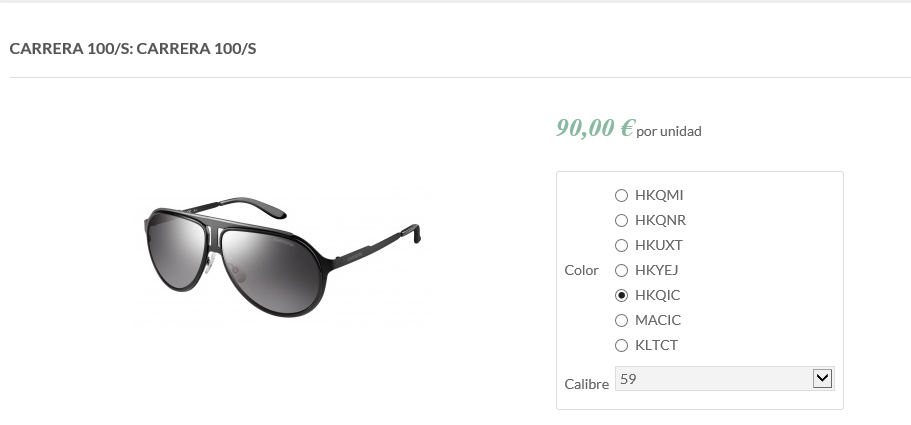
YES show name of color.
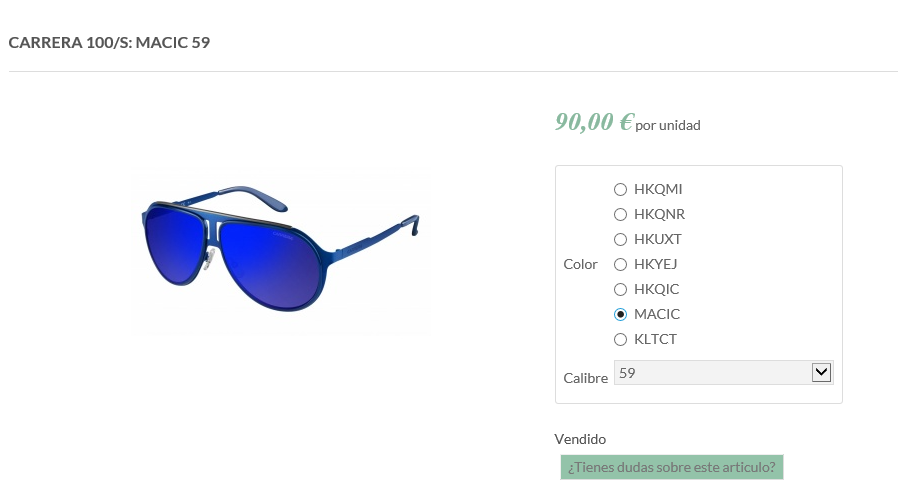
Dont show name of color
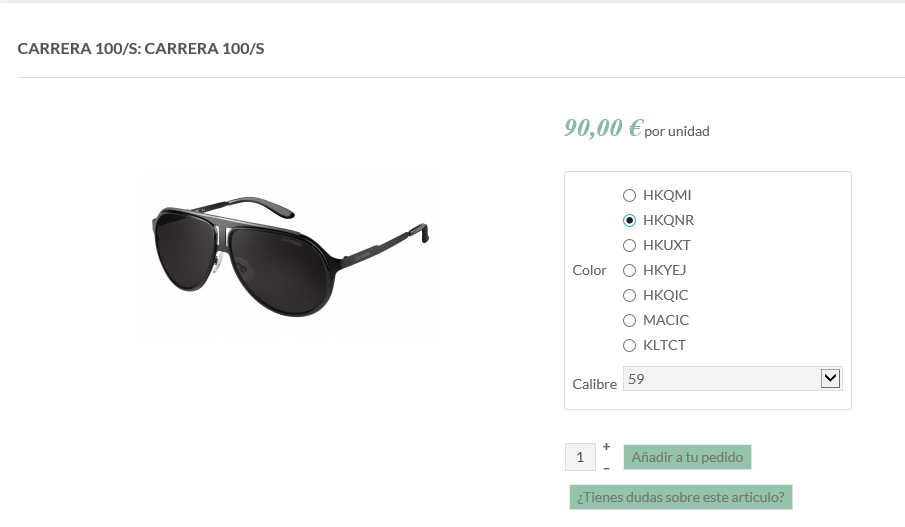
Configuration Model
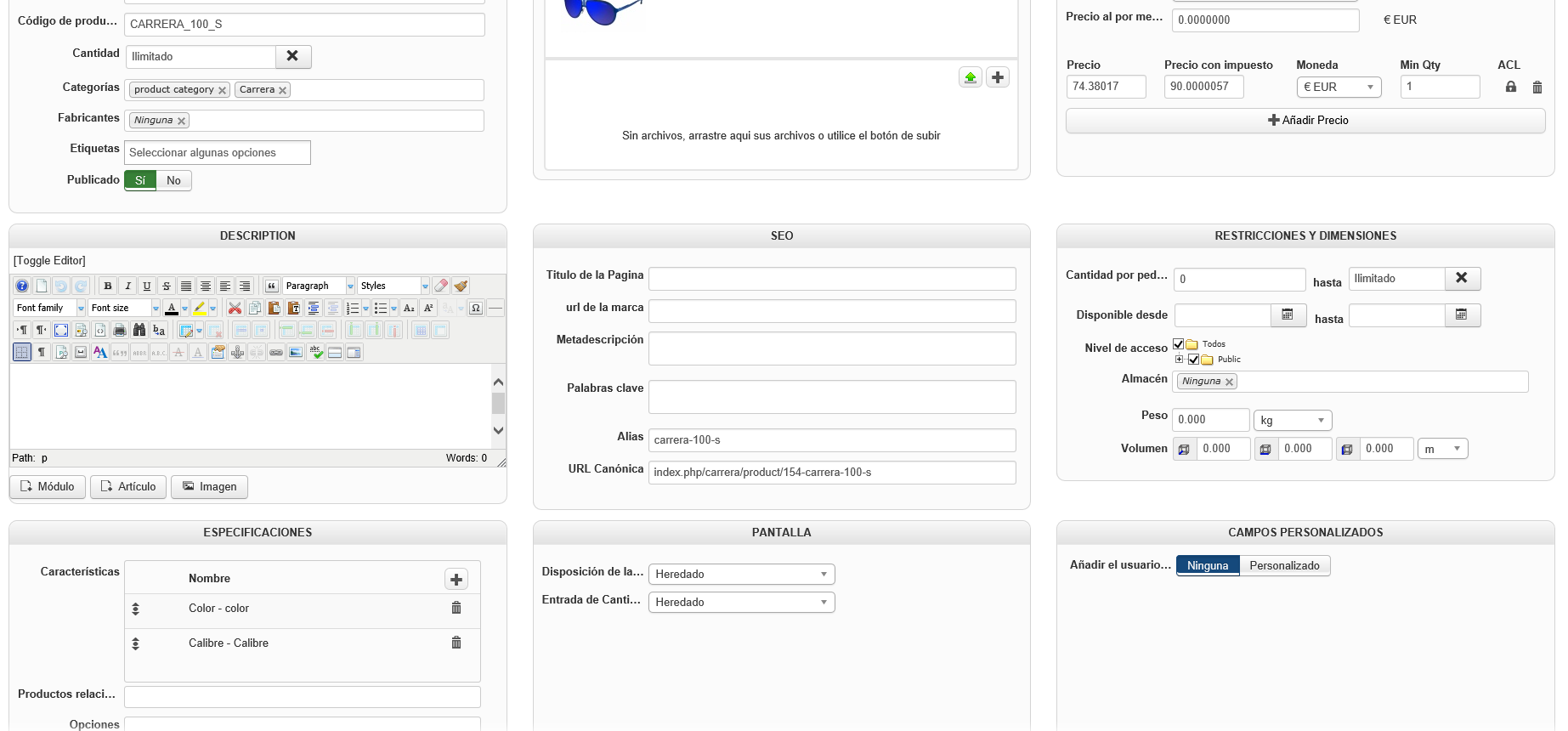
Configuration Colour
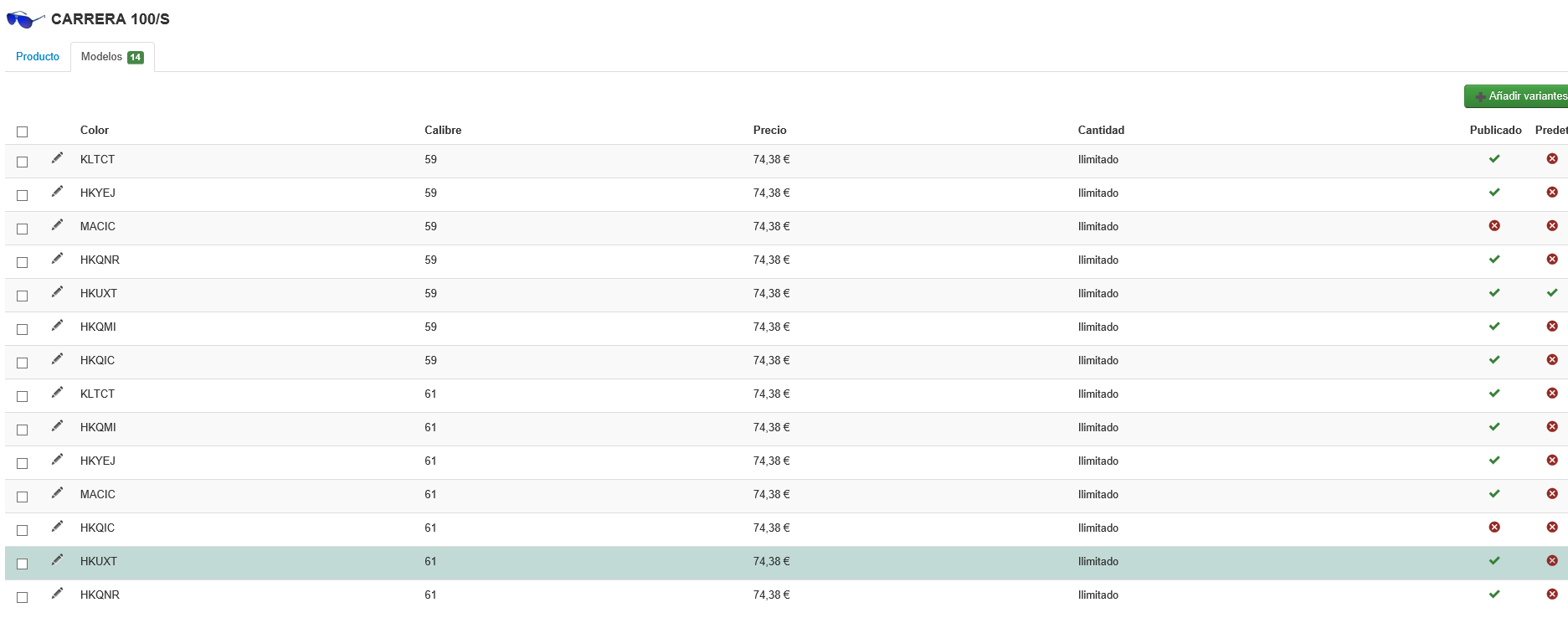
YES show name of color.
Dont show name of color
Configuration Model
Configuration Colour
Please Log in or Create an account to join the conversation.

10 years 4 months ago - 10 years 4 months ago #240270
by Philip
Replied by Philip on topic The name does not tell me the colour of the model
Hello,
You have to give a name to your Variant if you want have it with the product name.
For this, see this example :
- Go to your product backend, and click on your Variants tab (1)
- Select your color variant to see his own configuration part.
- Find your Main Options and more especially the Name input
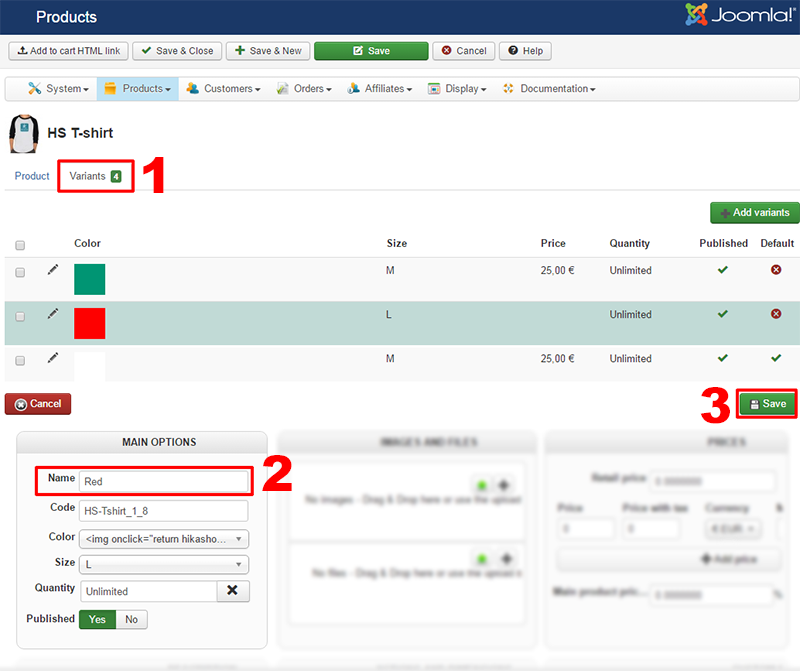
- Edit the Name input (2) and Save it (3) to have this :
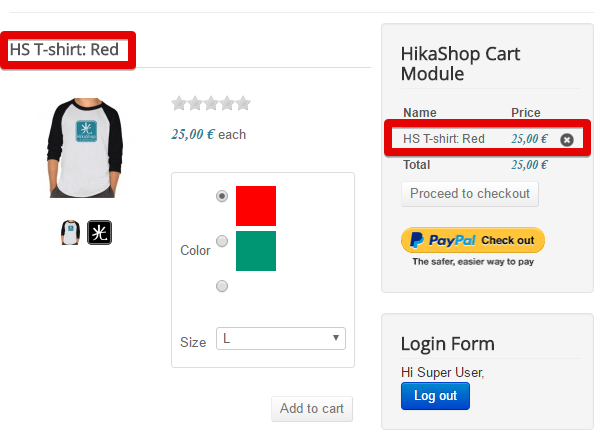
Hope that will fit your needs.
Regards.
You have to give a name to your Variant if you want have it with the product name.
For this, see this example :
- Go to your product backend, and click on your Variants tab (1)
- Select your color variant to see his own configuration part.
- Find your Main Options and more especially the Name input
- Edit the Name input (2) and Save it (3) to have this :
Hope that will fit your needs.
Regards.
Last edit: 10 years 4 months ago by Philip.
The following user(s) said Thank You: optiplus
Please Log in or Create an account to join the conversation.
10 years 4 months ago #240369
by optiplus
Replied by optiplus on topic The name does not tell me the colour of the model
Oh sure! I stupid , thanks ..
Please Log in or Create an account to join the conversation.
Time to create page: 0.210 seconds