
Make custom field visible in address on checkout

9 years 11 months ago #251805
by Rixters
Make custom field visible in address on checkout was created by Rixters
-- HikaShop version -- : 2.6.4
-- Joomla version -- : 3.6.2
-- PHP version -- : 5.6
-- Browser(s) name and version -- : FF
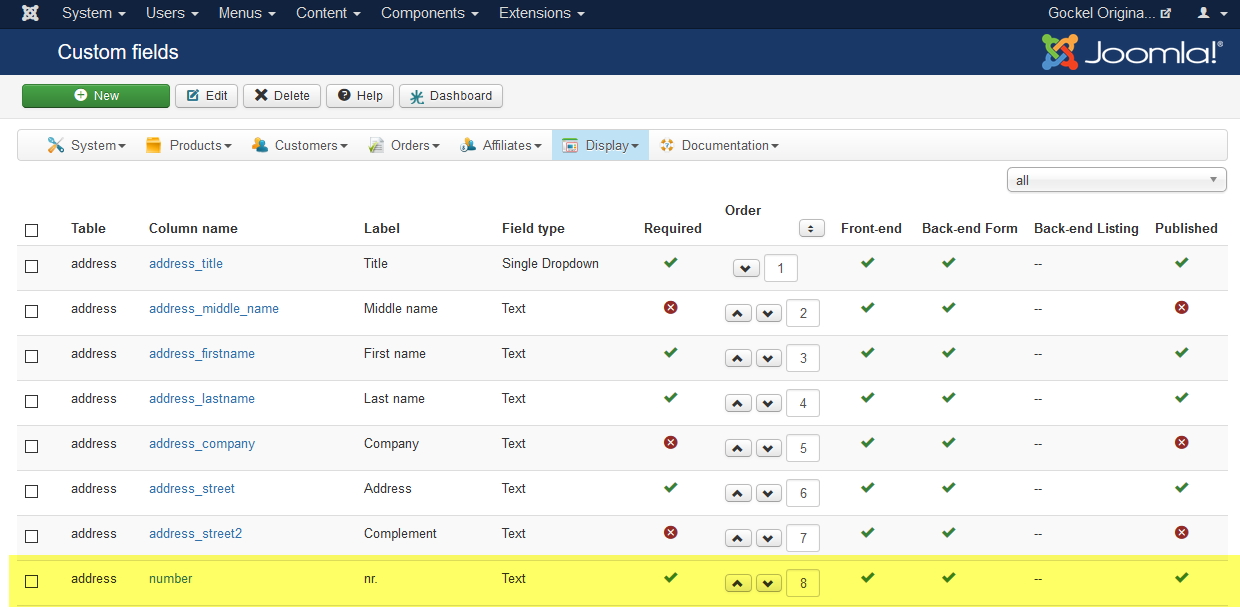
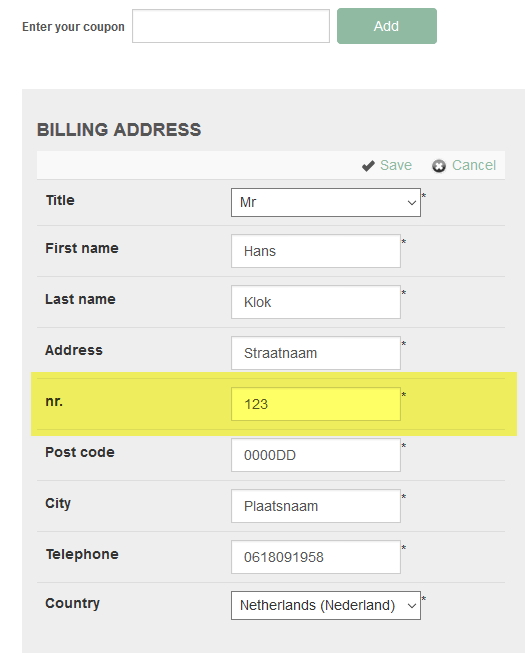
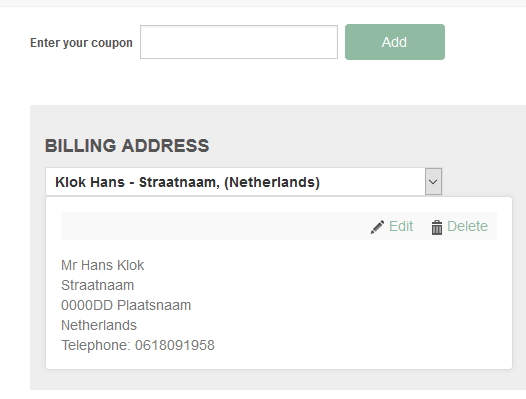
I added a custom field to the address. When I edit the address in the checkout on the frontpage the number field is there. When I save the address the number field is gone. How can I add this number field to the address box on the checkout page? I hope you help me with a solution!
-- Joomla version -- : 3.6.2
-- PHP version -- : 5.6
-- Browser(s) name and version -- : FF
I added a custom field to the address. When I edit the address in the checkout on the frontpage the number field is there. When I save the address the number field is gone. How can I add this number field to the address box on the checkout page? I hope you help me with a solution!
Please Log in or Create an account to join the conversation.

9 years 11 months ago #251879
by nicolas
Replied by nicolas on topic Make custom field visible in address on checkout
Hi,
You need to edit the "address_template" view file for both your frontend and your backend template via the menu Display>Views in order to add the corresponding tag for your custom field.
You need to edit the "address_template" view file for both your frontend and your backend template via the menu Display>Views in order to add the corresponding tag for your custom field.
Please Log in or Create an account to join the conversation.
9 years 11 months ago #251963
by Rixters
Replied by Rixters on topic Make custom field visible in address on checkout
Hi Nicolas,
What code should I use? The field name is: number and the id: 28
Thanks in advance!
What code should I use? The field name is: number and the id: 28
Thanks in advance!
Please Log in or Create an account to join the conversation.
9 years 11 months ago #251974
by nicolas
Replied by nicolas on topic Make custom field visible in address on checkout
Hi,
Look at the other tags. You can see that you just need to put the column name in between brackets. Like that: {number}
Look at the other tags. You can see that you just need to put the column name in between brackets. Like that: {number}
Please Log in or Create an account to join the conversation.
9 years 11 months ago #251996
by Rixters
Replied by Rixters on topic Make custom field visible in address on checkout
Thanks Nicolas! Works like a charm!
Please Log in or Create an account to join the conversation.
Time to create page: 0.191 seconds