
Images not showing after migrade

9 years 11 months ago #254361
by Nowweb
Best regards
Brian
Images not showing after migrade was created by Nowweb
-- url of the page with the problem -- :
bihuset.nyjoomla.dk/
-- HikaShop version -- : 2.6.4
-- Joomla version -- : 3.6.4
-- PHP version -- : 5.6.26
Hello
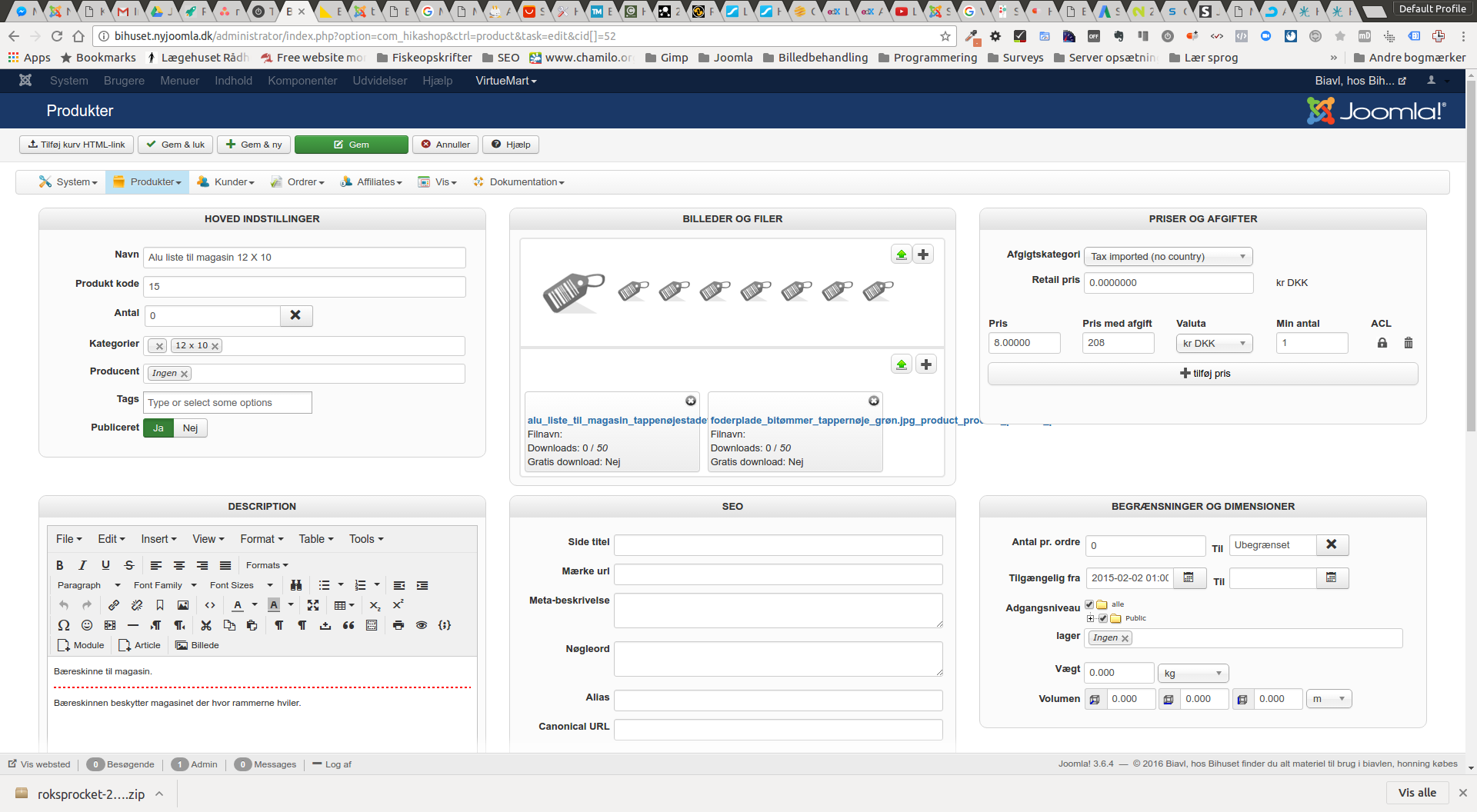
I am working on a website where i want all content from VirtueMart to Hikashop
But when i use the option to get images with the products, i fails.
What do i do wrong?
-- HikaShop version -- : 2.6.4
-- Joomla version -- : 3.6.4
-- PHP version -- : 5.6.26
Hello
I am working on a website where i want all content from VirtueMart to Hikashop
But when i use the option to get images with the products, i fails.
What do i do wrong?
Best regards
Brian
Please Log in or Create an account to join the conversation.

9 years 11 months ago #254362
by nicolas
Replied by nicolas on topic Images not showing after migrade
Hi,
This looks like the files from VirtueMart are missing in the upload folder of HikaShop. So check on the upload folder.
By default, it's images/com_hikashop/upload but you can change it in the HikaShop configuration.
If the images are no there, you can copy them from the VirtueMart upload folder. HikaShop will then generate the thumbnails automatically from the images in there when needed.
This looks like the files from VirtueMart are missing in the upload folder of HikaShop. So check on the upload folder.
By default, it's images/com_hikashop/upload but you can change it in the HikaShop configuration.
If the images are no there, you can copy them from the VirtueMart upload folder. HikaShop will then generate the thumbnails automatically from the images in there when needed.
Please Log in or Create an account to join the conversation.
9 years 11 months ago #254407
by Nowweb
Best regards
Brian
Replied by Nowweb on topic Images not showing after migrade
Hi
The images are in the folder ?
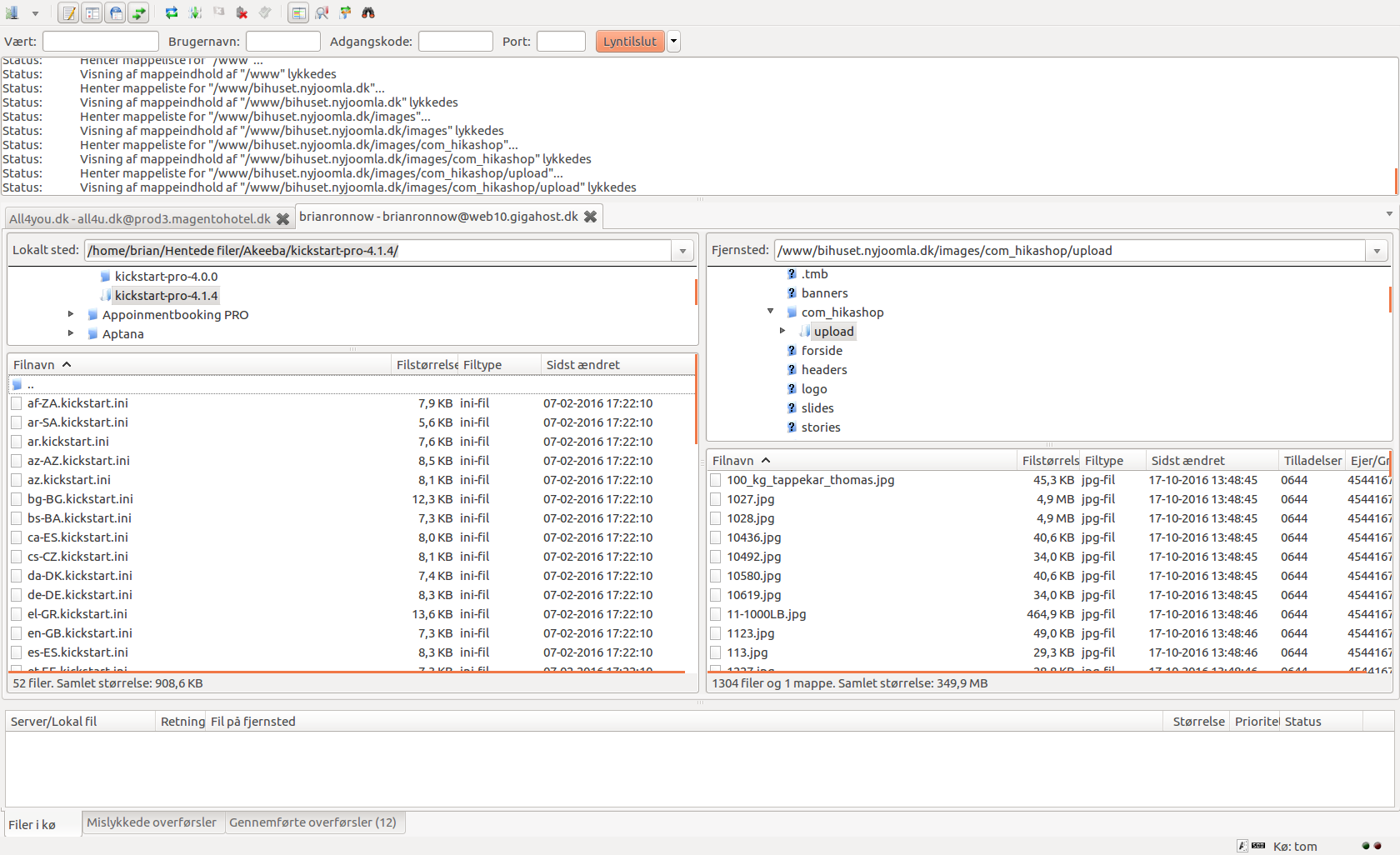
The images are in the folder ?
Best regards
Brian
Please Log in or Create an account to join the conversation.
9 years 11 months ago #254418
by nicolas
Replied by nicolas on topic Images not showing after migrade
Hi,
Then, if you look in the table hikashop_file in your database for the entries with the file_ref_id equal to the id of that product, do you have exactly the same filename as the files in the upload folder ?
Then, if you look in the table hikashop_file in your database for the entries with the file_ref_id equal to the id of that product, do you have exactly the same filename as the files in the upload folder ?
Please Log in or Create an account to join the conversation.
9 years 10 months ago - 9 years 10 months ago #254989
by Nowweb
Best regards
Brian
Replied by Nowweb on topic Images not showing after migrade
Yes it is the same size in the images that is in the VirtueMart image folder as in com_hikashop/upload folder.
Its how it look likes in the database.
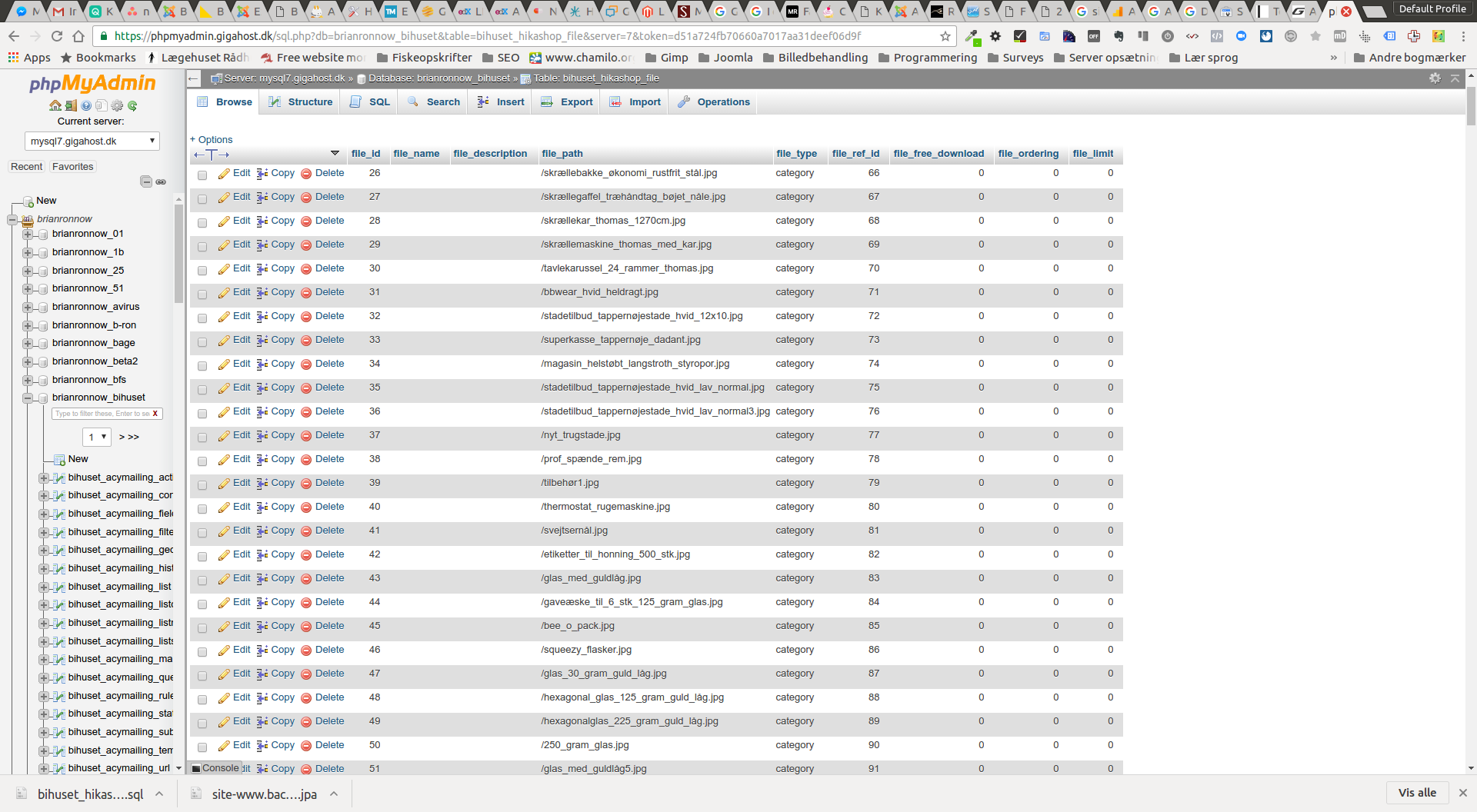
Its how it look likes in the database.
Best regards
Brian
Last edit: 9 years 10 months ago by Nowweb.
Please Log in or Create an account to join the conversation.
9 years 10 months ago #254993
by nicolas
Replied by nicolas on topic Images not showing after migrade
Hi,
These are images of the categories as you can see in the "file_type" column. Do you also have them for the products ? And are they correct ? Can you verify with one or two that their file_path correspond to the file name of the file in the HikaShop upload folder and make sure that the folder you're looking at correspond to the folder path you set in the "upload folder" setting of the HikaShop configuration and that this folder and its sub folders are writable for the user of your apache.
One of these points must be wrong.
These are images of the categories as you can see in the "file_type" column. Do you also have them for the products ? And are they correct ? Can you verify with one or two that their file_path correspond to the file name of the file in the HikaShop upload folder and make sure that the folder you're looking at correspond to the folder path you set in the "upload folder" setting of the HikaShop configuration and that this folder and its sub folders are writable for the user of your apache.
One of these points must be wrong.
Please Log in or Create an account to join the conversation.
Time to create page: 0.169 seconds