

- Posts: 637
- Thank you received: 26
How do I use the email template to easily change the header/footer
9 years 7 months ago - 9 years 7 months ago #261976
by Lumiga
Kind regards,
Lumiga
-- HikaShop version -- : 3.0.0.
-- Joomla version -- : 3.6.5.
-- PHP version -- : 7.0
Hi,
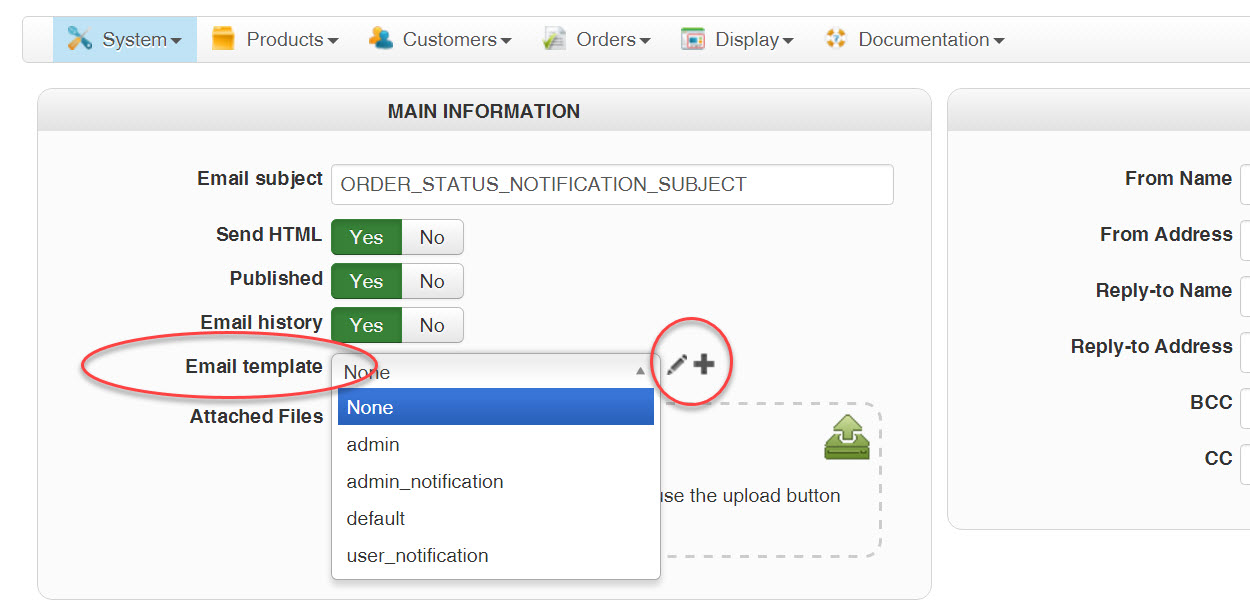
There is a new feature in Hikashop 3 (the e-mail template system so that you can easily change the header/footer used for all the emails at once). But I don't know how to use it. All the templates are empty. And there is no documentation about it.
Can you please tell me how to use this.
Best Regards,
Lumiga
-- Joomla version -- : 3.6.5.
-- PHP version -- : 7.0
Hi,
There is a new feature in Hikashop 3 (the e-mail template system so that you can easily change the header/footer used for all the emails at once). But I don't know how to use it. All the templates are empty. And there is no documentation about it.
Can you please tell me how to use this.
Best Regards,
Lumiga
Kind regards,
Lumiga
Last edit: 9 years 7 months ago by Lumiga.
Please Log in or Create an account to join the conversation.

9 years 7 months ago #262008
by Jerome
Jerome - Obsidev.com
HikaMarket & HikaSerial developer / HikaShop core dev team.
Replied by Jerome on topic How do I use the email template to easily change the header/footer
Hi,
The selector allows to choose your email template.
The edit button gives you the possibility to customize the email template (or create a copy if it's not an editable one).
The new button creates a new email template that you'll be able to use.
In the email template you can use tags and you have to use a specific tag to display the content of the email.
Best is to take a look at the "default" or "admin" templates to see their code.
Regards,
The selector allows to choose your email template.
The edit button gives you the possibility to customize the email template (or create a copy if it's not an editable one).
The new button creates a new email template that you'll be able to use.
In the email template you can use tags and you have to use a specific tag to display the content of the email.
Code:
{VAR:TPL_CONTENT}
Regards,
Jerome - Obsidev.com
HikaMarket & HikaSerial developer / HikaShop core dev team.
Please Log in or Create an account to join the conversation.
9 years 7 months ago #262031
by Lumiga
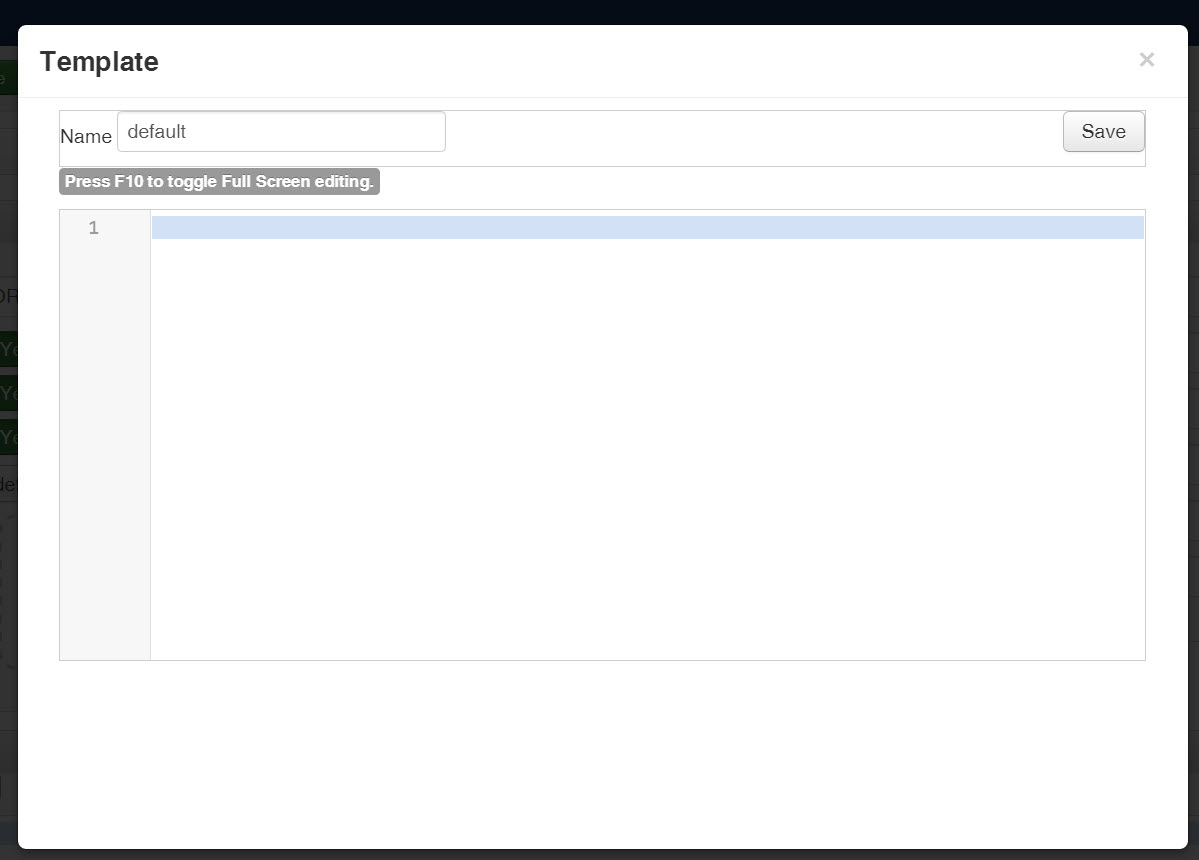
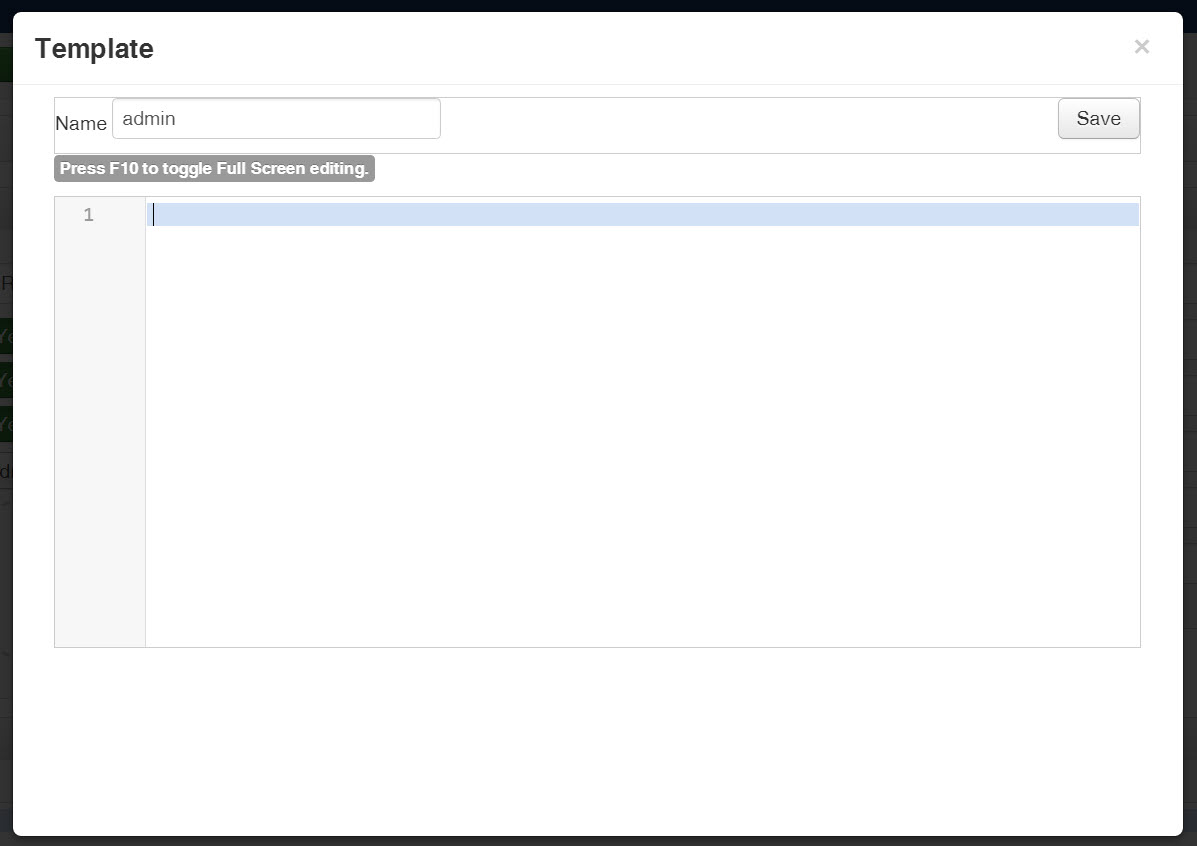
When I look to the "default" of "admin" templates then they are empty. Is that correct?
Kind regards,
Lumiga
Replied by Lumiga on topic How do I use the email template to easily change the header/footer
Best is to take a look at the "default" or "admin" templates to see their code.
When I look to the "default" of "admin" templates then they are empty. Is that correct?
Kind regards,
Lumiga
Please Log in or Create an account to join the conversation.

9 years 7 months ago #262053
by nicolas
Replied by nicolas on topic How do I use the email template to easily change the header/footer
Hi,
The templates are not supposed to be empty.
What if you turn off the "codemirror" editor plugin in the Joomla plugins manager ? Are they still empty ?
If so, check the folder media/com_hikashop/mail/template/
The files of the templates should be there and they should not be empty.
The templates are not supposed to be empty.
What if you turn off the "codemirror" editor plugin in the Joomla plugins manager ? Are they still empty ?
If so, check the folder media/com_hikashop/mail/template/
The files of the templates should be there and they should not be empty.
Please Log in or Create an account to join the conversation.
9 years 7 months ago - 9 years 7 months ago #262303
by Lumiga
Kind regards,
Lumiga
Replied by Lumiga on topic How do I use the email template to easily change the header/footer
Hi Nicolas,
Turning off the "codemirror" editor plug-in doesn't have any effect. The templates are still empty.
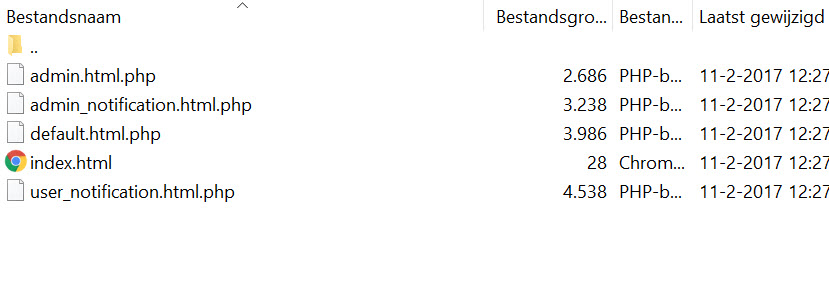
When I go to folder media/com_hikashop/mail/template/ then I can see the templates.
But the have a .html and a .php extension, could that be the reason why I can't see them in my backend?
The default value for most of the e-mails is template None. Is that right?
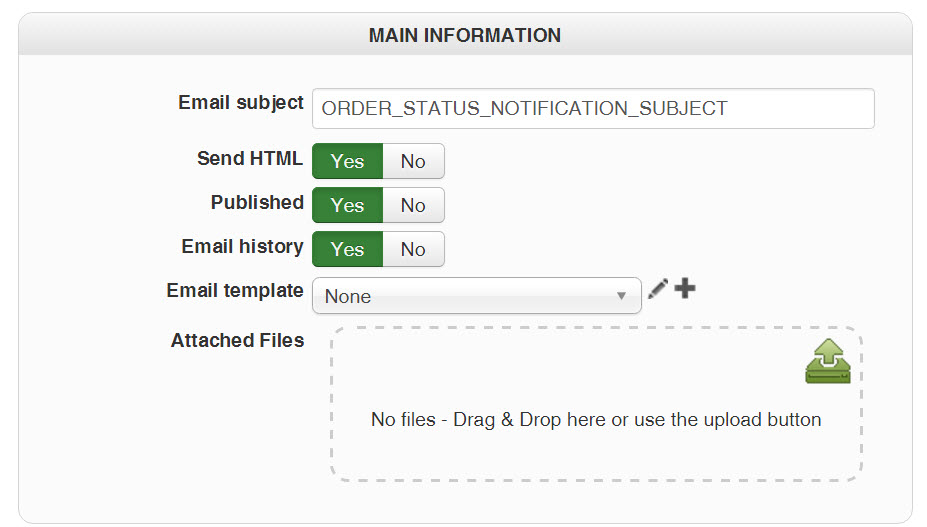
Hope you can help me.
Kind regards,
Lumiga
P.S. When I do I new installation form Hikashop on another environment I get this error when I want to open a template from the back-end.
Could there be a difference in a update or a new installation?
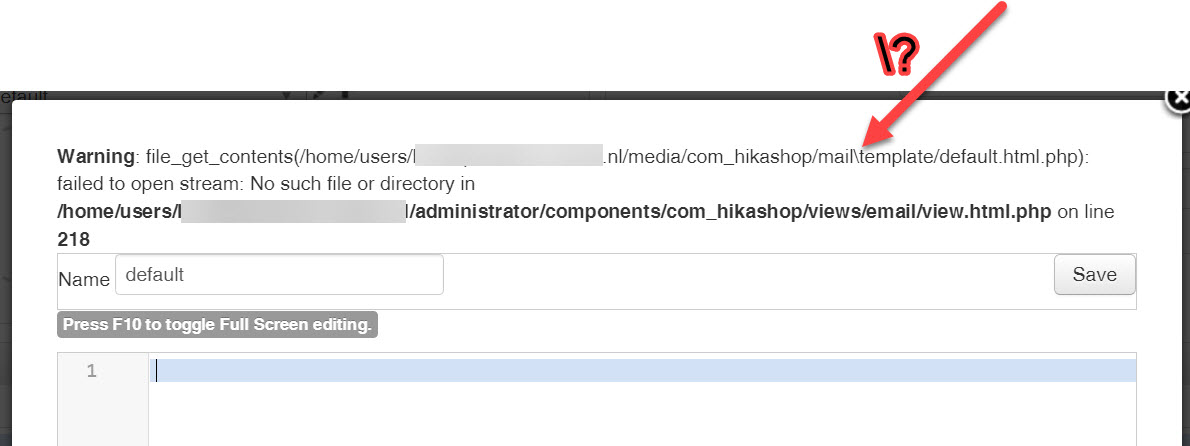
Turning off the "codemirror" editor plug-in doesn't have any effect. The templates are still empty.
When I go to folder media/com_hikashop/mail/template/ then I can see the templates.
But the have a .html and a .php extension, could that be the reason why I can't see them in my backend?
The default value for most of the e-mails is template None. Is that right?
Hope you can help me.
Kind regards,
Lumiga
P.S. When I do I new installation form Hikashop on another environment I get this error when I want to open a template from the back-end.
Could there be a difference in a update or a new installation?
Kind regards,
Lumiga
Last edit: 9 years 7 months ago by Lumiga.
Please Log in or Create an account to join the conversation.

Less
More
- Posts: 12953
- Thank you received: 1778
9 years 7 months ago #262332
by Mohamed Thelji
Replied by Mohamed Thelji on topic How do I use the email template to easily change the header/footer
Hello Lumiga,
We actually made a fix regarding that issue, can you download the last Hikashop version through our website and test it again ? Thank you.
Best regards,
Mohamed Thelji.
We actually made a fix regarding that issue, can you download the last Hikashop version through our website and test it again ? Thank you.
Best regards,
Mohamed Thelji.
Please Log in or Create an account to join the conversation.
9 years 7 months ago #262390
by Lumiga
Kind regards,
Lumiga
Replied by Lumiga on topic How do I use the email template to easily change the header/footer
Hi Mohamed,
I have downloaded the newest version through your website a hour ago.
But after clearing the cache and installing it twice I have still a empty template and also the error on the other website is the same.
Kind regards,
Lumiga
I have downloaded the newest version through your website a hour ago.
But after clearing the cache and installing it twice I have still a empty template and also the error on the other website is the same.
Kind regards,
Lumiga
Kind regards,
Lumiga
Please Log in or Create an account to join the conversation.
Less
More
- Posts: 12953
- Thank you received: 1778
9 years 7 months ago #262400
by Mohamed Thelji
Replied by Mohamed Thelji on topic How do I use the email template to easily change the header/footer
Hi Lumiga,
That's weird, we actually included a fix through that last Hikashop version.
Can you give us a temporary access to your back-end through our contact form so that we can directly test it ?
Please, don't forget to add a link to that thread in your message :
www.hikashop.com/support/contact-us.html
Thank you.
That's weird, we actually included a fix through that last Hikashop version.
Can you give us a temporary access to your back-end through our contact form so that we can directly test it ?
Please, don't forget to add a link to that thread in your message :
www.hikashop.com/support/contact-us.html
Thank you.
Please Log in or Create an account to join the conversation.
Less
More
- Posts: 12953
- Thank you received: 1778
9 years 7 months ago #262586
by Mohamed Thelji
Replied by Mohamed Thelji on topic How do I use the email template to easily change the header/footer
Hello Lumiga,
We just included another fix through the last Hikashop version to handle that situation, can you download the last Hikashop version through our website, and test it again ?
Thank you for your feedback !
We just included another fix through the last Hikashop version to handle that situation, can you download the last Hikashop version through our website, and test it again ?
Thank you for your feedback !
The following user(s) said Thank You: Lumiga
Please Log in or Create an account to join the conversation.
9 years 7 months ago #262622
by Lumiga
Kind regards,
Lumiga
Replied by Lumiga on topic How do I use the email template to easily change the header/footer
Perfect! It's working fine now! 
Thanks!
Thanks!
Kind regards,
Lumiga
Please Log in or Create an account to join the conversation.

Less
More
- Posts: 45
- Thank you received: 3
9 years 5 months ago #267857
by bytekultur
Replied by bytekultur on topic How do I use the email template to easily change the header/footer
Hi, I have actually got the same problem, Hikashop Business version 3.0.1 which is the latest version I can download.
There is clearly a wrong directory separator.
/media/com_hikashop/mail\template/default.html.php
I will try to manually override the files via ftp (hope this is possible?), but would be interested to know when it's fixed.
Kind regards,
Terry
There is clearly a wrong directory separator.
/media/com_hikashop/mail\template/default.html.php
I will try to manually override the files via ftp (hope this is possible?), but would be interested to know when it's fixed.
Kind regards,
Terry
Please Log in or Create an account to join the conversation.
9 years 5 months ago #267861
by Jerome
Jerome - Obsidev.com
HikaMarket & HikaSerial developer / HikaShop core dev team.
Replied by Jerome on topic How do I use the email template to easily change the header/footer
Hello,
Please be sure that your HikaShop email class is right up to date and that the backend "views/mail/view.html.php" file too.
I check the mail class source code and there is always the usage of the "DS" contanst which is based on the OS ; so in your case that constant does contain "/" and cannot have "\".
So, regarding the code and the previous patch, I cannot explain your issue otherwise that you do not have the patch and you're not really up-to-date for all your files.
Regards,
Please be sure that your HikaShop email class is right up to date and that the backend "views/mail/view.html.php" file too.
I check the mail class source code and there is always the usage of the "DS" contanst which is based on the OS ; so in your case that constant does contain "/" and cannot have "\".
So, regarding the code and the previous patch, I cannot explain your issue otherwise that you do not have the patch and you're not really up-to-date for all your files.
Regards,
Jerome - Obsidev.com
HikaMarket & HikaSerial developer / HikaShop core dev team.
Please Log in or Create an account to join the conversation.
Time to create page: 0.297 seconds