

- Posts: 70
- Thank you received: 3
Editor Product button defaults
8 years 2 months ago #295891
by virusys
Editor Product button defaults was created by virusys
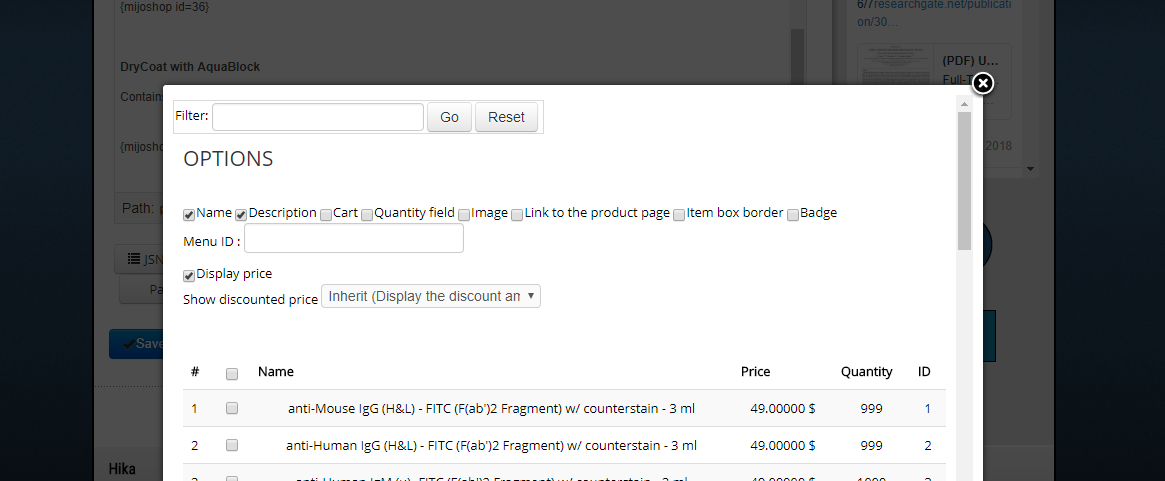
Where can I set the default options for the editor product button? I want to change them.
Please Log in or Create an account to join the conversation.

8 years 2 months ago - 8 years 2 months ago #295914
by Philip
Replied by Philip on topic Editor Product button defaults
Hello,
You have to select Quantity field to have the "add to cart" button display, has it's the same view block.
This will generate a new tag like this one :
Hope this will fit your needs.
Regards
You have to select Quantity field to have the "add to cart" button display, has it's the same view block.
This will generate a new tag like this one :
Hope this will fit your needs.
Regards
Last edit: 8 years 2 months ago by Philip.
Please Log in or Create an account to join the conversation.
8 years 2 months ago #295934
by virusys
Replied by virusys on topic Editor Product button defaults
Thanks Philipe but what I meant was:
How do I change the preselected checkboxes? Are they hardcoded? What file are they in?
I'd like to have a different set of checkboxes selected upon opening.
How do I change the preselected checkboxes? Are they hardcoded? What file are they in?
I'd like to have a different set of checkboxes selected upon opening.
Please Log in or Create an account to join the conversation.

Less
More
- Posts: 12953
- Thank you received: 1778
8 years 2 months ago #295937
by Mohamed Thelji
Replied by Mohamed Thelji on topic Editor Product button defaults
Hello,
You'll be able to edit that view by customizing the code of the following file : "plugins\editors-xtd\hikashopproduct\hikashopproduct.php"
You'll be able to edit that view by customizing the code of the following file : "plugins\editors-xtd\hikashopproduct\hikashopproduct.php"
Please Log in or Create an account to join the conversation.
Time to create page: 0.177 seconds