
- Posts: 575
- Thank you received: 11
Backend Order - Select Product (Enable photo)
- ler@singmuiheng.com
-
 Topic Author
- Offline
Less
More
7 years 6 months ago #304726
by ler@singmuiheng.com
Backend Order - Select Product (Enable photo) was created by ler@singmuiheng.com
-- HikaShop version -- : 4.0.3
-- Joomla version -- : 3.9.3
-- PHP version -- : 5.6.40
We would like to check if it is possible to enable photo thumbnail on this screen like in backend product listing page
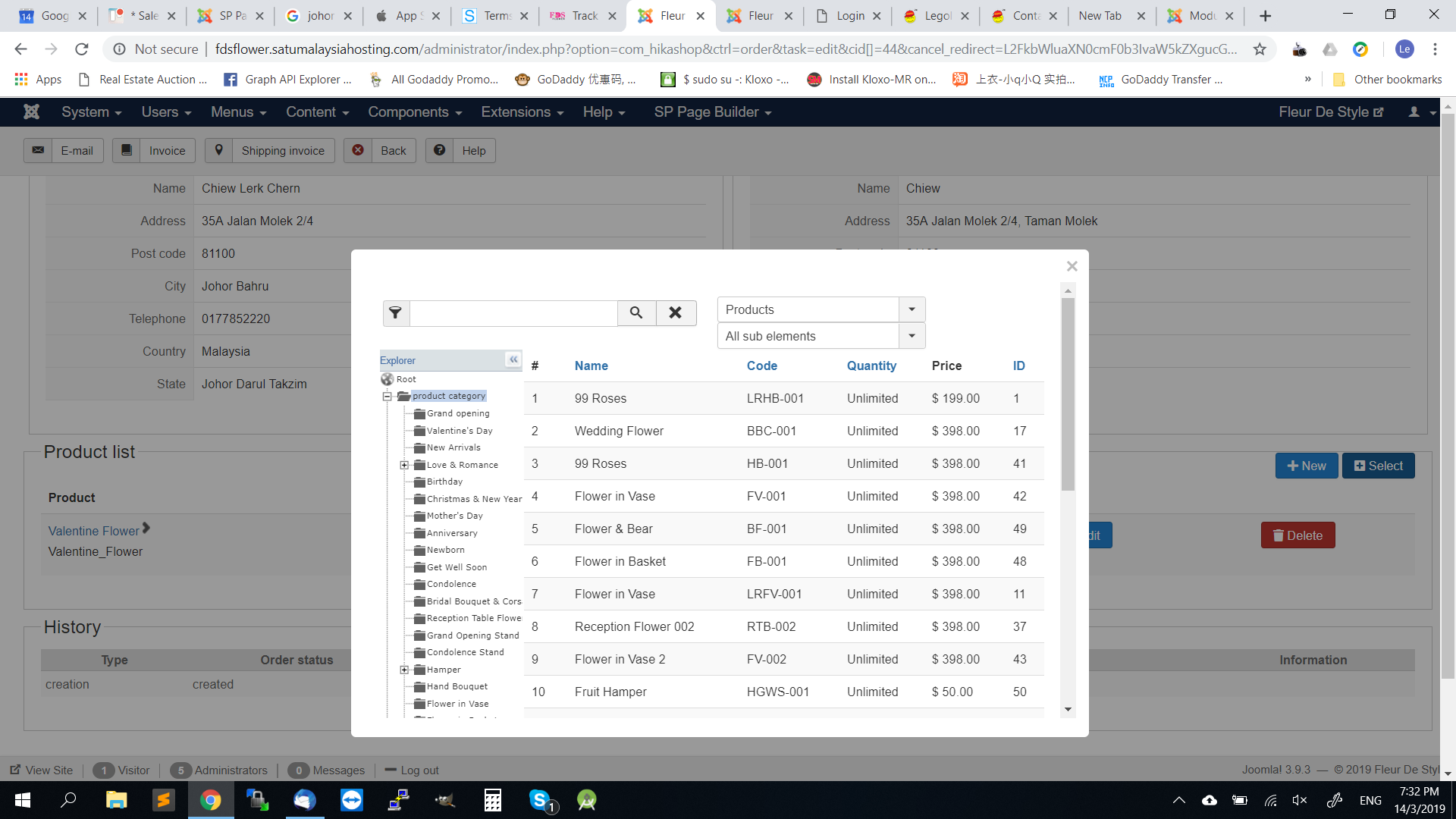
Which code should we modify if need core hack?
-- Joomla version -- : 3.9.3
-- PHP version -- : 5.6.40
We would like to check if it is possible to enable photo thumbnail on this screen like in backend product listing page
Which code should we modify if need core hack?
Please Log in or Create an account to join the conversation.

7 years 6 months ago #304734
by nicolas
Replied by nicolas on topic Backend Order - Select Product (Enable photo)
Hi,
There is no option you can just activate to display the image of the product there. So that will require some coding.
However, no core hack is needed. You can edit view files via the menu Display>Views. To know which view file to edit, you can activate the "display view files" setting in the HikaShop configuration. Then, access that popup again, and you'll see which view file is being used.
We didn't add the image there as there is not a lot of space available.
There is no option you can just activate to display the image of the product there. So that will require some coding.
However, no core hack is needed. You can edit view files via the menu Display>Views. To know which view file to edit, you can activate the "display view files" setting in the HikaShop configuration. Then, access that popup again, and you'll see which view file is being used.
We didn't add the image there as there is not a lot of space available.
Please Log in or Create an account to join the conversation.
Time to create page: 0.186 seconds