
- Posts: 424
- Thank you received: 11
where to change the switch login in the checkout?
- BluepointWebdesign
-
 Topic Author
- Offline
Less
More
6 years 9 months ago #313798
by BluepointWebdesign
-- HikaShop version -- : 4.2.2
-- Joomla version -- : 3.9.13
-- PHP version -- : 7.3
-- Error-message(debug-mod must be tuned on) -- : can not find a class..
Hello,
I am working on the checkout and before paying people may choose to login register or guest checkout.. But the switch is vertical aligned. See screenshot.
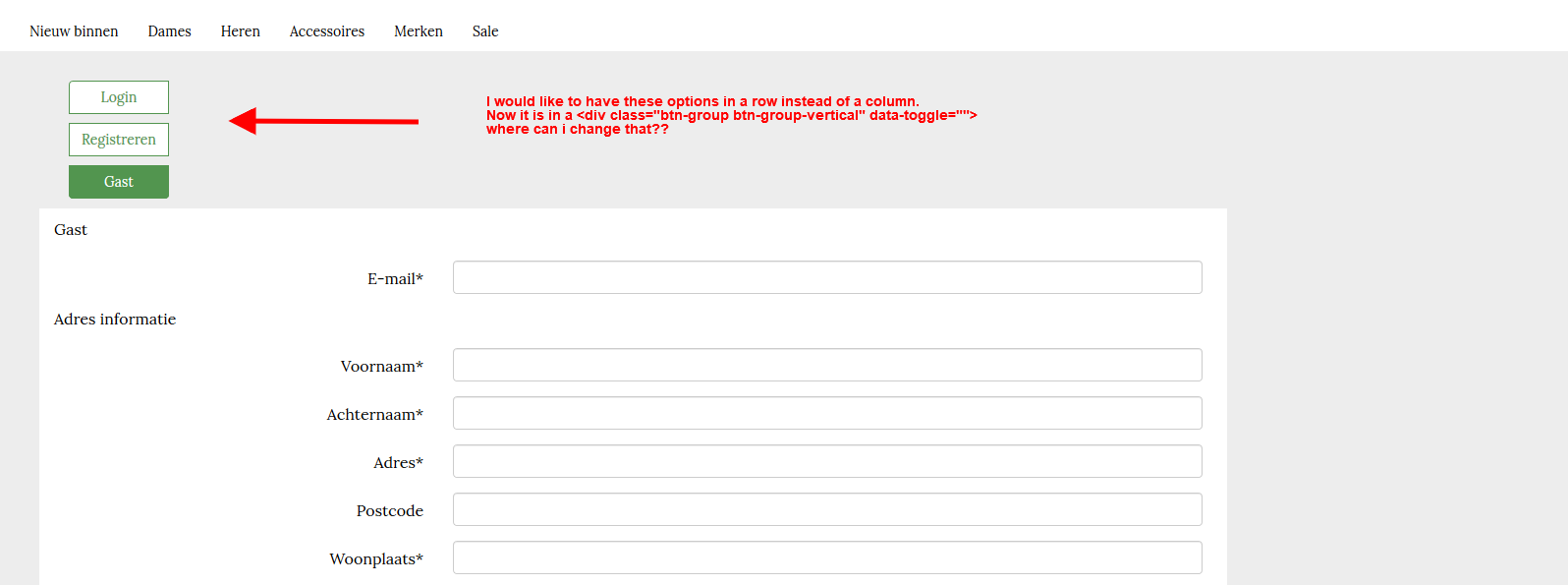 I would like to have it in a row.
How can i change the css class to have it horizontal aligned?
Hope you can help.
Thanks.
-- Joomla version -- : 3.9.13
-- PHP version -- : 7.3
-- Error-message(debug-mod must be tuned on) -- : can not find a class..
Hello,
I am working on the checkout and before paying people may choose to login register or guest checkout.. But the switch is vertical aligned. See screenshot.
How can i change the css class to have it horizontal aligned?
Hope you can help.
Thanks.
Please Log in or Create an account to join the conversation.

6 years 9 months ago #313804
by nicolas
Replied by nicolas on topic where to change the switch login in the checkout?
Hi,
You can do that by adding custom CSS to your website.
The exact CSS to use will depend on the CSS you already have on these buttons from your template, and how you want them to display.
I guess you'll at least want to add that CSS code:
www.hikashop.com/support/documentation/1...ize-the-display.html
You can do that by adding custom CSS to your website.
The exact CSS to use will depend on the CSS you already have on these buttons from your template, and how you want them to display.
I guess you'll at least want to add that CSS code:
Code:
.hikashop_checkout_login .btn-group-vertical label {
display: block !important;
float: left !important;
}
Please Log in or Create an account to join the conversation.
Time to create page: 0.142 seconds