
- Posts: 220
- Thank you received: 0
No Username, Welcome by first name
- clairewang
-
 Topic Author
- Offline
Less
More
6 years 9 months ago #314057
by clairewang
No Username, Welcome by first name was created by clairewang
Dear all,
Does anyone know how to change Register as like Amazon
1 No username, only 4 columns--Your Name, Email, Password, Retype Password
2 Welcome word is Your Name, not username when logon. (Please see the attachment)
Thank you very much
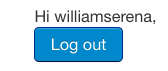
Does anyone know how to change Register as like Amazon
1 No username, only 4 columns--Your Name, Email, Password, Retype Password
2 Welcome word is Your Name, not username when logon. (Please see the attachment)
Thank you very much
Please Log in or Create an account to join the conversation.

6 years 9 months ago #314063
by nicolas
Replied by nicolas on topic No Username, Welcome by first name
Hi,
1. If you want to remove the "username" field from the HikaShop registration form, you can change the "Registration" setting under the Checkout tab of the HikaShop configuration to "Simplified registration with password".
2. In the options of the login module, there is normally an option to change that:
forum.joomla.org/viewtopic.php?t=508692#p2124264
1. If you want to remove the "username" field from the HikaShop registration form, you can change the "Registration" setting under the Checkout tab of the HikaShop configuration to "Simplified registration with password".
2. In the options of the login module, there is normally an option to change that:
forum.joomla.org/viewtopic.php?t=508692#p2124264
Please Log in or Create an account to join the conversation.
- clairewang
-
Topic Author
- Offline
Less
More
- Posts: 220
- Thank you received: 0
6 years 9 months ago #314084
by clairewang
Replied by clairewang on topic No Username, Welcome by first name
Hi Nicolas,
Thank you very much. I know "Simplified Registration with password". But the next page the username will still be crated automatically. I want the Register page with 4 items-- Your Name, Email, Password, Re-type Password. Is there way to edit it?
Thank you very much. I know "Simplified Registration with password". But the next page the username will still be crated automatically. I want the Register page with 4 items-- Your Name, Email, Password, Re-type Password. Is there way to edit it?
Please Log in or Create an account to join the conversation.

Less
More
- Posts: 12953
- Thank you received: 1778
6 years 9 months ago #314086
by Mohamed Thelji
Replied by Mohamed Thelji on topic No Username, Welcome by first name
Hello,
If the Simplified Registration won't do that job, the solution will be to directly edit the checkout registration codes.
Kind regards,
Mohamed.
If the Simplified Registration won't do that job, the solution will be to directly edit the checkout registration codes.
Kind regards,
Mohamed.
Please Log in or Create an account to join the conversation.
Time to create page: 0.202 seconds