

- Posts: 637
- Thank you received: 26
New feature 4.3.0 (multilingual translation) not visible
6 years 5 months ago - 6 years 5 months ago #318223
by Lumiga
Kind regards,
Lumiga
New feature 4.3.0 (multilingual translation) not visible was created by Lumiga
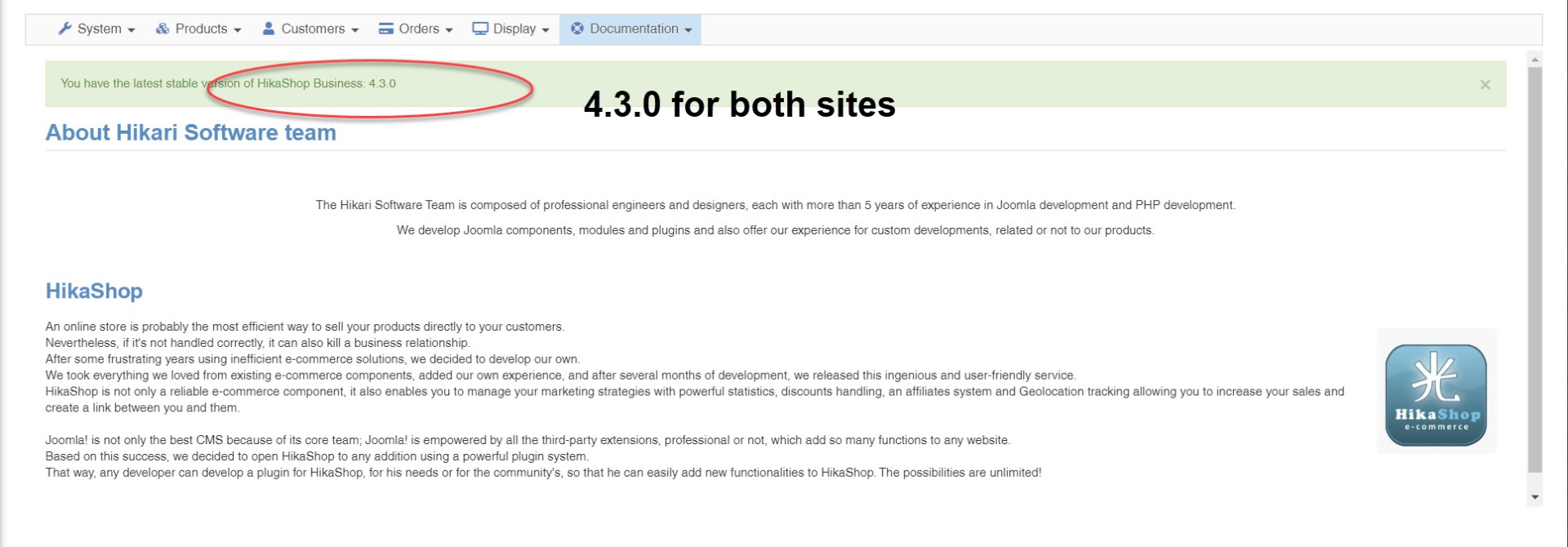
-- HikaShop version -- : 4.3.0
Hi,
I have two website with the 4.3.0 update but I see two differences.
1 - New feature 4.3.0 (multilingual translation) is not visible on one of the two sites.
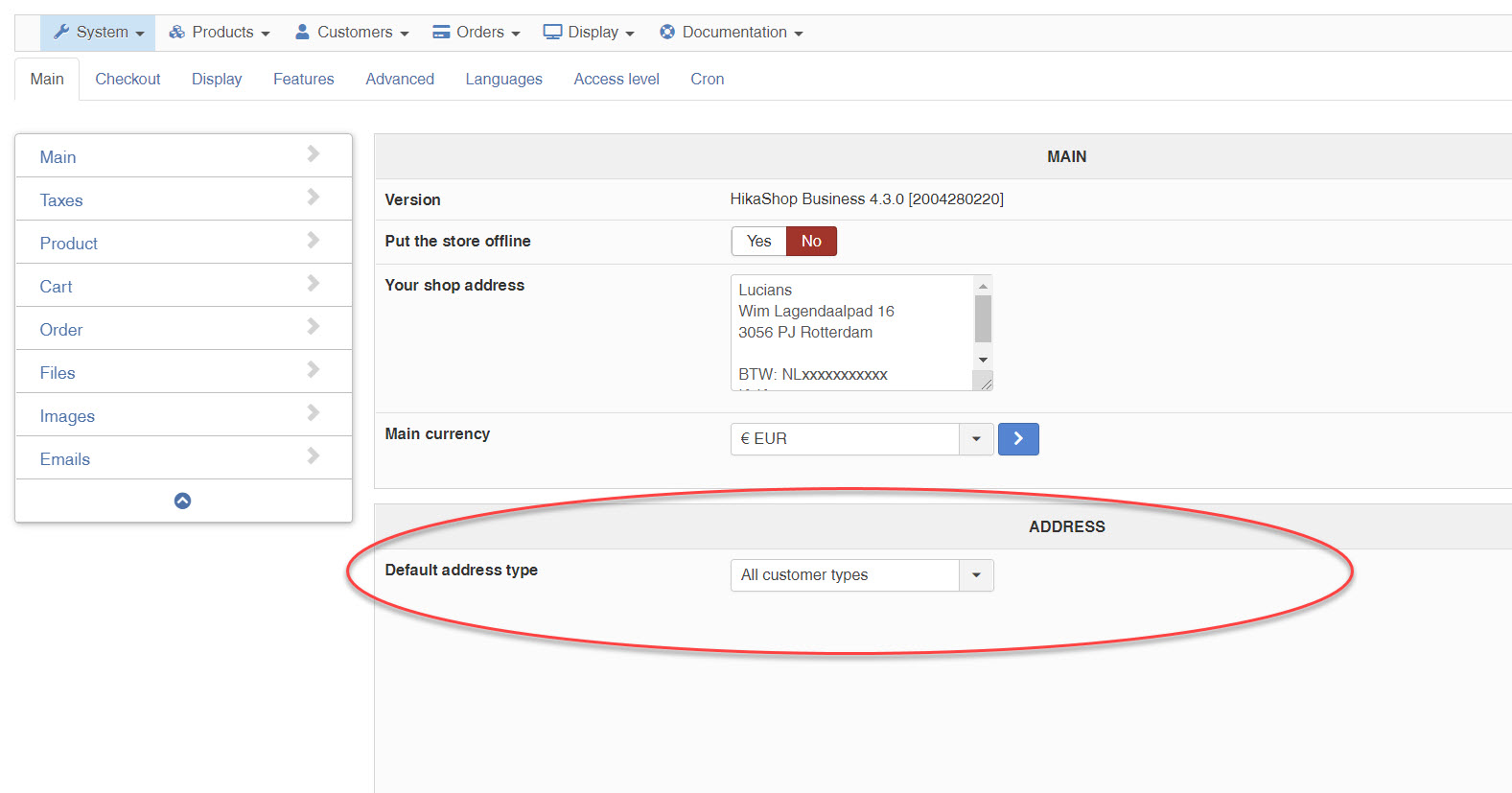
2 - I see an address configuration in the main configuration also not visible on one of the two sites.
Both have more than two languages and turned of the option "Activate the edition of content in multiple languages". Also no Falang installed.
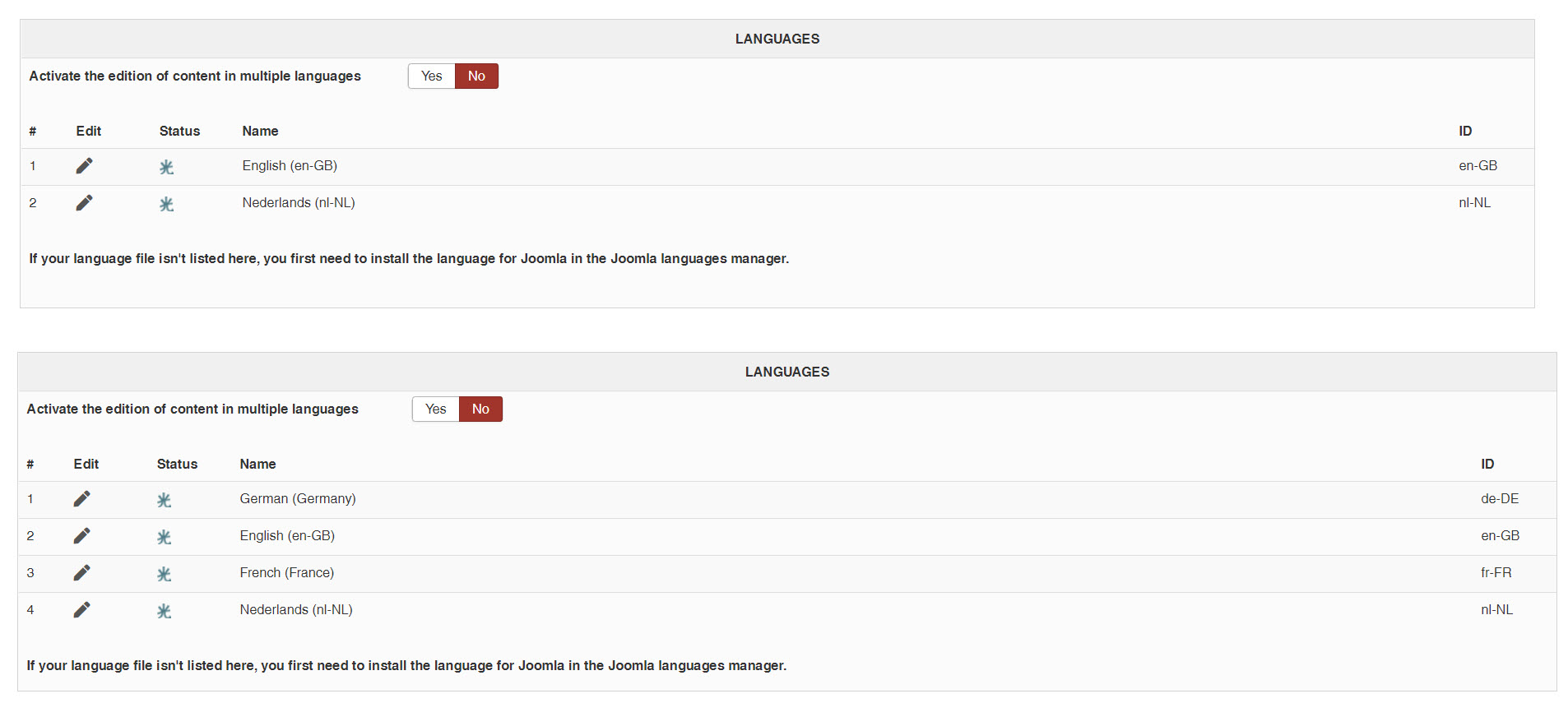
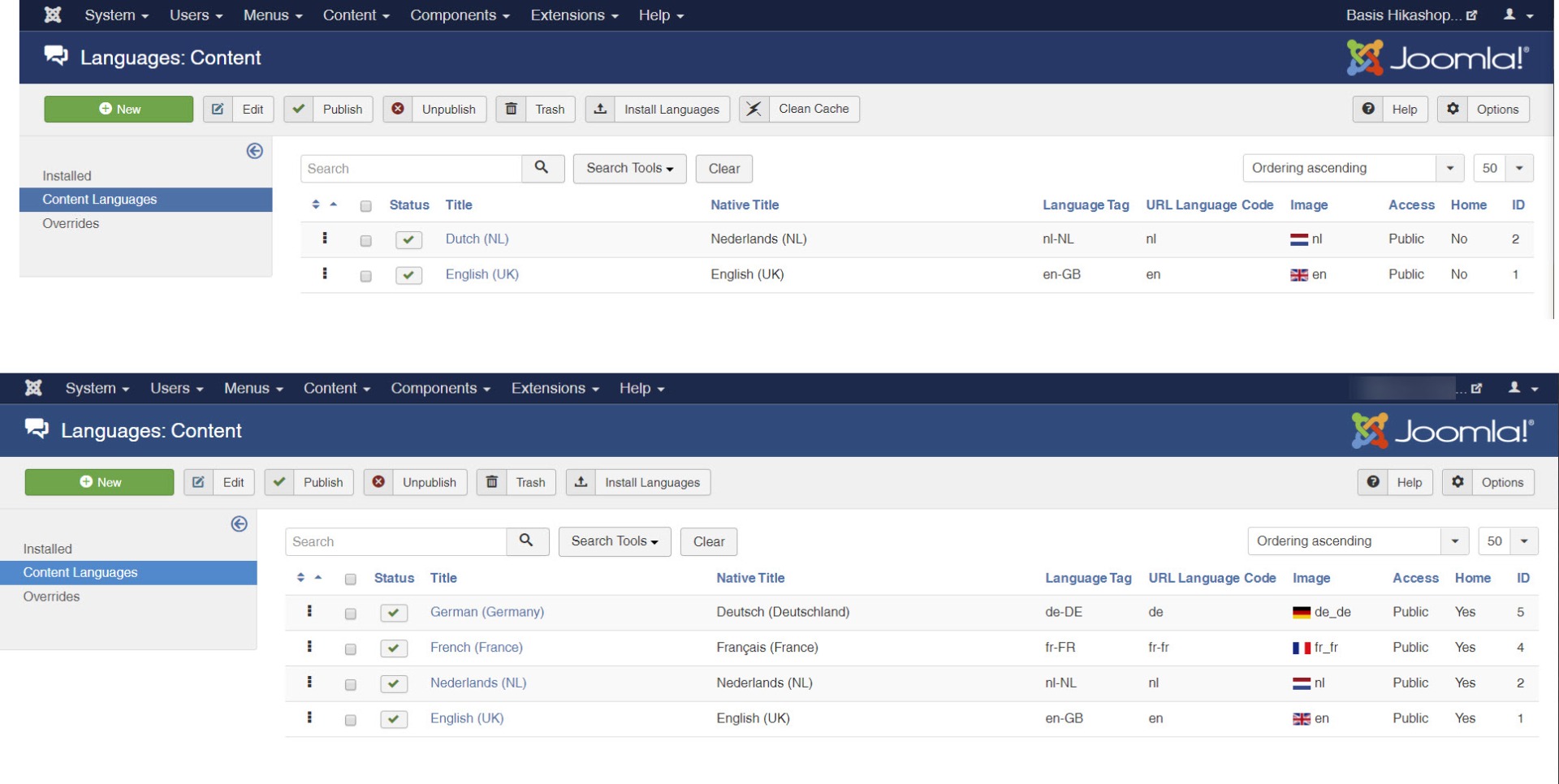
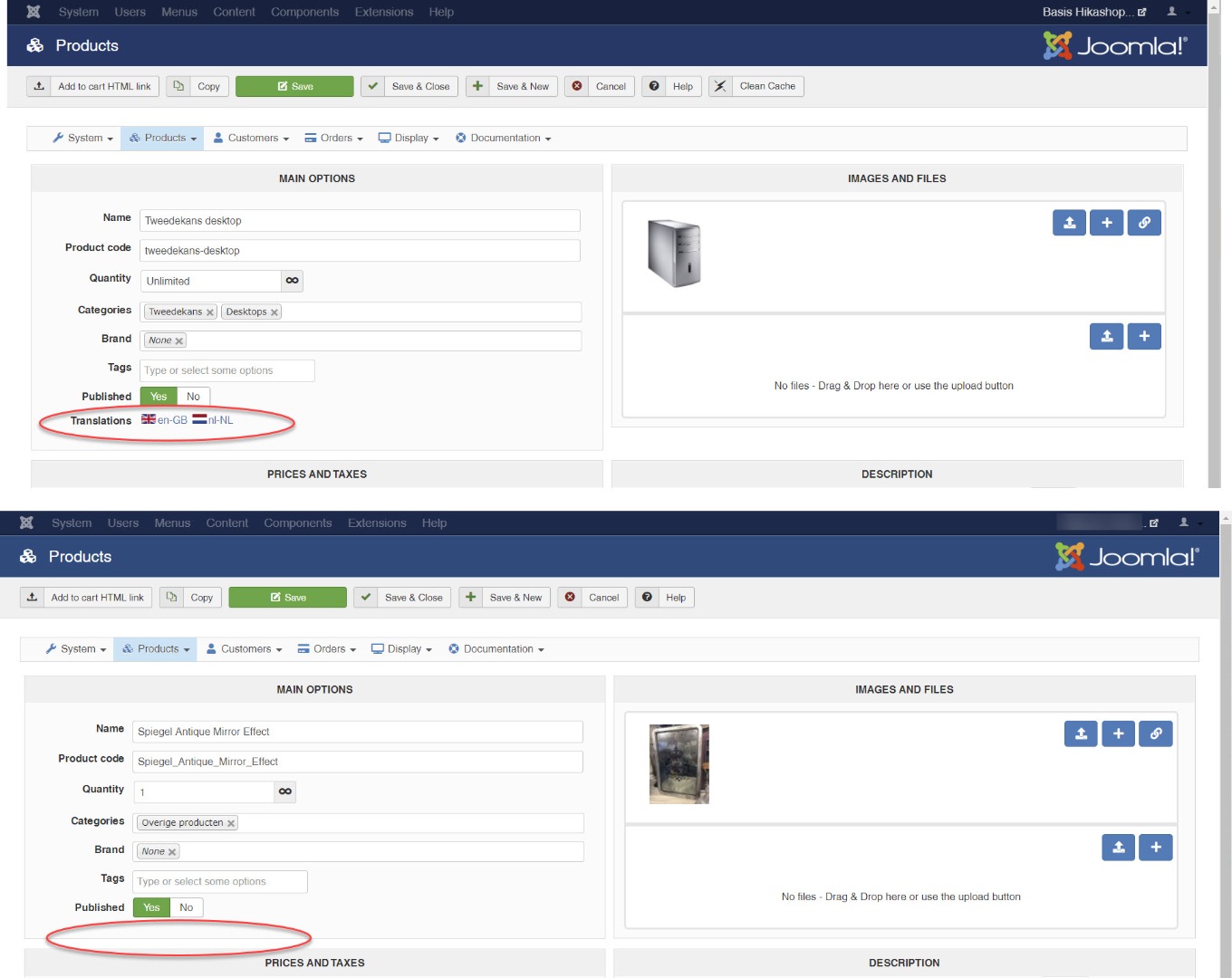
Hope you know why I don't see the languages buttons on one of the two sites.
Kind regards,
Lumiga
P.S.
Here you can see the ADDRESS option:
Hi,
I have two website with the 4.3.0 update but I see two differences.
1 - New feature 4.3.0 (multilingual translation) is not visible on one of the two sites.
2 - I see an address configuration in the main configuration also not visible on one of the two sites.
Both have more than two languages and turned of the option "Activate the edition of content in multiple languages". Also no Falang installed.
Hope you know why I don't see the languages buttons on one of the two sites.
Kind regards,
Lumiga
P.S.
Here you can see the ADDRESS option:
Kind regards,
Lumiga
Last edit: 6 years 5 months ago by Lumiga.
Please Log in or Create an account to join the conversation.

6 years 5 months ago #318240
by nicolas
Replied by nicolas on topic New feature 4.3.0 (multilingual translation) not visible
Hi,
1. You'll only see it if you activate the "Activate the edition of content in multiple languages" setting of your screenshot. If that's the case and you don't have the flags then I don't know. I'm not able to reproduce the issue and I would need a backend and a FTP access to check on the situation there.
2. That's a setting we removed years ago as it should normally always be "individual". We only display the setting when you had it set to something else so that you can change it. Normally, you want the default user type to be individual unless you're in a very specific situation: you only have companies as customers and you don't want to use the "address_company" field. And it's only used for the tax rules.
1. You'll only see it if you activate the "Activate the edition of content in multiple languages" setting of your screenshot. If that's the case and you don't have the flags then I don't know. I'm not able to reproduce the issue and I would need a backend and a FTP access to check on the situation there.
2. That's a setting we removed years ago as it should normally always be "individual". We only display the setting when you had it set to something else so that you can change it. Normally, you want the default user type to be individual unless you're in a very specific situation: you only have companies as customers and you don't want to use the "address_company" field. And it's only used for the tax rules.
Please Log in or Create an account to join the conversation.
6 years 5 months ago - 6 years 5 months ago #318386
by Lumiga
Kind regards,
Lumiga
Replied by Lumiga on topic New feature 4.3.0 (multilingual translation) not visible
Oké
1a. As you can see on the site with two languages, we don't have to turn on the setting "Activate the edition of content in multiple languages" to see the flags. So that's why I thought that the website with the four languages have an issue. Just to be sure we don't use Falang and want to use the new feature from 4.3.0 to get a multilingual shop without Falang. But I understand we have to turn it on and yes then we see the flags.
But when we do a test with a product the English text from the product won't show up. I will create a new ticket for this issue.
1b. An extra question: Can we now use the canonical URL for all the languages? Or do we need Falang to use the Canonical URL's for each language? It doesn't seem to work yet. But I just want to make sure it works with Falang before I buy Falang
2. I see when we turn it back to "individual" the setting is gone and we don't see it anymore. So that's good I think?
Thanks again.
1a. As you can see on the site with two languages, we don't have to turn on the setting "Activate the edition of content in multiple languages" to see the flags. So that's why I thought that the website with the four languages have an issue. Just to be sure we don't use Falang and want to use the new feature from 4.3.0 to get a multilingual shop without Falang. But I understand we have to turn it on and yes then we see the flags.
But when we do a test with a product the English text from the product won't show up. I will create a new ticket for this issue.
1b. An extra question: Can we now use the canonical URL for all the languages? Or do we need Falang to use the Canonical URL's for each language? It doesn't seem to work yet. But I just want to make sure it works with Falang before I buy Falang
2. I see when we turn it back to "individual" the setting is gone and we don't see it anymore. So that's good I think?
Thanks again.
Kind regards,
Lumiga
Last edit: 6 years 5 months ago by Lumiga.
Please Log in or Create an account to join the conversation.
6 years 5 months ago #318388
by nicolas
Replied by nicolas on topic New feature 4.3.0 (multilingual translation) not visible
Hi,
1.b It should work even without Falang with the 4.3.0
Note that it won't auto fill the canonical URLs, you'll have to fill them yourself. But it will take them into account if you fill them in.
2. Yes. That's how you want it in almost 100% of the cases, and that's why we now hide that setting.
1.b It should work even without Falang with the 4.3.0
Note that it won't auto fill the canonical URLs, you'll have to fill them yourself. But it will take them into account if you fill them in.
2. Yes. That's how you want it in almost 100% of the cases, and that's why we now hide that setting.
Please Log in or Create an account to join the conversation.
Time to create page: 0.195 seconds