
- Posts: 45
- Thank you received: 0
Filter Not Working Issue
- weechengkhor
-
 Topic Author
- Offline
Less
More
6 years 4 months ago #320052
by weechengkhor
Filter Not Working Issue was created by weechengkhor
-- url of the page with the problem -- :
myvsj.com/all-product/rings
-- HikaShop version -- : 4.2.0
-- Joomla version -- : 3.9.1.8
Dear Support,
Can help to check why the filter suddenly not working?
Previously the filter working as well. Now i select category don't have any filter
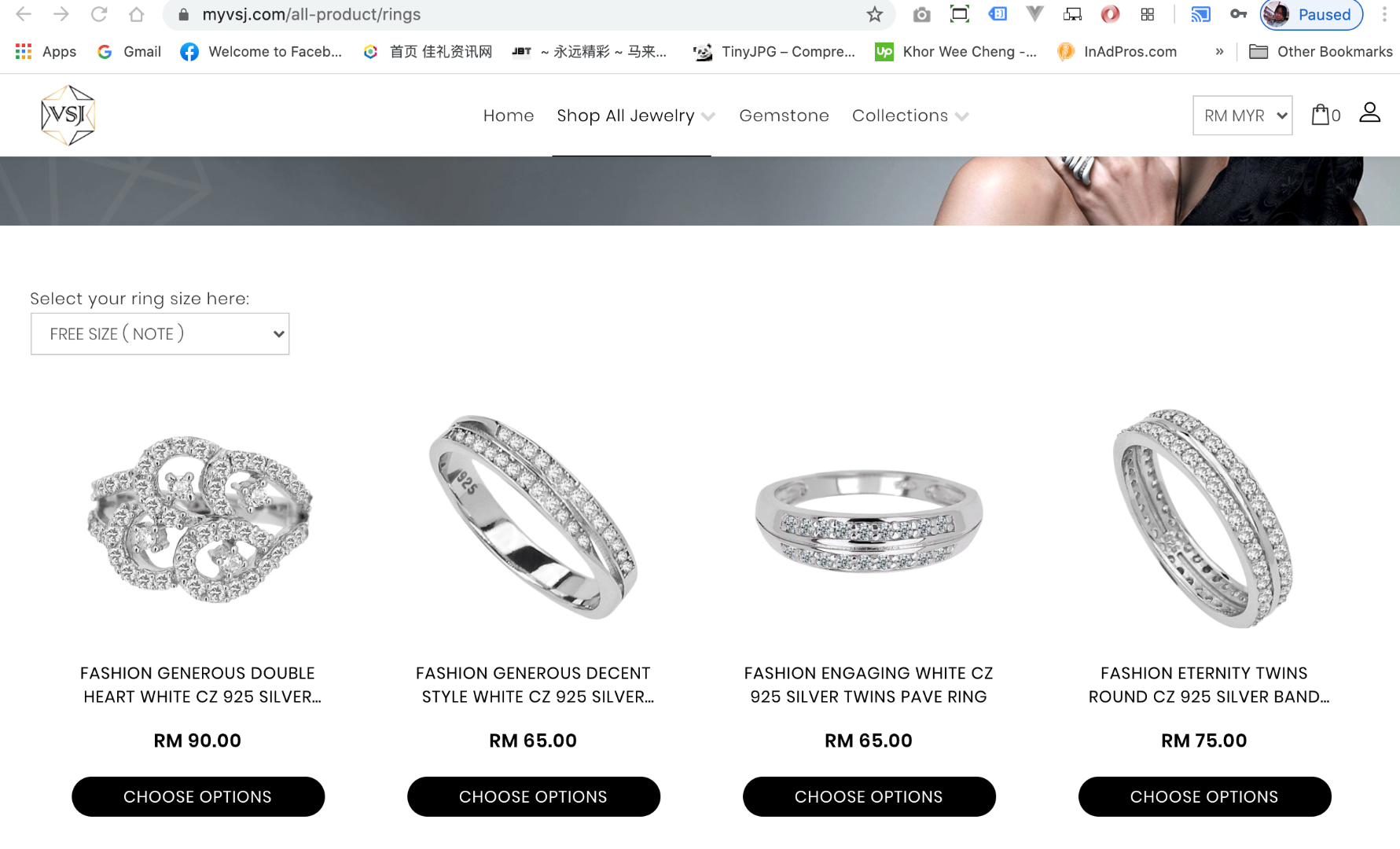
-- HikaShop version -- : 4.2.0
-- Joomla version -- : 3.9.1.8
Dear Support,
Can help to check why the filter suddenly not working?
Previously the filter working as well. Now i select category don't have any filter
Please Log in or Create an account to join the conversation.

6 years 4 months ago #320060
by nicolas
Replied by nicolas on topic Filter Not Working Issue
Hi,
As you're using the 4.2.0, you have the first version of HikaShop we released with the new AJAX system for filters.
So there are two things first:
1. I don't see the AJAX system extra HTML attributes on your website when I check the HTML. So it's probable that you have some view overrides in your template which could lead to this. Without these HTML attributes the AJAX refresh of the listing won't work properly.
2. We've fixed a lot of bugs on the filter system since the 4.2.0 so updating might be a good idea.
3. However, from what I can see, the main issue here is that you have turned off the "auto submit on click" setting of your filter and you don't display the "filter" button either, so once the dropdown is changed, there is no way for the user to act upon the change to see the new listing. So the first thing I would recommend is to check that setting of your filter.
As you're using the 4.2.0, you have the first version of HikaShop we released with the new AJAX system for filters.
So there are two things first:
1. I don't see the AJAX system extra HTML attributes on your website when I check the HTML. So it's probable that you have some view overrides in your template which could lead to this. Without these HTML attributes the AJAX refresh of the listing won't work properly.
2. We've fixed a lot of bugs on the filter system since the 4.2.0 so updating might be a good idea.
3. However, from what I can see, the main issue here is that you have turned off the "auto submit on click" setting of your filter and you don't display the "filter" button either, so once the dropdown is changed, there is no way for the user to act upon the change to see the new listing. So the first thing I would recommend is to check that setting of your filter.
Please Log in or Create an account to join the conversation.
- weechengkhor
-
Topic Author
- Offline
Less
More
- Posts: 45
- Thank you received: 0
6 years 4 months ago #320176
by weechengkhor
Replied by weechengkhor on topic Filter Not Working Issue
okay, thank you very much.
Please Log in or Create an account to join the conversation.
Time to create page: 0.182 seconds