

- Posts: 34
- Thank you received: 2
Article product tag
6 years 3 days ago #324396
by MH1981
Article product tag was created by MH1981
-- HikaShop version -- : 4.3.0
-- Joomla version -- : 3.9
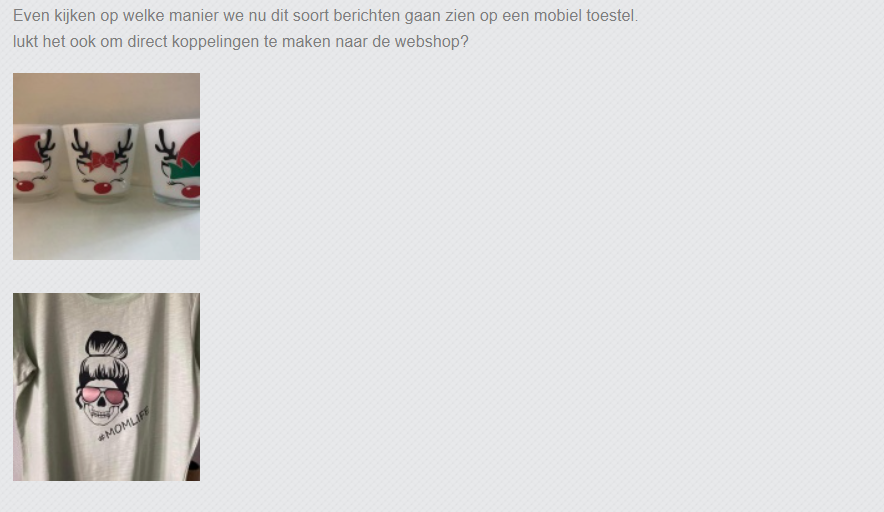
Maybe something has been asked about it before, but how do I get these two images next to each other in a line instead of below each other?

-- Joomla version -- : 3.9
Maybe something has been asked about it before, but how do I get these two images next to each other in a line instead of below each other?
Please Log in or Create an account to join the conversation.

6 years 2 days ago - 6 years 2 days ago #324422
by Philip
Replied by Philip on topic Article product tag
Hello,
You can use some css to do this, I remember that I have explain you already how to add custom css command.
Here the point is to use the display command, with inline or inline-block as value, this kind of command will do the trick :
Hope this will help you to get what you need.
Regards
You can use some css to do this, I remember that I have explain you already how to add custom css command.
Here the point is to use the display command, with inline or inline-block as value, this kind of command will do the trick :
Code:
.first_img_html_class,
.second_img_html_class {
display: inline-block;
}
Hope this will help you to get what you need.
Regards
Last edit: 6 years 2 days ago by Philip.
Please Log in or Create an account to join the conversation.
6 years 2 days ago #324431
by MH1981
Replied by MH1981 on topic Article product tag
Dear Philippe,
thanks for your patience, but in which CSS file should I put these lines?
Until now nothing has changed in my front page.
thanks for your patience, but in which CSS file should I put these lines?
Until now nothing has changed in my front page.
This message contains confidential information
Please Log in or Create an account to join the conversation.
6 years 1 day ago #324438
by Philip
Replied by Philip on topic Article product tag
Hello,
several thing from your post :
1. The HikaShop Team never provide custom code only for repair his own error.
Here, that was a pseudo-code, a scheme, you have to use your inspect tool
2. In another thread I show you a tutorial, that show you in details.
www.hikashop.com/forum/4-how-to/900887-c...ol-panel.html#324411
3. Your provided references doesn't allow us to access to your back end.
Regards
several thing from your post :
1. The HikaShop Team never provide custom code only for repair his own error.
Here, that was a pseudo-code, a scheme, you have to use your inspect tool
2. In another thread I show you a tutorial, that show you in details.
www.hikashop.com/forum/4-how-to/900887-c...ol-panel.html#324411
3. Your provided references doesn't allow us to access to your back end.
Regards
Please Log in or Create an account to join the conversation.
Time to create page: 0.234 seconds