

- Posts: 637
- Thank you received: 26
Plugin Order/Card Reminder doesn't work
2 years 11 months ago - 2 years 11 months ago #356209
by Lumiga
Kind regards,
Lumiga
Plugin Order/Card Reminder doesn't work was created by Lumiga
-- HikaShop version -- : 5.0.0.
-- Joomla version -- : 4.4.0
-- PHP version -- : 8.1
Hi Supportteam,
The plugin Hikashop - Reminder (version 1.3.2) doesn't work.
The system works perfect but after update to 5.0.0. and 1.3.2 for the plugin the e-mails from the plugin doesn't work anymore.
So the system is sending e-mail but when we create an order and cancelled it to test and wait for 1 day we still don't get an e-mail with a reminder.
As you can see in the screenshot the field form last update is empty.
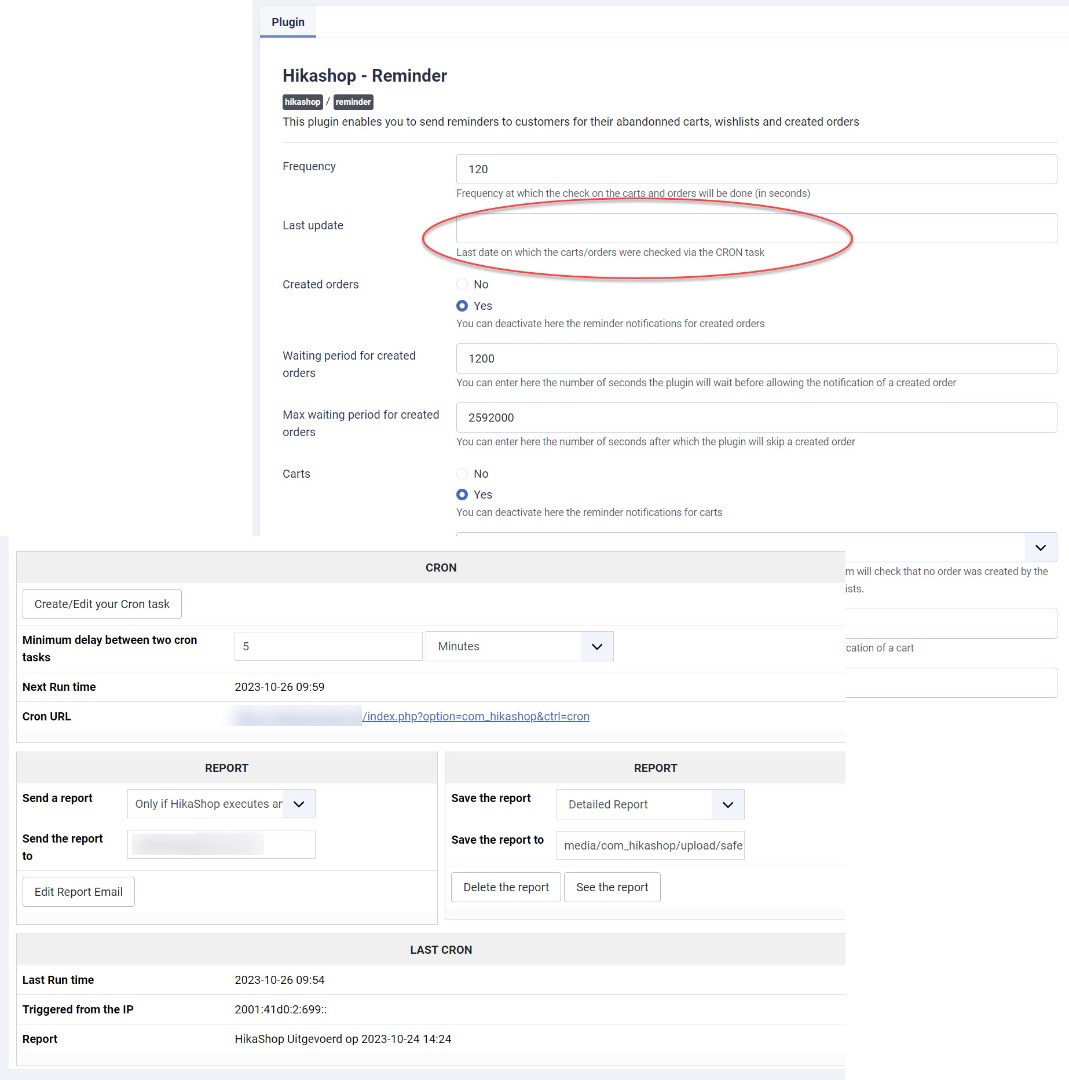
How can we fix this?
Kind regards,
Lumiga
-- Joomla version -- : 4.4.0
-- PHP version -- : 8.1
Hi Supportteam,
The plugin Hikashop - Reminder (version 1.3.2) doesn't work.
The system works perfect but after update to 5.0.0. and 1.3.2 for the plugin the e-mails from the plugin doesn't work anymore.
So the system is sending e-mail but when we create an order and cancelled it to test and wait for 1 day we still don't get an e-mail with a reminder.
As you can see in the screenshot the field form last update is empty.
How can we fix this?
Kind regards,
Lumiga
Kind regards,
Lumiga
Last edit: 2 years 11 months ago by Lumiga.
Please Log in or Create an account to join the conversation.

2 years 11 months ago #356210
by nicolas
Replied by nicolas on topic Plugin Order/Card Reminder doesn't work
Hi,
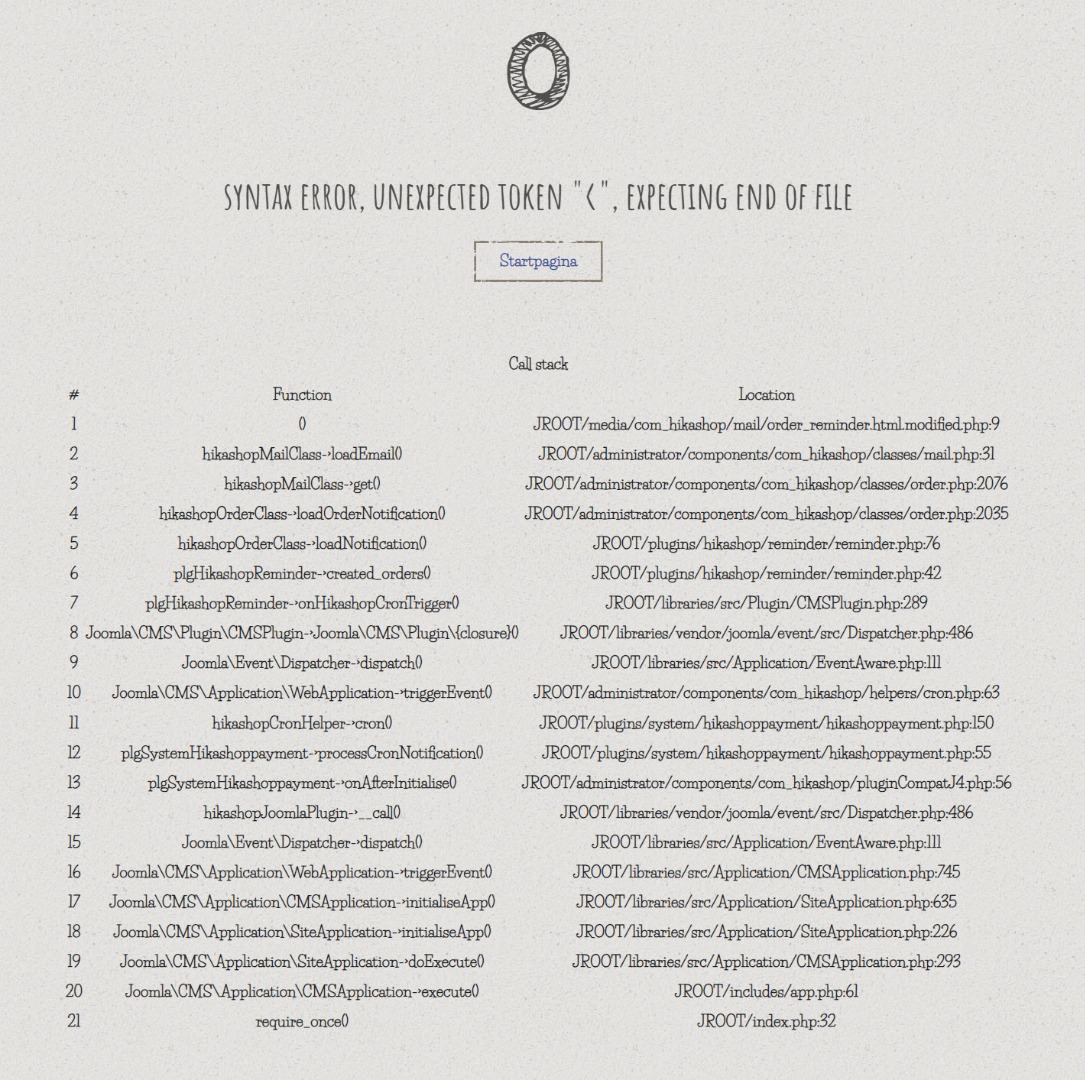
I looked at the report of the cron task on our end for your website and I can see an error "syntax error, unexpected token "<", expecting end of file".
If you open the cron URL on your end, you should see it.
However, it's not the full error message because the "debug" setting of the Joomla configuration is turned off. So I can't say exactly what to do. It could come from anything.
What you should do is this:
- reduce temporarily the frequency of the cron to 1 second
- turn on the debug setting of your Joomla configuration
- open the cron URL with your browser
You should then get the full error message. Please provide a screenshot of the whole thing and we should be able to tell you what to do.
I looked at the report of the cron task on our end for your website and I can see an error "syntax error, unexpected token "<", expecting end of file".
If you open the cron URL on your end, you should see it.
However, it's not the full error message because the "debug" setting of the Joomla configuration is turned off. So I can't say exactly what to do. It could come from anything.
What you should do is this:
- reduce temporarily the frequency of the cron to 1 second
- turn on the debug setting of your Joomla configuration
- open the cron URL with your browser
You should then get the full error message. Please provide a screenshot of the whole thing and we should be able to tell you what to do.
Please Log in or Create an account to join the conversation.
2 years 11 months ago #356216
by Lumiga
Kind regards,
Lumiga
Replied by Lumiga on topic Plugin Order/Card Reminder doesn't work
Oké thanks,
Here a screenshot from the error:
Here a screenshot from the error:
Kind regards,
Lumiga
Please Log in or Create an account to join the conversation.
2 years 11 months ago #356217
by nicolas
Replied by nicolas on topic Plugin Order/Card Reminder doesn't work
Hi,
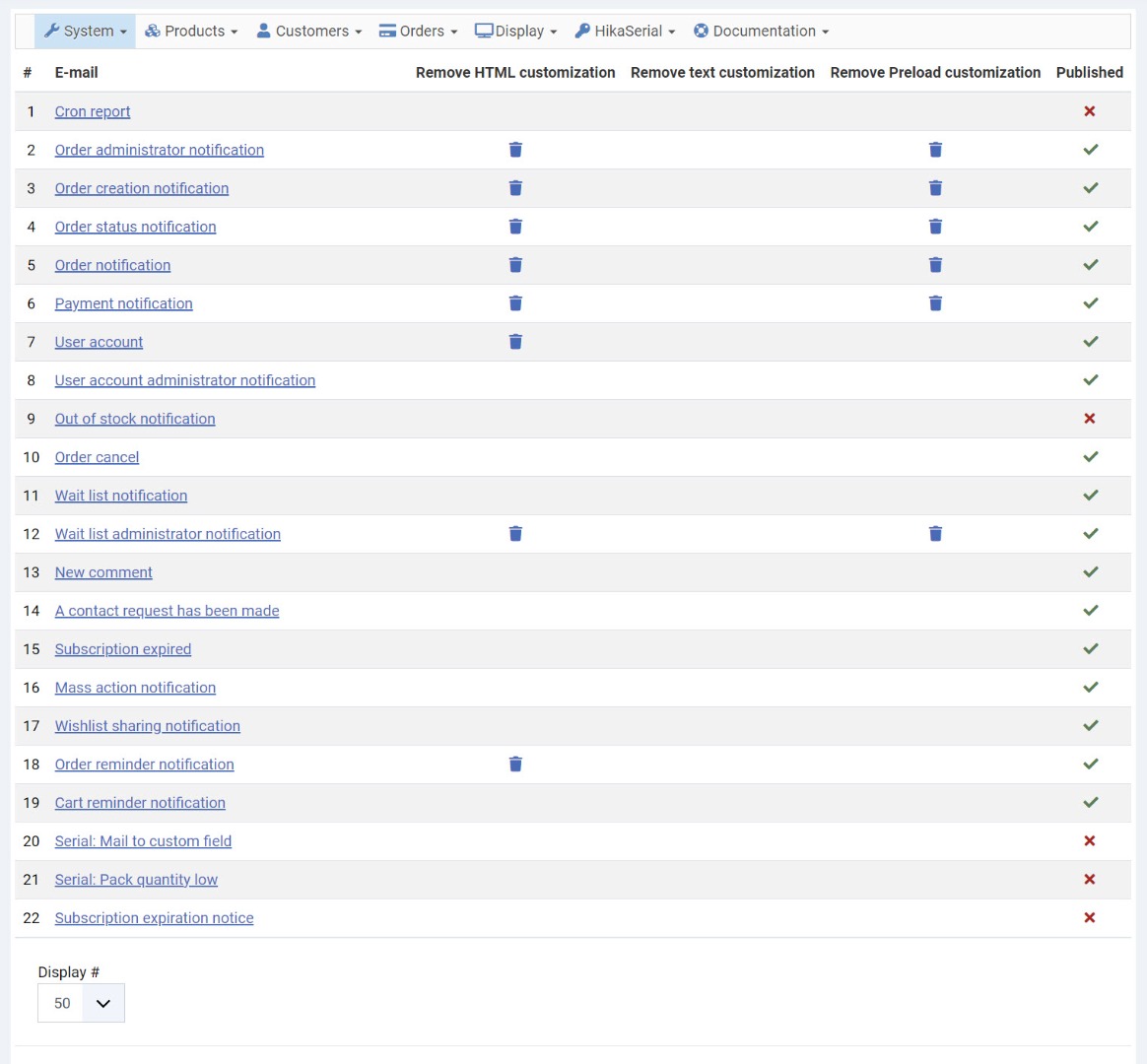
The error message indicates that you've customized the HTML section of the order reminder email via the menu System>Emails and made a mistake in there.
So I don't think the issue is linked to the update.
You should check what you have in your override and maybe redo the modifications in there.
The error message indicates that you've customized the HTML section of the order reminder email via the menu System>Emails and made a mistake in there.
So I don't think the issue is linked to the update.
You should check what you have in your override and maybe redo the modifications in there.
The following user(s) said Thank You: Lumiga
Please Log in or Create an account to join the conversation.
Time to create page: 0.203 seconds