

- Posts: 59
- Thank you received: 6
Problem when entering an override in the language section
2 years 1 week ago #363563
by Noe
Problem when entering an override in the language section was created by Noe
-- HikaShop version -- : 5.1.1
-- Joomla version -- : 5.1.4
-- PHP version -- : 8.2
-- Browser(s) name and version -- : firefox
Hi,
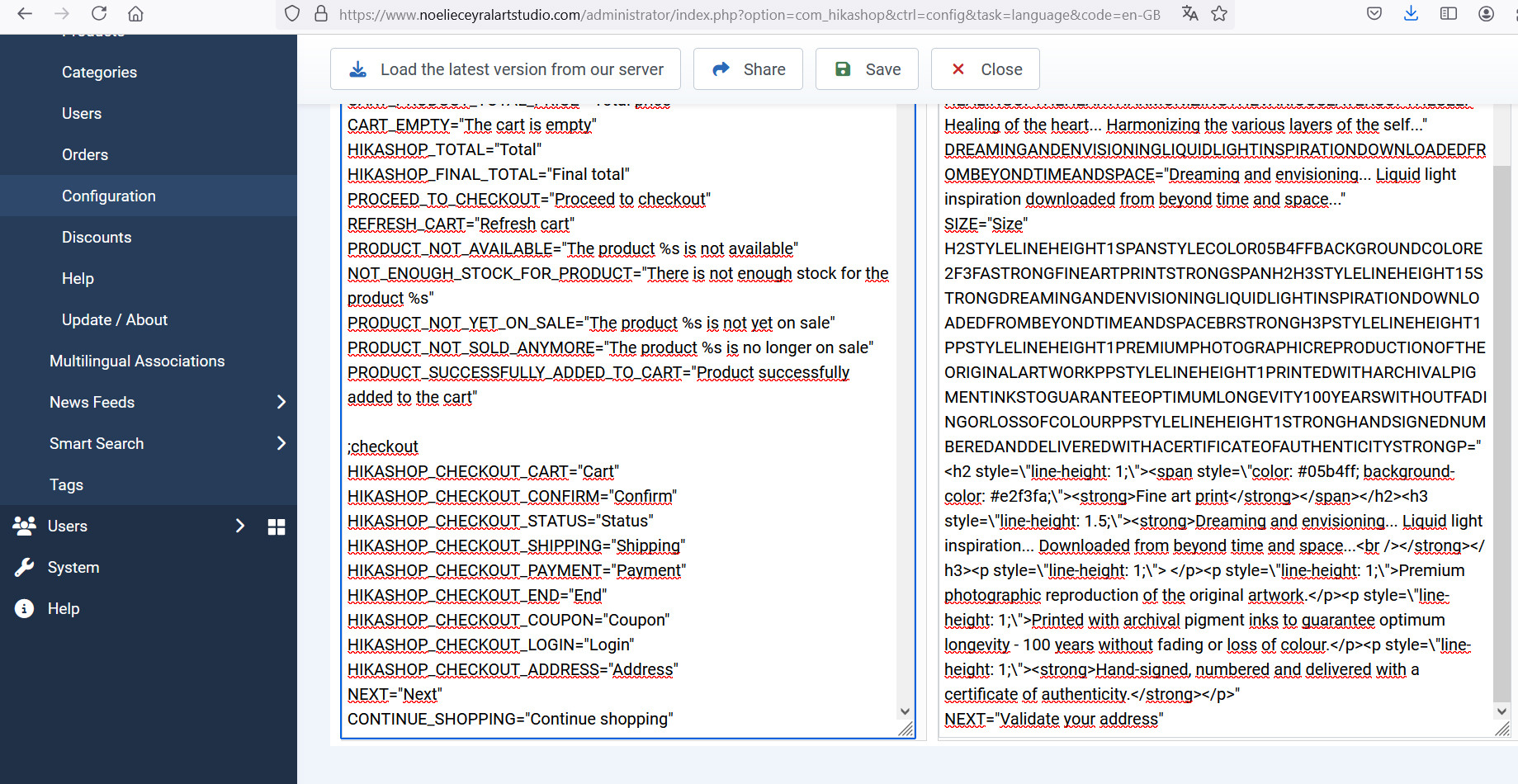
I’m trying to make changes to the language file in configuration/ languages, but it’s not working. Am I doing something wrong or missing something? I’ve copied the line I wanted to change NEXT="Next" and entered what I wanted to say instead NEXT="Validate your address" in the override section on the right and saved it, but when I go onto the cart page no changes have been made. "Next" still appears instead of "Validate your address". See attached image.
-- Joomla version -- : 5.1.4
-- PHP version -- : 8.2
-- Browser(s) name and version -- : firefox
Hi,
I’m trying to make changes to the language file in configuration/ languages, but it’s not working. Am I doing something wrong or missing something? I’ve copied the line I wanted to change NEXT="Next" and entered what I wanted to say instead NEXT="Validate your address" in the override section on the right and saved it, but when I go onto the cart page no changes have been made. "Next" still appears instead of "Validate your address". See attached image.
Please Log in or Create an account to join the conversation.

2 years 1 week ago #363567
by nicolas
Replied by nicolas on topic Problem when entering an override in the language section
Hi,
This probably means that there is something invalid in the override language file before that line.
Turn on the "debug language" setting of the Joomla configuration and look at the debug information at the bottom of the pages. You should see information about which line of which language file is problematic. Then, you can check there and fix it.
This probably means that there is something invalid in the override language file before that line.
Turn on the "debug language" setting of the Joomla configuration and look at the debug information at the bottom of the pages. You should see information about which line of which language file is problematic. Then, you can check there and fix it.
Please Log in or Create an account to join the conversation.
Time to create page: 0.182 seconds