

- Posts: 17
- Thank you received: 0
HikaShop thumbnail images not loading.
14 years 10 months ago #30066
by kfwebtech
HikaShop thumbnail images not loading. was created by kfwebtech
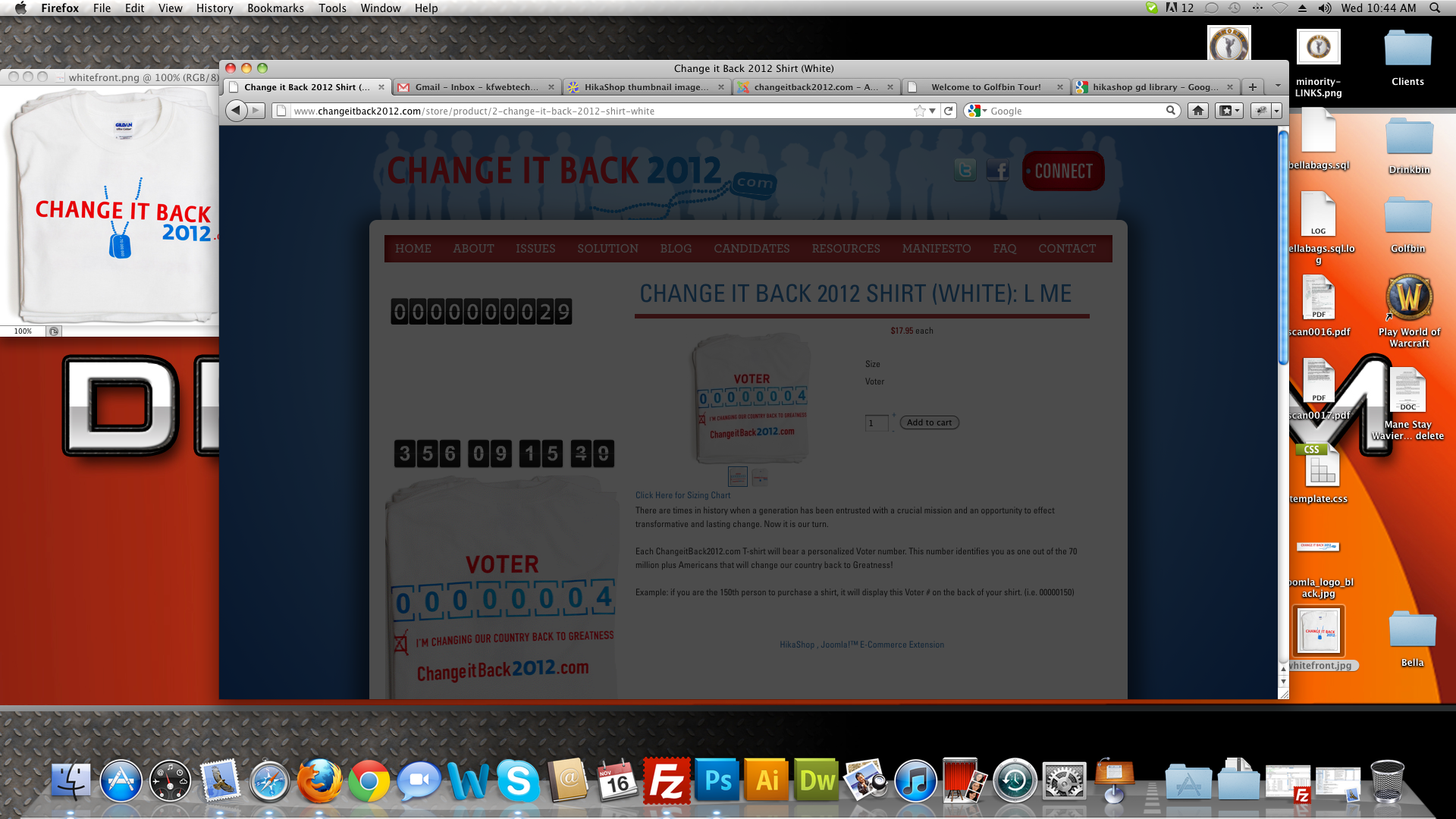
When you click on a products thumbnail image and it is suppose to bring it up and it sits there with a dark grey screen like a light box. Can someone please help and let me know why my images are not loading for each product.
Please Log in or Create an account to join the conversation.

14 years 10 months ago #30081
by nicolas
Replied by nicolas on topic Re: HikaShop thumbnail images not loading.
Hi,
It might come:
From your version of the GD library. Please make sure that you're running GD2 on your server.
From the image format you're using. You could try different image formats (gif png jpg).
The watermark image if you set one in the Files tab of the configuration. In that case, try to disable the watermark.
Also, once the thumbnails are generated they won't be regenerated unless you delete them in the thumbnail_**x** folders of the folder media/com_hikashop/uplload
It might come:
From your version of the GD library. Please make sure that you're running GD2 on your server.
From the image format you're using. You could try different image formats (gif png jpg).
The watermark image if you set one in the Files tab of the configuration. In that case, try to disable the watermark.
Also, once the thumbnails are generated they won't be regenerated unless you delete them in the thumbnail_**x** folders of the folder media/com_hikashop/uplload
Please Log in or Create an account to join the conversation.
14 years 10 months ago #30140
by kfwebtech
Replied by kfwebtech on topic Re: HikaShop thumbnail images not loading.
What is GD Library and how do I find out what version I have installed?
Please Log in or Create an account to join the conversation.
14 years 10 months ago #30141
by kfwebtech
Replied by kfwebtech on topic Re: HikaShop thumbnail images not loading.
This is what it looks like when you click to see the image.
Please Log in or Create an account to join the conversation.
14 years 10 months ago #30142
by kfwebtech
Replied by kfwebtech on topic Re: HikaShop thumbnail images not loading.
I also tried different formats and still the same problem.
Please Log in or Create an account to join the conversation.
14 years 10 months ago #30189
by kfwebtech
Replied by kfwebtech on topic Re: HikaShop thumbnail images not loading.
Here is the live link.
changeitback2012.com/store/product/2-cha...ack-2012-shirt-white
Please Log in or Create an account to join the conversation.
14 years 10 months ago #30223
by nicolas
Replied by nicolas on topic Re: HikaShop thumbnail images not loading.
Ahh ok. It's actually not a problem with image thumbnails but a problem of popup display.
I can see javascript errors on your pages because your template uses the jquery javascript library while HikaShop uses the mootools javascript library which is included in joomla by default.
And the modal popups of joomla breaks because of an incompatibility between both:
www.hikashop.com/en/support/documentatio...ty-issues.html#modal
I can see javascript errors on your pages because your template uses the jquery javascript library while HikaShop uses the mootools javascript library which is included in joomla by default.
And the modal popups of joomla breaks because of an incompatibility between both:
www.hikashop.com/en/support/documentatio...ty-issues.html#modal
Please Log in or Create an account to join the conversation.
14 years 10 months ago #30301
by kfwebtech
Replied by kfwebtech on topic Re: HikaShop thumbnail images not loading.
What do I do to fix?
Please Log in or Create an account to join the conversation.
14 years 10 months ago #30342
by nicolas
Replied by nicolas on topic Re: HikaShop thumbnail images not loading.
You should ask your template provider for an advice as I don't know how to change your template js to not have the problem.
Of course, changing your template to a template which doesn't use jquery would also be a solution...
Of course, changing your template to a template which doesn't use jquery would also be a solution...
Please Log in or Create an account to join the conversation.
Time to create page: 0.208 seconds