
Category Image on Product list page

14 years 3 months ago #52797
by coentrast
Category Image on Product list page was created by coentrast
Hello,
I'm busy finishing a website with hikashop implemented and I have a small question.
On the product listing-page there is a category image http://kinetickleding.com:8888/index.php/onze-collectie-blouses.html
I don't want the cat-img there and I'm checking all the listing.php files but I can't figure out what line I have to delete.
I'm very close and maybe somebody knows which line I have to delete in a file.
Thanks in advance for the help!
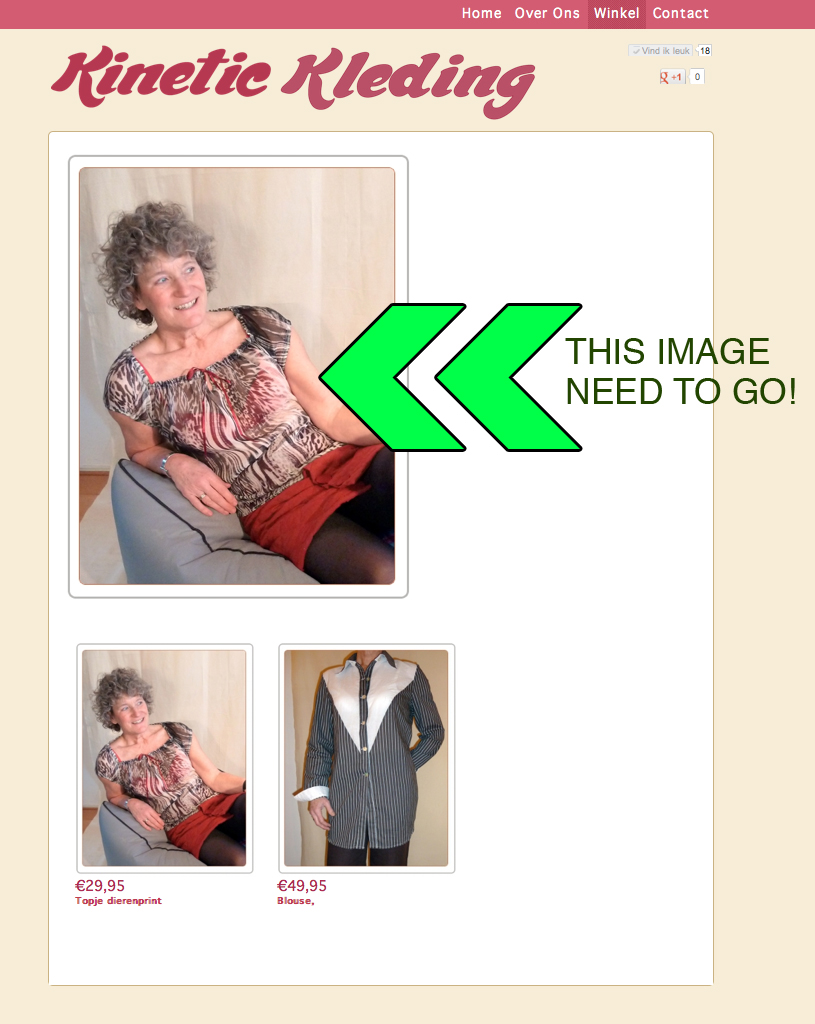
Coen
I'm busy finishing a website with hikashop implemented and I have a small question.
On the product listing-page there is a category image http://kinetickleding.com:8888/index.php/onze-collectie-blouses.html
I don't want the cat-img there and I'm checking all the listing.php files but I can't figure out what line I have to delete.
I'm very close and maybe somebody knows which line I have to delete in a file.
Thanks in advance for the help!
Coen
Please Log in or Create an account to join the conversation.

14 years 3 months ago #52814
by Xavier
Replied by Xavier on topic Re: Category Image on Product list page
Hi,
The link given doesn't work. Could you give it again please.
Do you try to remove it using css ?
Just find the class with firebug and do a "display: none;" on this class.
You can find doc here:
www.hikashop.com/en/support/documentation/faq.html#css
The link given doesn't work. Could you give it again please.
Do you try to remove it using css ?
Just find the class with firebug and do a "display: none;" on this class.
You can find doc here:
www.hikashop.com/en/support/documentation/faq.html#css
Please Log in or Create an account to join the conversation.
14 years 3 months ago #52820
by coentrast
Replied by coentrast on topic Re: Category Image on Product list page
yep, that is the easiest solution... Sometimes I don't know where my head is!
like posting a link from my local install in this post ....anyway Thanks a lot for the eye opener.
Sometimes I don't know where my head is!like posting a link from my local install in this post
....anyway Thanks a lot for the eye opener. Please Log in or Create an account to join the conversation.
14 years 3 months ago #52821
by coentrast
Replied by coentrast on topic Re: Category Image on Product list page
ps. do you know how to get a title up where I deleted the image? That is much better then showing the image multiple times.
kinetickleding.nl/index.php/winkel/category/17-blouses
Thanks,
Coen
kinetickleding.nl/index.php/winkel/category/17-blouses
Thanks,
Coen
Please Log in or Create an account to join the conversation.

14 years 3 months ago #52884
by nicolas
Replied by nicolas on topic Re: Category Image on Product list page
Edit your menu item via the joomla menu manager and turn on the component heading display option.
Please Log in or Create an account to join the conversation.
Time to create page: 0.178 seconds