

- Posts: 25
- Thank you received: 0
Weird view on the search page
14 years 1 month ago #62148
by hamidre13
Weird view on the search page was created by hamidre13
Hello
When I search products by their code usually it works perfect, but sometimes it messed up the page
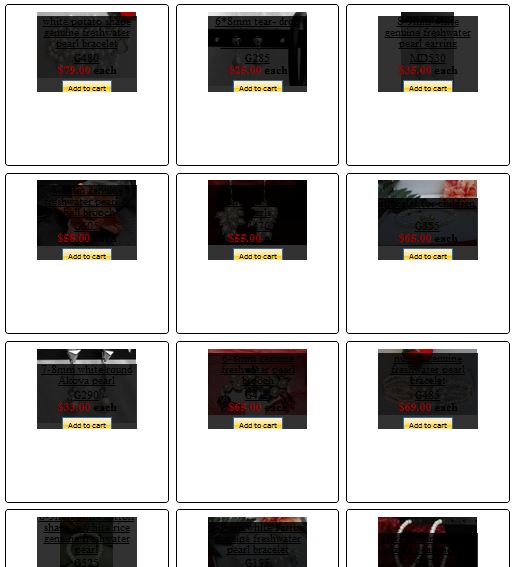
This is my website address: www.pearlsbyaj.com
What is the problem?
When I search products by their code usually it works perfect, but sometimes it messed up the page
This is my website address: www.pearlsbyaj.com
What is the problem?
Please Log in or Create an account to join the conversation.

14 years 1 month ago #62187
by Eliot
Replied by Eliot on topic Re: Weird view on the search page
How do you get this result? By searching something with the text field?
Are you using this layout somewhere in your website?
Are you using this layout somewhere in your website?
The following user(s) said Thank You: Mohamed Thelji, hamidre13
Please Log in or Create an account to join the conversation.
14 years 1 month ago #62246
by hamidre13
Replied by hamidre13 on topic Re: Weird view on the search page
Since I use the filter to search by product code it usually works well and it just show me one product but when i use it two or three times after that things get weird!!About the layout I am using this layout for all of my website also I don't think this problem would be relevant to the layout, because at the first two or three time it shows the search results perfectly in the layout!
Please Log in or Create an account to join the conversation.
14 years 1 month ago #62313
by Eliot
Replied by Eliot on topic Re: Weird view on the search page
I can't reproduce the bug. I'm typing codes (g470, md540...) in the search field (Search product by code) and it always display the good result with a nice layout.
Could you give me more details about how you get this bug?
Could you give me more details about how you get this bug?
The following user(s) said Thank You: hamidre13
Please Log in or Create an account to join the conversation.
14 years 1 month ago - 14 years 1 month ago #62420
by hamidre13
Replied by hamidre13 on topic Re: Weird view on the search page
Well,That's my problem it works well often but sometimes it doesn't!
Try searching g290 Because I searched it, and I got this weird result!
This is usually happens after two or three search queries!
That's all I know!
Try searching g290 Because I searched it, and I got this weird result!
This is usually happens after two or three search queries!
That's all I know!
Last edit: 14 years 1 month ago by hamidre13.
Please Log in or Create an account to join the conversation.
14 years 1 month ago #62528
by Eliot
Replied by Eliot on topic Re: Weird view on the search page
I definitely cannot reproduce the problem. First thing is that I don't see this layout anywhere on your website (img_pane with the black transparent panel) and when I'm searching I always got the right result with the right display, even with g290.
Try to find a way where you can make this problem happens all the time.
Also the problem may come from your browser. Try with another computer/browser.
Try to find a way where you can make this problem happens all the time.
Also the problem may come from your browser. Try with another computer/browser.
Please Log in or Create an account to join the conversation.
14 years 4 weeks ago #63092
by hamidre13
Replied by hamidre13 on topic Weird view on the search page
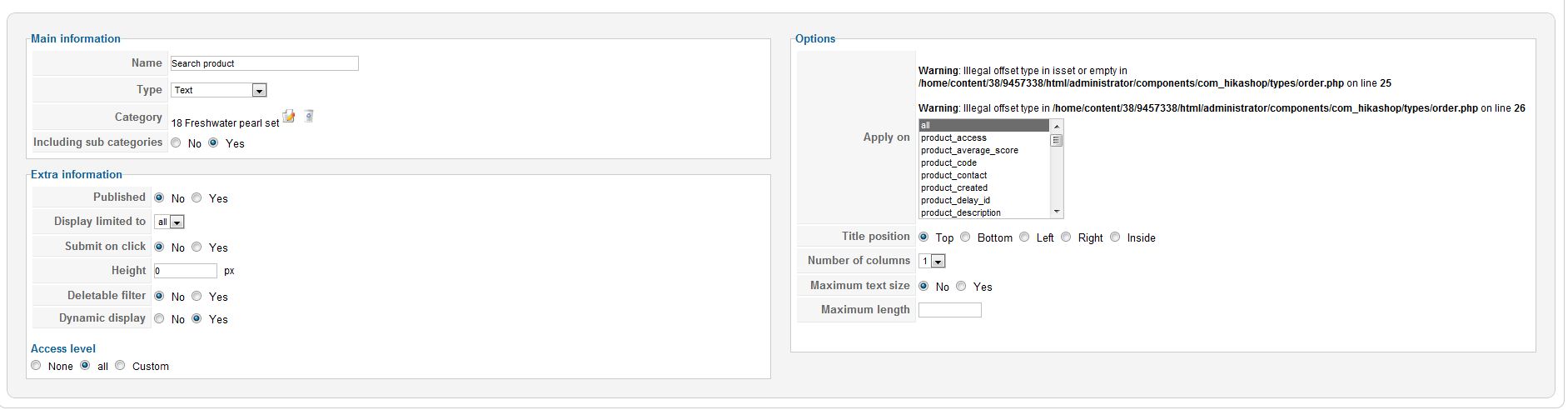
I tried other computers,other tablets and I still got this view just go to home page and search something.You can see the result.Besides since I upgraded to Hikashop 1.6 I've got the following error on the filter setting.
Warning: Illegal offset type in isset or empty in /home/content/38/9457338/html/administrator/components/com_hikashop/types/order.php on line 25
Warning: Illegal offset type in /home/content/38/9457338/html/administrator/components/com_hikashop/types/order.php on line 26
Now every search results will go to this weird page!
Warning: Illegal offset type in isset or empty in /home/content/38/9457338/html/administrator/components/com_hikashop/types/order.php on line 25
Warning: Illegal offset type in /home/content/38/9457338/html/administrator/components/com_hikashop/types/order.php on line 26
Now every search results will go to this weird page!
Please Log in or Create an account to join the conversation.

14 years 3 weeks ago #63335
by nicolas
Replied by nicolas on topic Re: Weird view on the search page
I was able to reproduce the problem on your website.
Go in the menu Display of the configuration and change the "item box layout" option to "image and title".
That should help displaying properly the listing results.
Also, please download again the 1.6.0 version from our website and update it on your and it will fix the warnings and should also help improve the images size on listings.
Go in the menu Display of the configuration and change the "item box layout" option to "image and title".
That should help displaying properly the listing results.
Also, please download again the 1.6.0 version from our website and update it on your and it will fix the warnings and should also help improve the images size on listings.
The following user(s) said Thank You: hamidre13
Please Log in or Create an account to join the conversation.
14 years 3 weeks ago - 14 years 3 weeks ago #63337
by hamidre13
Replied by hamidre13 on topic Re: Weird view on the search page
Hi Nicolas
Thanks for reply.I changed that and now it shows the results properly, but still it does not show the right result!I download the latest version again but I still have that error!
The module that I put at the left side is associated with"hikashop_filter_form_module_123", however I don't have this module in my backend!
I also tried to clear joomla cash and also fix database errors, but nothing happened!
Would you tell me what should I do?
Thanks
Thanks for reply.I changed that and now it shows the results properly, but still it does not show the right result!I download the latest version again but I still have that error!
The module that I put at the left side is associated with"hikashop_filter_form_module_123", however I don't have this module in my backend!
I also tried to clear joomla cash and also fix database errors, but nothing happened!
Would you tell me what should I do?
Thanks
Last edit: 14 years 3 weeks ago by hamidre13.
Please Log in or Create an account to join the conversation.
14 years 3 weeks ago #63395
by nicolas
Replied by nicolas on topic Re: Weird view on the search page
The new package should definitely remove the error message as the fix we added in it solved that on our end.
I'm not sure I understand what you're saying with "The module that I put at the left side is associated with"hikashop_filter_form_module_123"". A filter module can only be assigned to a menu with the "menu" field where you need to enter the id of the menu.
Apparently, you didn't do that for your filtering module.
I'm not sure I understand what you're saying with "The module that I put at the left side is associated with"hikashop_filter_form_module_123"". A filter module can only be assigned to a menu with the "menu" field where you need to enter the id of the menu.
Apparently, you didn't do that for your filtering module.
The following user(s) said Thank You: hamidre13
Please Log in or Create an account to join the conversation.
14 years 3 weeks ago #63402
by hamidre13
Replied by hamidre13 on topic Re: Weird view on the search page
I updated the software to the latest version like 10 times.But I still have that error.would you give me the file so i can manually update it?
Please Log in or Create an account to join the conversation.
14 years 3 weeks ago #63480
by nicolas
Replied by nicolas on topic Re: Weird view on the search page
It's the file back/types/order.php in the install package that you can copy to /administrator/components/com_hikashop/types/order.php
The following user(s) said Thank You: hamidre13
Please Log in or Create an account to join the conversation.
14 years 3 weeks ago #63824
by hamidre13
Replied by hamidre13 on topic Re: Weird view on the search page
Hi Nicolas
I downloaded the latest version again, and I uploaded the file you said manually, but it didn't work.I Attached screenshot. Although I bought the business edition, I am facing with this problem for about two weeks with no real solution.would you give me right solution please?
Thanks
I downloaded the latest version again, and I uploaded the file you said manually, but it didn't work.I Attached screenshot. Although I bought the business edition, I am facing with this problem for about two weeks with no real solution.would you give me right solution please?
Thanks
Please Log in or Create an account to join the conversation.
14 years 3 weeks ago #63996
by Eliot
Replied by Eliot on topic Re: Weird view on the search page
That's a bug in Hikashop.
To solve it, just go in the folder administrator\components\com_hikashop\types and edit the order.php file. Then replace the following line:
by this one:
To solve it, just go in the folder administrator\components\com_hikashop\types and edit the order.php file. Then replace the following line:
Code:
if(!isset($arr[$value])){
Code:
if(!is_array($value)&& !isset($arr[$value])){
The following user(s) said Thank You: hamidre13
Please Log in or Create an account to join the conversation.
14 years 3 weeks ago #64084
by hamidre13
Replied by hamidre13 on topic Re: Weird view on the search page
Thank you.I don't have that error message anymore but The module that I put on the left side of the box does not filter properly although the one that is in top of each page works prefect!
How to solve this one?
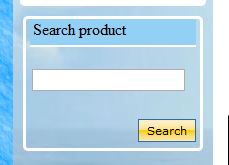
This is my module:
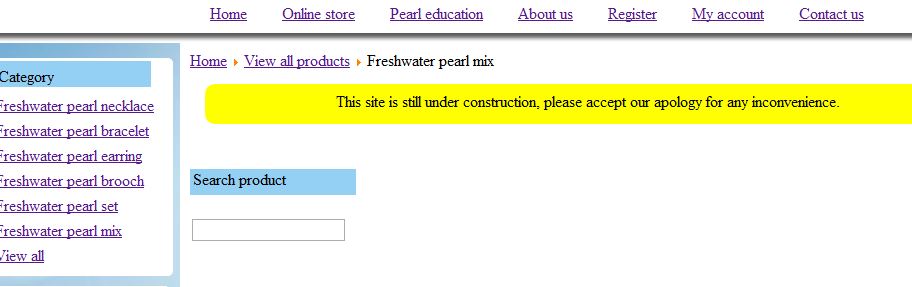
This is the one that Hikashop automatically puts on top of each page,this one works great:
How to solve this one?
This is my module:
This is the one that Hikashop automatically puts on top of each page,this one works great:
Please Log in or Create an account to join the conversation.
14 years 3 weeks ago #64115
by Eliot
Replied by Eliot on topic Re: Weird view on the search page
Did you specify something in the 'menu' field of this module?
You have to put in this field the id of the menu you want the search to be applied on.
This should works better like this
You have to put in this field the id of the menu you want the search to be applied on.
This should works better like this
The following user(s) said Thank You: hamidre13
Please Log in or Create an account to join the conversation.
Time to create page: 0.299 seconds