
- Posts: 20
- Thank you received: 0
Display Cart In Product Page
- TieYaKangaroo
-
 Topic Author
- Offline
Less
More
13 years 2 weeks ago - 13 years 2 weeks ago #123224
by TieYaKangaroo
Display Cart In Product Page was created by TieYaKangaroo
www.indesignr0.kangawebsites.com/index.p...hop/product/1-rep100
-- HikaShop version -- : 2.2.1
-- Joomla version -- : 2.5
-- PHP version -- : x.x.x
-- Browser(s) name and version -- : Safari
-- Error-message(debug-mod must be tuned on) -- : Error_message
Hi Hikashop..
Firstly I'd like to apologise if I have missed something obvious when trying to rectify my issue. Unfortunately I haven't found the documentation easy. I have come across a topic in the forum similar to mine although it did not help ( www.hikashop.com/forum/4-how-to/34371-di...n-product-pages.html ). I would like to display the cart in (what I think is) my product page. In other words, once my item (from the shop front) has been clicked, the page next to open is what I presume is the 'product page' and I would like to see the cart here, amongst other things, but I have had a bunch of trouble achieving this. I would appreciate your help in this area. Thank you kindly.
-- HikaShop version -- : 2.2.1
-- Joomla version -- : 2.5
-- PHP version -- : x.x.x
-- Browser(s) name and version -- : Safari
-- Error-message(debug-mod must be tuned on) -- : Error_message
Hi Hikashop..
Firstly I'd like to apologise if I have missed something obvious when trying to rectify my issue. Unfortunately I haven't found the documentation easy. I have come across a topic in the forum similar to mine although it did not help ( www.hikashop.com/forum/4-how-to/34371-di...n-product-pages.html ). I would like to display the cart in (what I think is) my product page. In other words, once my item (from the shop front) has been clicked, the page next to open is what I presume is the 'product page' and I would like to see the cart here, amongst other things, but I have had a bunch of trouble achieving this. I would appreciate your help in this area. Thank you kindly.
Last edit: 13 years 2 weeks ago by TieYaKangaroo.
Please Log in or Create an account to join the conversation.

Less
More
- Posts: 12953
- Thank you received: 1778
13 years 2 weeks ago #123228
by Mohamed Thelji
Replied by Mohamed Thelji on topic Display Cart In Product Page
Hi,
I checked your website and you actually have an add to cart button through your product page
I checked your website and you actually have an add to cart button through your product page
Please Log in or Create an account to join the conversation.
- TieYaKangaroo
-
Topic Author
- Offline
Less
More
- Posts: 20
- Thank you received: 0
13 years 2 weeks ago #123302
by TieYaKangaroo
Replied by TieYaKangaroo on topic Display Cart In Product Page
Thanks for your reply. Yes I have the add to cart button.. although I want the actual cart to be visible in the product page.
Thanks
Thanks
Please Log in or Create an account to join the conversation.
Less
More
- Posts: 12953
- Thank you received: 1778
13 years 2 weeks ago #123321
by Mohamed Thelji
Replied by Mohamed Thelji on topic Display Cart In Product Page
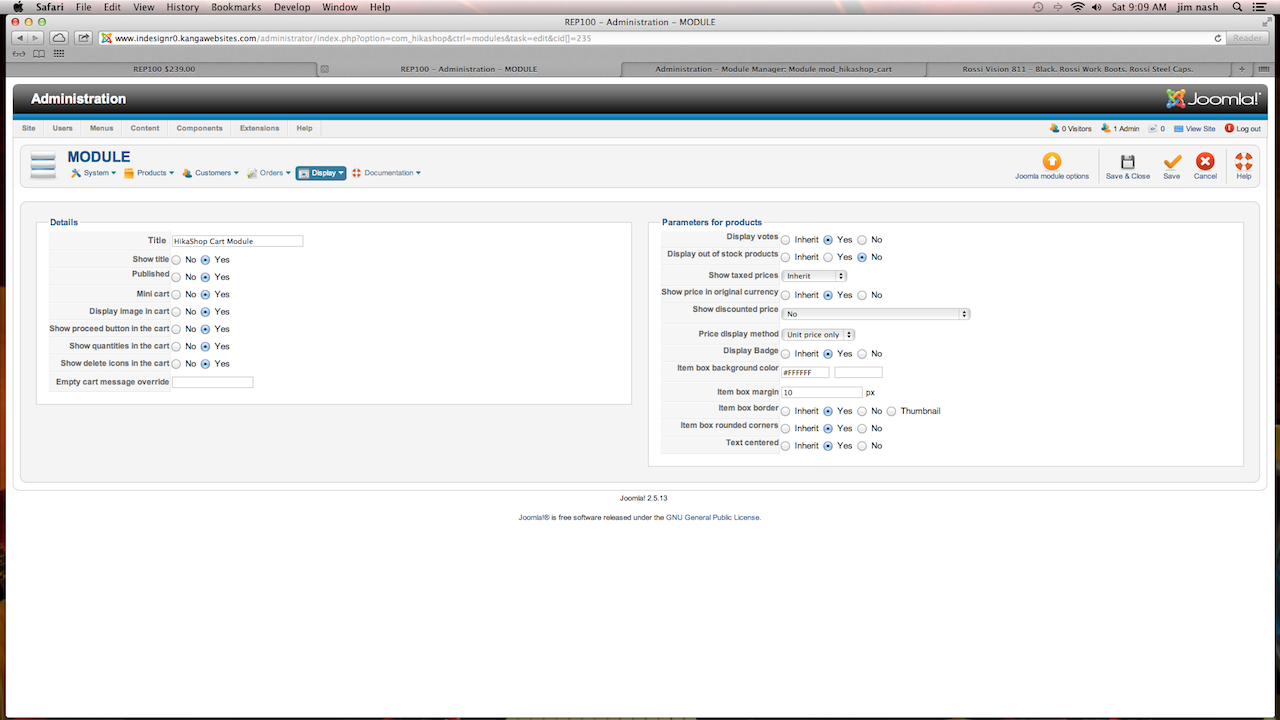
My bad, I thought you were talking about the add to cart button, if you want to control the display of your "cart" module, you can do it by using the "Module Assignment" option of your "cart" module's Joomla configuration page, or by using the "modules under the product page" option of the Display tab of the configuration like in the
thread
that you attached through your first post.
Please Log in or Create an account to join the conversation.
- TieYaKangaroo
-
Topic Author
- Offline
Less
More
- Posts: 20
- Thank you received: 0
13 years 2 weeks ago #123323
by TieYaKangaroo
Replied by TieYaKangaroo on topic Display Cart In Product Page
Yes I understand though as I mentioned I cannot get it working. It's very frustrating because I completely understand how it should work but it is not working for me! So.. I must be doing something wrong but I don't understand what that is yet.
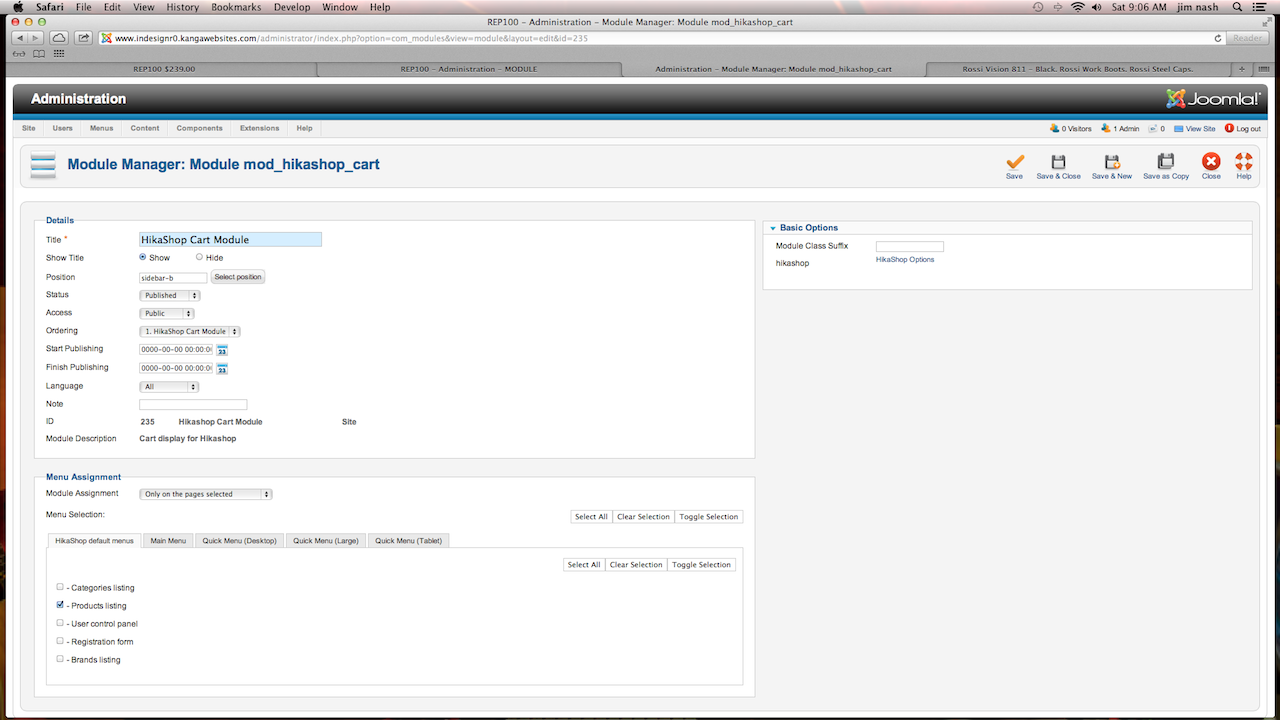
Under the Hika default menus.. Should it be pointing to Products listing??? I have opened Hikashop cart module and assigned it only to pages selected and have only ticked Products listing. Is this correct??
Thanks
Under the Hika default menus.. Should it be pointing to Products listing??? I have opened Hikashop cart module and assigned it only to pages selected and have only ticked Products listing. Is this correct??
Thanks
Please Log in or Create an account to join the conversation.

13 years 2 weeks ago #123357
by Eliot
Replied by Eliot on topic Display Cart In Product Page
Product listing and product page are different things. Could you please post a screenshot of your cart module configuration so we take a look?
Please Log in or Create an account to join the conversation.
- TieYaKangaroo
-
Topic Author
- Offline
Less
More
- Posts: 20
- Thank you received: 0
13 years 2 weeks ago #123508
by TieYaKangaroo
Replied by TieYaKangaroo on topic Display Cart In Product Page
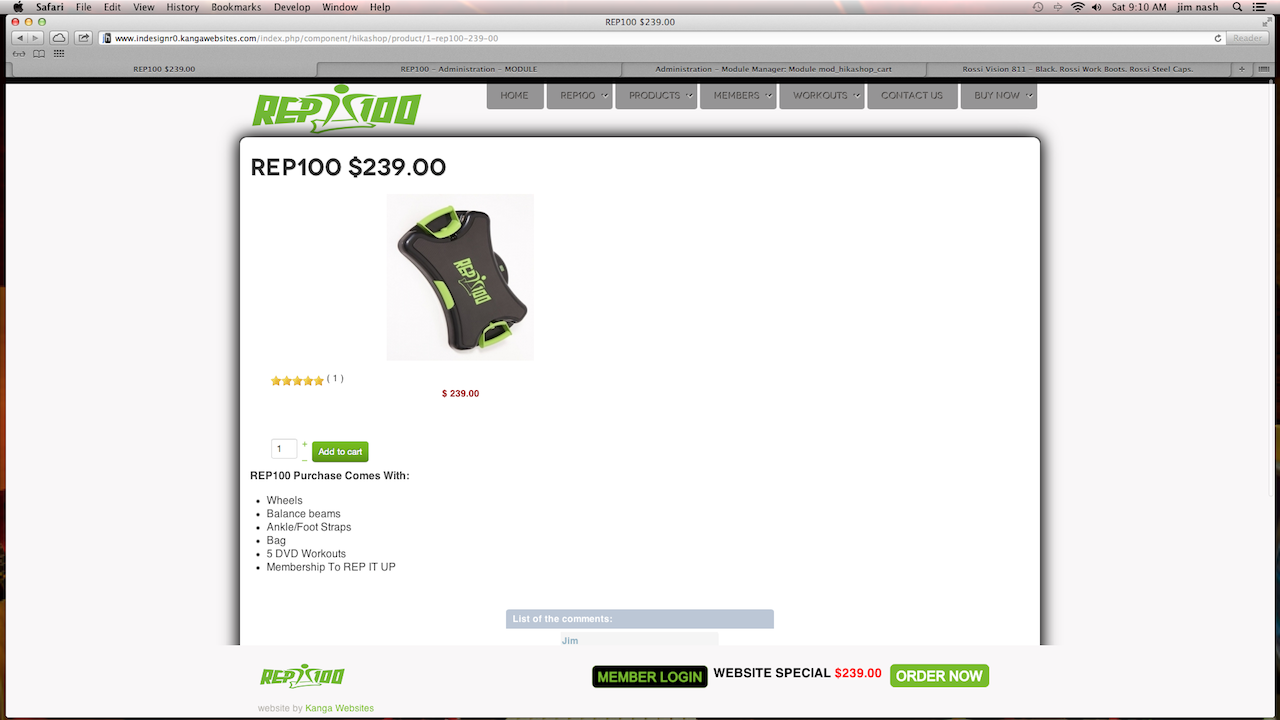
Thanks Elliot, here are the screenshots.
Please Log in or Create an account to join the conversation.

13 years 2 weeks ago #123697
by Xavier
Replied by Xavier on topic Display Cart In Product Page
Hi,
I think that you are not using the Hikashop default menus, but the quick menus.
So, you have to assign this module to the module used in frontend.
If you have created a menu to redirect to a product page in the quick menu, you have to assign the module to this menu.
I think that you are not using the Hikashop default menus, but the quick menus.
So, you have to assign this module to the module used in frontend.
If you have created a menu to redirect to a product page in the quick menu, you have to assign the module to this menu.
Please Log in or Create an account to join the conversation.
Time to create page: 0.218 seconds