

- Posts: 105
- Thank you received: 1
Buy without registration view
12 years 9 months ago #138210
by moneymr
Buy without registration view was created by moneymr
-- url of the page with the problem -- :
mywebsite.com/mypage
-- HikaShop version -- : 2.2.3
-- Joomla version -- : 3.2
I would like to know how replace the e-mail field in checkout proccess?
I show it on the image.
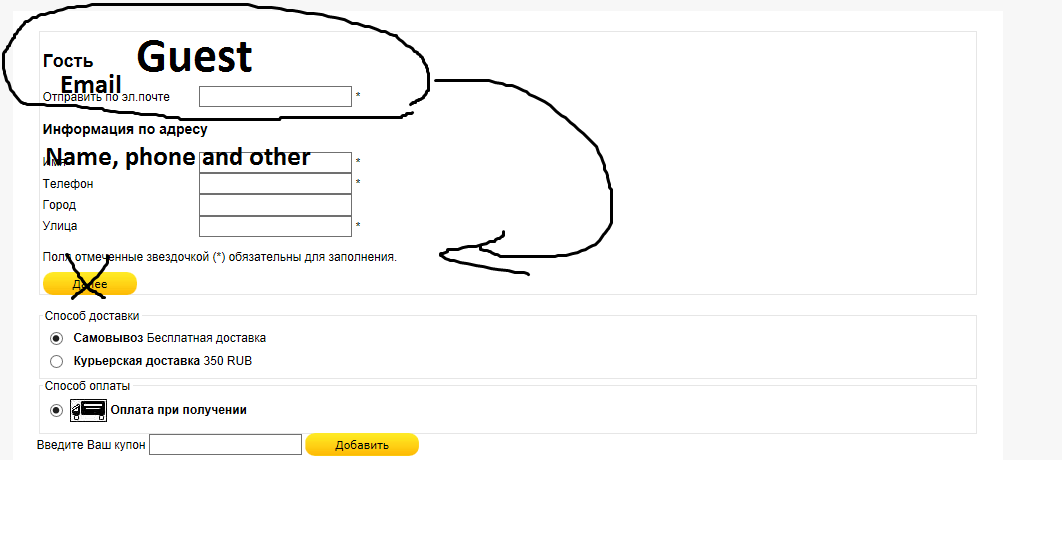
And also how to delete next button after Registration information. It will be great if on that screen I see only one button in the end- Checkout
-- HikaShop version -- : 2.2.3
-- Joomla version -- : 3.2
I would like to know how replace the e-mail field in checkout proccess?
I show it on the image.
And also how to delete next button after Registration information. It will be great if on that screen I see only one button in the end- Checkout
Please Log in or Create an account to join the conversation.

Less
More
- Posts: 12953
- Thank you received: 1778
12 years 9 months ago #138219
by Mohamed Thelji
Replied by Mohamed Thelji on topic Buy without registration view
Hi,
1. Regarding the email field, you'll just have to edit your translation file and change this line :
2. Using this
CSS
code will probably do the job :
But note that you'll have to use it.
1. Regarding the email field, you'll just have to edit your translation file and change this line :
Code:
HIKA_EMAIL="E-mail"
Code:
#hikashop_checkout_registration .hikashop_cart_input_button {
display: none;
}
Please Log in or Create an account to join the conversation.
12 years 9 months ago #138325
by moneymr
Replied by moneymr on topic Buy without registration view
1. I mean move the e-mail field.
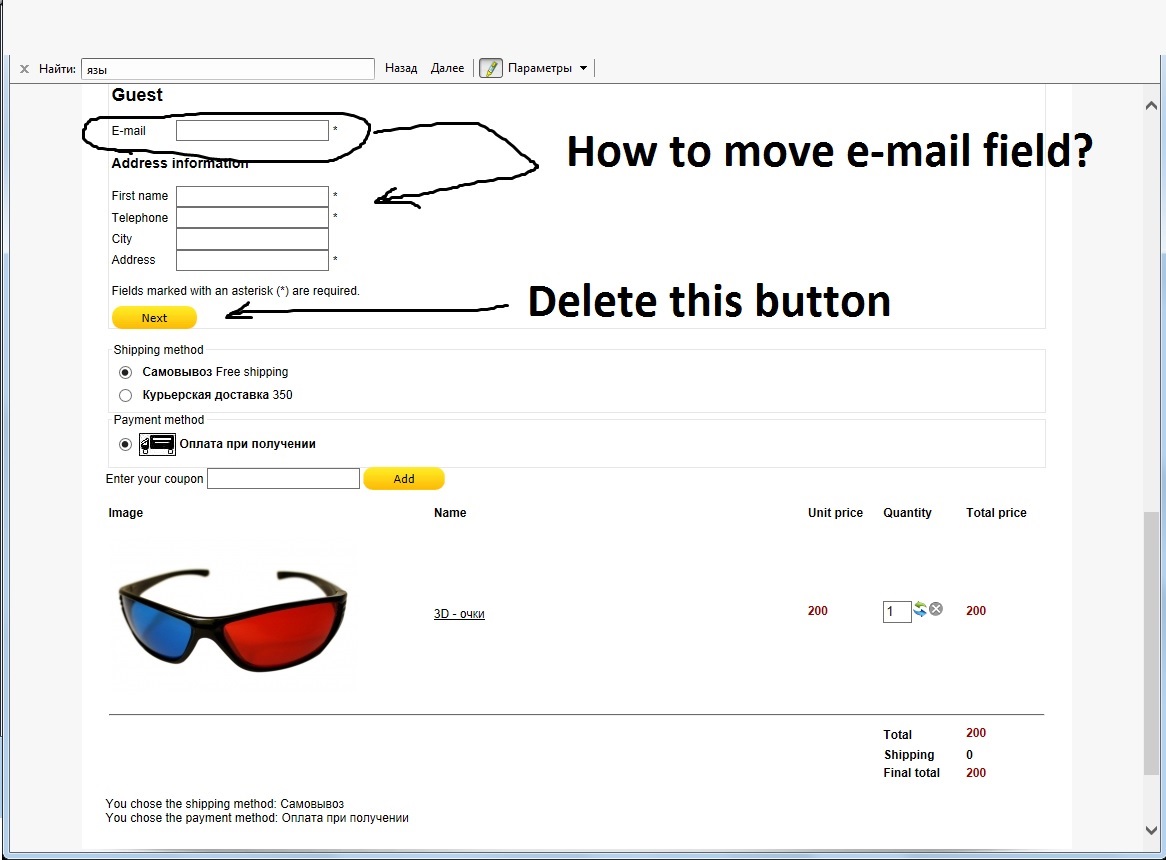
2. Nothing happents.
I want to leave only one button on checkout page. It is possible?
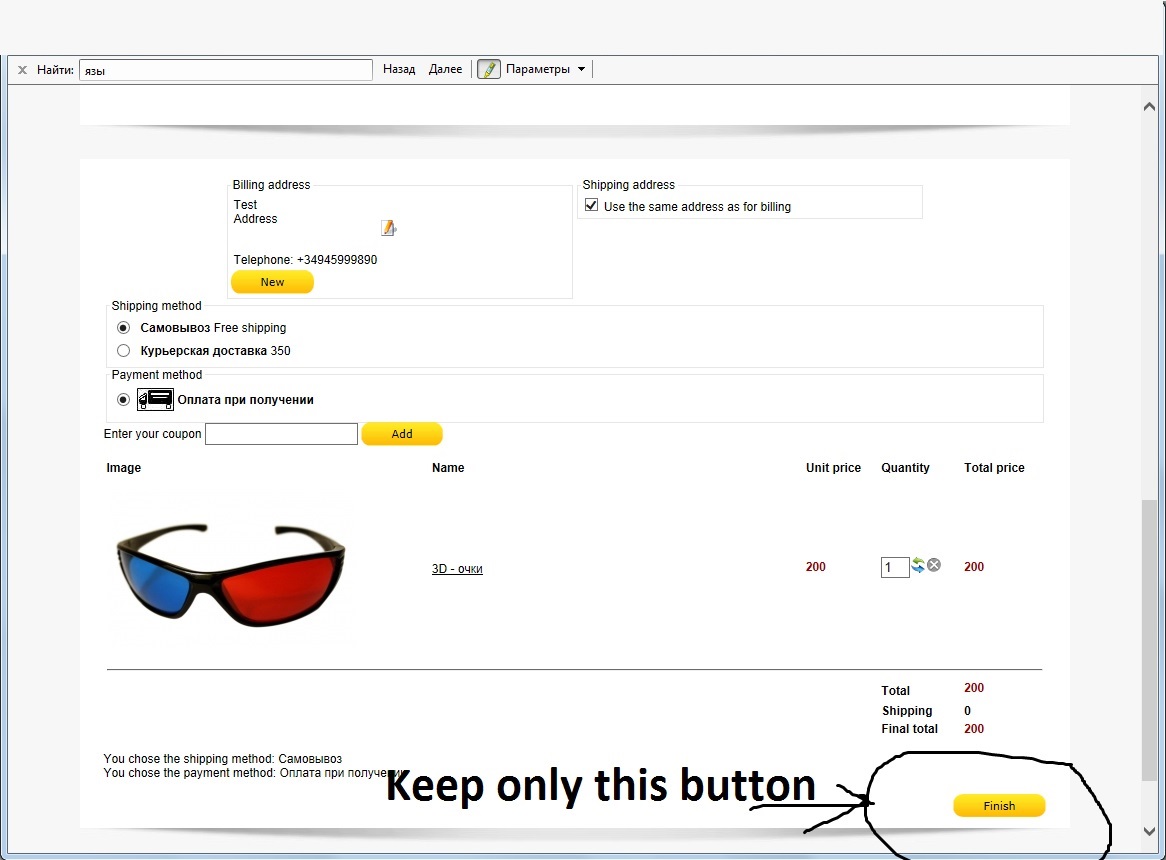
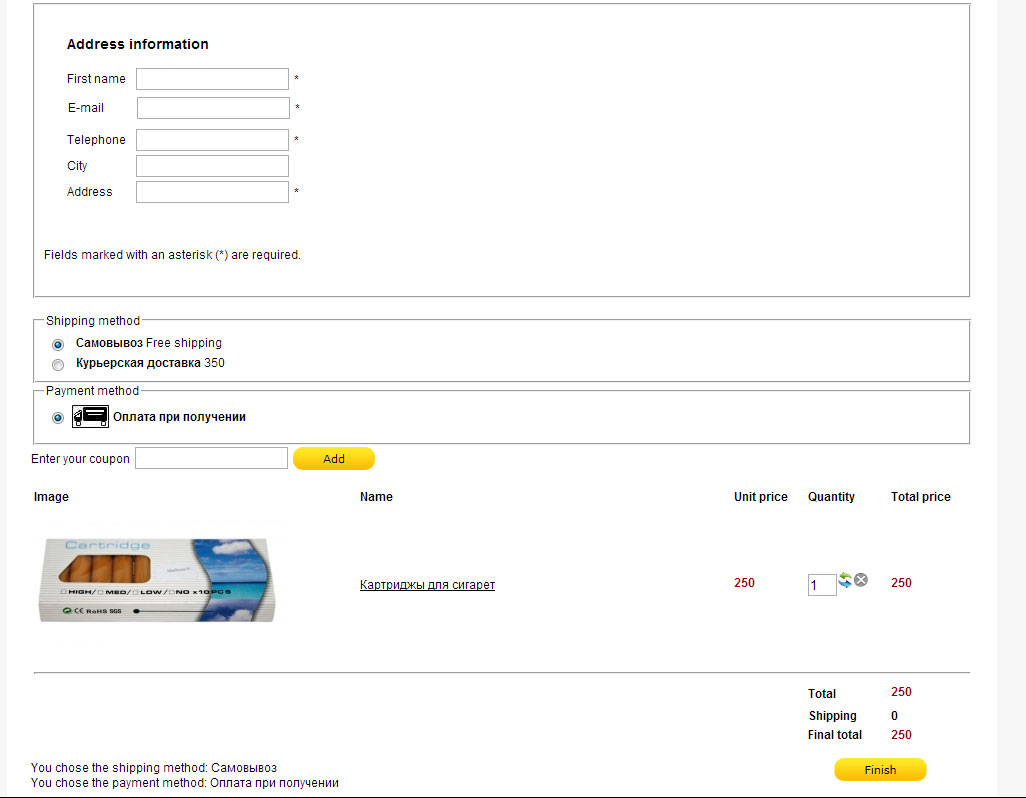
Please look at the image. In that image shown picture how I want it will be checkout page.
2. Nothing happents.
I want to leave only one button on checkout page. It is possible?
Please look at the image. In that image shown picture how I want it will be checkout page.
Please Log in or Create an account to join the conversation.

12 years 9 months ago #138372
by nicolas
Replied by nicolas on topic Buy without registration view
1. You would have to edit the file "registration" of the view "user" via the menu Display>Views and modify the code there to move the email field where you want.
2. There is no possibility to remove that button. It has to be there as it's the only button to validate the page. If you remove it, you won't be able to validate the form and thus won't be able to proceed to the next step.
2. There is no possibility to remove that button. It has to be there as it's the only button to validate the page. If you remove it, you won't be able to validate the form and thus won't be able to proceed to the next step.
Please Log in or Create an account to join the conversation.
12 years 8 months ago #138448
by moneymr
Replied by moneymr on topic Buy without registration view
Thanks. How to make 2 steps checkout proccess?
Please Log in or Create an account to join the conversation.
12 years 8 months ago #138452
by nicolas
Replied by nicolas on topic Buy without registration view
You can drag n drop your checkout views in the "checkout workflow" option of the configuration into a second, third, fourth step and the checkout will then display like that.
Please Log in or Create an account to join the conversation.
12 years 8 months ago #138509
by moneymr
Replied by moneymr on topic Buy without registration view
Thanks!
Please Log in or Create an account to join the conversation.
Time to create page: 0.194 seconds