
- Posts: 19
- Thank you received: 0
How to attach modules to specific pages?
- Helveticus
-
 Topic Author
- Offline
Less
More
12 years 7 months ago #145981
by Helveticus
How to attach modules to specific pages? was created by Helveticus
-- url of the page with the problem -- localhost
-- HikaShop version -- : 2.2.3
-- Joomla version -- :2.5.17
-- PHP version -- : 5.3.13
-- Browser(s) name and version -- : FreFox 27.0.1
-- Error-message(debug-mod must be tuned on) -- : Error_message
Hi,
Is there a way to prevent text (included for instance in a custom html module) from being echoed across all HK pages? For instance, I would like the user information that currently appears at the top of the root page (shop page - img 1) not to be repeated on subsequent pages. Unfortunately, the text appears on every page thereafter (product page - img 2). The same holds true for any module (eg. login form) that has been included at the top level page.
How could I attach specific modules to certain pages and prevent them from showing up on other HK pages?
TIA. MS
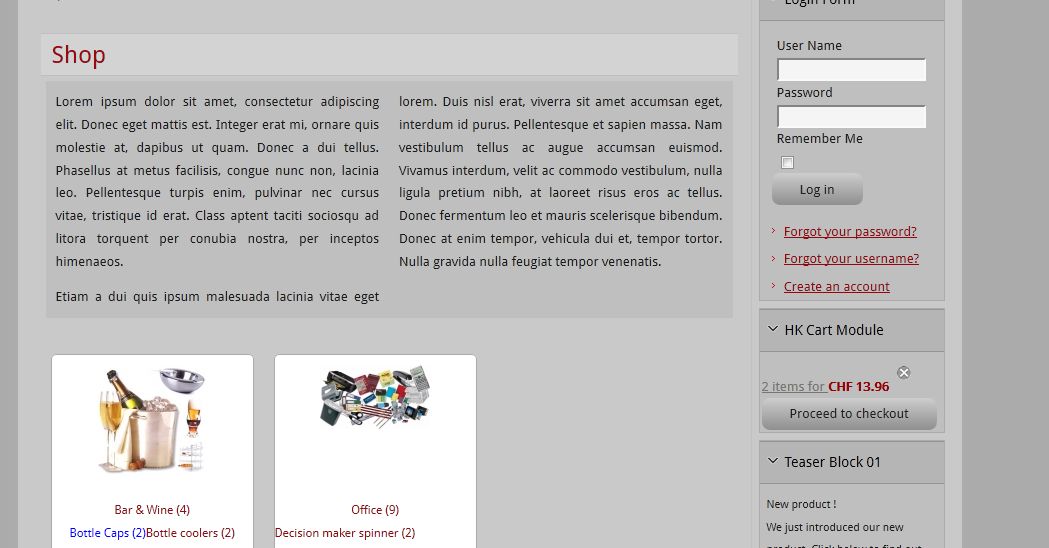
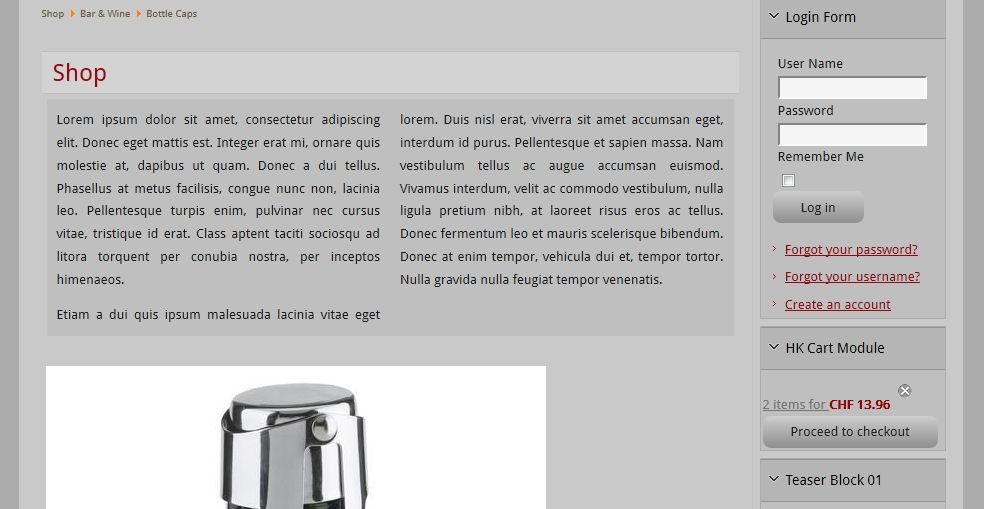
-- HikaShop version -- : 2.2.3
-- Joomla version -- :2.5.17
-- PHP version -- : 5.3.13
-- Browser(s) name and version -- : FreFox 27.0.1
-- Error-message(debug-mod must be tuned on) -- : Error_message
Hi,
Is there a way to prevent text (included for instance in a custom html module) from being echoed across all HK pages? For instance, I would like the user information that currently appears at the top of the root page (shop page - img 1) not to be repeated on subsequent pages. Unfortunately, the text appears on every page thereafter (product page - img 2). The same holds true for any module (eg. login form) that has been included at the top level page.
How could I attach specific modules to certain pages and prevent them from showing up on other HK pages?
TIA. MS
Please Log in or Create an account to join the conversation.

12 years 7 months ago #145996
by nicolas
Replied by nicolas on topic How to attach modules to specific pages?
Hi,
You need to edit your modules via the Joomla modules manager and use the "menu assignment" option of each module in order to restrict their display to only the menu items that you want.
You need to edit your modules via the Joomla modules manager and use the "menu assignment" option of each module in order to restrict their display to only the menu items that you want.
Please Log in or Create an account to join the conversation.
- Helveticus
-
Topic Author
- Offline
Less
More
- Posts: 19
- Thank you received: 0
12 years 7 months ago #146078
by Helveticus
Replied by Helveticus on topic How to attach modules to specific pages?
Thanks for your quick reply.
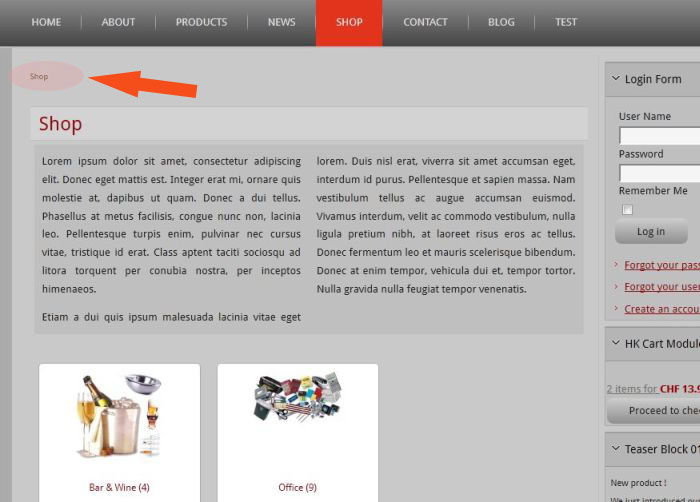
I noticed that submenus won't inherit module config setting of their parents. HK subpages do seem to inherit their parents module settings. Is this a feature and can this be disabled or not?
TIA, MS
Parent page:
Child page:
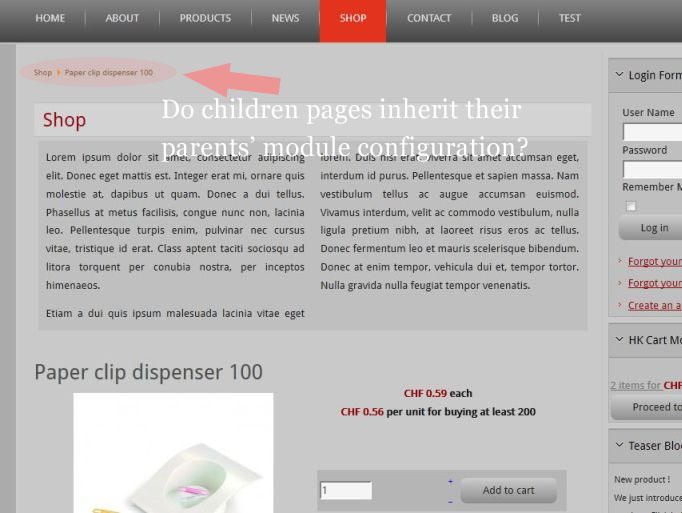
I noticed that submenus won't inherit module config setting of their parents. HK subpages do seem to inherit their parents module settings. Is this a feature and can this be disabled or not?
TIA, MS
Parent page:
Child page:
Please Log in or Create an account to join the conversation.

12 years 7 months ago #146096
by Eliot
Replied by Eliot on topic How to attach modules to specific pages?
Hi there,
They should inherit, what's the difference between those page?
They should inherit, what's the difference between those page?
Please Log in or Create an account to join the conversation.
- Helveticus
-
Topic Author
- Offline
Less
More
- Posts: 19
- Thank you received: 0
12 years 7 months ago #146152
by Helveticus
Replied by Helveticus on topic How to attach modules to specific pages?
Thanks for the feedback.
It seems that children pages inherit indeedd the module setup of their parents. I was hoping that there would be a way of adding/disabling some modules in particular display configurations.
It seems that children pages inherit indeedd the module setup of their parents. I was hoping that there would be a way of adding/disabling some modules in particular display configurations.
Please Log in or Create an account to join the conversation.

12 years 7 months ago #146278
by Xavier
Replied by Xavier on topic How to attach modules to specific pages?
Hi,
You will need an advanced module manager like advanced module manager:
extensions.joomla.org/extensions/style-a...les-management/10307
You will need an advanced module manager like advanced module manager:
extensions.joomla.org/extensions/style-a...les-management/10307
Please Log in or Create an account to join the conversation.
Time to create page: 0.167 seconds